Camerafarm product archive #39181
| Image |
Date |
Product description |
Price |
Buy |
|
11/04
|
Adobe After Effects CS3 Professional - Windows, Retail Create motion graphics and visual effects with the industry standard
After Effects CS3 Professional is an essential upgrade. Design vector graphics, create more organic movements, and expedite delivery with new integration and new collaboration features.
Top features
Innovative compositing and animation tools
Create high-impact communications by combining moving imagery, still images and graphics, text, and sound in 2D or 3D space and then animating virtually any aspect of each element.
Unmatched Adobe integration
Enjoy a streamlined workflow with support for importing Adobe Photoshop images that include video layers as well as Adobe Illustrator graphics that maintain image integrity. Move easily between After Effects and Adobe Premiere Pro CS3 or Encore CS3 software, and share animations easily with Adobe Flash CS3 Professional software.

Text and vector graphics creation and animation
Text and vector graphics creation and animation
Create text and vector graphics in After Effects using familiar Adobe tools, and then animate these elements to create visually innovative new motion graphics.
Extensive visual effects
Manipulate moving and still images using hundreds of effects such as stylize, distort, and shatter. Create grids, radio waves, 3D particles, film grain, fractal noise, and more.
Time-saving tools
Timesaving tools
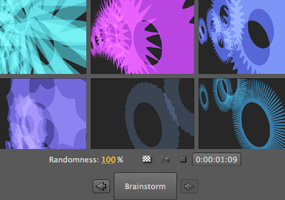
Start projects quickly with animation presets and behaviors when creating common animation elements, such as animating text in and out, creating synthetic backgrounds, and more. Use new Brainstorm to quickly experiment and refine designs using parameters you define. Learn fast with Tool Tips and training resources in the box and on the web, and streamline your review process with Adobe Clip Notes to create and import comments.
Comprehensive masking and keying tools
Control which portions of a layer are visible by importing, manipulating, and animating masks. Flexible auto-tracing options and RotoBezier masks make it easy to get precise results. Key bluescreen and greenscreen mattes with the Academy Award-winning Keylight and a host of supporting tools.

Powerful motion controls
Powerful motion controls
Animate graphics and text using the Puppet tool. Apply motion blur to produce more realistic animations, or use Timewarp to slow down and speed up footage. Precisely match the motion of source footage using Motion Tracker, and get the look of a locked-off shot using Motion Stabilizer.
Enhanced performance
Harness your computers processing power with new multicore and graphics acceleration plus disk caching so you can spend less time waiting and more time creating. Distribute rendering across your entire network to maximize output performance.
Professional results for every media type
Compatibility with an extensive list of output formats lets you produce animated content for virtually any media, from the web and mobile devices to film and broadcast. Plus, After Effects CS3 Professional introduces color management tools to help make the color-correction process more predictable and preserve color fidelity.
High-fidelity color
Use standard color management tools with enhancements for film and video workflows.
System requirements
Windows
- Intel Pentium 4, Intel Centrino, Intel Xeon, or Intel Core Duo (or compatible) processor
- Microsoft Windows XP with Service Pack 2 or Windows Vista Home Premium, Business, Ultimate, or Enterprise (certified for 32-bit editions)
- 1GB of RAM for DV; 2GB of RAM for HDV and HD
- 3GB of available hard-disk space plus 2GB of space for optional content (additional free space required during installation)
- 1024x768 monitor resolution with 32-bit video card; Adobe recommended graphics card for GPU-accelerated playback
- For OpenGL support: Adobe After Effects supported OpenGL 2.0 card (NVIDIA recommended)
- DVD-ROM drive
- QuickTime 7.1.5 software required to use QuickTime features
- Internet or phone connection required for product activation
- Broadband Internet connection required for Adobe Stock Photos* and other services
- For recommended graphics cards and compatibility lists, see the OpenGL page.
Macintosh
- PowerPC G4 or G5 or multicore Intel processor
- Mac OS X v.10.4.9
- 1GB of RAM for DV; 2GB of RAM for HDV and HD
- 3GB of available hard-disk space plus 2GB of space for optional content (additional free space required during installation)
- 1024x768 monitor resolution with 32-bit video card; Adobe recommended graphics card for GPU-accelerated playback
- For OpenGL support: Adobe After Effects supported OpenGL 2.0 card (NVIDIA recommended)
- DVD-ROM drive
- QuickTime 7.1.5 software required to use QuickTime features
- Internet or phone connection required for product activation
- Broadband Internet connection required for Adobe Stock Photos* and other services
- For recommended graphics cards and compatibility lists, see the OpenGL page.
*Online services, including, but not limited to, Adobe Stock Photos and Acrobat Connect, may not be available in all countries, languages, and currencies. Availability of services is subject to change. Use of online services is governed by terms and conditions of a separate agreement and may be subject to additional fees.

|


|
|
|
11/04
|
Adobe After Effects CS3 Professional - Mac, Retail Create motion graphics and visual effects with the industry standard
After Effects CS3 Professional is an essential upgrade. Design vector graphics, create more organic movements, and expedite delivery with new integration and new collaboration features.
Top features
Innovative compositing and animation tools
Create high-impact communications by combining moving imagery, still images and graphics, text, and sound in 2D or 3D space and then animating virtually any aspect of each element.
Unmatched Adobe integration
Enjoy a streamlined workflow with support for importing Adobe Photoshop images that include video layers as well as Adobe Illustrator graphics that maintain image integrity. Move easily between After Effects and Adobe Premiere Pro CS3 or Encore CS3 software, and share animations easily with Adobe Flash CS3 Professional software.

Text and vector graphics creation and animation
Text and vector graphics creation and animation
Create text and vector graphics in After Effects using familiar Adobe tools, and then animate these elements to create visually innovative new motion graphics.
Extensive visual effects
Manipulate moving and still images using hundreds of effects such as stylize, distort, and shatter. Create grids, radio waves, 3D particles, film grain, fractal noise, and more.
Time-saving tools
Timesaving tools
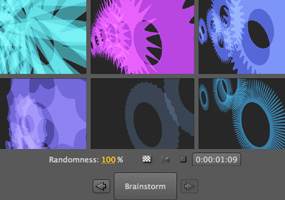
Start projects quickly with animation presets and behaviors when creating common animation elements, such as animating text in and out, creating synthetic backgrounds, and more. Use new Brainstorm to quickly experiment and refine designs using parameters you define. Learn fast with Tool Tips and training resources in the box and on the web, and streamline your review process with Adobe Clip Notes to create and import comments.
Comprehensive masking and keying tools
Control which portions of a layer are visible by importing, manipulating, and animating masks. Flexible auto-tracing options and RotoBezier masks make it easy to get precise results. Key bluescreen and greenscreen mattes with the Academy Award-winning Keylight and a host of supporting tools.

Powerful motion controls
Powerful motion controls
Animate graphics and text using the Puppet tool. Apply motion blur to produce more realistic animations, or use Timewarp to slow down and speed up footage. Precisely match the motion of source footage using Motion Tracker, and get the look of a locked-off shot using Motion Stabilizer.
Enhanced performance
Harness your computers processing power with new multicore and graphics acceleration plus disk caching so you can spend less time waiting and more time creating. Distribute rendering across your entire network to maximize output performance.
Professional results for every media type
Compatibility with an extensive list of output formats lets you produce animated content for virtually any media, from the web and mobile devices to film and broadcast. Plus, After Effects CS3 Professional introduces color management tools to help make the color-correction process more predictable and preserve color fidelity.
High-fidelity color
Use standard color management tools with enhancements for film and video workflows.
System requirements
Windows
- Intel Pentium 4, Intel Centrino, Intel Xeon, or Intel Core Duo (or compatible) processor
- Microsoft Windows XP with Service Pack 2 or Windows Vista Home Premium, Business, Ultimate, or Enterprise (certified for 32-bit editions)
- 1GB of RAM for DV; 2GB of RAM for HDV and HD
- 3GB of available hard-disk space plus 2GB of space for optional content (additional free space required during installation)
- 1024x768 monitor resolution with 32-bit video card; Adobe recommended graphics card for GPU-accelerated playback
- For OpenGL support: Adobe After Effects supported OpenGL 2.0 card (NVIDIA recommended)
- DVD-ROM drive
- QuickTime 7.1.5 software required to use QuickTime features
- Internet or phone connection required for product activation
- Broadband Internet connection required for Adobe Stock Photos* and other services
- For recommended graphics cards and compatibility lists, see the OpenGL page.
Macintosh
- PowerPC G4 or G5 or multicore Intel processor
- Mac OS X v.10.4.9
- 1GB of RAM for DV; 2GB of RAM for HDV and HD
- 3GB of available hard-disk space plus 2GB of space for optional content (additional free space required during installation)
- 1024x768 monitor resolution with 32-bit video card; Adobe recommended graphics card for GPU-accelerated playback
- For OpenGL support: Adobe After Effects supported OpenGL 2.0 card (NVIDIA recommended)
- DVD-ROM drive
- QuickTime 7.1.5 software required to use QuickTime features
- Internet or phone connection required for product activation
- Broadband Internet connection required for Adobe Stock Photos* and other services
- For recommended graphics cards and compatibility lists, see the OpenGL page.
*Online services, including, but not limited to, Adobe Stock Photos and Acrobat Connect, may not be available in all countries, languages, and currencies. Availability of services is subject to change. Use of online services is governed by terms and conditions of a separate agreement and may be subject to additional fees.

|
|
|
|
11/04
|
Adobe Premiere Pro CS3 - Windows, Retail Capture, edit, and deliver video to disc, the web, and mobile devices
Make every phase of video production more efficient with Adobe Premiere Pro, includes Adobe OnLocation CS3* (Windows only), and includes Adobe Encore CS3. Top new features include:
- Output to DVD and Blu-ray Disc
- High quality slow motion with time remapping
- Direct-to-disc recording and professional on-set monitoring
- Publish Adobe Encore projects to the web
- Multiple project panels with smart file search
- Improved editing efficiency
- Output for mobile devices
* For Macintosh users, Adobe OnLocation requires Boot Camp and Windows (purchased separately) or a separate Windows based computer.
Top features
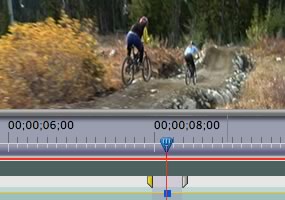
Efficient tools for creative editing
Efficient tools for creative editing
Create high-quality visual and editorial effects directly within the editing timeline. Generate slow motion and other time-remapping effects with precise keyframe control and real-time feedback. Add color correction, lighting and other effects, audio filters, and more with fast, flexible, built-in tools. Edit footage from multicam shoots with ease and precision.
Comprehensive video-format compatibility
Work with the formats you want. Edit all standard- or high-definition formats, from DV and HDV to HD and beyond (some formats may require additional hardware).
Broad range of supporting hardware and software for Mac and Windows
Choose from a wide range of Mac and Windows workstations and capture cards to build the editing system that meets your needs and budget. Enhance your system with additional plug-ins, including many from After Effects.
DVD and Blu-ray Disc output with included Adobe Encore CS3
Create DVD and Blu-ray Discs with Adobe Encore CS3, now included with Adobe Premiere Pro CS3. Work with the same Adobe Encore authoring interface and features used to create standard-definition DVDs. Author once, deliver to three formats: automatically convert your high-definition Blu-ray Disc projects into standard-definition DVDs and interactive versions for the web.
Superior integration with other Adobe applications
Make the leading still and motion graphics applications, Photoshop and After Effects, part of an efficient post-production workflow. Import and animate Photoshop layers. Automatically create Photoshop files that match the current projects frame size and aspect ratio. Drag and drop or copy and paste clips and timelines between Adobe Premiere Pro CS3 and After Effects CS3 Professional.
Direct-to-disk recording with included Adobe OnLocation CS3* (Windows only)
Save tape and time by eliminating capture from your production process. Record SD and HD video directly to hard disk using Adobe OnLocation CS3 software, included with Adobe Premiere Pro CS3. Instantly review each shot without shuttling tape. Adobe OnLocation automatically detects and flags problems to provide the best results.
Professional on-set monitoring with Adobe OnLocation CS3
Maximize camera image quality during shoots by using Adobe OnLocation CS3 to quickly calibrate your camera, check levels, and monitor your signal. Use simple tools that function like their hardware equivalents to get results quickly and easily. The virtual reference monitor, waveform monitor, vectorscope, and audio spectrum analyzer help you avoid problems and improve quality when shooting.
Delivery to the web and mobile devices
Make your video viewable on the delivery platforms of today and tomorrow. Export as SWF FLV files. Easily convert DVD projects complete with menus to SWF for web playback. Encode for delivery to cell phones and other mobile devices, and emulate playback on those devices to check playback quality.
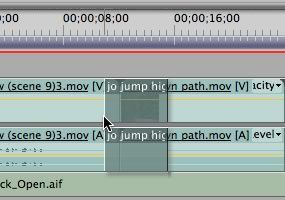
Improved editing efficiency
Improved editing efficiency
Work faster with powerful and flexible editing tools. Play video with nested audio sequences in real time without rendering. Replace any clip in the timeline with a new clip while preserving the replaced clips editing attributes and settings. Use shortcuts to switch between workspace panels and save time.
Accelerated client review and approval with Adobe Clip Notes
Expedite review cycles and avoid miscommunication with Adobe Clip Notes. Embed video into a PDF file, e-mail the file to your client to review and add timecode-specific comments, and then view comments mapped to the Adobe Premiere Pro CS3 timeline.
* For Macintosh users, Adobe OnLocation requires Boot Camp and Windows (purchased separately) or a separate Windows based computer.
System requirements
Windows
- Intel Pentium 4 (2GHz processor for DV; 3.4GHz processor for HDV), Intel Centrino, Intel Xeon (dual 2.8GHz processors for HD), or Intel Core Duo (or compatible) processor; SSE2-enabled processor required for AMD systems
- Microsoft Windows XP Professional or Home Edition with Service Pack 2 or Windows Vista Home Premium, Business, Ultimate, or Enterprise (certified for 32-bit editions)
- 1GB of RAM for DV; 2GB of RAM for HDV and HD
- 10GB of available hard-disk space (additional free space required during installation)
- Dedicated 7,200 RPM hard drive for DV and HDV editing; striped disk array storage (RAID 0) for HD; SCSI disk subsystem preferred
- 1,280x1,024 monitor resolution with 32-bit video card; Adobe recommended graphics card for GPU-accelerated playback
- Microsoft DirectX or ASIO compatible sound card
- For SD/HD workflows, an Adobe certified card for capture and export to tape
- DVD-ROM drive
- Blu-ray burner required for Blu-ray Disc creation
- DVD+-R burner required for DVD creation
- OHCI compatible IEEE 1394 port for DV and HDV capture, export to tape, and transmit to DV device
- QuickTime 7 software required to use QuickTime features
- Internet or phone connection required for product activation
- Broadband Internet connection required for Adobe Stock Photos* and other services
Macintosh
- Multicore Intel processor (Adobe OnLocation CS3 is a Windows application that may be used on Macintosh using Boot Camp and Windows, sold separately)
- Mac OS X v.10.4.9
- 1GB of RAM for DV; 2GB of RAM for HDV and HD
- 10GB of available hard-disk space (additional free space required during installation)
- Dedicated 7,200 RPM hard drive for DV and HDV editing; striped disk array storage (RAID 0) for HD; SCSI disk subsystem preferred
- 1,280x960 monitor resolution with 32-bit video card; Adobe recommended graphics card for GPU-accelerated playback
- Core Audio compatible sound card
- DVD-ROM drive
- Blu-ray burner required for Blu-ray Disc creation
- SuperDrive for DVD burning
- QuickTime 7 required to use QuickTime features
- Internet or phone connection required for product activation
- Broadband Internet connection required for Adobe Stock Photos* and other services
*Online services, including, but not limited to, Adobe Stock Photos and Acrobat Connect, may not be available in all countries, languages, and currencies. Availability of services is subject to change. Use of online services is governed by terms and conditions of a separate agreement and may be subject to additional fees.
System requirements for Adobe OnLocation CS3
- 2GHz Intel Pentium 4 processor
- Microsoft Windows XP Professional or Home Edition with Service Pack 2 or Windows Vista Home Premium, Business, Ultimate, or Enterprise (certified for 32-bit editions)
- 512MB of RAM
- 100MB of available hard-disk space
- 5,400 RPM hard drive for recording; 13GB of available hard-disk space for each hour of recording
- 32MB AGP or PCI Express graphics card with Direct3D acceleration
- OHCI compliant IEEE 1394 adapter for DV and HDV capture, export to tape, and transmit to DV device
- CD-ROM drive
- Internet or phone connection required for product activation
|
|
|
|
11/04
|
Adobe Premiere Pro CS3 - Mac, Retail Capture, edit, and deliver video to disc, the web, and mobile devices
Make every phase of video production more efficient with Adobe Premiere Pro, includes Adobe OnLocation CS3* (Windows only), and includes Adobe Encore CS3. Top new features include:
- Output to DVD and Blu-ray Disc
- High quality slow motion with time remapping
- Direct-to-disc recording and professional on-set monitoring
- Publish Adobe Encore projects to the web
- Multiple project panels with smart file search
- Improved editing efficiency
- Output for mobile devices
* For Macintosh users, Adobe OnLocation requires Boot Camp and Windows (purchased separately) or a separate Windows based computer.
Top features
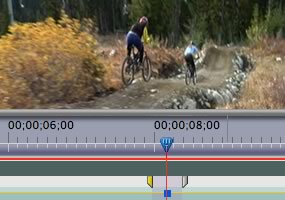
Efficient tools for creative editing
Efficient tools for creative editing
Create high-quality visual and editorial effects directly within the editing timeline. Generate slow motion and other time-remapping effects with precise keyframe control and real-time feedback. Add color correction, lighting and other effects, audio filters, and more with fast, flexible, built-in tools. Edit footage from multicam shoots with ease and precision.
Comprehensive video-format compatibility
Work with the formats you want. Edit all standard- or high-definition formats, from DV and HDV to HD and beyond (some formats may require additional hardware).
Broad range of supporting hardware and software for Mac and Windows
Choose from a wide range of Mac and Windows workstations and capture cards to build the editing system that meets your needs and budget. Enhance your system with additional plug-ins, including many from After Effects.
DVD and Blu-ray Disc output with included Adobe Encore CS3
Create DVD and Blu-ray Discs with Adobe Encore CS3, now included with Adobe Premiere Pro CS3. Work with the same Adobe Encore authoring interface and features used to create standard-definition DVDs. Author once, deliver to three formats: automatically convert your high-definition Blu-ray Disc projects into standard-definition DVDs and interactive versions for the web.
Superior integration with other Adobe applications
Make the leading still and motion graphics applications, Photoshop and After Effects, part of an efficient post-production workflow. Import and animate Photoshop layers. Automatically create Photoshop files that match the current projects frame size and aspect ratio. Drag and drop or copy and paste clips and timelines between Adobe Premiere Pro CS3 and After Effects CS3 Professional.
Direct-to-disk recording with included Adobe OnLocation CS3* (Windows only)
Save tape and time by eliminating capture from your production process. Record SD and HD video directly to hard disk using Adobe OnLocation CS3 software, included with Adobe Premiere Pro CS3. Instantly review each shot without shuttling tape. Adobe OnLocation automatically detects and flags problems to provide the best results.
Professional on-set monitoring with Adobe OnLocation CS3
Maximize camera image quality during shoots by using Adobe OnLocation CS3 to quickly calibrate your camera, check levels, and monitor your signal. Use simple tools that function like their hardware equivalents to get results quickly and easily. The virtual reference monitor, waveform monitor, vectorscope, and audio spectrum analyzer help you avoid problems and improve quality when shooting.
Delivery to the web and mobile devices
Make your video viewable on the delivery platforms of today and tomorrow. Export as SWF FLV files. Easily convert DVD projects complete with menus to SWF for web playback. Encode for delivery to cell phones and other mobile devices, and emulate playback on those devices to check playback quality.
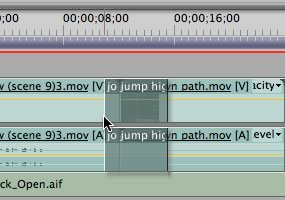
Improved editing efficiency
Improved editing efficiency
Work faster with powerful and flexible editing tools. Play video with nested audio sequences in real time without rendering. Replace any clip in the timeline with a new clip while preserving the replaced clips editing attributes and settings. Use shortcuts to switch between workspace panels and save time.
Accelerated client review and approval with Adobe Clip Notes
Expedite review cycles and avoid miscommunication with Adobe Clip Notes. Embed video into a PDF file, e-mail the file to your client to review and add timecode-specific comments, and then view comments mapped to the Adobe Premiere Pro CS3 timeline.
* For Macintosh users, Adobe OnLocation requires Boot Camp and Windows (purchased separately) or a separate Windows based computer.
System requirements and languages
Windows
- Intel Pentium 4 (2GHz processor for DV; 3.4GHz processor for HDV), Intel Centrino, Intel Xeon (dual 2.8GHz processors for HD), or Intel Core Duo (or compatible) processor; SSE2-enabled processor required for AMD systems
- Microsoft Windows XP Professional or Home Edition with Service Pack 2 or Windows Vista Home Premium, Business, Ultimate, or Enterprise (certified for 32-bit editions)
- 1GB of RAM for DV; 2GB of RAM for HDV and HD
- 10GB of available hard-disk space (additional free space required during installation)
- Dedicated 7,200 RPM hard drive for DV and HDV editing; striped disk array storage (RAID 0) for HD; SCSI disk subsystem preferred
- 1,280x1,024 monitor resolution with 32-bit video card; Adobe recommended graphics card for GPU-accelerated playback
- Microsoft DirectX or ASIO compatible sound card
- For SD/HD workflows, an Adobe certified card for capture and export to tape
- DVD-ROM drive
- Blu-ray burner required for Blu-ray Disc creation
- DVD+-R burner required for DVD creation
- OHCI compatible IEEE 1394 port for DV and HDV capture, export to tape, and transmit to DV device
- QuickTime 7 software required to use QuickTime features
- Internet or phone connection required for product activation
- Broadband Internet connection required for Adobe Stock Photos* and other services
Macintosh
- Multicore Intel processor (Adobe OnLocation CS3 is a Windows application that may be used on Macintosh using Boot Camp and Windows, sold separately)
- Mac OS X v.10.4.9
- 1GB of RAM for DV; 2GB of RAM for HDV and HD
- 10GB of available hard-disk space (additional free space required during installation)
- Dedicated 7,200 RPM hard drive for DV and HDV editing; striped disk array storage (RAID 0) for HD; SCSI disk subsystem preferred
- 1,280x960 monitor resolution with 32-bit video card; Adobe recommended graphics card for GPU-accelerated playback
- Core Audio compatible sound card
- DVD-ROM drive
- Blu-ray burner required for Blu-ray Disc creation
- SuperDrive for DVD burning
- QuickTime 7 required to use QuickTime features
- Internet or phone connection required for product activation
- Broadband Internet connection required for Adobe Stock Photos* and other services
*Online services, including, but not limited to, Adobe Stock Photos and Acrobat Connect, may not be available in all countries, languages, and currencies. Availability of services is subject to change. Use of online services is governed by terms and conditions of a separate agreement and may be subject to additional fees.
System requirements for Adobe OnLocation CS3
- 2GHz Intel Pentium 4 processor
- Microsoft Windows XP Professional or Home Edition with Service Pack 2 or Windows Vista Home Premium, Business, Ultimate, or Enterprise (certified for 32-bit editions)
- 512MB of RAM
- 100MB of available hard-disk space
- 5,400 RPM hard drive for recording; 13GB of available hard-disk space for each hour of recording
- 32MB AGP or PCI Express graphics card with Direct3D acceleration
- OHCI compliant IEEE 1394 adapter for DV and HDV capture, export to tape, and transmit to DV device
- CD-ROM drive
- Internet or phone connection required for product activation
|
|
|
|
11/04
|
Adobe InCopy CS3 - Windows, Retail Collaborate in demanding editorial workflows
Adobe InCopy CS3 software is a professional writing and editing program that tightly integrates with Adobe InDesign CS3 software to enable collaborative editorial workflows.
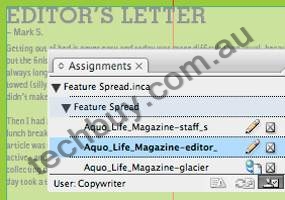
Efficient assignment-based workflow
Efficient assignment-based workflow
Accelerate production by enabling a designer and multiple writers and editors to simultaneously edit the content of a single Adobe InDesign document. Exchange articles with ease and flexibility using assignments that contain only the InDesign CS3 elements you need, from a specific area of a page to an entire document.
Precise layout view with 100% accurate line breaks
Edit copy in the view most suited to your current task, such as pure text editing or copyfitting. Galley View displays 100% accurate line breaks, Story View allows faster word processing, and Layout View gives an accurate view of the InDesign layout so you can make text edits in relation to the design. Refresh the Layout View whenever your designer sends you design changes for reference as you edit.
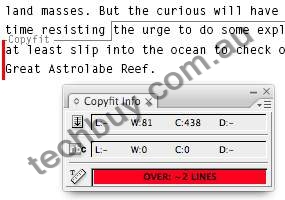
Detailed copyfitting feedback
Detailed copyfitting feedback
View copyfit information as you work in Galley, Layout, and Story View. Constant visual feedback informs you of space remaining or how far youve gone over plus story depth and line, word, and character counts.
Advanced editorial toolset
Work more productively with powerful editorial tools, including styles that let you rapidly implement global formatting changes to maintain typographical consistency, enhanced Find/Change functionality that lets you quickly change text and text formatting in documents of any length, and more.
Intelligent editorial collaboration
Take advantage of the ability to easily track text changes, and then quickly hide, show, navigate, and accept or reject changes. And use handy inline notes to store alternate text, writer-editor communications, and other annotations in notes tied to specific positions in a story.
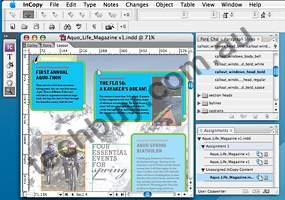
Customizable editorial workspace
Customizable editorial workspace
Make more efficient use of your screen space by viewing only the tools you need for a specific task or monitor configuration. Save any combination of panel arrangements and menu configurations as custom workspaces, and smoothly switch between workspaces depending on your task.
Professional typography
Apply a wide range of precise typographic adjustments such as leading, letter spacing, and paragraph spacing; use OpenType fonts and Unicode character encoding; and easily insert glyphs by using the Glyphs panel.
Multiple text format support
Easily open and import content in a wide variety of formats, including Microsoft Word, Excel, RTF, ASCII, and XML.
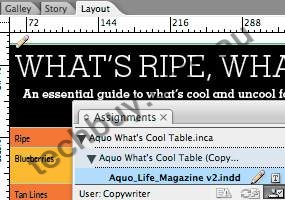
Flexible table creation including table and cell styles
Flexible table creation
Quickly create tables from scratch, import styled Word and Excel tables directly, or turn tab-delimited text files into tables, and then apply formatting in InCopy CS3. Also edit complex tables built in InDesign CS3 more efficiently.
Robust XML support
Open, create, modify, and contribute structured XML text and tables to your publishing workflow.
System requirements
Windows
- Intel Pentium 4, Intel Centrino, or Intel Xeon processor
- Microsoft Windows XP with Service Pack 2 or Windows Vista Home Premium, Business, Ultimate, or Enterprise
- 256MB of RAM (For Windows Vista: 512MB of RAM; 1GB recommended)
- 316MB of available hard-disk space
- 1,024x768 monitor resolution with 16-bit video card (24-bit screen display recommended)
- DVD-ROM drive
- QuickTime 7 software required for multimedia features
- Internet or phone connection required for product activation
Macintosh
- PowerPC G4 or Intel processor
- Mac OS X v.10.4.6
- 256MB of RAM for PowerPC processor; 512MB for Intel processor
- 350MB of available hard-disk space
- 1,024x768 monitor resolution with 16-bit video card (24-bit screen display recommended)
- DVD-ROM drive
- QuickTime 7 software required for multimedia features
- Internet or phone connection required for product activation
*Online services, including, but not limited to, Adobe Stock Photos and Adobe Acrobat Connect, may not be available in all countries, languages, and currencies. Availability of services is subject to change. Use of online services is governed by terms and conditions of a separate agreement and may be subject to additional fees.

|
|
|
|
11/04
|
Adobe InCopy CS3 - Mac, Retail Collaborate in demanding editorial workflows
Adobe InCopy CS3 software is a professional writing and editing program that tightly integrates with Adobe InDesign CS3 software to enable collaborative editorial workflows.
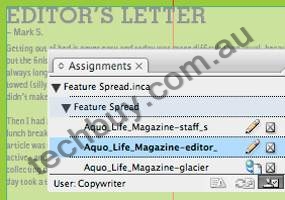
Efficient assignment-based workflow
Efficient assignment-based workflow
Accelerate production by enabling a designer and multiple writers and editors to simultaneously edit the content of a single Adobe InDesign document. Exchange articles with ease and flexibility using assignments that contain only the InDesign CS3 elements you need, from a specific area of a page to an entire document.
Precise layout view with 100% accurate line breaks
Edit copy in the view most suited to your current task, such as pure text editing or copyfitting. Galley View displays 100% accurate line breaks, Story View allows faster word processing, and Layout View gives an accurate view of the InDesign layout so you can make text edits in relation to the design. Refresh the Layout View whenever your designer sends you design changes for reference as you edit.
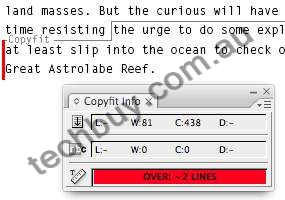
Detailed copyfitting feedback
Detailed copyfitting feedback
View copyfit information as you work in Galley, Layout, and Story View. Constant visual feedback informs you of space remaining or how far youve gone over plus story depth and line, word, and character counts.
Advanced editorial toolset
Work more productively with powerful editorial tools, including styles that let you rapidly implement global formatting changes to maintain typographical consistency, enhanced Find/Change functionality that lets you quickly change text and text formatting in documents of any length, and more.
Intelligent editorial collaboration
Take advantage of the ability to easily track text changes, and then quickly hide, show, navigate, and accept or reject changes. And use handy inline notes to store alternate text, writer-editor communications, and other annotations in notes tied to specific positions in a story.
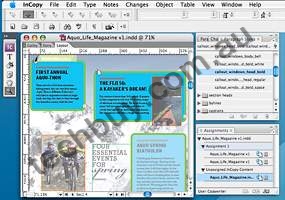
Customizable editorial workspace
Customizable editorial workspace
Make more efficient use of your screen space by viewing only the tools you need for a specific task or monitor configuration. Save any combination of panel arrangements and menu configurations as custom workspaces, and smoothly switch between workspaces depending on your task.
Professional typography
Apply a wide range of precise typographic adjustments such as leading, letter spacing, and paragraph spacing; use OpenType fonts and Unicode character encoding; and easily insert glyphs by using the Glyphs panel.
Multiple text format support
Easily open and import content in a wide variety of formats, including Microsoft Word, Excel, RTF, ASCII, and XML.
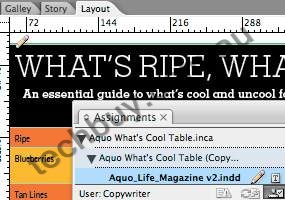
Flexible table creation including table and cell styles
Flexible table creation
Quickly create tables from scratch, import styled Word and Excel tables directly, or turn tab-delimited text files into tables, and then apply formatting in InCopy CS3. Also edit complex tables built in InDesign CS3 more efficiently.
Robust XML support
Open, create, modify, and contribute structured XML text and tables to your publishing workflow.
System requirements
Windows
- Intel Pentium 4, Intel Centrino, or Intel Xeon processor
- Microsoft Windows XP with Service Pack 2 or Windows Vista Home Premium, Business, Ultimate, or Enterprise
- 256MB of RAM (For Windows Vista: 512MB of RAM; 1GB recommended)
- 316MB of available hard-disk space
- 1,024x768 monitor resolution with 16-bit video card (24-bit screen display recommended)
- DVD-ROM drive
- QuickTime 7 software required for multimedia features
- Internet or phone connection required for product activation
Macintosh
- PowerPC G4 or Intel processor
- Mac OS X v.10.4.6
- 256MB of RAM for PowerPC processor; 512MB for Intel processor
- 350MB of available hard-disk space
- 1,024x768 monitor resolution with 16-bit video card (24-bit screen display recommended)
- DVD-ROM drive
- QuickTime 7 software required for multimedia features
- Internet or phone connection required for product activation
*Online services, including, but not limited to, Adobe Stock Photos and Adobe Acrobat Connect, may not be available in all countries, languages, and currencies. Availability of services is subject to change. Use of online services is governed by terms and conditions of a separate agreement and may be subject to additional fees.

|
|
|
|
11/04
|
Adobe InDesign CS3 - Windows, Retail Design and produce professional page layouts
Adobe InDesign CS3 software delivers powerful new features that allow you to explore more creative possibilities, experience greater productivity, and streamline repetitive tasks.
Top features
Extensive integration
Work smoothly with Adobe Photoshop, Illustrator, Acrobat, InCopy, and Dreamweaver software; enjoy consistency by using shared presets and color settings; work more efficiently with native file format support; and easily publish to multiple media.
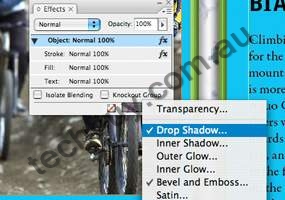
Creative effects and controls
Creative effects and controls
Design compelling page layouts that include transparency, creative effects, and gradient feathers. Since effects are live and nondestructive, you can experiment with ease. Apply effects independently to an objects stroke, fill, or content.
Reliable prepress and printing
Have confidence in your output. Get accurate, consistent results every time you print using sophisticated preview capabilities, exporting reliable Adobe PDF files, and sharing custom presets.
Productivity enhancements
Perform a variety of tasks more efficiently using new and enhanced productivity features, including Multi-file Place, Quick Apply, faster frame fitting, and the visual Pages panel.
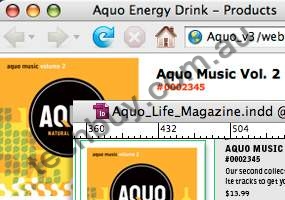
XHTML export
XHTML export
Enable multiformat publishing, including print-to-web workflows, by exporting InDesign content as XHTML. Edit the exported content in Adobe Dreamweaver CS3 software (available separately) and automatically format it using cascading style sheets.
Professional typographical controls
Compose beautiful typography using professional controls including the Paragraph Composer, OpenType fonts, drop caps, glyphs, and optical kerning and margin alignment.
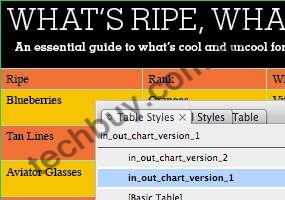
Full-featured tables
Full-featured tables
Create richly formatted tables. Import tab-delimited text files and styled Microsoft Word or Excel tables, or build tables in InDesign. Apply a wide variety of formatting options manually or using table and cell styles.
Robust long-document support
Maintain consistency and streamline the production of long documents using advanced bullets and numbering, running headers and footers, and synchronized master pages.
Smart text handling
Control your text with intelligent text-handling features including the ability to import styled text from Microsoft Word files, apply complex text wraps around objects, and comprehensively replace fonts.
Scripting and extensibility
Accelerate and simplify workflows by automating processes using scripts and extending the capabilities of InDesign using the ExtendScript toolkit.
System requirements
Windows
- Intel Pentium 4, Intel Centrino, Intel Xeon, or Intel Core Duo (or compatible) processor
- Microsoft Windows XP with Service Pack 2 or Windows Vista Home Premium, Business, Ultimate, or Enterprise (certified support for 32-bit editions)
- 256MB of RAM (512MB recommended) for Windows XP; 512MB (1GB recommended) for Windows Vista
- 1.8GB of available hard-disk space (additional free space required during installation)
- 1,024x768 monitor resolution
- DVD-ROM drive
- QuickTime 7 software required for multimedia features
- Internet or phone connection required for product activation
- Broadband Internet connection required for Adobe Stock Photos* and other services
Macintosh
- PowerPC G4 or G5 or multicore Intel processor
- Mac OS X v.10.4.8
- 256MB of RAM (512MB recommended) for PowerPC based system; 512MB (1GB recommended) for Intel based system
- 1.6GB of available hard-disk space (additional free space required during installation)
- 1,024x768 monitor resolution
- DVD-ROM drive
- QuickTime 7 software required for multimedia features
- Internet or phone connection required for product activation
- Broadband Internet connection required for Adobe Stock Photos* and other services
* Online services, including, but not limited to, Adobe Stock Photos and Acrobat Connect, may not be available in all countries, languages, and currencies. Availability of services is subject to change. Use of online services is governed by terms and conditions of a separate agreement and may be subject to additional fees.

|
|
|
|
11/04
|
Adobe InDesign CS3 - Mac, Retail Design and produce professional page layouts
Adobe InDesign CS3 software delivers powerful new features that allow you to explore more creative possibilities, experience greater productivity, and streamline repetitive tasks.
Top features
Extensive integration
Work smoothly with Adobe Photoshop, Illustrator, Acrobat, InCopy, and Dreamweaver software; enjoy consistency by using shared presets and color settings; work more efficiently with native file format support; and easily publish to multiple media.
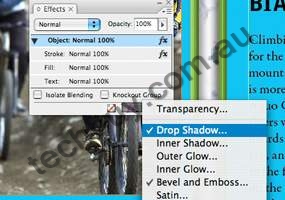
Creative effects and controls
Creative effects and controls
Design compelling page layouts that include transparency, creative effects, and gradient feathers. Since effects are live and nondestructive, you can experiment with ease. Apply effects independently to an objects stroke, fill, or content.
Reliable prepress and printing
Have confidence in your output. Get accurate, consistent results every time you print using sophisticated preview capabilities, exporting reliable Adobe PDF files, and sharing custom presets.
Productivity enhancements
Perform a variety of tasks more efficiently using new and enhanced productivity features, including Multi-file Place, Quick Apply, faster frame fitting, and the visual Pages panel.
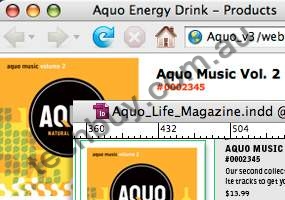
XHTML export
XHTML export
Enable multiformat publishing, including print-to-web workflows, by exporting InDesign content as XHTML. Edit the exported content in Adobe Dreamweaver CS3 software (available separately) and automatically format it using cascading style sheets.
Professional typographical controls
Compose beautiful typography using professional controls including the Paragraph Composer, OpenType fonts, drop caps, glyphs, and optical kerning and margin alignment.
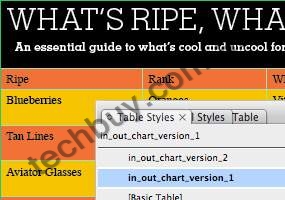
Full-featured tables
Full-featured tables
Create richly formatted tables. Import tab-delimited text files and styled Microsoft Word or Excel tables, or build tables in InDesign. Apply a wide variety of formatting options manually or using table and cell styles.
Robust long-document support
Maintain consistency and streamline the production of long documents using advanced bullets and numbering, running headers and footers, and synchronized master pages.
Smart text handling
Control your text with intelligent text-handling features including the ability to import styled text from Microsoft Word files, apply complex text wraps around objects, and comprehensively replace fonts.
Scripting and extensibility
Accelerate and simplify workflows by automating processes using scripts and extending the capabilities of InDesign using the ExtendScript toolkit.
System requirements
Windows
- Intel Pentium 4, Intel Centrino, Intel Xeon, or Intel Core Duo (or compatible) processor
- Microsoft Windows XP with Service Pack 2 or Windows Vista Home Premium, Business, Ultimate, or Enterprise (certified support for 32-bit editions)
- 256MB of RAM (512MB recommended) for Windows XP; 512MB (1GB recommended) for Windows Vista
- 1.8GB of available hard-disk space (additional free space required during installation)
- 1,024x768 monitor resolution
- DVD-ROM drive
- QuickTime 7 software required for multimedia features
- Internet or phone connection required for product activation
- Broadband Internet connection required for Adobe Stock Photos* and other services
Macintosh
- PowerPC G4 or G5 or multicore Intel processor
- Mac OS X v.10.4.8
- 256MB of RAM (512MB recommended) for PowerPC based system; 512MB (1GB recommended) for Intel based system
- 1.6GB of available hard-disk space (additional free space required during installation)
- 1,024x768 monitor resolution
- DVD-ROM drive
- QuickTime 7 software required for multimedia features
- Internet or phone connection required for product activation
- Broadband Internet connection required for Adobe Stock Photos* and other services
* Online services, including, but not limited to, Adobe Stock Photos and Acrobat Connect, may not be available in all countries, languages, and currencies. Availability of services is subject to change. Use of online services is governed by terms and conditions of a separate agreement and may be subject to additional fees.

|
|
|
|
11/04
|
Sony DCRSR300 HDD HandyCam - Carl Zeiss Lens, 10x Optical 2x / 20x Digital, 2.7`` LCD, 40GB HDD, 5.1 Recording When switched to still camera mode, the SR300 can capture stunning 6.1 Megapixel still images. (Currently the highest Megapixel rating in the industry!) This is realized by the Enhanced Imaging Processor, which processes the huge amounts of pixel data retrieved from the improved ClearVid CMOS Sensor at high speed. The Dual Recording function makes it possible to record high-precision still images equivalent to 4.6 Megapixel even while shooting video.
The DCRSR300 features a Smooth Slow Recording function for slow-motion recording of objects moving too fast for the human eye to perceive. This function now includes the ability to record sound while writing the slow motion movie file on media.
Super SteadyShot (Optical) lets you shoot stable images with reduced blur even during telescopic shooting, when images tend to blur due to camera shake. The DCRSR300 employs Optical Active Lens, which uses a sensor to detect camera shake and a lens that is controlled to compensate for any vibration. This optical method efficiently reduces camera-shake blur, allows stable shooting, and maintains superior image quality without destroying any data obtained through the lens. Camera-shake blur is also reduced when shooting still images as well.
Bring you impressive video capture to life with the addition of a Dolby Digital 5.1 channel sound track! When recorded images are viewed with a 5.1-channel Dolby Digital surround sound-compatible device, a lively audio experience is added to the visual pleasure of high-resolution images. And if the optional wireless microphone (ECM-HW1) is used, an even higher level of fidelity can be recorded when capturing subject sound whether at a distance or in noisy settings.
Key features
- Bundled handycam station
- 6.1MP still image capture
- Smooth Slow recording with sound
- 40GB Hard Drive
- Dolby Digital 5.1ch recording
- Dual Recording
Imaging Sensor
- Sensor Type: 1/2.9" (6.3mm) 2848H ClearVid CMOS Sensor
- No. of Pixels (Gross): Approx. 3200K pixels
- No. of Pixels "MOVIE" Rec (Effective): Approx. 2280K pixels (16:9)
- No. of Pixels "STILL" Rec (Effective): Approx. 3040K pixels (4:3)
- Carl Zeiss Lens: Vario Sonnar T*
- Zoom: 10x Optical 2x/20x Digital
- F: 1.8-2.9
- f (Focal Distance): 5.4 - 54mm
- f (35mm Conversion) in "MOVIE" Rec position: 16:9 - 40-400mm4:3 - 49-490mm
- f (35mm Conversion) in "STILL" Rec position: 37 - 370mm 4:3)
- Filter Diameter: 37mm
Viewfinder
- Viewfinder: -
- Size/Dots: -
LCD
- Size: 2.7" (16:0)
- No. of Pixels: 211,200 dots (960x220)
- Hybrid LCD Monitor: Yes
- Touch Screen Panel: Yes
Camera
- Focus System: Full range auto/Manual
- Spot Focus: Yes (Touch Panel)
- Minimum Illumination: 1.5 lux (Auto Slow Shutter ON, 1/25 Shutter Speed )
- White Balance: Auto / outdoor / indoor / Onepush (Touch Panel)
- One-push Auto: Yes (Touch Panel)
- White Balance Shift: -
- Shutter Speed: 1/2-1/425 (scene Selection)
- NightShot: Super Nightshot
- Colour Slow Shutter: Yes
- Program AE modes: Auto, Spotlight, Protrait, Landscape, Twilight, Twilight Portrait, Candle, Sunrise & Sunset, Fireworks, Beach, Snow
- 14-Bit DXP: Yes
- AE Shift: -
- Exposure Controls: Yes (Touch Panel) (Max. 24 steps)
- Spot Meter: Yes (Touch Panel)
- Smooth Interval Recording: Smooth Slow (With Sound)
- Iris Control/Gain Control: Auto only / Auto only
- Zebra Pattern: Yes
- Guide Frame: Yes
- Histogram: -
- Fader Functions: Black / White
- Picture Effects: Monotone / Sepia / Pastel
- Digital Picture Effects: Old Movie
- 16:9 Wide: Yes (High Quality)
- Steady Shot: Optical Super SteadyShot
- Easy Handycam Function: Yes
- Tele Macro: Yes
Audio
- Recording: Dolby Digital 5.1ch Recording, Dolby Digital 2ch Recording (with optional mic)
- Playback: Linear PCM Digital Stereo , Dolby Digital 2ch, Dolby Digital 2ch downmix
Camera (still image)
- Still Image Memory Stick REC in "MOVIE" Rec: -
Memory (still image)
- Recording Media: 40GB Hard Disk Drive, Memory Stick Duo, Memory Stick PRO Duo, High Speed Memory Stick PRO Duo
- Image Size: 4:3 6.1M (2848 x 2136) 3.1M (2048 x 1536) VGA (640 x 480) 16:9 4.6M (2848 x 1602)
- Compression: JPEG
- PictBridge: Yes
- Interval REC: -
- Copy between TAPE/DVD/HDD to Memory Stick: HDD to MS
- Playback Zoom: Yes
- Slide Show: Yes
- Built-in Flash: Yes
Memory (MPEG)
- Format: -
- MPEG MOVIE EX: -
Others
- Remote Control: RMT - 835
- USB Streaming: -
- Direct Access to "Click to DVD": -
- Direct Access to Video CD Burn: -
- Start/Stop on LCD Frame: Yes
- Zoom Button on LCD Frame: Yes
- Weight: 480g (w/o batter)
- Dimensions (W x H x D): 76x78x128mm
- Accessory Shoe: Active Interface Shoe
- Additional Features:
VTR
- Format: Hard Disk Drive
- Signal Convert Function: -
- Playback Zoom: Yes
Connection
- Video (via Multi AV): Video Out / S Video Out / Audio Out (Handycam Station)
- HDMI: -
- External Microphone Input: -
- Interface Connector (for Handycam Station): Yes
- i.LINK: -
- Lanc: -
- USB Terminal: Yes (Handycam Station) (Mini-B USB 2.0 High Speed)
- DC In: Yes
|
|
|
|
11/04
|
Adobe Photoshop CS3 Extended - Windows, Retail Discover new dimensions in digital imaging
Get everything in Adobe Photoshop CS3 software and more with Photoshop CS3 Extended, which enables you to edit 3D and motion-based content and perform image analysis.
Top features
Nondestructive editing
Edit nondestructively with new Smart Filters, which let you visualize different image effects, and Smart Objects, which let you scale, rotate, and warp raster and vector graphics all without altering the original pixel data.
Rich painting and drawing toolset
Create or modify images with a wide assortment of professional, fully customizable paint settings, artistic brushes, and drawing tools.
Advanced compositing
Create more accurate composites by automatically aligning multiple Adobe Photoshop layers or images based on similar content. The Auto-align Layers command quickly analyzes details and moves, rotates, or warps layers to align them perfectly, and the Auto-blend Layers command blends the color and shading to create a smooth, editable result.
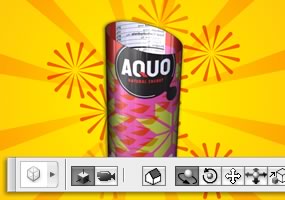
3D compositing and texture editing
Easily render and incorporate rich 3D content into your 2D composites even edit existing textures on 3D models directly within Photoshop Extended and immediately see the results. Photoshop Extended supports common 3D interchange formats, including 3DS, OBJ, U3D, KMZ, and COLLADA, so you can import, view, and interact with most 3D models.
Movie Paint
Enhance video directly within Photoshop Extended. Now you can paint, add text, and clone over multiple frames of an imported video sequence.
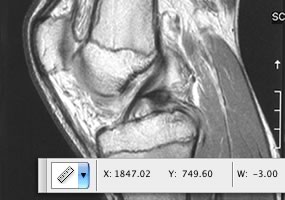
2D and 3D measurement tools
Extract quantitative information from images with new measurement tools. Easily calibrate or set the scale of an image, and then use any of the Photoshop Extended selection tools to define and calculate distance, perimeter, area, and other measurements. Record data points in a measurement log and export data, including histogram data, to a spreadsheet for further analysis.
Faster, more flexible asset management with Adobe Bridge CS3
Organize and manage images more efficiently with next-generation Adobe Bridge CS3 software, which now delivers improved performance, a Filter panel for easier searching, the ability to group multiple images under a single thumbnail, the Loupe tool, offline image browsing, and more.
Better raw-image processing
Process raw images with increased speed and superior conversion quality using the Photoshop Camera Raw plug-in, which now adds support for JPEG and TIFF formats; new tools including Fill Light and Dust Busting; compatibility with Adobe Photoshop Lightroom software; and support for over 150 camera models.
Enhanced Vanishing Point with 3D support
Edit in perspective on multiple surfaces even those connected at angles other than 90 degrees with the enhanced Vanishing Point, which also lets you measure in perspective; wrap graphics, images, and text around multiple planes; and output 2D planes as 3D models.
Wide range of supported formats
Import and export an even greater range of file formats, including PSD, BMP, DICOM, Cineon, JPEG, JPEG2000, OpenEXR, PNG, Targa, and TIFF.
System requirements
Note: Photoshop CS3 and Photoshop CS3 Extended have the same system requirements.
Windows
- Intel Pentium 4, Intel Centrino, Intel Xeon, or Intel Core Duo (or compatible) processor
- Microsoft Windows XP with Service Pack 2 or Windows Vista Home Premium, Business, Ultimate, or Enterprise (certified for 32-bit editions)
- 512MB of RAM
- 64MB of video RAM
- 1.5GB of available hard-disk space (additional free space required during installation)
- 1,024x768 monitor resolution
- DVD-ROM drive
- QuickTime 7 software required for multimedia features
- Internet or phone connection required for product activation
- Broadband Internet connection required for Adobe Stock Photos* and other services
Macintosh
- PowerPC G4 or G5 or multicore Intel processor
- Mac OS X v.10.4.8
- 512MB of RAM
- 64MB of video RAM
- 1.5GB of available hard-disk space (additional free space required during installation)
- 1,024x768 monitor resolution
- DVD-ROM drive
- QuickTime 7 software required for multimedia features
- Internet or phone connection required for product activation
- Broadband Internet connection required for Adobe Stock Photos* and other services
*Online services, including, but not limited to, Adobe Stock Photos and Acrobat Connect, may not be available in all countries, languages, and currencies. Availability of services is subject to change. Use of online services is governed by terms and conditions of a separate agreement and may be subject to additional fees.

|
|
|
|
11/04
|
Adobe Photoshop CS3 Extended - Mac, Retail Discover new dimensions in digital imaging
Get everything in Adobe Photoshop CS3 software and more with Photoshop CS3 Extended, which enables you to edit 3D and motion-based content and perform image analysis.
Top features
Nondestructive editing
Edit nondestructively with new Smart Filters, which let you visualize different image effects, and Smart Objects, which let you scale, rotate, and warp raster and vector graphics all without altering the original pixel data.
Rich painting and drawing toolset
Create or modify images with a wide assortment of professional, fully customizable paint settings, artistic brushes, and drawing tools.
Advanced compositing
Create more accurate composites by automatically aligning multiple Adobe Photoshop layers or images based on similar content. The Auto-align Layers command quickly analyzes details and moves, rotates, or warps layers to align them perfectly, and the Auto-blend Layers command blends the color and shading to create a smooth, editable result.
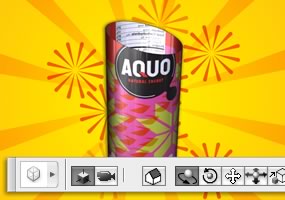
3D compositing and texture editing
Easily render and incorporate rich 3D content into your 2D composites even edit existing textures on 3D models directly within Photoshop Extended and immediately see the results. Photoshop Extended supports common 3D interchange formats, including 3DS, OBJ, U3D, KMZ, and COLLADA, so you can import, view, and interact with most 3D models.
Movie Paint
Enhance video directly within Photoshop Extended. Now you can paint, add text, and clone over multiple frames of an imported video sequence.
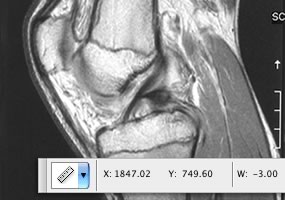
2D and 3D measurement tools
Extract quantitative information from images with new measurement tools. Easily calibrate or set the scale of an image, and then use any of the Photoshop Extended selection tools to define and calculate distance, perimeter, area, and other measurements. Record data points in a measurement log and export data, including histogram data, to a spreadsheet for further analysis.
Faster, more flexible asset management with Adobe Bridge CS3
Organize and manage images more efficiently with next-generation Adobe Bridge CS3 software, which now delivers improved performance, a Filter panel for easier searching, the ability to group multiple images under a single thumbnail, the Loupe tool, offline image browsing, and more.
Better raw-image processing
Process raw images with increased speed and superior conversion quality using the Photoshop Camera Raw plug-in, which now adds support for JPEG and TIFF formats; new tools including Fill Light and Dust Busting; compatibility with Adobe Photoshop Lightroom software; and support for over 150 camera models.
Enhanced Vanishing Point with 3D support
Edit in perspective on multiple surfaces even those connected at angles other than 90 degrees with the enhanced Vanishing Point, which also lets you measure in perspective; wrap graphics, images, and text around multiple planes; and output 2D planes as 3D models.
Wide range of supported formats
Import and export an even greater range of file formats, including PSD, BMP, DICOM, Cineon, JPEG, JPEG2000, OpenEXR, PNG, Targa, and TIFF.
System requirements
Note: Photoshop CS3 and Photoshop CS3 Extended have the same system requirements.
Windows
- Intel Pentium 4, Intel Centrino, Intel Xeon, or Intel Core Duo (or compatible) processor
- Microsoft Windows XP with Service Pack 2 or Windows Vista Home Premium, Business, Ultimate, or Enterprise (certified for 32-bit editions)
- 512MB of RAM
- 64MB of video RAM
- 1.5GB of available hard-disk space (additional free space required during installation)
- 1,024x768 monitor resolution
- DVD-ROM drive
- QuickTime 7 software required for multimedia features
- Internet or phone connection required for product activation
- Broadband Internet connection required for Adobe Stock Photos* and other services
Macintosh
- PowerPC G4 or G5 or multicore Intel processor
- Mac OS X v.10.4.8
- 512MB of RAM
- 64MB of video RAM
- 1.5GB of available hard-disk space (additional free space required during installation)
- 1,024x768 monitor resolution
- DVD-ROM drive
- QuickTime 7 software required for multimedia features
- Internet or phone connection required for product activation
- Broadband Internet connection required for Adobe Stock Photos* and other services
*Online services, including, but not limited to, Adobe Stock Photos and Acrobat Connect, may not be available in all countries, languages, and currencies. Availability of services is subject to change. Use of online services is governed by terms and conditions of a separate agreement and may be subject to additional fees.

|
|
|
|
11/04
|
Adobe Photoshop CS3 - Windows, Retail Create powerful images with the professional standard
The essential software for perfecting your images, Adobe Photoshop CS3 now offers productivity and workflow enhancements, powerful new editing tools, and breakthrough compositing capabilities.
Top features
Industry-standard editing toolset
Perfect your images with industry-leading image-editing capabilities, which include enhanced color-correction and cloning and healing tools.
Nondestructive editing
Take advantage of nondestructive editing capabilities, including new Smart Filters, which let you visualize different image effects, and Smart Objects, which let you scale, rotate, and warp raster and vector graphics all without altering pixel data.
Rich painting and drawing toolset
Create or modify images with a wide assortment of professional, fully customizable paint settings, artistic brushes, and drawing tools.
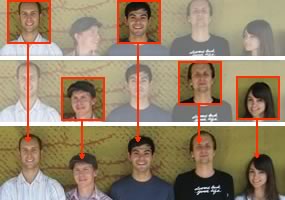
Advanced compositing
Create more accurate composites by automatically aligning multiple Adobe Photoshop layers or images based on similar content. The Auto-align Layers command quickly analyzes details and moves, rotates, or warps layers to align them perfectly, and the Auto-blend Layers command blends the color and shading to create a smooth, editable result.
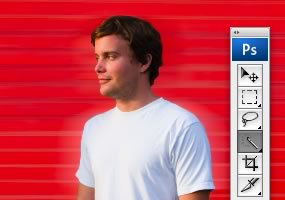
Quick Selection and Refine Edge tools
Make selections in a snap. Loosely draw on an image area, and the Quick Selection tool automatically completes the selection for you. Then fine-tune your selections with the Refine Edge tool.
Built-in efficiency
Take advantage of customized workflows and a streamlined work environment with enhanced palette management so you can focus on your images, not your software.
Improved printing experience
Experience better control over print quality with color management, a larger print preview window, and more controls in one place so you can print in fewer steps. Improved printing controls, co-developed by Adobe and HP, make printing easier and more predictable and streamline setup options via integration with select printers from HP, Epson, and Canon.
Faster, more flexible asset management with Adobe Bridge CS3
Organize and manage images more efficiently with Adobe Bridge CS3, which now delivers improved performance, a Filter panel for easier searching, the ability to group multiple images under a single thumbnail, the Loupe tool, offline image browsing, and more.
Wide range of supported formats
Import and export a wide range of file formats, including PSD, BMP, Cineon, JPEG, JPEG2000, OpenEXR, PNG, Targa, and TIFF.
Third-party solutions and resources
Take advantage of a wealth of additional resources including software plug-ins, books, and training from the longstanding community of expert Photoshop developers, authors, and trainers.
System requirements
Note: Photoshop CS3 and Photoshop CS3 Extended have the same system requirements.
Windows
- Intel Pentium 4, Intel Centrino, Intel Xeon, or Intel Core Duo (or compatible) processor
- Microsoft Windows XP with Service Pack 2 or Windows Vista Home Premium, Business, Ultimate, or Enterprise (certified for 32-bit editions)
- 512MB of RAM
- 64MB of video RAM
- 1.5GB of available hard-disk space (additional free space required during installation)
- 1,024x768 monitor resolution with 16-bit video card
- DVD-ROM drive
- QuickTime 7 software required for multimedia features
- Internet or phone connection required for product activation
- Broadband Internet connection required for Adobe Stock Photos* and other services
Macintosh
- PowerPC G4 or G5 or multicore Intel processor
- Mac OS X v.10.4.8
- 512MB of RAM
- 64MB of video RAM
- 1.5GB of available hard-disk space (additional free space required during installation)
- 1,024x768 monitor resolution with 16-bit video card
- DVD-ROM drive
- QuickTime 7 software required for multimedia features
- Internet or phone connection required for product activation
- Broadband Internet connection required for Adobe Stock Photos* and other services
*Online services, including, but not limited to, Adobe Stock Photos and Acrobat Connect, may not be available in all countries, languages, and currencies. Availability of services is subject to change. Use of online services is governed by terms and conditions of a separate agreement and may be subject to additional fees.

|
|
|
|
11/04
|
Adobe Photoshop CS3 - Mac, Retail Create powerful images with the professional standard
The essential software for perfecting your images, Adobe Photoshop CS3 now offers productivity and workflow enhancements, powerful new editing tools, and breakthrough compositing capabilities.
Top features
Industry-standard editing toolset
Perfect your images with industry-leading image-editing capabilities, which include enhanced color-correction and cloning and healing tools.
Nondestructive editing
Take advantage of nondestructive editing capabilities, including new Smart Filters, which let you visualize different image effects, and Smart Objects, which let you scale, rotate, and warp raster and vector graphics all without altering pixel data.
Rich painting and drawing toolset
Create or modify images with a wide assortment of professional, fully customizable paint settings, artistic brushes, and drawing tools.
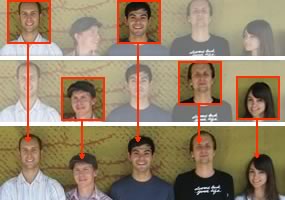
Advanced compositing
Create more accurate composites by automatically aligning multiple Adobe Photoshop layers or images based on similar content. The Auto-align Layers command quickly analyzes details and moves, rotates, or warps layers to align them perfectly, and the Auto-blend Layers command blends the color and shading to create a smooth, editable result.
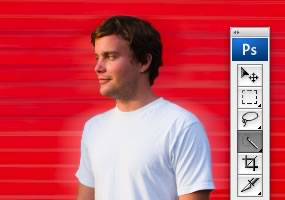
Quick Selection and Refine Edge tools
Make selections in a snap. Loosely draw on an image area, and the Quick Selection tool automatically completes the selection for you. Then fine-tune your selections with the Refine Edge tool.
Built-in efficiency
Take advantage of customized workflows and a streamlined work environment with enhanced palette management so you can focus on your images, not your software.
Improved printing experience
Experience better control over print quality with color management, a larger print preview window, and more controls in one place so you can print in fewer steps. Improved printing controls, co-developed by Adobe and HP, make printing easier and more predictable and streamline setup options via integration with select printers from HP, Epson, and Canon.
Faster, more flexible asset management with Adobe Bridge CS3
Organize and manage images more efficiently with Adobe Bridge CS3, which now delivers improved performance, a Filter panel for easier searching, the ability to group multiple images under a single thumbnail, the Loupe tool, offline image browsing, and more.
Wide range of supported formats
Import and export a wide range of file formats, including PSD, BMP, Cineon, JPEG, JPEG2000, OpenEXR, PNG, Targa, and TIFF.
Third-party solutions and resources
Take advantage of a wealth of additional resources including software plug-ins, books, and training from the longstanding community of expert Photoshop developers, authors, and trainers.
System requirements
Note: Photoshop CS3 and Photoshop CS3 Extended have the same system requirements.
Windows
- Intel Pentium 4, Intel Centrino, Intel Xeon, or Intel Core Duo (or compatible) processor
- Microsoft Windows XP with Service Pack 2 or Windows Vista Home Premium, Business, Ultimate, or Enterprise (certified for 32-bit editions)
- 512MB of RAM
- 64MB of video RAM
- 1.5GB of available hard-disk space (additional free space required during installation)
- 1,024x768 monitor resolution with 16-bit video card
- DVD-ROM drive
- QuickTime 7 software required for multimedia features
- Internet or phone connection required for product activation
- Broadband Internet connection required for Adobe Stock Photos* and other services
Macintosh
- PowerPC G4 or G5 or multicore Intel processor
- Mac OS X v.10.4.8
- 512MB of RAM
- 64MB of video RAM
- 1.5GB of available hard-disk space (additional free space required during installation)
- 1,024x768 monitor resolution with 16-bit video card
- DVD-ROM drive
- QuickTime 7 software required for multimedia features
- Internet or phone connection required for product activation
- Broadband Internet connection required for Adobe Stock Photos* and other services
*Online services, including, but not limited to, Adobe Stock Photos and Acrobat Connect, may not be available in all countries, languages, and currencies. Availability of services is subject to change. Use of online services is governed by terms and conditions of a separate agreement and may be subject to additional fees.

|
|
|
|
11/04
|
Adobe Illustrator CS3 - Windows, Retail Explore new paths with the essential vector tool
Discover new ways to experiment with color; work faster with new drawing tools and controls; and produce artwork for print, web, mobile, and motion designs with Adobe Illustrator CS3 software.
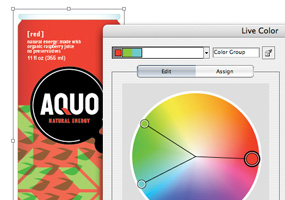
Live Color
Live Color
Explore, apply, and control color variations using Live Color, which lets you select any artwork and interactively edit the colors to see results immediately. Use the Color Guide panel to quickly choose tints, shades, or harmonious color combinations.
Live Trace
Quickly and accurately convert photos, scans, or other bitmap images to editable and scalable vector paths using Live Trace.
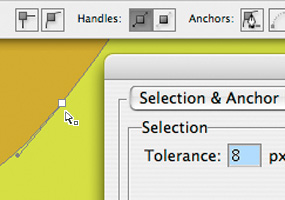
Drawing tools and controls
Drawing tools and controls
Draw in Illustrator more quickly and fluidly than ever. Easier and more flexible anchor point selection, improved operating performance, and a new Eraser tool help you create artwork efficiently and intuitively.
Integration with Adobe design applications
Speed your way through graphic designs and print production thanks to tight integration with Adobe Photoshop, InDesign, and Acrobat software.
Live Paint
Easily paint any closed or partially closed area of your artwork with the Live Paint Bucket, which automatically detects and corrects gaps and lets you interactively select colors from a Swatch palette for faster work.
Advanced typography
Easily create and control type with over 100 OpenType fonts, paragraph and character styles, paragraph composition, underline and strikethrough, transparent effects, and more.
Control panel
Discover more options faster and free up screen space by accessing anchor point controls, clipping masks, envelope distortions, and more from the context-sensitive Control panel.
Custom workspaces
Work more efficiently using custom workspaces that display only the panels you need for a specific task. Save, share, or access any workspace at any time, or use workspace presets.
Adobe PDF file creation tools
Create native Adobe PDF files, including multipage PDF files, so clients and others can easily review your artwork using Adobe Acrobat or free Adobe Reader software.
Drawing tools and controls
Web and interactive tools
Easily create for the web and mobile devices using vector-based slicing tools, robust integration with Flash, New Document Profiles for web and mobile designs, the capability to preview mobile content in Adobe Device Central, and more.
System requirements
Windows
- Intel Pentium 4, Intel Centrino, Intel Xeon, or Intel Core Duo (or compatible) processor
- Microsoft Windows XP with Service Pack 2 or Windows Vista Home Premium, Business, Ultimate, or Enterprise (certified for 32-bit editions)
- 512MB of RAM (1GB recommended)
- 2GB of available hard-disk space (additional free space required during installation)
- 1,024x768 monitor resolution
- DVD-ROM drive
- QuickTime 7 software required for multimedia features
- Internet or phone connection required for product activation
- Broadband Internet connection required for Adobe Stock Photos* and other services
Macintosh
- PowerPC G4 or G5 or multicore Intel processor
- Mac OS X v.10.4.8
- 512MB of RAM (1GB recommended)
- 2.5GB of available hard-disk space (additional free space required during installation)
- 1,024x768 monitor resolution
- DVD-ROM drive
- QuickTime 7 software required for multimedia features
- Internet or phone connection required for product activation
- Broadband Internet connection required for Adobe Stock Photos* and other services
* Online services, including, but not limited to, Adobe Stock Photos and Acrobat Connect, may not be available in all countries, languages, and currencies. Availability of services is subject to change. Use of online services is governed by terms and conditions of a separate agreement and may be subject to additional fees.

|
|
|
|
11/04
|
Adobe Illustrator CS3 - Mac, Retail Explore new paths with the essential vector tool
Discover new ways to experiment with color; work faster with new drawing tools and controls; and produce artwork for print, web, mobile, and motion designs with Adobe Illustrator CS3 software.
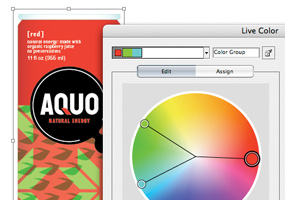
Live Color
Live Color
Explore, apply, and control color variations using Live Color, which lets you select any artwork and interactively edit the colors to see results immediately. Use the Color Guide panel to quickly choose tints, shades, or harmonious color combinations.
Live Trace
Quickly and accurately convert photos, scans, or other bitmap images to editable and scalable vector paths using Live Trace.
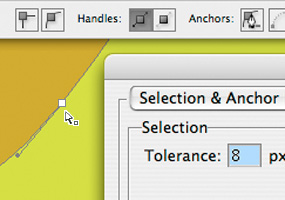
Drawing tools and controls
Drawing tools and controls
Draw in Illustrator more quickly and fluidly than ever. Easier and more flexible anchor point selection, improved operating performance, and a new Eraser tool help you create artwork efficiently and intuitively.
Integration with Adobe design applications
Speed your way through graphic designs and print production thanks to tight integration with Adobe Photoshop, InDesign, and Acrobat software.
Live Paint
Easily paint any closed or partially closed area of your artwork with the Live Paint Bucket, which automatically detects and corrects gaps and lets you interactively select colors from a Swatch palette for faster work.
Advanced typography
Easily create and control type with over 100 OpenType fonts, paragraph and character styles, paragraph composition, underline and strikethrough, transparent effects, and more.
Control panel
Discover more options faster and free up screen space by accessing anchor point controls, clipping masks, envelope distortions, and more from the context-sensitive Control panel.
Custom workspaces
Work more efficiently using custom workspaces that display only the panels you need for a specific task. Save, share, or access any workspace at any time, or use workspace presets.
Adobe PDF file creation tools
Create native Adobe PDF files, including multipage PDF files, so clients and others can easily review your artwork using Adobe Acrobat or free Adobe Reader software.
Drawing tools and controls
Web and interactive tools
Easily create for the web and mobile devices using vector-based slicing tools, robust integration with Flash, New Document Profiles for web and mobile designs, the capability to preview mobile content in Adobe Device Central, and more.
System requirements and languages
Windows
- Intel Pentium 4, Intel Centrino, Intel Xeon, or Intel Core™ Duo (or compatible) processor
- Microsoft Windows XP with Service Pack 2 or Windows Vista™ Home Premium, Business, Ultimate, or Enterprise (certified for 32-bit editions)
- 512MB of RAM (1GB recommended)
- 2GB of available hard-disk space (additional free space required during installation)
- 1,024x768 monitor resolution
- DVD-ROM drive
- QuickTime 7 software required for multimedia features
- Internet or phone connection required for product activation
- Broadband Internet connection required for Adobe Stock Photos* and other services
Macintosh
- PowerPC G4 or G5 or multicore Intel processor
- Mac OS X v.10.4.8
- 512MB of RAM (1GB recommended)
- 2.5GB of available hard-disk space (additional free space required during installation)
- 1,024x768 monitor resolution
- DVD-ROM drive
- QuickTime 7 software required for multimedia features
- Internet or phone connection required for product activation
- Broadband Internet connection required for Adobe Stock Photos* and other services
* Online services, including, but not limited to, Adobe Stock Photos and Acrobat Connect, may not be available in all countries, languages, and currencies. Availability of services is subject to change. Use of online services is governed by terms and conditions of a separate agreement and may be subject to additional fees.

|
|
|
|
11/04
|
View Sonic PJ588D - DLP Portable Projector - SVGA, 3000 Lumens, 2100:1, HDTV
|
|
Advanced DPT projecting technology not only has XGA high definition projecting powers, but also 3000 lumens high brightness performance. It can easily correspond to all kinds of complicated charts, graphics, and detail images for presentation needs and display the crispiest and brightest picture effects, making it especially suitable for mid to large size auditoriums. All thes powerful standards are within the 2.54kg super light weight machine, adding the innovative off-to-go function; you no longer have to wait through the long standby process when shutting off, greatly increasing efficiency for mobile presentations. All black streamline design gives the professional well-execution impression. With Eco Mode low noise mode, it can effectively lower cool-off noise, at the same time extend life bulb lifetime up to 3000 hours, saving material cost, the best advanced presentation projection choice! |
|
 Advanced DLP panel
Optical Engine is using advanced DDR DMD chip. The picture is smoothly without cell gap to provide saturated color and sharp image.
Keystone Correction
Techniques used in the projector to minimize the visible effect of keystoning. Images are typically trapezoidal in shape and keystone correction is used to square the image.
3:2 Pull Down for Perfect Movie Screen Quality
This feature converts the signal back into its original format, bringing the smoothness of true theatre picture quality to DVD home entertainment. Enjoy the charm and excitement of a true movie exprience in the comfort of your living room.
Automatic source detection for easy setup
Identify and project RGB and video inputs sources automatically. This is no need to switch source modes before projection.
Digital Gamma Correction
The 10-bit digital gamma correction circuits enable fine tonal expressions that cannot be reproduced by conventional technologies. Being able to reproduce fine differences in light and shade gives images a more 3D feel and permits a rich range of image expressions.
Displays HDTV signals
ViewSonic projectors project a wide variety of content including HDTV signals (480i, 480p, 575i, 720p, 1035i and 1080i). 
|
|
|
|
|
|
|
|
| LCD |
|
Type |
|
0.7" Digital Micromirror Device (DLP) |
| |
|
Resolution |
|
1024x768, 1280x1024 compressed |
| |
|
Lens |
|
Manual zoom/focus (1:1.5x) |
|
| Display |
|
Size |
|
23 - 273 inch (measured diagonally) |
| |
|
Throw Distance |
|
1.0 - 10.0m |
| |
|
Lamp |
|
200W / 2000 hour rating |
| |
|
Brightness |
|
3000 Lumens (typ) |
| |
|
Contrast Ratio |
|
2100:1 (typ) |
| |
|
Keystone Correction |
|
Vertical Digital keystone correction: 15 |
| |
|
Aspect Ratio |
|
4:3 & 16:9 |
|
| Audio |
|
Speakers |
|
2w @ 4 ohms x 1 mono |
|
| Input Signal |
|
Video |
|
RGB analog, NTSC, PAL, SECAM, HDTV (480i/p, 576i/p, 720p, 1080i) |
| |
|
Sync |
|
H/V separated |
| |
|
Frequency |
|
Fh: 31-79KHz; Fv: 50-85Hz |
|
| Compatibility |
|
PC |
|
VGA to SXGA |
| |
|
Mac |
|
Up to SXGA (may require Mac Adapter) |
|
| Connector |
|
RGB Input |
|
15-pin D-sub cable (x2) |
| |
|
Composite Video |
|
RCA jack (x1) |
| |
|
S-Video |
|
Mini-DIN 4 pin (x1) |
| |
|
Component Video |
|
DSub-15 to Component Video Adapter (Option) |
| |
|
Audio |
|
Input: 3.5mm stereo mini-jack (x1) |
| |
|
Control |
|
RS-232 |
| |
|
USB |
|
x1 (for keyboard) |
|
| Power |
|
Voltage |
|
100-240VAC (Auto Switching); 50/60Hz (universal) |
| |
|
Consumption |
|
250W (typ) |
|
| Controls |
|
Basic |
|
Standby/On, input, menu |
| |
|
OSD |
|
All Image: Contrasts, Brightness, Keystone, Aspect Ratio, Blank Screen, Gamma, White Peaking, Color Temperature, Red, Green, Blue
Video: Saturation, Tint, Sharpness
Display: Phase. Tracking, H. Position, V. Position
Advance: Auto Source Select, Rear, Ceiling, ECO Mode, Lamp Hours, Color Space, Auto Shutdown, OSD Timeout, Menu Position, Factory Reset |
|
| Operating Conditions |
|
Temperature
Humidity |
|
0C - 40C (32F - 104F)
10% - 90% (non-condensing) |
|
| Dimensions |
|
Physical |
|
300mm (W) x 93mm (H) x 242mm (D) |
|
| Weight |
|
Net |
|
2.7 kgs |
|
| Regulations |
|
|
|
FCC-B/ UL / cUL / CE / CB / CCC / PSB / NOM / MIC (Korea) / Gost / Ctick / TUV (Argentina) / BSMI / EK-mark (Korea |
|
|
|
|
|
|
11/04
|
View Sonic PJ258D - DLP Portable Projector - SVGA, 2000 Lumens, 2000:1, HDTV
|
|
The PJ258D is the first in projection equipment to comprise of ViewSonics eye grabbing multimedia expansion patent - the ViewDock. Through ViewDock, a multimedia dock, simply face iPod in the dock and it can immediately project iPod's fascinating images and pop music, and with a personal remote you can also control the playlist at your convenience, combing projection into a new world with imaging. The PJ258D possess the perfect balance between work and life with dual performance function. XGA high resolution image playing; high brightness in 2000 lumens,brings visionary enjoyment to wok and entertainment with florid images. It aslo incorporates the new off-to-go technology, so you can shut it off immediately without long standby time, its mobility and maneuverability is for others to look up to. Activating an all new multimedia projection life with unlimited possibilities, the PJ258D reveals the one and only top notch fashion design. |
|
 Mutlimedia ViewDock Your Innovative Link to iPod
ViewSonics proprietary Multimedia ViewDock is the perfect, fast and easy link to iPod's video and music. Without the use of a computer and unnecessary cables, the projector can play continous video and music and charge the iPod. It instantly turns projection equipment into a multimedia center and opens a new world to fashion.
Advanced DLP panel
Optical Engine is using advanced DDR DMD chip. The picture is smoothly without cell gap to provide saturated color and sharp image.
Automatic source detection for easy setup
Identify and project RGB and video inputs sources automatically. This is no need to switch source modes before projection.
Full functions wireless remote control
The handy remote control is perfectly matching for mobile presentations. Plus the built-in presentation functions enable the versatility.
3:2 Pull Down for Perfect Movie Screen Quality
This feature converts the signal back into its original format, bringing the smoothness of true theatre picture quality to DVD home entertainment. Enjoy the charm and excitement of a true movie exprience in the comfort of your living room.
Keystone Correction
Techniques used in the projector to minimize the visible effect of keystoning. Images are typically trapezoidal in shape and keystone correction is used to square the image.
Displays HDTV signals
ViewSonic projectors project a wide variety of content including HDTV signals (480i, 480p, 575i, 720p, 1035i and 1080i).
Digital Gamma Correction
The 10-bit digital gamma correction circuits enable fine tonal expressions that cannot be reproduced by conventional technologies. Being able to reproduce fine differences in light and shade gives images a more 3D feel and permits a rich range of image expressions. 
|
|
|
|
|
|
|
|
| LCD |
|
Type |
|
0.55" Digital Micromirror Device (DLP) |
| |
|
Resolution |
|
1024x768, 1280x1024 compressed |
| |
|
Lens |
|
Manual zoom/focus (1:1.2x) |
|
| Display |
|
Size |
|
30 - 300 inch (measured diagonally) |
| |
|
Throw Distance |
|
1.2 - 10.0m |
| |
|
Lamp |
|
200 watt AC HID |
| |
|
Brightness |
|
2000 Lumens (typ) |
| |
|
Contrast Ratio |
|
2000:1 (typ) |
| |
|
Keystone Correction |
|
Vertical Digital 15 |
| |
|
Aspect Ratio |
|
4:3 & 16:9 |
|
| Audio |
|
Speakers |
|
2 w @ 4 ohms x 1 mono |
|
| Input Signal |
|
Video |
|
RGB analog, NTSC, PAL, SECAM, HDTV (480i/p, 576i/p, 720p, 1080i) |
| |
|
Sync |
|
H/V separated |
| |
|
Frequency |
|
Fh: 31-79KHz; Fv: 56-85Hz |
|
| Compatibility |
|
PC |
|
VGA to XGA |
| |
|
Mac |
|
Up to SXGA (may require Mac Adapter) |
|
| Connector |
|
RGB Input |
|
15-pin HD D-sub cable (x1) |
| |
|
Composite Video |
|
RCA jack (x1) |
| |
|
S-Video |
|
Mini-DIN 4 pin (x1) |
| |
|
Component Video |
|
DSub-15 to Component Video Adapter (Option) |
| |
|
Audio |
|
Input: 3.5mm stereo mini-jack (x1) |
| |
|
Control |
|
RS-232 (9 Pin D-sub) x 1 |
| |
|
USB |
|
x1 (Service Only) |
|
| Power |
|
Voltage |
|
100-240VAC (Auto Switching); 50/60Hz (universal) |
| |
|
Consumption |
|
280W (typ) |
|
| Controls |
|
Basic |
|
Standby/On, input, menu |
| |
|
OSD |
|
All Image: Contrasts, Brightness, Keystone, Aspect Ratio, Blank Screen, Gamma, White Peaking, Color Temperature, Red, Green, Blue
Video: Saturation, Tint, Sharpness
Display: Phase. Tracking, H. Position, V. Position
Advance: Auto Source Select, Rear, Ceiling, ECO Mode, Lamp Hours, Color Space, Auto Shutdown, OSD Timeout, Menu Position, Factory Reset |
|
| Operating Conditions |
|
Temperature
Humidity |
|
0C - 40C (32F - 104F)
10% - 90% (non-condensing) |
|
| Dimensions |
|
Physical |
|
288mm (W) x 83mm (H) x 190mm (D) |
|
| Weight |
|
Net |
|
1.8 kgs |
|
| Regulations |
|
|
|
UL, CUL, CE, FCC-B, ICES-003, CCC, PSB, Argentina-TUV/S, GOST, Hygienic, IRAM, MIC, SASO, NOM, C-Tick, WEEE, RoHS |
|
|
|
|
|
|
11/04
|
Adobe Flash CS3 Professional - Windows, Retail CREATE AND DELIVER INTERACTIVE CONTENT
Enjoy a fast, fluid workflow with Adobe Flash CS3 Professional software, featuring a streamlined user interface, advanced video tools, and impressive integration with related software.
Top features
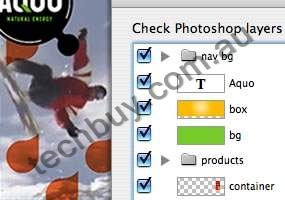
Photoshop and Illustrator import
Adobe Photoshop and Illustrator import
Import Adobe Photoshop (PSD) and Adobe Illustrator (AI) files, while preserving layers and structure, and then edit them in Adobe Flash CS3 Professional. Optimize and customize the files during import with advanced options.
Frame-based timeline
Quickly add motion to your creations with the easy-to-use, highly controllable, frame-based timeline inspired by traditional animation principles such as keyframing and tweening.
Shape primitives
Easily create pie wedges, round off rectangle corners, define an inner circle radius, and do much more. Visually adjust shape properties on the stage. And create custom shapes with the included JavaScript API.
ActionScript 3.0 development
Save time with the new ActionScript 3.0 language, featuring improved performance, increased flexibility, and more intuitive and structured development.
Sophisticated video tools
Create, edit, and deploy streaming and progressive-download FLV content with comprehensive video support. Ensure the best video experience with a standalone video encoder, alpha channel support, a high-quality video codec, embedded cue points, video import support, QuickTime import, closed captioning, and much more.
MP3 audio support
Integrate audio into your projects by importing MP3 files. Integration with Adobe Soundbooth makes it easy to edit files as needed, without requiring audio production experience.
Rich drawing capabilities
Visually adjust shape properties on the stage with smart shape drawing tools, create precise vector illustrations with the new Pen tool inspired by Adobe Illustrator, paste illustrations from Illustrator CS3 into Flash CS3, and more.
Extensible architecture
Leverage the Flash application programming interfaces (APIs) to easily develop extensions that add custom functionality.
Convert animation to ActionScript
Instantly convert timeline animations into ActionScript 3.0 code that can be easily edited, reused, and leveraged by developers. Copy animations from one object to another.
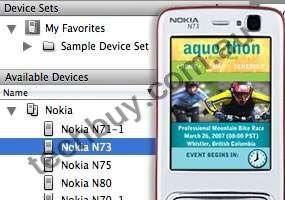
Device Central
Adobe Device Central
Design, preview, and test mobile device content using Adobe Device Central CS3, now integrated throughout Adobe Creative Suite 3. Create and test interactive applications and interfaces viewable with Flash Lite software.
System requirements
Windows
- Intel Pentium 4, Intel Centrino, Intel Xeon, or Intel Core Duo (or compatible) processor
- Microsoft Windows XP with Service Pack 2 or Windows Vista Home Premium, Business, Ultimate, or Enterprise (certified for 32-bit editions)
- 512MB of RAM (1GB recommended)
- 2.5GB of available hard-disk space (additional free space required during installation)
- 1,024x768 monitor resolution with 16-bit video card
- DVD-ROM drive
- QuickTime 7.1.2 software required for multimedia features
- Internet or phone connection required for product activation
- Broadband Internet connection required for Adobe Stock Photos* and other services
Macintosh
- 1GHz PowerPC G4 or G5 or multicore Intel processor
- Mac OS X v.10.4.8
- 512MB of RAM (1GB recommended)
- 2.5GB of available hard-disk space (additional free space required during installation)
- 1,024x768 monitor resolution with 16-bit video card
- DVD-ROM drive
- QuickTime 7.1.2 software required for multimedia features
- Internet or phone connection required for product activation
- Broadband Internet connection required for Adobe Stock Photos* and other services
*Online services, including, but not limited to, Adobe Stock Photos and Acrobat Connect, may not be available in all countries, languages, and currencies. Availability of services is subject to change. Use of online services is governed by terms and conditions of a separate agreement and may be subject to additional fees.
|
|
|
|
11/04
|
Adobe Flash CS3 Professional - Mac, Retail CREATE AND DELIVER INTERACTIVE CONTENT
Enjoy a fast, fluid workflow with Adobe Flash CS3 Professional software, featuring a streamlined user interface, advanced video tools, and impressive integration with related software.
Top features
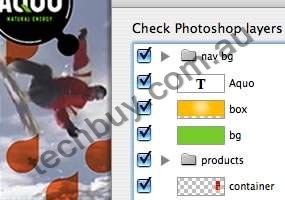
Photoshop and Illustrator import
Adobe Photoshop and Illustrator import
Import Adobe Photoshop (PSD) and Adobe Illustrator (AI) files, while preserving layers and structure, and then edit them in Adobe Flash CS3 Professional. Optimize and customize the files during import with advanced options.
Frame-based timeline
Quickly add motion to your creations with the easy-to-use, highly controllable, frame-based timeline inspired by traditional animation principles such as keyframing and tweening.
Shape primitives
Easily create pie wedges, round off rectangle corners, define an inner circle radius, and do much more. Visually adjust shape properties on the stage. And create custom shapes with the included JavaScript API.
ActionScript 3.0 development
Save time with the new ActionScript 3.0 language, featuring improved performance, increased flexibility, and more intuitive and structured development.
Sophisticated video tools
Create, edit, and deploy streaming and progressive-download FLV content with comprehensive video support. Ensure the best video experience with a standalone video encoder, alpha channel support, a high-quality video codec, embedded cue points, video import support, QuickTime import, closed captioning, and much more.
MP3 audio support
Integrate audio into your projects by importing MP3 files. Integration with Adobe Soundbooth makes it easy to edit files as needed, without requiring audio production experience.
Rich drawing capabilities
Visually adjust shape properties on the stage with smart shape drawing tools, create precise vector illustrations with the new Pen tool inspired by Adobe Illustrator, paste illustrations from Illustrator CS3 into Flash CS3, and more.
Extensible architecture
Leverage the Flash application programming interfaces (APIs) to easily develop extensions that add custom functionality.
Convert animation to ActionScript
Instantly convert timeline animations into ActionScript 3.0 code that can be easily edited, reused, and leveraged by developers. Copy animations from one object to another.
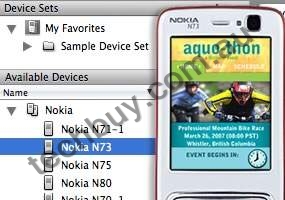
Device Central
Adobe Device Central
Design, preview, and test mobile device content using Adobe Device Central CS3, now integrated throughout Adobe Creative Suite 3. Create and test interactive applications and interfaces viewable with Flash Lite software.
System requirements and languages
Windows
- Intel Pentium 4, Intel Centrino, Intel Xeon, or Intel Core Duo (or compatible) processor
- Microsoft Windows XP with Service Pack 2 or Windows Vista Home Premium, Business, Ultimate, or Enterprise (certified for 32-bit editions)
- 512MB of RAM (1GB recommended)
- 2.5GB of available hard-disk space (additional free space required during installation)
- 1,024x768 monitor resolution with 16-bit video card
- DVD-ROM drive
- QuickTime 7.1.2 software required for multimedia features
- Internet or phone connection required for product activation
- Broadband Internet connection required for Adobe Stock Photos* and other services
Macintosh
- 1GHz PowerPC G4 or G5 or multicore Intel processor
- Mac OS X v.10.4.8
- 512MB of RAM (1GB recommended)
- 2.5GB of available hard-disk space (additional free space required during installation)
- 1,024x768 monitor resolution with 16-bit video card
- DVD-ROM drive
- QuickTime 7.1.2 software required for multimedia features
- Internet or phone connection required for product activation
- Broadband Internet connection required for Adobe Stock Photos* and other services
*Online services, including, but not limited to, Adobe Stock Photos and Acrobat Connect, may not be available in all countries, languages, and currencies. Availability of services is subject to change. Use of online services is governed by terms and conditions of a separate agreement and may be subject to additional fees.
|
|
|
|
11/04
|
View Sonic PJ358 - LCD Portable Projector - SVGA, 2200 Lumens, 500:1, HDTV
The ViewSonic PJ358 XGA projector weighs in at only 1.78kg but DELIVERS POWERFUL PRESENTATIONS WITH NATIVE 1024x768 RESOLUTION AND AN AMAZING 2,200 LUMENS. Professional presenters will appreciate the full feature set including dual RGB inputs and USB storage support that allow you to connect two PCs or PC-less presentation. The PJ358 SETS UP EASILY WITH ITS ONE-TOUCH SET UP BUTTON AND DISPLAYS THE PERFECT IMAGE in virtually any setting thanks to digital keystone correction, manual zoom and focus. The included remote control with mouse makes it easy to deliver a dynamic presentation that puts you in the best possible light.
 Bright in virtually any setting with 2,200 lumens Packs 2,200 lumens in just 1.78kg. It's the bright choice for mobile presenters.
Ultimate video source flexibility Connect a computer or add a video source for dynamic meetings and presentations.
Supports HD signals including 720p and 1080i Capable of displaying HDTV signals as well as other video and data sources.
Advanced video features Motion adaptive deinterlacer for superior video performance.
Whisper-mode extends lamp life & low noise 30dB Extend the life of your lamp up to 4,000 hours and reduce noise output.
6 default picture mode for different environment usage Dynamic, Cinema, Normal, Whiteboard, Board (Black), and Daylight Mode.
Keylock and security slot for anti-theft Deisgn to avoid a mischief and touching
Off To Go feature Allow to unplug projector power cable without traditional turn off procedure.
Short Throw Feature Projector 60" image at 1.5m
 |
|
|
|
|
 |
| LCD |
|
Type |
|
0.63" (x3) Poly-Si TFT with Micro Lens |
| |
|
Resolution |
|
1024x768, 1600x1200 compressed |
| |
|
Lens |
|
Manual zoom, manual focus |
|
| Display |
|
Size |
|
30 - 300 inch (measured diagonally) |
| |
|
Throw Distance |
|
0.9 - 9.3m |
| |
|
Lamp |
|
160W |
| |
|
Brightness |
|
2200 Lumens (typ) |
| |
|
Contrast Ratio |
|
500:1 (typ) |
| |
|
Aspect Ratio |
|
4:3 (native), 16:9 |
|
| Audio |
|
Speakers |
|
1 watt x 1 |
|
| Input Signal |
|
Video |
|
RGB analog, NTSC M, NTSC 4.43, PAL, SECAM, HDTV (480i, 480p, 576i, 576p, 720p, 1080i) |
| |
|
Sync |
|
H/V separated |
| |
|
Frequency |
|
Fh: 31-106KHz; Fv: 56-120Hz |
|
| Compatibility |
|
PC |
|
from VGA to UXGA (scaled) |
| |
|
Mac |
|
up to SXGA (may require Mac Adapter) |
|
| Connector |
|
RGB Input |
|
15-pin HD, D-sub cable (x2) |
| |
|
Composite Video |
|
RCA jack (x1) |
| |
|
S-Video |
|
Mini-Din 4 pin (x1) |
| |
|
Audio |
|
Input: RCA Jack (x1 set), Strereo mini jack x1; Output: Stereo mini jack |
| |
|
USB |
|
Type A for PC-less presentation (JPEG, MPEG4, M-JPEG), USB Type B for mouse control |
|
| Power |
|
Voltage |
|
100-240VAC; 50/60Hz (universal) |
| |
|
Consumption |
|
250W (typ) |
|
| Controls |
|
Basic |
|
Standby/On, input, menu |
| |
|
Remote Control |
|
Language, brightness, contrast, gamma, color temperature, color, tint, sharpness, progressive, My memory, aspect, overscan, V./H. position, H. phase, H. size, auto adjust, color space, component, video format, frame lock, information, V. keystone, auto keystone, whisper, mirror, volume, audio, language, menu position, OSD bright, blank color, start up, My Screen Lock, message, auto search, auto off, lamp time, filter time, service menu, Security, USB storage, Auto on, Auto off |
|
| Operating Conditions |
|
Temperature
Humidity |
|
5C - 35C (41F - 91F)
10% - 90% (non-condensing) |
|
| Dimensions |
|
Physical |
|
274mm (W) x 205mm (H) x 59mm (D) |
|
| Weight |
|
Net |
|
1.8 kgs |
|
| Regulations |
|
|
|
UL60950, C-UL, FCC-B, TUV/GS, CB, CE, C-TICK, NOM |
|
|
|
|
|
|
11/04
|
View Sonic PJ506D - DLP Portable Projector - SVGA, 2000 Lumens, 2000:1, HDTV
The ViewSonic PJ506D is a practical projector that offers outstanding value and performance on a budget. It performs well for those looking for a multifunctional data/video projector that doesn't break the bank. This native SVGA resolution projector projects 2000 lumens of brightness for clear, bright images in most lighting conditions. At only 5.9 lbs, it is light, compact and easy to travel with or move from room to room. Texas Instruments DLP technology delievers brilliant, high contrast images for viewing presentations, charts, or video. The PJ506D supports high definition signals and is also equipped with advanced video features such as motion adaptive 3:2 pull down for smoother video performance. The ECO mode function reduces the fan noise output for less distraction during important presentations and even extends the lamp life up to 3000 hours. The PJ506D is perfect for users looking for an easy to use ultra-portable projector at a great price.
 Bright in virtually any setting with 2,000 lumens
Packs 2,000 lumens, it's the bright choice for mobile presenters.
DLP technology
Stunning all digital clarity delivers lifelike color, sharp graphics, and outstanding video.
Ultimate video source flexibility
Connect a computer or add a video source for dynamic meetings and presentations.
Supports HD signals including 720p and 1080i
Capable of displaying HDTV signals as well as other video and data sources.
Advanced video features
Motion adaptive deinterlacer for superior video performance.
The best warranty in the business
Covered by a three-year parts and labor limited warranty, and one-year limited lamp warranty.
OnView controls for superior screen adjustability
Screen geometry and color adjustments are precisely made via an easy-to-use, on-screen menu.
ECO-mode extends lamp life
Extend the life of your lamp up to 3,000 hours and reduce noise output.
 |
|
|
|
|
|
| LCD |
|
Type |
|
0.55" DDR DMD, DLP |
| |
|
Resolution |
|
800x600, 1280x1024 compressed |
| |
|
Lens |
|
Manual zoom, manual focus |
|
| Display |
|
Size |
|
25 - 285 inch (measured diagonally) |
| |
|
Throw Distance |
|
1.0 - 10.0m |
| |
|
Lamp |
|
200W / 2000 hour rating |
| |
|
Brightness |
|
2000 Lumens (typ) |
| |
|
Contrast Ratio |
|
2000:1 (typ) |
| |
|
Aspect Ratio |
|
4:3 & 16:9 |
|
| Audio |
|
Speakers |
|
2 watt x 1 |
|
| Input Signal |
|
Video |
|
RGB analog, NTSC M, NTSC 4.43, PAL, SECAM, HDTV (480i, 480p, 576i, 576p, 720p, 1080i) |
| |
|
Sync |
|
H/V separated |
| |
|
Frequency |
|
Fh: 31-79KHz; Fv: 56-85Hz |
|
| Compatibility |
|
PC |
|
from VGA to SXGA (scaled) |
| |
|
Mac |
|
up to SXGA (may require Mac Adapter) |
|
| Connector |
|
RGB Input |
|
15-pin HD D-sub cable (x1) |
| |
|
Composite Video |
|
RCA jack (x1) |
| |
|
S-Video |
|
Mini-Din 4 pin (x1) |
| |
|
Component Video |
|
DSub-15 to Component Video Adapter (Option) |
| |
|
Audio |
|
Input: 3.5mm stereo mini-jack (x1) |
| |
|
Control |
|
RS-232 (9 Pin D-sub) x 1 |
| |
|
USB |
|
x1 (Service Only) |
|
| Power |
|
Voltage |
|
100-240VAC; 50/60Hz (universal) |
| |
|
Consumption |
|
250W (typ) |
|
| Controls |
|
Basic |
|
Standby/On, input, menu |
| |
|
Remote Control |
|
Display mode, brightness, contrast, keystone, aspect ratio, blank screen, gamma, white peaking, color temperature, user color, video (sharpness, saturation, tint), display (phase, tracking, H. position, V. position), advance (auto source select, rear, ceiling, eco mode, lamp hours, lamp reset, auto shutdown, OSD timeout, menu position, factory reset), audio (audio, mute) |
|
| Operating Conditions |
|
Temperature
Humidity |
|
0C - 40C (32F - 104F)
10% - 90% (non-condensing) |
|
| Dimensions |
|
Physical |
|
255mm (W) x 101mm (H) x 223mm (D) |
|
| Weight |
|
Net |
|
2.7 kgs |
|
| Regulations |
|
|
|
UL, CUL, FCC-B, CB, CE, ICES-003, Argentina-TUV/GS, CCC, C-Tick, NOM, NEMKO, PCBC, PSB, EK, EZU, IRAM, PSE, RoHS, WEEE, MIC, Hygienic, Ukaraine |
|
|
|
|
|
|
11/04
|
View Sonic PJ556D - DLP Portable Projector - SVGA, 2200 Lumens, 2000:1, HDTV
The ViewSonic PJ556D is a practical projector that offers outstanding value and performance on a budget. It performs well for those looking for a multifunctional data/video projector that doesn't break the bank. This native XGA resolution projector projects 2000 lumens of brightness for clear, bright images in most lighting conditions. At only 5.9 lbs, it is light, compact and easy to travel or move from room to room. Texas Instruments DLP technology delivers brilliant, high contrast images for viewing presentations, charts or video. The PJ556D supports high definition signals and is also equipped with advanced video features such as motion adaptive 3:2 pull down for smoother video performance, The ECO mode function reduces the fan noise output for less distraction during important presentations and even extends the lamp life up to 3000 hours. The PJ556D is perfect for users looking for an easy to use ultra-portable projector at a great price.
 Bright in virtually any setting with 2,000 lumens
Packs 2,000 lumens, it's the bright choice for mobile presenters.
DLP technology
Stunning all digital clarity delivers lifelike color, sharp graphics, and outstanding video.
Ultimate video source flexibility
Connect a computer or add a video source for dynamic meetings and presentations.
Supports HD signals including 720p and 1080i
Capable of displaying HDTV signals as well as other video and data sources.
Advanced video features
Motion adaptive deinterlacer for superior video performance.
The best warranty in the business
Covered by a three-year parts and labor limited warranty, and one-year limited lamp warranty.
OnView controls for superior screen adjustability
Screen geometry and color adjustments are precisely made via an easy-to-use, on-screen menu.
ECO-mode extends lamp life
Extend the life of your lamp up to 3,000 hours and reduce noise output.
 |
|
|
|
|
 |
| LCD |
|
Type |
|
0.55" DDR DMD, DLP |
| |
|
Resolution |
|
1024x768, 1280x1024 compressed |
| |
|
Lens |
|
Manual zoom, manual focus |
|
| Display |
|
Size |
|
25 - 285 inch (measured diagonally) |
| |
|
Throw Distance |
|
1.0 - 10.0m |
| |
|
Lamp |
|
200W / 2000 hour rating |
| |
|
Brightness |
|
2000 Lumens (typ) |
| |
|
Contrast Ratio |
|
2000:1 (typ) |
| |
|
Keystone Correction |
|
Yes |
| |
|
Aspect Ratio |
|
4:3 & 16:9 |
|
| Audio |
|
Speakers |
|
2 watt x 1 |
|
| Input Signal |
|
Video |
|
RGB analog, NTSCM, NTSC 4.43, PAL, SECAM, HDTV (480i, 480p, 576i, 576p, 720p, 1080i) |
| |
|
Sync |
|
H/V separated |
| |
|
Frequency |
|
Fh: 31-79KHz; Fv: 56-85Hz |
|
| Compatibility |
|
PC |
|
from VGA to SXGA (scaled) |
| |
|
Mac |
|
up to SXGA (may require Mac Adapter) |
|
| Connector |
|
RGB Input |
|
15-pin HD D-sub cable (x1) |
| |
|
Composite Video |
|
RCA jack (x1) |
| |
|
S-Video |
|
Mini-DIN 4 pin (x1) |
| |
|
Component Video |
|
DSub-15 to Component Video Adapter (Option) |
| |
|
Audio |
|
Input: 3.5mm stereo mini-jack (x1) |
| |
|
Control |
|
RS-232 (9 Pin D-sub) x 1 |
| |
|
USB |
|
x1 (Service Only) |
|
| Power |
|
Voltage |
|
100-240VAC; 50/60Hz (universal) |
| |
|
Consumption |
|
250W (typ) |
|
| Controls |
|
Basic |
|
Standby/On, input, menu |
| |
|
Remote Control |
|
Display mode, brightness, contrast, keystone, aspect ratio, blank screen, gamma, white peaking, color temperature, user color, video (sharpness, saturation, tint), display (phase, tracking, H. position, V. position), advance (auto source select, rear, ceiling, eco mode, lamp hours, lamp reset, auto shutdown, OSD timeout, menu position, factory reset), audio (audio, mute) |
|
| Operating Conditions |
|
Temperature
Humidity |
|
0C - 40C (32F - 104F)
5% - 90% (non-condensing) |
|
| Dimensions |
|
Physical |
|
255mm (W) x 101.5mm (H) x 223mm (D) |
|
| Weight |
|
Net |
|
2.7 kgs |
|
| Regulations |
|
|
|
UL, CUL, FCC-B, CB, CE, ICES-003, Argentina-TUV/GS, CCC, C-Tick, NOM, NEMKO, PCBC, PSB, EK, EZU, IRAM, PSE, RoHS, WEEE, MIC, Hygienic, Ukraine |
|
|
|
|
|
11/04
|
MacroMedia FreeHand MX (11) - Windows
Create illustration and layout for print and web
Use FreeHand MX for creative design, storyboarding, multipage document production, and editing with an unparalleled set of creative design tools. Easily repurpose your designs for print, the Internet, or Macromedia Flash.
Multiple Attributes
Add more visual punch to your designs and illustrationsapply unlimited stroke, fill, and effect attributes to a single vector or text object. Multiple attributes eliminate the need to stack duplicates of an object to create a particular appearance, making updates easier, faster, and leaving fewer objects to manage.
Object Panel
Now you can quickly inspect and change object and text propertiessuch as stroke, fill, font, or effectin one centralized location. In addition, the Object panel provides localized stacking control of multiple attributes for unlimited and unique visual appearances. You can also drag and drop between the Object and Styles panels to create, edit, and redefine graphic and text styles.
Live Effects
Maximize creative expression with live effects, which apply complex distortions and effects without altering the original object. FreeHand MX includes vector effects (such as bend, sketch, and transform) and raster effects (like bevel, drop shadow, and gradient transparency). The complete control of ordering provided in the Object panel allows you to apply effects in any order, to all or selected attributes of the object.
Live-Edit Graphic Primitives
Quickly and easily reshape rectangles, ellipses, and polygons while maintaining the control and editability of FreeHand MX graphic primitives. Easily round rectangle corners and mix concave or convex, convert ellipses to arcs, or change polygons to stars with editable numbers of points.
Macromedia Flash Integration
Increase productivity and streamline development of Macromedia Flash projects. Plan, layout and design entire projects in single document. Now you can even import more complex Macromedia Flash movies (SWFs) into your FreeHand MX document and integrate them into your designs before exporting back out to SWF with improved efficiency. Placed SWFs can be edited using launch and edit in Macromedia Flash functionality. Macromedia Flash can also open and import FreeHand MX files.
Action Tool
Drag and drop complex Macromedia Flash actions between objects, symbols, and pages. Assign simple actions like Go To and Play, or Go To and Stop, as well as more complex behaviors such as Get URL or Load External Movie.
Connector Lines Tool
Quickly map information architecture, data flows, and site maps with the Connector Lines tool. Just drag the tool to assign persistent relationships between objects. Connector Line styles let you completely customize the appearance of connectors and quickly apply them.
Creative Capabilities
Realize your creative vision with a collection of enhanced tools and functionality. Create exciting 3D appearances with the Extrude tool, which gives complete live control over extrude attributes, including 3D rotations, lighting, and shared vanishing points. Drag and drop the Blend tool to create and modify live blends, or use the Eraser tool to modify paths in an, organic way. Additionally, FreeHand MX now provides alpha channel support for imported bitmaps.
Fireworks Integration
Streamline your graphics development workflow with enhanced Fireworks integration. Launch and edit imported bitmap images with a single click in the FreeHand MX Object panel, make your changes in Fireworks, then click back in FreeHand MX your image is now updated, without losing any effects or transformations applied to the original FreeHand MX image. You can also open or import FreeHand MX files directly in Fireworks, with improved vector and text reliability and editability.
Minimum System Requirements
Freehand MX 11.0
Windows
- Pentium II 300MHz+
- Windows 98SE, Windows ME, Windows NT 4 (Service Pack 6), Windows 2000, or Windows XP
- 64 MB of free available system RAM (128 MB recommended)
- 70 MB of free hard disk space
Macintosh
- Power Mac G3+
- Mac OS 9.1 or higher, OS X 10.1 or higher
- 64 MB of free available system RAM (128 MB recommended)
- 70 MB of free hard disk space
Freehand MX 11.0.1
Windows
- 600 MHz Intel Pentium III processor or equivalent
- Windows 98 SE (4.10.2222 A), Windows 2000, or Windows XP
- 64 MB RAM (128 MB recommended)
- 100 MB available disk space
Macintosh
- 500 MHz PowerPC G3 processor
- Mac OS X 10.2.6 and later, 10.3
- 64 MB RAM (128 MB recommended)
- 70 MB available disk space
|
|
|
|
Previous Page
|
Next Page
|
|