Camerafarm product archive #39267
| Image |
Date |
Product description |
Price |
Buy |
|
06/07
|
Sony VPLES4B LCD Portable Projector - XGA, 2200 Lumens, Black TopLCD DATA PJ SVGA 2200 ANSI LUMEN BLACK VPLES4B
Bright, Stylish, and Easy to Use The Affordable VPLES4 Data Projectors are Excellent Choices for Both Education and Business
The Sony VPLES4 offers an affordable projection solution that is ideal for education, business and home applications. Featuring a wide range of interfaces and mounting flexibility, the VPLES4 provide a brightness of 2200 ANSI Lumens. Capable of projecting high quality images, the VPLES4 offers native SVGA resolution.
The VPLES4 comes equipped with a short focal-length lens enabling large screen projections from a very short distance.
The supplied card-type Remote Commander unit enables quick and effective control of the projector. Ideal for classrooms, conference rooms and lounge rooms. Key features
- High Brightness and High Picture
- 3LCD Technology
- SVGA (800 x 600) Resolution, accepts up to SXGA+
- Short Projection Distance
- Low Fan Noise
- Password Authentication System (Security Lock)
- User Friendly Design
- Useful Remote Commander Unit
- Monitor Output
- Input Flexibility (Multiscan Converter)
- Digital Zoom Function
- Image freeze
- 7 Picture Modes
- Control Panel Key lock
- Smart APA (Auto Pixel Alignment)
- Multi Language OSD
- Audio Output
- Ceiling Mountable
Optical
- Projection System: 3 LCD panels, 1 lens projection system
- Panel: 0.63-inch TFT LCD 2,359,296 pixels (786,432 pixels x 3)
- Brightness: 2200 lm (lamp mode high), Approximately 1500 lm (lamp mode standard)
- Lamp: 165 W Ultra high-pressure lamp
- Projection lens: 1.2 times zoom lens f18.8 to 22.6mm, F1.6 to 1.94
- Screen Coverage: 40 to 300 inches (Viewable area measured diagonally)
General
- Replacement Lamp: LMPC162 (165W)
- Ceiling Mount Model:
- Power requirements: AC 100 to 240V, 50/60 Hz
- Power consumption: Max 220W, Standby 10W
- Operating Temperature: 0 to 35C (32 to 95 F)
- Operating Humidity: 35% to 85% (no condensation)
- Storage Temperature: -20 to 60 C (-4 to 140 F)
- Storage Humidity: 10% to 90% (no condensation)
- Expected Lamp Life: 2000/3000hours in high/low mode
- Low Fan Noise (dB): 29 dB
- Dimensions (WxHxD): 308 x 98 x 252 mm (12 1/4 x 3 7/8 x 10 inches), excl. projections
- Weight: Approx. 3 kg (6 lb 10 oz)
- 15 Language On-screen Display:
- Picture Modes: Dynamic/Standard/Natural/Game/Living (room)/Cinema/Presentation
- Colour: White
Signals
- Colour System: NTSC, PAL, SECAM, NTSC4.43, PAL-M, PAL-N, PAL60 (automatically/manually selected)
- Resolution: Video: 750 TV Lines, RGB: 1024x768 pixels native resolution
- Acceptable Video signals: Computer: fH: 19-92 kHz, fV: 48-92 Hz (up to SXGA+ 60Hz) Video: 15 kHz RGB/Component 50/60 Hz, Progressive Component 50/60 Hz, Composite video, Y/C video DTV (480/60i, 575/50i, 1080/60i, 480/60p, 575/50p, 1080/50i, 720/60p, 720/50p)
Inputs
- RGB/Component: HD D-sub 15 pin x1 (Input A)
- S-Video: Mini DIN 4pin x1
- Composite: RCA pin jack x1
- Audio: Stereo mini jack x2
Outputs
- RGB: HD D-sub 15 pin x1
- Audio (variable out): Stereo mini jack x1
Speaker
- Speaker: Mono 1 W (max.) x1
Remote In/Out
Throw Distances
- 4:3 - 40": 1.2 to 1.4m
- 4:3 - 80": 2.3 to 2.8m
- 4:3 - 100": 2.9 to 3.6m
- 4:3 - 200": 5.9 to 7.2m
- 4:3 - 300": 8.8 to 10.7m
|


|
|
|
06/07
|
Sony VPLES4W LCD Portable Projector - XGA, 2200 Lumens, White TopLCD DATA PJ SVGA 2200 ANSI LUMEN WHITE VPLES4W
The Sony VPLES4 offers an affordable projection solution that is ideal for education, business and home applications. Featuring a wide range of interfaces and mounting flexibility, the VPLES4 provide a brightness of 2200 ANSI Lumens. Capable of projecting high quality images, the VPLES4 offers native SVGA resolution.
The VPLES4 comes equipped with a short focal-length lens enabling large screen projections from a very short distance.
The supplied card-type Remote Commander unit enables quick and effective control of the projector. Ideal for classrooms, conference rooms and lounge rooms. Key features
- High Brightness and High Picture
- 3LCD Technology
- SVGA (800 x 600) Resolution, accepts up to SXGA+
- Short Projection Distance
- Low Fan Noise
- Password Authentication System (Security Lock)
- User Friendly Design
- Useful Remote Commander Unit
- Monitor Output
- Input Flexibility (Multiscan Converter)
- Digital Zoom Function
- Image freeze
- 7 Picture Modes
- Control Panel Key lock
- Smart APA (Auto Pixel Alignment)
- Multi Language OSD
- Audio Output
- Ceiling Mountable
Optical
- Projection System: 3 LCD panels, 1 lens projection system
- Panel: 0.63-inch TFT LCD 2,359,296 pixels (786,432 pixels x 3)
- Brightness: 2200 lm (lamp mode high), Approximately 1500 lm (lamp mode standard)
- Lamp: 165 W Ultra high-pressure lamp
- Projection lens: 1.2 times zoom lens f18.8 to 22.6mm, F1.6 to 1.94
- Screen Coverage: 40 to 300 inches (Viewable area measured diagonally)
General
- Replacement Lamp: LMPC162 (165W)
- Ceiling Mount Model:
- Power requirements: AC 100 to 240V, 50/60 Hz
- Power consumption: Max 220W, Standby 10W
- Operating Temperature: 0 to 35C (32 to 95 F)
- Operating Humidity: 35% to 85% (no condensation)
- Storage Temperature: -20 to 60 C (-4 to 140 F)
- Storage Humidity: 10% to 90% (no condensation)
- Expected Lamp Life: 2000/3000hours in high/low mode
- Low Fan Noise (dB): 29 dB
- Dimensions (WxHxD): 308 x 98 x 252 mm (12 1/4 x 3 7/8 x 10 inches), excl. projections
- Weight: Approx. 3 kg (6 lb 10 oz)
- 15 Language On-screen Display:
- Picture Modes: Dynamic/Standard/Natural/Game/Living (room)/Cinema/Presentation
- Colour: White
Signals
- Colour System: NTSC, PAL, SECAM, NTSC4.43, PAL-M, PAL-N, PAL60 (automatically/manually selected)
- Resolution: Video: 750 TV Lines, RGB: 1024x768 pixels native resolution
- Acceptable Video signals: Computer: fH: 19-92 kHz, fV: 48-92 Hz (up to SXGA+ 60Hz) Video: 15 kHz RGB/Component 50/60 Hz, Progressive Component 50/60 Hz, Composite video, Y/C video DTV (480/60i, 575/50i, 1080/60i, 480/60p, 575/50p, 1080/50i, 720/60p, 720/50p)
Inputs
- RGB/Component: HD D-sub 15 pin x1 (Input A)
- S-Video: Mini DIN 4pin x1
- Composite: RCA pin jack x1
- Audio: Stereo mini jack x2
Outputs
- RGB: HD D-sub 15 pin x1
- Audio (variable out): Stereo mini jack x1
Speaker
- Speaker: Mono 1 W (max.) x1
Remote In/Out
Throw Distances
- 4:3 - 40": 1.2 to 1.4m
- 4:3 - 80": 2.3 to 2.8m
- 4:3 - 100": 2.9 to 3.6m
- 4:3 - 200": 5.9 to 7.2m
- 4:3 - 300": 8.8 to 10.7m
|
|
|
|
06/07
|
Adobe Photoshop CS3 Extended - Windows, Upgrade* Upgrade from Photoshop 7.0, CS, CS2 or CS3
Discover new dimensions in digital imaging
Get everything in Adobe Photoshop CS3 software and more with Photoshop CS3 Extended, which enables you to edit 3D and motion-based content and perform image analysis.
Top features
Nondestructive editing
Edit nondestructively with new Smart Filters, which let you visualize different image effects, and Smart Objects, which let you scale, rotate, and warp raster and vector graphics all without altering the original pixel data.
Rich painting and drawing toolset
Create or modify images with a wide assortment of professional, fully customizable paint settings, artistic brushes, and drawing tools.
Advanced compositing
Create more accurate composites by automatically aligning multiple Adobe Photoshop layers or images based on similar content. The Auto-align Layers command quickly analyzes details and moves, rotates, or warps layers to align them perfectly, and the Auto-blend Layers command blends the color and shading to create a smooth, editable result.
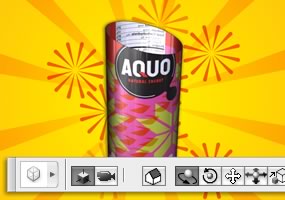
3D compositing and texture editing
Easily render and incorporate rich 3D content into your 2D composites even edit existing textures on 3D models directly within Photoshop Extended and immediately see the results. Photoshop Extended supports common 3D interchange formats, including 3DS, OBJ, U3D, KMZ, and COLLADA, so you can import, view, and interact with most 3D models.
Movie Paint
Enhance video directly within Photoshop Extended. Now you can paint, add text, and clone over multiple frames of an imported video sequence.
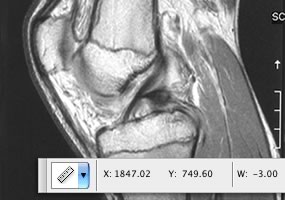
2D and 3D measurement tools
Extract quantitative information from images with new measurement tools. Easily calibrate or set the scale of an image, and then use any of the Photoshop Extended selection tools to define and calculate distance, perimeter, area, and other measurements. Record data points in a measurement log and export data, including histogram data, to a spreadsheet for further analysis.
Faster, more flexible asset management with Adobe Bridge CS3
Organize and manage images more efficiently with next-generation Adobe Bridge CS3 software, which now delivers improved performance, a Filter panel for easier searching, the ability to group multiple images under a single thumbnail, the Loupe tool, offline image browsing, and more.
Better raw-image processing
Process raw images with increased speed and superior conversion quality using the Photoshop Camera Raw plug-in, which now adds support for JPEG and TIFF formats; new tools including Fill Light and Dust Busting; compatibility with Adobe Photoshop Lightroom software; and support for over 150 camera models.
Enhanced Vanishing Point with 3D support
Edit in perspective on multiple surfaces even those connected at angles other than 90 degrees with the enhanced Vanishing Point, which also lets you measure in perspective; wrap graphics, images, and text around multiple planes; and output 2D planes as 3D models.
Wide range of supported formats
Import and export an even greater range of file formats, including PSD, BMP, DICOM, Cineon, JPEG, JPEG2000, OpenEXR, PNG, Targa, and TIFF.
System requirements
Note: Photoshop CS3 and Photoshop CS3 Extended have the same system requirements.
Windows
- Intel Pentium 4, Intel Centrino, Intel Xeon, or Intel Core Duo (or compatible) processor
- Microsoft Windows XP with Service Pack 2 or Windows Vista Home Premium, Business, Ultimate, or Enterprise (certified for 32-bit editions)
- 512MB of RAM
- 64MB of video RAM
- 1.5GB of available hard-disk space (additional free space required during installation)
- 1,024x768 monitor resolution
- DVD-ROM drive
- QuickTime 7 software required for multimedia features
- Internet or phone connection required for product activation
- Broadband Internet connection required for Adobe Stock Photos* and other services
Macintosh
- PowerPC G4 or G5 or multicore Intel processor
- Mac OS X v.10.4.8
- 512MB of RAM
- 64MB of video RAM
- 1.5GB of available hard-disk space (additional free space required during installation)
- 1,024x768 monitor resolution
- DVD-ROM drive
- QuickTime 7 software required for multimedia features
- Internet or phone connection required for product activation
- Broadband Internet connection required for Adobe Stock Photos* and other services
*Online services, including, but not limited to, Adobe Stock Photos and Acrobat Connect, may not be available in all countries, languages, and currencies. Availability of services is subject to change. Use of online services is governed by terms and conditions of a separate agreement and may be subject to additional fees.

|
|
|
|
06/07
|
Adobe Photoshop CS3 Extended - Mac, Upgrade* Upgrade from Photoshop 7.0, CS, CS2 or CS3
Discover new dimensions in digital imaging
Get everything in Adobe Photoshop CS3 software and more with Photoshop CS3 Extended, which enables you to edit 3D and motion-based content and perform image analysis.
Top features
Nondestructive editing
Edit nondestructively with new Smart Filters, which let you visualize different image effects, and Smart Objects, which let you scale, rotate, and warp raster and vector graphics all without altering the original pixel data.
Rich painting and drawing toolset
Create or modify images with a wide assortment of professional, fully customizable paint settings, artistic brushes, and drawing tools.
Advanced compositing
Create more accurate composites by automatically aligning multiple Adobe Photoshop layers or images based on similar content. The Auto-align Layers command quickly analyzes details and moves, rotates, or warps layers to align them perfectly, and the Auto-blend Layers command blends the color and shading to create a smooth, editable result.
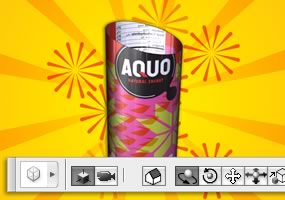
3D compositing and texture editing
Easily render and incorporate rich 3D content into your 2D composites even edit existing textures on 3D models directly within Photoshop Extended and immediately see the results. Photoshop Extended supports common 3D interchange formats, including 3DS, OBJ, U3D, KMZ, and COLLADA, so you can import, view, and interact with most 3D models.
Movie Paint
Enhance video directly within Photoshop Extended. Now you can paint, add text, and clone over multiple frames of an imported video sequence.
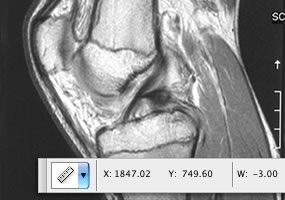
2D and 3D measurement tools
Extract quantitative information from images with new measurement tools. Easily calibrate or set the scale of an image, and then use any of the Photoshop Extended selection tools to define and calculate distance, perimeter, area, and other measurements. Record data points in a measurement log and export data, including histogram data, to a spreadsheet for further analysis.
Faster, more flexible asset management with Adobe Bridge CS3
Organize and manage images more efficiently with next-generation Adobe Bridge CS3 software, which now delivers improved performance, a Filter panel for easier searching, the ability to group multiple images under a single thumbnail, the Loupe tool, offline image browsing, and more.
Better raw-image processing
Process raw images with increased speed and superior conversion quality using the Photoshop Camera Raw plug-in, which now adds support for JPEG and TIFF formats; new tools including Fill Light and Dust Busting; compatibility with Adobe Photoshop Lightroom software; and support for over 150 camera models.
Enhanced Vanishing Point with 3D support
Edit in perspective on multiple surfaces even those connected at angles other than 90 degrees with the enhanced Vanishing Point, which also lets you measure in perspective; wrap graphics, images, and text around multiple planes; and output 2D planes as 3D models.
Wide range of supported formats
Import and export an even greater range of file formats, including PSD, BMP, DICOM, Cineon, JPEG, JPEG2000, OpenEXR, PNG, Targa, and TIFF.
System requirements
Note: Photoshop CS3 and Photoshop CS3 Extended have the same system requirements.
Windows
- Intel Pentium 4, Intel Centrino, Intel Xeon, or Intel Core Duo (or compatible) processor
- Microsoft Windows XP with Service Pack 2 or Windows Vista Home Premium, Business, Ultimate, or Enterprise (certified for 32-bit editions)
- 512MB of RAM
- 64MB of video RAM
- 1.5GB of available hard-disk space (additional free space required during installation)
- 1,024x768 monitor resolution
- DVD-ROM drive
- QuickTime 7 software required for multimedia features
- Internet or phone connection required for product activation
- Broadband Internet connection required for Adobe Stock Photos* and other services
Macintosh
- PowerPC G4 or G5 or multicore Intel processor
- Mac OS X v.10.4.8
- 512MB of RAM
- 64MB of video RAM
- 1.5GB of available hard-disk space (additional free space required during installation)
- 1,024x768 monitor resolution
- DVD-ROM drive
- QuickTime 7 software required for multimedia features
- Internet or phone connection required for product activation
- Broadband Internet connection required for Adobe Stock Photos* and other services
*Online services, including, but not limited to, Adobe Stock Photos and Acrobat Connect, may not be available in all countries, languages, and currencies. Availability of services is subject to change. Use of online services is governed by terms and conditions of a separate agreement and may be subject to additional fees.

|
|
|
|
06/07
|
Adobe Photoshop CS3 - Windows, Upgrade* Upgrade from Photoshop 7.0, CS, CS2 or CS3
Create powerful images with the professional standard
The essential software for perfecting your images, Adobe Photoshop CS3 now offers productivity and workflow enhancements, powerful new editing tools, and breakthrough compositing capabilities.
Top features
Industry-standard editing toolset
Perfect your images with industry-leading image-editing capabilities, which include enhanced color-correction and cloning and healing tools.
Nondestructive editing
Take advantage of nondestructive editing capabilities, including new Smart Filters, which let you visualize different image effects, and Smart Objects, which let you scale, rotate, and warp raster and vector graphics all without altering pixel data.
Rich painting and drawing toolset
Create or modify images with a wide assortment of professional, fully customizable paint settings, artistic brushes, and drawing tools.
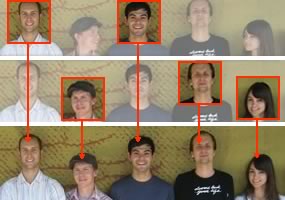
Advanced compositing
Create more accurate composites by automatically aligning multiple Adobe Photoshop layers or images based on similar content. The Auto-align Layers command quickly analyzes details and moves, rotates, or warps layers to align them perfectly, and the Auto-blend Layers command blends the color and shading to create a smooth, editable result.
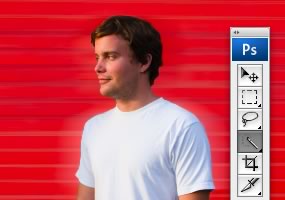
Quick Selection and Refine Edge tools
Make selections in a snap. Loosely draw on an image area, and the Quick Selection tool automatically completes the selection for you. Then fine-tune your selections with the Refine Edge tool.
Built-in efficiency
Take advantage of customized workflows and a streamlined work environment with enhanced palette management so you can focus on your images, not your software.
Improved printing experience
Experience better control over print quality with color management, a larger print preview window, and more controls in one place so you can print in fewer steps. Improved printing controls, co-developed by Adobe and HP, make printing easier and more predictable and streamline setup options via integration with select printers from HP, Epson, and Canon.
Faster, more flexible asset management with Adobe Bridge CS3
Organize and manage images more efficiently with Adobe Bridge CS3, which now delivers improved performance, a Filter panel for easier searching, the ability to group multiple images under a single thumbnail, the Loupe tool, offline image browsing, and more.
Wide range of supported formats
Import and export a wide range of file formats, including PSD, BMP, Cineon, JPEG, JPEG2000, OpenEXR, PNG, Targa, and TIFF.
Third-party solutions and resources
Take advantage of a wealth of additional resources including software plug-ins, books, and training from the longstanding community of expert Photoshop developers, authors, and trainers.
System requirements
Note: Photoshop CS3 and Photoshop CS3 Extended have the same system requirements.
Windows
- Intel Pentium 4, Intel Centrino, Intel Xeon, or Intel Core Duo (or compatible) processor
- Microsoft Windows XP with Service Pack 2 or Windows Vista Home Premium, Business, Ultimate, or Enterprise (certified for 32-bit editions)
- 512MB of RAM
- 64MB of video RAM
- 1.5GB of available hard-disk space (additional free space required during installation)
- 1,024x768 monitor resolution with 16-bit video card
- DVD-ROM drive
- QuickTime 7 software required for multimedia features
- Internet or phone connection required for product activation
- Broadband Internet connection required for Adobe Stock Photos* and other services
Macintosh
- PowerPC G4 or G5 or multicore Intel processor
- Mac OS X v.10.4.8
- 512MB of RAM
- 64MB of video RAM
- 1.5GB of available hard-disk space (additional free space required during installation)
- 1,024x768 monitor resolution with 16-bit video card
- DVD-ROM drive
- QuickTime 7 software required for multimedia features
- Internet or phone connection required for product activation
- Broadband Internet connection required for Adobe Stock Photos* and other services
*Online services, including, but not limited to, Adobe Stock Photos and Acrobat Connect, may not be available in all countries, languages, and currencies. Availability of services is subject to change. Use of online services is governed by terms and conditions of a separate agreement and may be subject to additional fees.

|
|
|
|
06/07
|
Adobe Photoshop CS3 - Mac, Upgrade* Upgrade from Photoshop 7.0, CS, CS2 or CS3
Create powerful images with the professional standard
The essential software for perfecting your images, Adobe Photoshop CS3 now offers productivity and workflow enhancements, powerful new editing tools, and breakthrough compositing capabilities.
Top features
Industry-standard editing toolset
Perfect your images with industry-leading image-editing capabilities, which include enhanced color-correction and cloning and healing tools.
Nondestructive editing
Take advantage of nondestructive editing capabilities, including new Smart Filters, which let you visualize different image effects, and Smart Objects, which let you scale, rotate, and warp raster and vector graphics all without altering pixel data.
Rich painting and drawing toolset
Create or modify images with a wide assortment of professional, fully customizable paint settings, artistic brushes, and drawing tools.
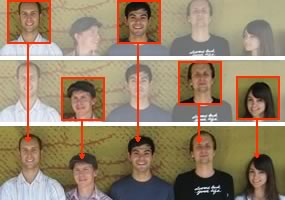
Advanced compositing
Create more accurate composites by automatically aligning multiple Adobe Photoshop layers or images based on similar content. The Auto-align Layers command quickly analyzes details and moves, rotates, or warps layers to align them perfectly, and the Auto-blend Layers command blends the color and shading to create a smooth, editable result.
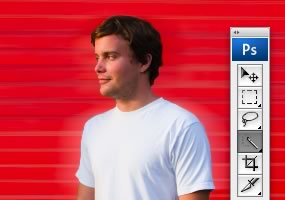
Quick Selection and Refine Edge tools
Make selections in a snap. Loosely draw on an image area, and the Quick Selection tool automatically completes the selection for you. Then fine-tune your selections with the Refine Edge tool.
Built-in efficiency
Take advantage of customized workflows and a streamlined work environment with enhanced palette management so you can focus on your images, not your software.
Improved printing experience
Experience better control over print quality with color management, a larger print preview window, and more controls in one place so you can print in fewer steps. Improved printing controls, co-developed by Adobe and HP, make printing easier and more predictable and streamline setup options via integration with select printers from HP, Epson, and Canon.
Faster, more flexible asset management with Adobe Bridge CS3
Organize and manage images more efficiently with Adobe Bridge CS3, which now delivers improved performance, a Filter panel for easier searching, the ability to group multiple images under a single thumbnail, the Loupe tool, offline image browsing, and more.
Wide range of supported formats
Import and export a wide range of file formats, including PSD, BMP, Cineon, JPEG, JPEG2000, OpenEXR, PNG, Targa, and TIFF.
Third-party solutions and resources
Take advantage of a wealth of additional resources including software plug-ins, books, and training from the longstanding community of expert Photoshop developers, authors, and trainers.
System requirements
Note: Photoshop CS3 and Photoshop CS3 Extended have the same system requirements.
Windows
- Intel Pentium 4, Intel Centrino, Intel Xeon, or Intel Core Duo (or compatible) processor
- Microsoft Windows XP with Service Pack 2 or Windows Vista Home Premium, Business, Ultimate, or Enterprise (certified for 32-bit editions)
- 512MB of RAM
- 64MB of video RAM
- 1.5GB of available hard-disk space (additional free space required during installation)
- 1,024x768 monitor resolution with 16-bit video card
- DVD-ROM drive
- QuickTime 7 software required for multimedia features
- Internet or phone connection required for product activation
- Broadband Internet connection required for Adobe Stock Photos* and other services
Macintosh
- PowerPC G4 or G5 or multicore Intel processor
- Mac OS X v.10.4.8
- 512MB of RAM
- 64MB of video RAM
- 1.5GB of available hard-disk space (additional free space required during installation)
- 1,024x768 monitor resolution with 16-bit video card
- DVD-ROM drive
- QuickTime 7 software required for multimedia features
- Internet or phone connection required for product activation
- Broadband Internet connection required for Adobe Stock Photos* and other services
*Online services, including, but not limited to, Adobe Stock Photos and Acrobat Connect, may not be available in all countries, languages, and currencies. Availability of services is subject to change. Use of online services is governed by terms and conditions of a separate agreement and may be subject to additional fees.

|
|
|
|
06/07
|
Adobe InDesign CS3 - Windows, Upgrade* Upgrade from any previous version of InDesign
Design and produce professional page layouts
Adobe InDesign CS3 software delivers powerful new features that allow you to explore more creative possibilities, experience greater productivity, and streamline repetitive tasks.
Top features
Extensive integration
Work smoothly with Adobe Photoshop, Illustrator, Acrobat, InCopy, and Dreamweaver software; enjoy consistency by using shared presets and color settings; work more efficiently with native file format support; and easily publish to multiple media.

Creative effects and controls
Creative effects and controls
Design compelling page layouts that include transparency, creative effects, and gradient feathers. Since effects are live and nondestructive, you can experiment with ease. Apply effects independently to an objects stroke, fill, or content.
Reliable prepress and printing
Have confidence in your output. Get accurate, consistent results every time you print using sophisticated preview capabilities, exporting reliable Adobe PDF files, and sharing custom presets.
Productivity enhancements
Perform a variety of tasks more efficiently using new and enhanced productivity features, including Multi-file Place, Quick Apply, faster frame fitting, and the visual Pages panel.

XHTML export
XHTML export
Enable multiformat publishing, including print-to-web workflows, by exporting InDesign content as XHTML. Edit the exported content in Adobe Dreamweaver CS3 software (available separately) and automatically format it using cascading style sheets.
Professional typographical controls
Compose beautiful typography using professional controls including the Paragraph Composer, OpenType fonts, drop caps, glyphs, and optical kerning and margin alignment.

Full-featured tables
Full-featured tables
Create richly formatted tables. Import tab-delimited text files and styled Microsoft Word or Excel tables, or build tables in InDesign. Apply a wide variety of formatting options manually or using table and cell styles.
Robust long-document support
Maintain consistency and streamline the production of long documents using advanced bullets and numbering, running headers and footers, and synchronized master pages.
Smart text handling
Control your text with intelligent text-handling features including the ability to import styled text from Microsoft Word files, apply complex text wraps around objects, and comprehensively replace fonts.
Scripting and extensibility
Accelerate and simplify workflows by automating processes using scripts and extending the capabilities of InDesign using the ExtendScript toolkit.
System requirements
Windows
- Intel Pentium 4, Intel Centrino, Intel Xeon, or Intel Core Duo (or compatible) processor
- Microsoft Windows XP with Service Pack 2 or Windows Vista Home Premium, Business, Ultimate, or Enterprise (certified support for 32-bit editions)
- 256MB of RAM (512MB recommended) for Windows XP; 512MB (1GB recommended) for Windows Vista
- 1.8GB of available hard-disk space (additional free space required during installation)
- 1,024x768 monitor resolution
- DVD-ROM drive
- QuickTime 7 software required for multimedia features
- Internet or phone connection required for product activation
- Broadband Internet connection required for Adobe Stock Photos* and other services
Macintosh
- PowerPC G4 or G5 or multicore Intel processor
- Mac OS X v.10.4.8
- 256MB of RAM (512MB recommended) for PowerPC based system; 512MB (1GB recommended) for Intel based system
- 1.6GB of available hard-disk space (additional free space required during installation)
- 1,024x768 monitor resolution
- DVD-ROM drive
- QuickTime 7 software required for multimedia features
- Internet or phone connection required for product activation
- Broadband Internet connection required for Adobe Stock Photos* and other services
* Online services, including, but not limited to, Adobe Stock Photos and Acrobat Connect, may not be available in all countries, languages, and currencies. Availability of services is subject to change. Use of online services is governed by terms and conditions of a separate agreement and may be subject to additional fees.

|
|
|
|
06/07
|
Adobe InDesign CS3 - Mac, Upgrade* Upgrade from any previous version of InDesign
Design and produce professional page layouts
Adobe InDesign CS3 software delivers powerful new features that allow you to explore more creative possibilities, experience greater productivity, and streamline repetitive tasks.
Top features
Extensive integration
Work smoothly with Adobe Photoshop, Illustrator, Acrobat, InCopy, and Dreamweaver software; enjoy consistency by using shared presets and color settings; work more efficiently with native file format support; and easily publish to multiple media.
Creative effects and controls
Creative effects and controls
Design compelling page layouts that include transparency, creative effects, and gradient feathers. Since effects are live and nondestructive, you can experiment with ease. Apply effects independently to an objects stroke, fill, or content.
Reliable prepress and printing
Have confidence in your output. Get accurate, consistent results every time you print using sophisticated preview capabilities, exporting reliable Adobe PDF files, and sharing custom presets.
Productivity enhancements
Perform a variety of tasks more efficiently using new and enhanced productivity features, including Multi-file Place, Quick Apply, faster frame fitting, and the visual Pages panel.
XHTML export
XHTML export
Enable multiformat publishing, including print-to-web workflows, by exporting InDesign content as XHTML. Edit the exported content in Adobe Dreamweaver CS3 software (available separately) and automatically format it using cascading style sheets.
Professional typographical controls
Compose beautiful typography using professional controls including the Paragraph Composer, OpenType fonts, drop caps, glyphs, and optical kerning and margin alignment.
Full-featured tables
Full-featured tables
Create richly formatted tables. Import tab-delimited text files and styled Microsoft Word or Excel tables, or build tables in InDesign. Apply a wide variety of formatting options manually or using table and cell styles.
Robust long-document support
Maintain consistency and streamline the production of long documents using advanced bullets and numbering, running headers and footers, and synchronized master pages.
Smart text handling
Control your text with intelligent text-handling features including the ability to import styled text from Microsoft Word files, apply complex text wraps around objects, and comprehensively replace fonts.
Scripting and extensibility
Accelerate and simplify workflows by automating processes using scripts and extending the capabilities of InDesign using the ExtendScript toolkit.
System requirements
Windows
- Intel Pentium 4, Intel Centrino, Intel Xeon, or Intel Core Duo (or compatible) processor
- Microsoft Windows XP with Service Pack 2 or Windows Vista Home Premium, Business, Ultimate, or Enterprise (certified support for 32-bit editions)
- 256MB of RAM (512MB recommended) for Windows XP; 512MB (1GB recommended) for Windows Vista
- 1.8GB of available hard-disk space (additional free space required during installation)
- 1,024x768 monitor resolution
- DVD-ROM drive
- QuickTime 7 software required for multimedia features
- Internet or phone connection required for product activation
- Broadband Internet connection required for Adobe Stock Photos* and other services
Macintosh
- PowerPC G4 or G5 or multicore Intel processor
- Mac OS X v.10.4.8
- 256MB of RAM (512MB recommended) for PowerPC based system; 512MB (1GB recommended) for Intel based system
- 1.6GB of available hard-disk space (additional free space required during installation)
- 1,024x768 monitor resolution
- DVD-ROM drive
- QuickTime 7 software required for multimedia features
- Internet or phone connection required for product activation
- Broadband Internet connection required for Adobe Stock Photos* and other services
* Online services, including, but not limited to, Adobe Stock Photos and Acrobat Connect, may not be available in all countries, languages, and currencies. Availability of services is subject to change. Use of online services is governed by terms and conditions of a separate agreement and may be subject to additional fees.
|
|
|
|
06/07
|
Adobe Illustrator CS3 - Windows, Upgrade* Upgrade from prior 3 versions of Illustrator
Explore new paths with the essential vector tool
Discover new ways to experiment with color; work faster with new drawing tools and controls; and produce artwork for print, web, mobile, and motion designs with Adobe Illustrator CS3 software.
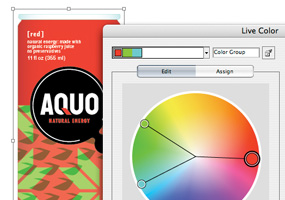
Live Color
Live Color
Explore, apply, and control color variations using Live Color, which lets you select any artwork and interactively edit the colors to see results immediately. Use the Color Guide panel to quickly choose tints, shades, or harmonious color combinations.
Live Trace
Quickly and accurately convert photos, scans, or other bitmap images to editable and scalable vector paths using Live Trace.
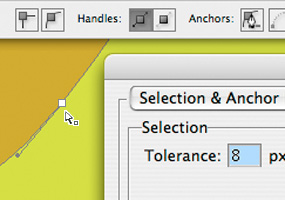
Drawing tools and controls
Drawing tools and controls
Draw in Illustrator more quickly and fluidly than ever. Easier and more flexible anchor point selection, improved operating performance, and a new Eraser tool help you create artwork efficiently and intuitively.
Integration with Adobe design applications
Speed your way through graphic designs and print production thanks to tight integration with Adobe Photoshop, InDesign, and Acrobat software.
Live Paint
Easily paint any closed or partially closed area of your artwork with the Live Paint Bucket, which automatically detects and corrects gaps and lets you interactively select colors from a Swatch palette for faster work.
Advanced typography
Easily create and control type with over 100 OpenType fonts, paragraph and character styles, paragraph composition, underline and strikethrough, transparent effects, and more.
Control panel
Discover more options faster and free up screen space by accessing anchor point controls, clipping masks, envelope distortions, and more from the context-sensitive Control panel.
Custom workspaces
Work more efficiently using custom workspaces that display only the panels you need for a specific task. Save, share, or access any workspace at any time, or use workspace presets.
Adobe PDF file creation tools
Create native Adobe PDF files, including multipage PDF files, so clients and others can easily review your artwork using Adobe Acrobat or free Adobe Reader software.
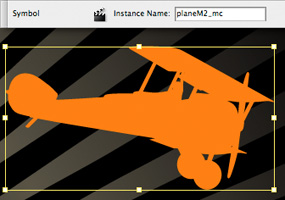
Drawing tools and controls
Web and interactive tools
Easily create for the web and mobile devices using vector-based slicing tools, robust integration with Flash, New Document Profiles for web and mobile designs, the capability to preview mobile content in Adobe Device Central, and more.
System requirements and languages
Windows
- Intel Pentium 4, Intel Centrino, Intel Xeon, or Intel Core™ Duo (or compatible) processor
- Microsoft Windows XP with Service Pack 2 or Windows Vista™ Home Premium, Business, Ultimate, or Enterprise (certified for 32-bit editions)
- 512MB of RAM (1GB recommended)
- 2GB of available hard-disk space (additional free space required during installation)
- 1,024x768 monitor resolution
- DVD-ROM drive
- QuickTime 7 software required for multimedia features
- Internet or phone connection required for product activation
- Broadband Internet connection required for Adobe Stock Photos* and other services
Macintosh
- PowerPC G4 or G5 or multicore Intel processor
- Mac OS X v.10.4.8
- 512MB of RAM (1GB recommended)
- 2.5GB of available hard-disk space (additional free space required during installation)
- 1,024x768 monitor resolution
- DVD-ROM drive
- QuickTime 7 software required for multimedia features
- Internet or phone connection required for product activation
- Broadband Internet connection required for Adobe Stock Photos* and other services
* Online services, including, but not limited to, Adobe Stock Photos and Acrobat Connect, may not be available in all countries, languages, and currencies. Availability of services is subject to change. Use of online services is governed by terms and conditions of a separate agreement and may be subject to additional fees.

|
|
|
|
06/07
|
Adobe Illustrator CS3 - Mac, Upgrade* Upgrade from prior 3 versions of Illustrator
Explore new paths with the essential vector tool
Discover new ways to experiment with color; work faster with new drawing tools and controls; and produce artwork for print, web, mobile, and motion designs with Adobe Illustrator CS3 software.
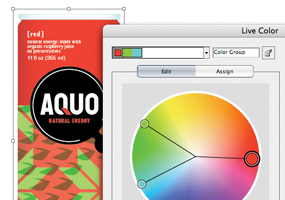
Live Color
Live Color
Explore, apply, and control color variations using Live Color, which lets you select any artwork and interactively edit the colors to see results immediately. Use the Color Guide panel to quickly choose tints, shades, or harmonious color combinations.
Live Trace
Quickly and accurately convert photos, scans, or other bitmap images to editable and scalable vector paths using Live Trace.
Drawing tools and controls
Drawing tools and controls
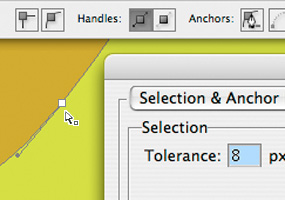
Draw in Illustrator more quickly and fluidly than ever. Easier and more flexible anchor point selection, improved operating performance, and a new Eraser tool help you create artwork efficiently and intuitively.
Integration with Adobe design applications
Speed your way through graphic designs and print production thanks to tight integration with Adobe Photoshop, InDesign, and Acrobat software.
Live Paint
Easily paint any closed or partially closed area of your artwork with the Live Paint Bucket, which automatically detects and corrects gaps and lets you interactively select colors from a Swatch palette for faster work.
Advanced typography
Easily create and control type with over 100 OpenType fonts, paragraph and character styles, paragraph composition, underline and strikethrough, transparent effects, and more.
Control panel
Discover more options faster and free up screen space by accessing anchor point controls, clipping masks, envelope distortions, and more from the context-sensitive Control panel.
Custom workspaces
Work more efficiently using custom workspaces that display only the panels you need for a specific task. Save, share, or access any workspace at any time, or use workspace presets.
Adobe PDF file creation tools
Create native Adobe PDF files, including multipage PDF files, so clients and others can easily review your artwork using Adobe Acrobat or free Adobe Reader software.
Drawing tools and controls
Web and interactive tools
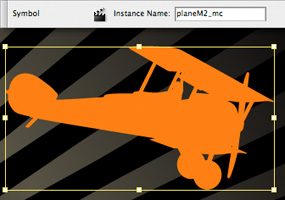
Easily create for the web and mobile devices using vector-based slicing tools, robust integration with Flash, New Document Profiles for web and mobile designs, the capability to preview mobile content in Adobe Device Central, and more.
System requirements and languages
Windows
- Intel Pentium 4, Intel Centrino, Intel Xeon, or Intel Core™ Duo (or compatible) processor
- Microsoft Windows XP with Service Pack 2 or Windows Vista™ Home Premium, Business, Ultimate, or Enterprise (certified for 32-bit editions)
- 512MB of RAM (1GB recommended)
- 2GB of available hard-disk space (additional free space required during installation)
- 1,024x768 monitor resolution
- DVD-ROM drive
- QuickTime 7 software required for multimedia features
- Internet or phone connection required for product activation
- Broadband Internet connection required for Adobe Stock Photos* and other services
Macintosh
- PowerPC G4 or G5 or multicore Intel processor
- Mac OS X v.10.4.8
- 512MB of RAM (1GB recommended)
- 2.5GB of available hard-disk space (additional free space required during installation)
- 1,024x768 monitor resolution
- DVD-ROM drive
- QuickTime 7 software required for multimedia features
- Internet or phone connection required for product activation
- Broadband Internet connection required for Adobe Stock Photos* and other services
* Online services, including, but not limited to, Adobe Stock Photos and Acrobat Connect, may not be available in all countries, languages, and currencies. Availability of services is subject to change. Use of online services is governed by terms and conditions of a separate agreement and may be subject to additional fees.

|
|
|
|
06/07
|
Adobe Creative Suite 3 Web Standard - Windows, Upgrade* Upgrade from Flash+Dreamweaver or Studio MX, MX 2004
WHAT ARE THE CREATIVE SUITE 3 WEB EDITIONS?
Adobe Creative Suite 3 Web Standard
The basic toolkit for web designers and developers, Adobe® Creative Suite® 3 Web Standard software features all-new versions of the fundamental tools for creating and maintaining interactive websites, applications, and mobile device content. Prototype your projects, design assets, and build and maintain professional web experiences. Work on your choice of Mac or Windows®.
Combines Adobe Dreamweaver® CS3, Flash® CS3 Professional, Fireworks® CS3, Contribute® CS3, Bridge CS3, Version Cue® CS3, and Device Central CS3.
Top features
Best of the best
Get all the fundamental tools to prototype, design, develop, and maintain websites, applications, interactive experiences, and mobile content. Enjoy new features and integration across Dreamweaver CS3, Flash CS3 Professional, Fireworks CS3, and Contribute CS3.
Powerful integration
Leverage integrated workflows that enable fast, efficient exchange of assets so you move from design to delivery efficiently. Roundtrip editing between Fireworks, Flash, and Dreamweaver enables speedy prototyping, graphics creation, and optimization. Import files from other Adobe creative tools.
Professional interactive design
Discover the powerful, expressive Flash authoring environment. Add life to graphics with acclaimed animation tools, high-quality text rendering, filters and other effects, and the popular FLV tools, complete with alpha channel support and batch rendering.
Latest technologies and standards
Keep pace with evolving technologies and standards. Design with CSS and XML; integrate with development environments such as HTML, XHTML, XML, Adobe ColdFusion, ASP, ASP.NET, JSP, or PHP; test content across myriad browsers and operating systems; and prepare for the new Internet Protocol version 6 (IPv6).
Easy web maintenance
Free yourself from simple web edits. With Contribute CS3, enable individuals or workgroups to easily edit and publish content to websites and blogs from a controlled, permissions-based application or from within Microsoft applications.
ActionScript 3.0 development
Go farther with ActionScript 3.0, the high-performance, object-oriented programming language for Adobe Flash Player. Explore a whole new world of customization using the rich language, API, libraries, and expansive community support services.
Best practices
Easily apply best practices of web design and development. Create consistent CSS-based designs with the CSS layout and visualization tools in Dreamweaver. Drag and drop an XML feed onto a web page. Use the industry's first integrated tool for Section 508 and WCAG Priority 2 checkpoints.
Mobile content authoring
Use Adobe Device Central CS3 to design, develop, preview, and test content for a wide range of mobile and consumer devices. Easily showcase your work in numerous mobile device skins through built-in and regularly updated device profiles.
Macintosh or Windows
Pick your platform. Creative Suite 3 Web Standard is available for Mac OSincluding Intel based Macintosh computersWindows XP, and Windows Vista. Design in your preferred platform, and then deliver across platforms with consistent results.
Produce for today and tomorrow
Whether youre updating a website to support the latest standards and technologies, integrating interactive video, migrating to CSS-based designs, conforming to accessibility governances, or experimenting with mobile content development, Creative Suite 3 Web Standard software lets you get it done today yet scales to support new web or device projects in the future.
System requirements and languages
Web Standard
Windows
- Intel Pentium 4, Intel Centrino, Intel Xeon, or Intel Core Duo (or compatible) processor
- Microsoft Windows XP with Service Pack 2 or Windows Vista Home Premium, Business, Ultimate, or Enterprise (certified for 32-bit editions)
- 1GB of RAM
- 3GB of available hard-disk space (additional free space required during installation)
- 1,024x768 monitor resolution with 16-bit video card
- DVD-ROM drive
- QuickTime 7.1.2 software required for multimedia features
- Internet or phone connection required for product activation
- Broadband Internet connection required for Adobe Stock Photos* and other services
Macintosh
- PowerPC G4 or G5 or multicore Intel processor
- Mac OS X v.10.4.8, Java Runtime Environment 1.5 required for Adobe Version Cue CS3 Server
- 1GB of RAM
- 4.5GB of available hard-disk space (additional free space required during installation)
- 1,024x768 monitor resolution with 16-bit video card
- DVD-ROM drive
- QuickTime 7.1.2 software required for multimedia features
- Internet or phone connection required for product activation
- Broadband Internet connection required for Adobe Stock Photos* and other services
*Online services, including, but not limited to, Adobe Stock Photos and Acrobat Connect, may not be available in all countries, languages, and currencies. Availability of services is subject to change. Use of online services is governed by terms and conditions of a separate agreement and may be subject to additional fees.

|
|
|
|
06/07
|
Adobe Creative Suite 3 Web Standard - Mac, Upgrade* Upgrade from Flash+Dreamweaver or Studio MX, MX 2004
WHAT ARE THE CREATIVE SUITE 3 WEB EDITIONS?
Adobe Creative Suite 3 Web Standard
The basic toolkit for web designers and developers, Adobe® Creative Suite® 3 Web Standard software features all-new versions of the fundamental tools for creating and maintaining interactive websites, applications, and mobile device content. Prototype your projects, design assets, and build and maintain professional web experiences. Work on your choice of Mac or Windows®.
Combines Adobe Dreamweaver® CS3, Flash® CS3 Professional, Fireworks® CS3, Contribute® CS3, Bridge CS3, Version Cue® CS3, and Device Central CS3.
Top features
Best of the best
Get all the fundamental tools to prototype, design, develop, and maintain websites, applications, interactive experiences, and mobile content. Enjoy new features and integration across Dreamweaver CS3, Flash CS3 Professional, Fireworks CS3, and Contribute CS3.
Powerful integration
Leverage integrated workflows that enable fast, efficient exchange of assets so you move from design to delivery efficiently. Roundtrip editing between Fireworks, Flash, and Dreamweaver enables speedy prototyping, graphics creation, and optimization. Import files from other Adobe creative tools.
Professional interactive design
Discover the powerful, expressive Flash authoring environment. Add life to graphics with acclaimed animation tools, high-quality text rendering, filters and other effects, and the popular FLV tools, complete with alpha channel support and batch rendering.
Latest technologies and standards
Keep pace with evolving technologies and standards. Design with CSS and XML; integrate with development environments such as HTML, XHTML, XML, Adobe ColdFusion, ASP, ASP.NET, JSP, or PHP; test content across myriad browsers and operating systems; and prepare for the new Internet Protocol version 6 (IPv6).
Easy web maintenance
Free yourself from simple web edits. With Contribute CS3, enable individuals or workgroups to easily edit and publish content to websites and blogs from a controlled, permissions-based application or from within Microsoft applications.
ActionScript 3.0 development
Go farther with ActionScript 3.0, the high-performance, object-oriented programming language for Adobe Flash Player. Explore a whole new world of customization using the rich language, API, libraries, and expansive community support services.
Best practices
Easily apply best practices of web design and development. Create consistent CSS-based designs with the CSS layout and visualization tools in Dreamweaver. Drag and drop an XML feed onto a web page. Use the industry's first integrated tool for Section 508 and WCAG Priority 2 checkpoints.
Mobile content authoring
Use Adobe Device Central CS3 to design, develop, preview, and test content for a wide range of mobile and consumer devices. Easily showcase your work in numerous mobile device skins through built-in and regularly updated device profiles.
Macintosh or Windows
Pick your platform. Creative Suite 3 Web Standard is available for Mac OSincluding Intel based Macintosh computersWindows XP, and Windows Vista. Design in your preferred platform, and then deliver across platforms with consistent results.
Produce for today and tomorrow
Whether youre updating a website to support the latest standards and technologies, integrating interactive video, migrating to CSS-based designs, conforming to accessibility governances, or experimenting with mobile content development, Creative Suite 3 Web Standard software lets you get it done today yet scales to support new web or device projects in the future.
System requirements and languages
Web Standard
Windows
- Intel Pentium 4, Intel Centrino, Intel Xeon, or Intel Core Duo (or compatible) processor
- Microsoft Windows XP with Service Pack 2 or Windows Vista Home Premium, Business, Ultimate, or Enterprise (certified for 32-bit editions)
- 1GB of RAM
- 3GB of available hard-disk space (additional free space required during installation)
- 1,024x768 monitor resolution with 16-bit video card
- DVD-ROM drive
- QuickTime 7.1.2 software required for multimedia features
- Internet or phone connection required for product activation
- Broadband Internet connection required for Adobe Stock Photos* and other services
Macintosh
- PowerPC G4 or G5 or multicore Intel processor
- Mac OS X v.10.4.8, Java Runtime Environment 1.5 required for Adobe Version Cue CS3 Server
- 1GB of RAM
- 4.5GB of available hard-disk space (additional free space required during installation)
- 1,024x768 monitor resolution with 16-bit video card
- DVD-ROM drive
- QuickTime 7.1.2 software required for multimedia features
- Internet or phone connection required for product activation
- Broadband Internet connection required for Adobe Stock Photos* and other services
*Online services, including, but not limited to, Adobe Stock Photos and Acrobat Connect, may not be available in all countries, languages, and currencies. Availability of services is subject to change. Use of online services is governed by terms and conditions of a separate agreement and may be subject to additional fees.
|
|
|
|
06/07
|
Adobe Creative Suite 3 Web Premium - Windows, Upgrade* Upgrade from Creative Suite 1 or 2 (Standard or Premium), Studio MX, MX 2004, Studio 8 or Web Bundle, or from CS3 Design Standard or Web Standard
WHAT ARE THE CREATIVE SUITE 3 WEB EDITIONS?
Adobe Creative Suite 3 Web Premium
Adobe® Creative Suite® 3 Web Premium software offers a complete solution for creating interactive websites, applications, user interfaces, presentations, mobile device content, and other digital experiences. Get everything you need to prototype your project, design assets, build web experiences, and efficiently maintain and update content. Work on your choice of Mac or Windows®.
Combines Adobe Dreamweaver® CS3, Flash® CS3 Professional, Photoshop® CS3 Extended, Illustrator® CS3, Fireworks® CS3, Acrobat® 8 Professional, Contribute® CS3, Bridge CS3, Version Cue® CS3, and Device Central CS3.
Top features
Best of the best
Get the newest versions of the award-winning tools, integrated workflows, and valuable utilities used to prototype, design, develop, and maintain websites, applications, interactive experiences, and mobile device content.
Powerful integration
Fluidly move assets across Adobe Photoshop CS3 Extended, Illustrator CS3, Flash CS3 Professional, Dreamweaver CS3, and Fireworks CS3 software. Use Adobe Version Cue CS3, Adobe Bridge, and Adobe Stock Photos to manage assets. Prepare content for mobile devices with Adobe Device Central CS3.
Streaming and progressive FLV
Create and edit streaming and progressive FLV content for playback through the ubiquitious Adobe Flash Player. Comprehensive video creation and delivery tools include a standalone video encoder, alpha channel support, a high-quality video codec, embedded cue points, video import support, QuickTime import, closed-captioning, and more.
Engaging interactivity
Incorporate rich interactivity into your projects. Whether its Ajax interactivity in web page elements, streaming interactive broadcasts, or an interactive multiuser collaboration application, Creative Suite 3 Web Premium has everything you need to draft and deploy your interactive vision on the web.
Latest technologies and standards
Keep pace with evolving technologies and standards. Design with HTML and CSS; integrate with development technologies like XHTML, XML, Adobe ColdFusion, ASP, ASP.NET, JSP, and PHP; test content across browsers and operating systems; and prepare for the new Internet Protocol version 6 (IPv6).
ActionScript 3.0 development
Go farther with ActionScript 3.0, the high-performance, object-oriented programming language for Adobe Flash Player. Explore a whole new world of customization using the rich language, API, libraries, and expansive community support services.
Best practices
Easily apply best practices of web design and development. Create consistent CSS-based designs with CSS layout and visualization tools. Drag and drop an XML feed onto a web page. Use the industrys first integrated tool for Section 508 and WCAG Priority 2 checkpoints.
Mobile content authoring
Use Adobe Device Central CS3 to design, develop, preview, and test content for a wide range of mobile and consumer devices. Easily show your work in numerous mobile device skins through built-in and regularly updated device profiles.
Macintosh or Windows
Pick your platform. Creative Suite 3 Web Premium is available for Mac OS including Intel based Macintosh computers Windows XP, and Windows Vista. Design in your preferred platform, and then deliver across platforms with consistent results.
Reliability and innovation
Whether youre adding interactive video, migrating to CSS, conforming to accessibility regulations, preparing for IPv6 conversion, or experimenting with mobile content, Creative Suite 3 Web Premium lets you work well today and grow for tomorrow.
System requirements and languages
Web Premium
Windows
- Intel Pentium 4, Intel Centrino, Intel Xeon, or Intel Core Duo (or compatible) processor
- Microsoft Windows XP with Service Pack 2 or Windows Vista Home Premium, Business, Ultimate, or Enterprise (certified for 32-bit editions)
- 1GB of RAM
- 5GB of available hard-disk space (additional free space required during installation)
- 1,024x768 monitor resolution with 16-bit video card
- DVD-ROM drive
- QuickTime 7.1.2 software required for multimedia features
- Some 3D features in Adobe Photoshop CS3 Extended require a Microsoft DirectX 9 capable graphics card with at least 64MB of VRAM
- Internet or phone connection required for product activation
- Broadband Internet connection required for Adobe Stock Photos* and additional services
Macintosh
- PowerPC G4 or G5 or multicore Intel processor
- Mac OS X v.10.4.8; Java Runtime Environment 1.5 required for Adobe Version Cue CS3 Server
- 1GB of RAM
- 7GB of available hard-disk space (additional free space required during installation)
- 1,024x768 monitor resolution with 16-bit video card
- DVD-ROM drive
- QuickTime 7.1.2 software required for multimedia features
- Some 3D features in Adobe Photoshop CS3 Extended require an OpenGL 1.4 capable graphics card with at least 64MB of VRAM
- Internet or phone connection required for product activation
- Broadband Internet connection required for Adobe Stock Photos* and additional services
*Online services, including, but not limited to, Adobe Stock Photos and Acrobat Connect, may not be available in all countries, languages, and currencies. Availability of services is subject to change. Use of online services is governed by terms and conditions of a separate agreement and may be subject to additional fees.
|
|
|
|
06/07
|
Adobe Creative Suite 3 Web Premium - Mac, Upgrade* Upgrade from Creative Suite 1 or 2 (Standard or Premium), Studio MX, MX 2004, Studio 8 or Web Bundle, or from CS3 Design Standard or Web Standard
WHAT ARE THE CREATIVE SUITE 3 WEB EDITIONS?
Adobe Creative Suite 3 Web Premium
Adobe® Creative Suite® 3 Web Premium software offers a complete solution for creating interactive websites, applications, user interfaces, presentations, mobile device content, and other digital experiences. Get everything you need to prototype your project, design assets, build web experiences, and efficiently maintain and update content. Work on your choice of Mac or Windows®.
Combines Adobe Dreamweaver® CS3, Flash® CS3 Professional, Photoshop® CS3 Extended, Illustrator® CS3, Fireworks® CS3, Acrobat® 8 Professional, Contribute® CS3, Bridge CS3, Version Cue® CS3, and Device Central CS3.
Top features
Best of the best
Get the newest versions of the award-winning tools, integrated workflows, and valuable utilities used to prototype, design, develop, and maintain websites, applications, interactive experiences, and mobile device content.
Powerful integration
Fluidly move assets across Adobe Photoshop CS3 Extended, Illustrator CS3, Flash CS3 Professional, Dreamweaver CS3, and Fireworks CS3 software. Use Adobe Version Cue CS3, Adobe Bridge, and Adobe Stock Photos to manage assets. Prepare content for mobile devices with Adobe Device Central CS3.
Streaming and progressive FLV
Create and edit streaming and progressive FLV content for playback through the ubiquitious Adobe Flash Player. Comprehensive video creation and delivery tools include a standalone video encoder, alpha channel support, a high-quality video codec, embedded cue points, video import support, QuickTime import, closed-captioning, and more.
Engaging interactivity
Incorporate rich interactivity into your projects. Whether its Ajax interactivity in web page elements, streaming interactive broadcasts, or an interactive multiuser collaboration application, Creative Suite 3 Web Premium has everything you need to draft and deploy your interactive vision on the web.
Latest technologies and standards
Keep pace with evolving technologies and standards. Design with HTML and CSS; integrate with development technologies like XHTML, XML, Adobe ColdFusion, ASP, ASP.NET, JSP, and PHP; test content across browsers and operating systems; and prepare for the new Internet Protocol version 6 (IPv6).
ActionScript 3.0 development
Go farther with ActionScript 3.0, the high-performance, object-oriented programming language for Adobe Flash Player. Explore a whole new world of customization using the rich language, API, libraries, and expansive community support services.
Best practices
Easily apply best practices of web design and development. Create consistent CSS-based designs with CSS layout and visualization tools. Drag and drop an XML feed onto a web page. Use the industrys first integrated tool for Section 508 and WCAG Priority 2 checkpoints.
Mobile content authoring
Use Adobe Device Central CS3 to design, develop, preview, and test content for a wide range of mobile and consumer devices. Easily show your work in numerous mobile device skins through built-in and regularly updated device profiles.
Macintosh or Windows
Pick your platform. Creative Suite 3 Web Premium is available for Mac OS including Intel based Macintosh computers Windows XP, and Windows Vista. Design in your preferred platform, and then deliver across platforms with consistent results.
Reliability and innovation
Whether youre adding interactive video, migrating to CSS, conforming to accessibility regulations, preparing for IPv6 conversion, or experimenting with mobile content, Creative Suite 3 Web Premium lets you work well today and grow for tomorrow.
System requirements and languages
Web Premium
Windows
- Intel Pentium 4, Intel Centrino, Intel Xeon, or Intel Core Duo (or compatible) processor
- Microsoft Windows XP with Service Pack 2 or Windows Vista Home Premium, Business, Ultimate, or Enterprise (certified for 32-bit editions)
- 1GB of RAM
- 5GB of available hard-disk space (additional free space required during installation)
- 1,024x768 monitor resolution with 16-bit video card
- DVD-ROM drive
- QuickTime 7.1.2 software required for multimedia features
- Some 3D features in Adobe Photoshop CS3 Extended require a Microsoft DirectX 9 capable graphics card with at least 64MB of VRAM
- Internet or phone connection required for product activation
- Broadband Internet connection required for Adobe Stock Photos* and additional services
Macintosh
- PowerPC G4 or G5 or multicore Intel processor
- Mac OS X v.10.4.8; Java Runtime Environment 1.5 required for Adobe Version Cue CS3 Server
- 1GB of RAM
- 7GB of available hard-disk space (additional free space required during installation)
- 1,024x768 monitor resolution with 16-bit video card
- DVD-ROM drive
- QuickTime 7.1.2 software required for multimedia features
- Some 3D features in Adobe Photoshop CS3 Extended require an OpenGL 1.4 capable graphics card with at least 64MB of VRAM
- Internet or phone connection required for product activation
- Broadband Internet connection required for Adobe Stock Photos* and additional services
*Online services, including, but not limited to, Adobe Stock Photos and Acrobat Connect, may not be available in all countries, languages, and currencies. Availability of services is subject to change. Use of online services is governed by terms and conditions of a separate agreement and may be subject to additional fees.
|
|
|
|
06/07
|
Adobe Creative Suite 3 Production Premium - Windows, Upgrade* Upgrade from CS Production Studio (Standard or Premium)
What is Creative Suite 3 Production Premium
Maximize your productivity with Adobe Creative Suite 3 Production Premium software, the total post-production solution available for both Mac and Windows. Tighter-than-ever integration between Adobes all-new video, audio, and design toolsnow including Adobe Flash CS3 Professional softwareoffers a smooth workflow from concept to delivery. Reach the widest possible audience by delivering content to film, video, DVD, Blu-ray Disc, the web, and mobile devices.
Combines Adobe After Effects® CS3 Professional, Adobe Premiere® Pro CS3, Photoshop® CS3 Extended, Flash® CS3 Professional, Illustrator® CS3, Soundbooth™ CS3, and Encore® CS3, and also includes Adobe Dynamic Link, Bridge CS3, Device Central CS3, Adobe OnLocation™ CS3 (Windows® only), and Ultra® CS3 (Windows only).
Top features
Available for Mac and Windows
Work on the platform of your choice. Adobe Creative Suite 3 Production Premium is now available for both Mac and Windows and is supported by a broad selection of books, training materials, third-party plug-ins, and leading industry partners including the OpenHD Partner Alliance.
Future-ready tools for delivery of video content anywhere
Meet todays production demands and tomorrows challenges head on. Broad support for leading standards and formats, an open approach to hardware and platform support, a rich ecosystem of plug-ins and other third-party solutions, and the ability to deliver video content to new types of devicesfrom mobile to Blu-ray Discgive you a competitive edge.
Extensive integration for exceptional productivity
Unparalleled integration between the components of Production Premium saves time at every step of the process so you can work at peak efficiency. A unified interface and integrated workflow make it easier than ever to move projects and files between components. In addition, Adobe Bridge offers new file type support and metadata previews.
No more intermediate rendering thanks to Adobe Dynamic Link
Enjoy greater freedom to experiment with new ideas without having to wait for intermediate rendering. Exclusively available in Creative Suite 3 Production Premium, Adobe Dynamic Link allows you to edit a composition in After Effects and view your updates instantly in Adobe Premiere Pro and Adobe Encore.
Engaging online experiences leveraging new Adobe Flash CS3 Professional
Use the industrys most advanced interactive authoring environment to integrate your video content into uniquely engaging websites, presentations, and mobile content. Preserve vectors from animations created in After Effects, import SWF files as vectors into After Effects with alpha channels preserved, and encode FLV files with cue points from After Effects, Adobe Premiere Pro, and Adobe Soundbooth.
Compositing and animation with new Adobe After Effects CS3 Professional
Innovative new features make the industry standard even more essential. Adobe After Effects CS3 Professional software offers new Shape Layers for drawing and animating vector shapes, an intuitive new approach to shape animation using the Puppet tool, new integration with Adobe Flash and Photoshop software, and dramatically improved performance so you can maintain your creative momentum.
Real-time editing with new Adobe Premiere Pro CS3, Adobe Encore CS3, and Adobe OnLocation CS3* (Windows only)
Now available for Mac and Windows, Adobe Premiere Pro CS3 software offers scalable, efficient, and flexible nonlinear video editing with improved slow-motion capabilities and delivery options. Support for HD, HDV, SD, and DV gives you the flexibility to deliver high-quality work. Use Encore CS3 to create full-featured, menu-driven standard-definition DVDs, high-definition Blu-ray Discs, and interactive DVD-style SWF files for immediate use on the web. In Windows, enjoy new direct-to-disk recording and on-set monitoring tools to produce high-quality video footage with Adobe OnLocation CS3.
Image editing and graphics creation with Adobe Photoshop CS3 Extended and Illustrator CS3
Integrate images and graphics for use in your productions. With Adobe Photoshop CS3 Extended, use new video layer support to edit and paint your video frame by frame, or clone between frames. Use advanced drawing, texturing, coloring, tracing, and typography tools to create vector artwork with Illustrator CS3.
Fast, intuitive audio editing and creation with Adobe Soundbooth CS3
Adobe Soundbooth CS3 software lets you take command of your audio in film, video, and Flash CS3 projects with convenient, task-based tools that make high-quality audio production more efficient, even if audio production isnt your specialty.
Video production and preview for mobile devices
Use the Adobe Media Encoder in After Effects, Adobe Premiere Pro, and Soundbooth to export 3GP and H.264 video for mobile phones, iPods and PSP systems, and other mobile devices. Preview the results for supported devices using Adobe Device Central CS3.
*For Macintosh users, Adobe OnLocation requires Boot Camp and Windows (purchased separately) or a separate Windows based computer.
System requirements
Windows
- Intel Pentium 4 (1.4GHz processor for DV; 3.4GHz processor for HDV), Intel Centrino, Intel Xeon (dual 2.8GHz processors for HD), or Intel Core Duo (or compatible) processor; SSE2-enabled processor required for AMD systems
- Microsoft Windows XP Professional or Home Edition with Service Pack 2 or Windows Vista Home Premium, Business, Ultimate, or Enterprise (certified for 32-bit editions)
- 1GB of RAM for DV; 2GB of RAM for HDV and HD; more RAM recommended when running multiple components
- 23.5GB of available hard-disk space to install all components (up to 1GB of additional free space may be required during installation)
- Dedicated 7,200 RPM hard drive for DV and HDV editing; striped disk array storage (RAID 0) for HD; SCSI disk subsystem preferred
- Microsoft DirectX or ASIO compatible sound card
- 1,280x1,024 monitor resolution with 32-bit video card; Adobe recommended graphics card for GPU-accelerated playback
- Some 3D features in Adobe Photoshop CS3 Extended require a DirectX 9 capable graphics card with at least 64MB of VRAM; for OpenGL support, an Adobe After Effects supported OpenGL 2.0 card (NVIDIA recommended)
- For SD/HD workflows, an Adobe certified card for capture and export to tape
- DVD-ROM drive
- Blu-ray burner required for Blu-ray Disc creation
- DVD+-R burner required for DVD creation
- OHCI compatible IEEE 1394 port for DV and HDV capture, export to tape, and transmit to DV device
- QuickTime 7.1.5 software required to use QuickTime features
- Internet or phone connection required for product activation
- Broadband Internet connection required for Adobe Stock Photos* and other services
Macintosh
- Multicore Intel processor (Adobe Photoshop Extended, Illustrator, Flash Professional, and After Effects Professional are universal binary and also work on a PowerPC G4 or G5 processor; Adobe OnLocation is a Windows application and may be used with Boot Camp)
- Mac OS X v.10.4.9
- 1GB of RAM for DV; 2GB of RAM for HDV and HD; more RAM recommended when running multiple components
- 21.5GB of available hard-disk space to install all components (up to 1GB of additional free space may be required during installation)
- Dedicated 7,200 RPM hard drive for DV and HDV editing; striped disk array storage (RAID 0) for HD; SCSI disk subsystem preferred
- Core Audio compatible sound card
- 1,280x1,024 monitor resolution with 32-bit video card; Adobe recommended graphics card for GPU-accelerated playback
- For OpenGL support: Some 3D features in Photoshop CS3 Extended require an OpenGL 1.4 capable graphics card with at least 64MB of VRAM; After Effects CS3 Professional requires an OpenGL 2.0 card (NVIDIA recommended)
- DVD-ROM drive
- Blu-ray burner required for Blu-ray Disc creation
- SuperDrive required for DVD burning
- QuickTime 7.1.5 required to use QuickTime features
- Internet or phone connection required for product activation
- Broadband Internet connection required for Adobe Stock Photos* and other services
* Online services, including, but not limited to, Adobe Stock Photos and Acrobat Connect, may not be available in all countries, languages, and currencies. Availability of services is subject to change. Use of online services is governed by terms and conditions of a separate agreement and may be subject to additional fees.
|
|
|
|
06/07
|
Adobe Creative Suite 3 Production Premium - Mac, Upgrade* Upgrade from CS Production Studio (Standard or Premium)
What is Creative Suite 3 Production Premium
Maximize your productivity with Adobe Creative Suite 3 Production Premium software, the total post-production solution available for both Mac and Windows. Tighter-than-ever integration between Adobes all-new video, audio, and design toolsnow including Adobe Flash CS3 Professional softwareoffers a smooth workflow from concept to delivery. Reach the widest possible audience by delivering content to film, video, DVD, Blu-ray Disc, the web, and mobile devices.
Combines Adobe After Effects® CS3 Professional, Adobe Premiere® Pro CS3, Photoshop® CS3 Extended, Flash® CS3 Professional, Illustrator® CS3, Soundbooth™ CS3, and Encore® CS3, and also includes Adobe Dynamic Link, Bridge CS3, Device Central CS3, Adobe OnLocation™ CS3 (Windows® only), and Ultra® CS3 (Windows only).
Top features
Available for Mac and Windows
Work on the platform of your choice. Adobe Creative Suite 3 Production Premium is now available for both Mac and Windows and is supported by a broad selection of books, training materials, third-party plug-ins, and leading industry partners including the OpenHD Partner Alliance.
Future-ready tools for delivery of video content anywhere
Meet todays production demands and tomorrows challenges head on. Broad support for leading standards and formats, an open approach to hardware and platform support, a rich ecosystem of plug-ins and other third-party solutions, and the ability to deliver video content to new types of devicesfrom mobile to Blu-ray Discgive you a competitive edge.
Extensive integration for exceptional productivity
Unparalleled integration between the components of Production Premium saves time at every step of the process so you can work at peak efficiency. A unified interface and integrated workflow make it easier than ever to move projects and files between components. In addition, Adobe Bridge offers new file type support and metadata previews.
No more intermediate rendering thanks to Adobe Dynamic Link
Enjoy greater freedom to experiment with new ideas without having to wait for intermediate rendering. Exclusively available in Creative Suite 3 Production Premium, Adobe Dynamic Link allows you to edit a composition in After Effects and view your updates instantly in Adobe Premiere Pro and Adobe Encore.
Engaging online experiences leveraging new Adobe Flash CS3 Professional
Use the industrys most advanced interactive authoring environment to integrate your video content into uniquely engaging websites, presentations, and mobile content. Preserve vectors from animations created in After Effects, import SWF files as vectors into After Effects with alpha channels preserved, and encode FLV files with cue points from After Effects, Adobe Premiere Pro, and Adobe Soundbooth.
Compositing and animation with new Adobe After Effects CS3 Professional
Innovative new features make the industry standard even more essential. Adobe After Effects CS3 Professional software offers new Shape Layers for drawing and animating vector shapes, an intuitive new approach to shape animation using the Puppet tool, new integration with Adobe Flash and Photoshop software, and dramatically improved performance so you can maintain your creative momentum.
Real-time editing with new Adobe Premiere Pro CS3, Adobe Encore CS3, and Adobe OnLocation CS3* (Windows only)
Now available for Mac and Windows, Adobe Premiere Pro CS3 software offers scalable, efficient, and flexible nonlinear video editing with improved slow-motion capabilities and delivery options. Support for HD, HDV, SD, and DV gives you the flexibility to deliver high-quality work. Use Encore CS3 to create full-featured, menu-driven standard-definition DVDs, high-definition Blu-ray Discs, and interactive DVD-style SWF files for immediate use on the web. In Windows, enjoy new direct-to-disk recording and on-set monitoring tools to produce high-quality video footage with Adobe OnLocation CS3.
Image editing and graphics creation with Adobe Photoshop CS3 Extended and Illustrator CS3
Integrate images and graphics for use in your productions. With Adobe Photoshop CS3 Extended, use new video layer support to edit and paint your video frame by frame, or clone between frames. Use advanced drawing, texturing, coloring, tracing, and typography tools to create vector artwork with Illustrator CS3.
Fast, intuitive audio editing and creation with Adobe Soundbooth CS3
Adobe Soundbooth CS3 software lets you take command of your audio in film, video, and Flash CS3 projects with convenient, task-based tools that make high-quality audio production more efficient, even if audio production isnt your specialty.
Video production and preview for mobile devices
Use the Adobe Media Encoder in After Effects, Adobe Premiere Pro, and Soundbooth to export 3GP and H.264 video for mobile phones, iPods and PSP systems, and other mobile devices. Preview the results for supported devices using Adobe Device Central CS3.
*For Macintosh users, Adobe OnLocation requires Boot Camp and Windows (purchased separately) or a separate Windows based computer.
System requirements
Windows
- Intel Pentium 4 (1.4GHz processor for DV; 3.4GHz processor for HDV), Intel Centrino, Intel Xeon (dual 2.8GHz processors for HD), or Intel Core Duo (or compatible) processor; SSE2-enabled processor required for AMD systems
- Microsoft Windows XP Professional or Home Edition with Service Pack 2 or Windows Vista Home Premium, Business, Ultimate, or Enterprise (certified for 32-bit editions)
- 1GB of RAM for DV; 2GB of RAM for HDV and HD; more RAM recommended when running multiple components
- 23.5GB of available hard-disk space to install all components (up to 1GB of additional free space may be required during installation)
- Dedicated 7,200 RPM hard drive for DV and HDV editing; striped disk array storage (RAID 0) for HD; SCSI disk subsystem preferred
- Microsoft DirectX or ASIO compatible sound card
- 1,280x1,024 monitor resolution with 32-bit video card; Adobe recommended graphics card for GPU-accelerated playback
- Some 3D features in Adobe Photoshop CS3 Extended require a DirectX 9 capable graphics card with at least 64MB of VRAM; for OpenGL support, an Adobe After Effects supported OpenGL 2.0 card (NVIDIA recommended)
- For SD/HD workflows, an Adobe certified card for capture and export to tape
- DVD-ROM drive
- Blu-ray burner required for Blu-ray Disc creation
- DVD+-R burner required for DVD creation
- OHCI compatible IEEE 1394 port for DV and HDV capture, export to tape, and transmit to DV device
- QuickTime 7.1.5 software required to use QuickTime features
- Internet or phone connection required for product activation
- Broadband Internet connection required for Adobe Stock Photos* and other services
Macintosh
- Multicore Intel processor (Adobe Photoshop Extended, Illustrator, Flash Professional, and After Effects Professional are universal binary and also work on a PowerPC G4 or G5 processor; Adobe OnLocation is a Windows application and may be used with Boot Camp)
- Mac OS X v.10.4.9
- 1GB of RAM for DV; 2GB of RAM for HDV and HD; more RAM recommended when running multiple components
- 21.5GB of available hard-disk space to install all components (up to 1GB of additional free space may be required during installation)
- Dedicated 7,200 RPM hard drive for DV and HDV editing; striped disk array storage (RAID 0) for HD; SCSI disk subsystem preferred
- Core Audio compatible sound card
- 1,280x1,024 monitor resolution with 32-bit video card; Adobe recommended graphics card for GPU-accelerated playback
- For OpenGL support: Some 3D features in Photoshop CS3 Extended require an OpenGL 1.4 capable graphics card with at least 64MB of VRAM; After Effects CS3 Professional requires an OpenGL 2.0 card (NVIDIA recommended)
- DVD-ROM drive
- Blu-ray burner required for Blu-ray Disc creation
- SuperDrive required for DVD burning
- QuickTime 7.1.5 required to use QuickTime features
- Internet or phone connection required for product activation
- Broadband Internet connection required for Adobe Stock Photos* and other services
* Online services, including, but not limited to, Adobe Stock Photos and Acrobat Connect, may not be available in all countries, languages, and currencies. Availability of services is subject to change. Use of online services is governed by terms and conditions of a separate agreement and may be subject to additional fees.
|
|
|
|
06/07
|
Adobe Creative Suite 3 Design Standard - Windows, Upgrade* Upgrade from Creative Suite (Standard or Premium), CS 1.0, CS 2.0, CS 2.3 Standard or Premium, or CS3 Design or Web bundle
WHAT ARE THE CREATIVE SUITE 3 DESIGN EDITIONS?
Adobe Creative Suite 3 Design Standard
Express and print your ideas with Adobe® Creative Suite® 3 Design Standard software, the indispensable toolkit for professional design and print production. Get all-new versions of Adobe’s essential tools for page layout, image editing, illustration, and Adobe PDF workflows — and integrated productivity features — all in a unified creative environment.
Combines Adobe InDesign® CS3, Photoshop® CS3, Illustrator® CS3, Acrobat® 8 Professional, Bridge CS3, Version Cue® CS3, and Device Central CS3.
Top features
All-new versions of essential creative tools
Experience a highly productive creative toolkit with Adobe InDesign CS3 for professional page layout, Adobe Photoshop CS3 for unrivaled image editing, Adobe Illustrator CS3 for inspired vector graphics creation, and Adobe Acrobat 8 Professional for efficient Adobe PDF workflows.
Unprecedented integration for exceptional productivity
Enjoy a consistent design experience across InDesign, Illustrator, and Photoshop with shared interface elements such as self-adjusting panels that dock out of your way when not in use. And use native file formats smoothly across software component to streamline design and production.
Support for the latest Macintosh and Windows systems
Get the most out of Design Standard on Intel based Macintosh systems and Microsoft Windows Vista computers. Work smoothly on legacy PowerPC based Macintosh and Windows XP systems as well.
Efficient, powerful page design with Adobe InDesign CS3
Explore more creative possibilities and experience new levels of productivity using InDesign CS3, which offers powerful features for creating graphically rich, complex documents; professional typographic controls; and robust, reliable printing.
Powerful color and printing capabilities
Print Photoshop composites, Illustrator artwork, and InDesign layouts with confidence thanks to robust color options, consistent color settings, and professional output controls for high-quality printing.
Exceptional native file format support
Open Photoshop images in Illustrator and Illustrator artwork in Photoshop, and place both types of native files, as well as Adobe PDF files, in InDesign layouts. Streamline your design and production processes in myriad ways using native file format support.
Reliable Adobe PDF workflows
Use Adobe PDF to create reliable and consistent final output, streamline print productionincluding automatically fixing mistakes found during preflightand automate processes using JDF.
Cross-media publishing
Contribute your assets to other, cross-media workflows. Hand off Photoshop image comps for use in web prototyping, preview Illustrator artwork as it might appear on a mobile device, and export InDesign layouts as XHTML for use by colleagues in web page layouts.
Visual media management in Adobe Bridge CS3
Efficiently organize, browse, locate, and preview assets with Adobe Bridge CS3, which offers faster performance; customizable workspaces; nondestructive batch-editing of TIFF, JPEG, and camera raw files; direct playback of Flash files; and direct access to useful services such as Adobe Stock Photos.
Shared features and services
Work more efficiently using a host of shared features and services, including Adobe Stock Photos for purchasing royalty-free images; Acrobat Connect for hosting web-based, interactive meetings; and Version Cue CS3 for workgroup file management.
System requirements
Design Standard
Windows
- Intel Pentium 4, Intel Centrino, Intel Xeon, or Intel Core Duo (or compatible) processor
- Microsoft Windows XP with Service Pack 2 or Windows Vista Home Premium, Business, Ultimate, or Enterprise (certified for 32-bit editions)
- 1GB of RAM
- 4GB of available hard-disk space (additional free space required during installation)
- 1,024x768 monitor resolution with 16-bit video card
- DVD-ROM drive
- QuickTime 7 software required for multimedia features
- Internet or phone connection required for product activation
- Broadband Internet connection required for Adobe Stock Photos* and other services
Macintosh
- PowerPC G4 or G5 or multicore Intel processor
- Mac OS X v.10.4.8, Java Runtime Environment 1.5 required for Adobe Version Cue CS3 Server
- 1GB of RAM
- 5.3GB of available hard-disk space (additional free space required during installation)
- 1,024x768 monitor resolution with 16-bit video card
- DVD-ROM drive
- QuickTime 7 software required for multimedia features
- Internet or phone connection required for product activation
- Broadband Internet connection required for Adobe Stock Photos* and other services

|
|
|
|
06/07
|
Adobe Creative Suite 3 Design Standard - Mac, Upgrade* Upgrade from Creative Suite (Standard or Premium), CS 1.0, CS 2.0, CS 2.3 Standard or Premium, or CS3 Design or Web bundle
WHAT ARE THE CREATIVE SUITE 3 DESIGN EDITIONS?
Adobe Creative Suite 3 Design Standard
Express and print your ideas with Adobe® Creative Suite® 3 Design Standard software, the indispensable toolkit for professional design and print production. Get all-new versions of Adobe’s essential tools for page layout, image editing, illustration, and Adobe PDF workflows — and integrated productivity features — all in a unified creative environment.
Combines Adobe InDesign® CS3, Photoshop® CS3, Illustrator® CS3, Acrobat® 8 Professional, Bridge CS3, Version Cue® CS3, and Device Central CS3.
Top features
All-new versions of essential creative tools
Experience a highly productive creative toolkit with Adobe InDesign CS3 for professional page layout, Adobe Photoshop CS3 for unrivaled image editing, Adobe Illustrator CS3 for inspired vector graphics creation, and Adobe Acrobat 8 Professional for efficient Adobe PDF workflows.
Unprecedented integration for exceptional productivity
Enjoy a consistent design experience across InDesign, Illustrator, and Photoshop with shared interface elements such as self-adjusting panels that dock out of your way when not in use. And use native file formats smoothly across software component to streamline design and production.
Support for the latest Macintosh and Windows systems
Get the most out of Design Standard on Intel based Macintosh systems and Microsoft Windows Vista computers. Work smoothly on legacy PowerPC based Macintosh and Windows XP systems as well.
Efficient, powerful page design with Adobe InDesign CS3
Explore more creative possibilities and experience new levels of productivity using InDesign CS3, which offers powerful features for creating graphically rich, complex documents; professional typographic controls; and robust, reliable printing.
Powerful color and printing capabilities
Print Photoshop composites, Illustrator artwork, and InDesign layouts with confidence thanks to robust color options, consistent color settings, and professional output controls for high-quality printing.
Exceptional native file format support
Open Photoshop images in Illustrator and Illustrator artwork in Photoshop, and place both types of native files, as well as Adobe PDF files, in InDesign layouts. Streamline your design and production processes in myriad ways using native file format support.
Reliable Adobe PDF workflows
Use Adobe PDF to create reliable and consistent final output, streamline print productionincluding automatically fixing mistakes found during preflightand automate processes using JDF.
Cross-media publishing
Contribute your assets to other, cross-media workflows. Hand off Photoshop image comps for use in web prototyping, preview Illustrator artwork as it might appear on a mobile device, and export InDesign layouts as XHTML for use by colleagues in web page layouts.
Visual media management in Adobe Bridge CS3
Efficiently organize, browse, locate, and preview assets with Adobe Bridge CS3, which offers faster performance; customizable workspaces; nondestructive batch-editing of TIFF, JPEG, and camera raw files; direct playback of Flash files; and direct access to useful services such as Adobe Stock Photos.
Shared features and services
Work more efficiently using a host of shared features and services, including Adobe Stock Photos for purchasing royalty-free images; Acrobat Connect for hosting web-based, interactive meetings; and Version Cue CS3 for workgroup file management.
System requirements
Design Standard
Windows
- Intel Pentium 4, Intel Centrino, Intel Xeon, or Intel Core Duo (or compatible) processor
- Microsoft Windows XP with Service Pack 2 or Windows Vista Home Premium, Business, Ultimate, or Enterprise (certified for 32-bit editions)
- 1GB of RAM
- 4GB of available hard-disk space (additional free space required during installation)
- 1,024x768 monitor resolution with 16-bit video card
- DVD-ROM drive
- QuickTime 7 software required for multimedia features
- Internet or phone connection required for product activation
- Broadband Internet connection required for Adobe Stock Photos* and other services
Macintosh
- PowerPC G4 or G5 or multicore Intel processor
- Mac OS X v.10.4.8, Java Runtime Environment 1.5 required for Adobe Version Cue CS3 Server
- 1GB of RAM
- 5.3GB of available hard-disk space (additional free space required during installation)
- 1,024x768 monitor resolution with 16-bit video card
- DVD-ROM drive
- QuickTime 7 software required for multimedia features
- Internet or phone connection required for product activation
- Broadband Internet connection required for Adobe Stock Photos* and other services
|
|
|
|
06/07
|
Adobe Creative Suite 3 Design Premium - Windows, Upgrade* Upgrade from Creative Suite (Premium or Standard) CS 1.0, CS 2.0, CS 2.3 or Studio, or CS3 Design Standard or CS3 Web Standard
WHAT ARE THE CREATIVE SUITE 3 DESIGN EDITIONS?
Adobe Creative Suite 3 Design Premium
Design content for today — and tomorrow — with Adobe® Creative Suite® 3 Design Premium software. Design Premium combines all-new versions of essential tools for professional page layout, image editing, illustration, and Adobe PDF workflows with new tools for engaging websites, interactive experiences, and mobile content.
Combines Adobe InDesign® CS3, Photoshop® CS3 Extended, Illustrator® CS3, Flash® CS3 Professional, Dreamweaver® CS3, Acrobat® 8 Professional, Bridge CS3, Version Cue® CS3, and Device Central CS3.
Top features
All-new versions of essential creative tools
Experience the ultimate creative toolset with Adobe InDesign CS3 for page layout, Photoshop CS3 Extended for specialized image editing, Illustrator CS3 for vector graphics creation, Flash CS3 Professional for interactive design, Dreamweaver CS3 for web design and development, and Acrobat 8 Professional for Adobe PDF workflows.
Unparalleled integration
Use native files any way you need to: Open native Photoshop files in Illustrator, import them into InDesign layouts or Flash projects, and copy them into Dreamweaver. Open Illustrator files in Photoshop and import them into InDesign layouts and Flash projects. Open and edit Adobe PDF files in Illustrator and Photoshop, and place them in InDesign layouts.
Support for the latest Macintosh and Windows systems
Get the most out of Creative Suite 3 Design Premium on Intel based Macintosh systems and Microsoft Windows Vista computers. Work smoothly on legacy PowerPC based Macintosh and Windows XP systems as well.
Efficient, powerful page design with Adobe InDesign CS3
Explore more creative possibilities and experience new levels of productivity using InDesign CS3, which offers powerful features for creating graphically rich, complex documents; professional typographic controls; and robust, reliable printing.
Industry-leading image editing and illustration
Experience unrivaled image editing and compositing, and even perform advanced image analysis, using Photoshop CS3 Extended. Produce inspired vector graphics with Illustrator CS3, which lets you interactively explore, apply, and control color. And work seamlessly between the two components with native file format support.
Fluid web workflows
Become more proficient at web and interactive design. Get up to speed quickly in Flash, which now features a more familiar Adobe-standard interface, an object-oriented drawing mode, and a Pen tool like the one in Illustrator. And jump-start web page designs using CSS layouts in Dreamweaver.
Designer-developer workflows
Import layered Photoshop and Illustrator files into Flash, animate them, and export them automatically as ActionScript 3.0 to hand off to developers. Use new CSS layouts in Dreamweaver to jump-start standards-based web pages, and collaborate with developers to produce interactive web experiences using the Spry framework for Ajax.
Adobe PDF print workflows
Use widely available Adobe PDF to create reliable and consistent final output, streamline print productionincluding automatically fixing mistakes before they get to pressand automate workflows using JDF.
Visual media management in Adobe Bridge CS3
Easily organize, browse, locate, and preview assets with Adobe Bridge CS3, which offers faster performance; customizable workspaces; nondestructive batch-editing of TIFF, JPEG, and camera raw files; playback of SWF and FLV files; and direct access to useful services such as Adobe Stock Photos.
Integrated support for mobile design
Produce compelling mobile graphics in Illustrator and Photoshop Extended, add interactivity in Flash, and code pages for mobile display in Dreamweaver. Then preview and test your designs using mobile device profiles in Adobe Device Central CS3.
System requirements
Design Premium
Windows
- Intel Pentium 4, Intel Centrino, Intel Xeon, or Intel Core Duo (or compatible) processor
- Microsoft Windows XP with Service Pack 2 or Windows Vista Home Premium, Business, Ultimate, or Enterprise (certified support for 32-bit editions only)
- 1GB of RAM
- 4GB of available hard-disk space (additional free space required during installation)
- 1,024x768 monitor resolution
- DVD-ROM drive
- QuickTime 7 software required for multimedia features
- Internet or phone connection required for product activation
- Broadband Internet connection required for Adobe Stock Photos* and other services
Macintosh
- PowerPC G4 or G5 or multicore Intel processor
- Mac OS X v.10.4.8, Java Runtime Environment 1.5 required for Adobe Version Cue CS3 Server
- 1GB of RAM
- 5.3GB of available hard-disk space (additional free space required during installation)
- 1,024x768 monitor resolution
- DVD-ROM drive
- QuickTime 7 software required for multimedia features
- Internet or phone connection required for product activation
- Broadband Internet connection required for Adobe Stock Photos* and other services
|
|
|
|
06/07
|
Adobe Creative Suite 3 Design Premium - Mac, Upgrade* Upgrade from Creative Suite (Premium or Standard) CS 1.0, CS 2.0, CS 2.3 or Studio, or CS3 Design Standard or CS3 Web Standard
WHAT ARE THE CREATIVE SUITE 3 DESIGN EDITIONS?
Adobe Creative Suite 3 Design Premium
Design content for today — and tomorrow — with Adobe® Creative Suite® 3 Design Premium software. Design Premium combines all-new versions of essential tools for professional page layout, image editing, illustration, and Adobe PDF workflows with new tools for engaging websites, interactive experiences, and mobile content.
Combines Adobe InDesign® CS3, Photoshop® CS3 Extended, Illustrator® CS3, Flash® CS3 Professional, Dreamweaver® CS3, Acrobat® 8 Professional, Bridge CS3, Version Cue® CS3, and Device Central CS3.
Top features
All-new versions of essential creative tools
Experience the ultimate creative toolset with Adobe InDesign CS3 for page layout, Photoshop CS3 Extended for specialized image editing, Illustrator CS3 for vector graphics creation, Flash CS3 Professional for interactive design, Dreamweaver CS3 for web design and development, and Acrobat 8 Professional for Adobe PDF workflows.
Unparalleled integration
Use native files any way you need to: Open native Photoshop files in Illustrator, import them into InDesign layouts or Flash projects, and copy them into Dreamweaver. Open Illustrator files in Photoshop and import them into InDesign layouts and Flash projects. Open and edit Adobe PDF files in Illustrator and Photoshop, and place them in InDesign layouts.
Support for the latest Macintosh and Windows systems
Get the most out of Creative Suite 3 Design Premium on Intel based Macintosh systems and Microsoft Windows Vista computers. Work smoothly on legacy PowerPC based Macintosh and Windows XP systems as well.
Efficient, powerful page design with Adobe InDesign CS3
Explore more creative possibilities and experience new levels of productivity using InDesign CS3, which offers powerful features for creating graphically rich, complex documents; professional typographic controls; and robust, reliable printing.
Industry-leading image editing and illustration
Experience unrivaled image editing and compositing, and even perform advanced image analysis, using Photoshop CS3 Extended. Produce inspired vector graphics with Illustrator CS3, which lets you interactively explore, apply, and control color. And work seamlessly between the two components with native file format support.
Fluid web workflows
Become more proficient at web and interactive design. Get up to speed quickly in Flash, which now features a more familiar Adobe-standard interface, an object-oriented drawing mode, and a Pen tool like the one in Illustrator. And jump-start web page designs using CSS layouts in Dreamweaver.
Designer-developer workflows
Import layered Photoshop and Illustrator files into Flash, animate them, and export them automatically as ActionScript 3.0 to hand off to developers. Use new CSS layouts in Dreamweaver to jump-start standards-based web pages, and collaborate with developers to produce interactive web experiences using the Spry framework for Ajax.
Adobe PDF print workflows
Use widely available Adobe PDF to create reliable and consistent final output, streamline print productionincluding automatically fixing mistakes before they get to pressand automate workflows using JDF.
Visual media management in Adobe Bridge CS3
Easily organize, browse, locate, and preview assets with Adobe Bridge CS3, which offers faster performance; customizable workspaces; nondestructive batch-editing of TIFF, JPEG, and camera raw files; playback of SWF and FLV files; and direct access to useful services such as Adobe Stock Photos.
Integrated support for mobile design
Produce compelling mobile graphics in Illustrator and Photoshop Extended, add interactivity in Flash, and code pages for mobile display in Dreamweaver. Then preview and test your designs using mobile device profiles in Adobe Device Central CS3.
System requirements
Design Premium
Windows
- Intel Pentium 4, Intel Centrino, Intel Xeon, or Intel Core Duo (or compatible) processor
- Microsoft Windows XP with Service Pack 2 or Windows Vista Home Premium, Business, Ultimate, or Enterprise (certified support for 32-bit editions only)
- 1GB of RAM
- 4GB of available hard-disk space (additional free space required during installation)
- 1,024x768 monitor resolution
- DVD-ROM drive
- QuickTime 7 software required for multimedia features
- Internet or phone connection required for product activation
- Broadband Internet connection required for Adobe Stock Photos* and other services
Macintosh
- PowerPC G4 or G5 or multicore Intel processor
- Mac OS X v.10.4.8, Java Runtime Environment 1.5 required for Adobe Version Cue CS3 Server
- 1GB of RAM
- 5.3GB of available hard-disk space (additional free space required during installation)
- 1,024x768 monitor resolution
- DVD-ROM drive
- QuickTime 7 software required for multimedia features
- Internet or phone connection required for product activation
- Broadband Internet connection required for Adobe Stock Photos* and other services
|
|
|
|
Previous Page
|
Next Page
|
|


