Camerafarm product archive #39301
| Image |
Date |
Product description |
Price |
Buy |
|
09/08
|
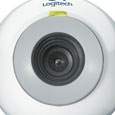
Logitech QuickCam Chat, USB
Experience video and audio right out of the box with easy setup and included headset. Put some good looks onto your desk (as well as your screen) with this attractive, eyeball design.
Overview
Quality
See and speak clearly.
- Included Headset: Get audio and video in one simple solution.
- Live Video: Capture video at a size thats easy on anyones eyes.
- Synchronized Audio: Have a lifelike conversation with friends near and far.
- Manual Focus: Adjust for the sharpest picture.
Convenience
Simplify life.
- Easy to Set Up and Use: Install in just three steps, and make a call with just one click.
- Adaptable Monitor Clip: Secure your webcam to any type of monitor.
- Compatibility: Use it with all major instant messaging programs, as well as computers with USB 1.1. or 2.0 connections.
- Still Shots: Capture, print and send pictures with the free image software.
Elevate the Power of Windows Vista
Specifications
System Requirements
- Windows 2000, Windows XP
Pentium 4 1.4 GHz or AMD Athlon 1GHz processor
128MBRAM
- Windows Vista
Pentium 4 2.4 GHz
- 512MB RAM
- 200 MBhard drive
- CD-ROM drive
- 16-bit color display adapter
- OS compatiblesound cardand speakers
- 1.1 or 2.0 USB port
Software
- Logitech QuickCam Applications:
Free 30-day trial of Logitech VideoCall with online photo sharing function
One-click video email
QuickCapture for photos
- Bonus Software included:
HP PhotoSmart Essential application for capturing, editing, and printing images
ArcSoft Collage Creator to create collages of images captured
Technical Specifications
- Quality CiF (352x288) CMOS webcam
- Video capture: 640x480 pixels (SW enhanced)
- Still image capture: 640x480 pixels (SW enhanced)
- Frame rate: Up to 30 frames per second (with recommended system)
- USB 2.0 certified
- Manual focus
Package Contents
- Logitech QuickCam Chat
- QuickCam Software CD
- Quick start Guide
- 2 year limited warranty
- Logitech QuickCam Applications:
Free 30-day trial of Logitech VideoCall with online photo sharing functions
One-click video email
QuickCapture for photos
- Bonus Software included:
HP PhotoSmart Essential application for capturing, editing, and printing images
ArcSoft Collage Creator to create collages of images captured
Compatibility
|


|
|
|
09/08
|
Logitech QuickCam Deluxe for Notebooks, USB
Powerful portable notebook video with stylish looks and performance to match.
Overview
Clarity
- Glass-element lens: Sharper images from a glass lens with adjustable focus plus 1.3 megapixel photos with vibrant colors
- RightLight Technology: Higher image clarity even in dim light with RightLight Technology
- High quality integrated mic: Enjoy crystal clear conversations; RightSound Technology eliminates echo and significantly reduces background noise.
Mobility
- Free travel case: Protect your investment while you're on the road.
- 20mm adjustable clip: Attaches to multimedia and widescreen notebooks.
Fun
- Logitech Fun Filters: Change your image by applying special effects like 'Chalk' or 'Music Video.'
- Snapshot button: Makes taking digital stills quick, easy and convenient.
- Activity light: Lets you know when you're 'live.'
Online communication has never been easier or more entertaining. Keep in touch with family, friends and co-workers by adding live video and audio to these popular Instant Messaging applications.
Elevate the Power of Windows Vista
Specifications
System Requirements
Windows 2000, Windows XP
- Pentium 4, 1.4 GHz or AMD Athlon processor 1 GHz (2.4 GHZ recommended)
- 128 MB RAM (256 MB recommended)
Windows Vista
- Pentium4, 2.4 GHz (2.8 GHZ recommended)
- 512 MB RAM (1 GB recommended)
- WEI = 3
Package Contents
- Webcam with VGA sensor and built-in microphone
- QuickCam software CD with Fun Filters
- Quick Start guide
- HP Photosmart Essential Software (web download required)
- Travel case
- 2-year limited warranty
Compatibility
|
|
|
|
09/08
|
Logitech QuickCam Family, USB - Black
Youve heard of video IMnow its time to experience it. Enjoy easy setup and use with this perfectly compact entry into the world of webcams.
Overview
Quality
See and speakclearly.
- Live Video: Capture video at a size thats easy on anyones eyes.
- Manual Focus: Adjust for the sharpest picture.
Convenience
Simplify life.
- Easy to Set Up and Use: Install in just three steps, and make a call with just one click.
- Adaptable Monitor Clip: Secure your webcam to any type of monitor.
- Compatibility: Use it with all major instant messaging programs, as well as computers with USB 1.1. or 2.0 connections.
- Still Shots: Capture, print and send pictures with the free image software.
Elevate the Power of Windows Vista
Specifications
System Requirements
PC
- Windows 2000 or XP
- Pentium III 700MHz, Celeron, AMD Athlon processor, or higher
- 128 MB RAM (or minimum OS requirement, whichever is higher)
- 200 MB free hard drive space
- Available USB 1.1 or 2.0 USB port
- CD-ROM drive
- Windows compatible sound card and speakers (full duplex sound card recommended)
Software
- Logitech QuickCam Applications:
Free 30-day trial of Logitech VideoCall
One-click video email
QuickCapture for photos
Technical Specifications
Hardware
- Quality CiF (352x288) CMOS webcam
- Video capture: 640x480 pixels (SW enhanced)
- Still image capture: 640x480 pixels (SW enhanced)
- Frame rate: Up to 30 frames per second (with recommended system)
- USB 2.0 certified
- 6 Ft. USB cable
- Manual focus
- Universal monitor clip for LCD, CRT or notebooks
- 2-year limited warranty
Package Contents
- QuickCam Express webcam
- Universal Monitor Clip
- QuickCam Software CD
- User setup manual
Compatibility
|
|
|
|
09/08
|
Logitech QuickCam Messenger, USB - OEM
Reach out to friends and family, with clear, sharp video and echo-free sound.
Overview
Performance
- True VGA resolution: Capture high-quality VGA (640 x 480) video and still images.
- Echo-free audio with RightSound Technology: Enjoy crystal-clear conversations, free of annoying echo.
Convenience
- Downloadable fun filters: Add video effects like fisheye, '50s movie, neon, and more.
- Bonus software: Use bundled HP PhotoSmart Essentials to capture, edit, customize, and print images.
- Built-in microphone: Converse naturally without a headset.
Elevate the Power of Windows Vista
Specifications
System Requirements
PC
- Windows 98, Windows 2000, Windows ME, Windows XP, Windows Vista
- Pentium II (or compatible) processor, 400 GHz
- 128 MB RAM
- 200 MB available hard disk space
- USB port
- CD-ROM drive
- Windows-compatible sound card and speakers (full-duplex sound card recommended)
Technical Specifications
- CMOS sensor
- Video capture: Up to 640 x 480 pixels
- Still image capture: Up to 640 x 480 pixels
- USB 2.0 certified
- Frame rate: Up to 30 frames per second
- Built-in microphone
Package Contents
- Logitech QuickCam Messenger
- Universal monitor clip for LCD, CRT, or notebooks
- USB cable (6 feet)
- QuickCam software CD, including:
Logitech QuickCam applications: Free 30-day trial of Logitech VideoCall with online photo sharing, one-click video e-mail, QuickCapture for photos, and webcamming software
Bonus software: HP Photosmart Essential application for capturing, editing, and printing images, ArcSoft Collage Creator for making collages of captured images
- User guide
- 2-year limited warranty
Compatibility
|
|
|
|
09/08
|
Logitech QuickCam Go, USB - Black
Start video calling today with an affordable webcam that's a snap to use.
Overview
Performance
- Quality video: Capture clear video and images at QVGA (640 x 480 pixels, software enhanced) resolution.
- Image editing software: Use the bundled applications to capture, edit, and print images.
Convenience
- Easy setup, effortless use: Use your webcam instantly, right out of the box.
- Snapshot button: Click to snap a candid photo.
- Supports all major messaging applications: Use it with Windows Live Messenger, Skype, Video-enabled AOL Instant Messenger, or Yahoo! Messenger.
- Universal monitor clip: Mounts easily on almost any type of display or notebook computer.
Specifications
System Requirements
PC
- Windows 2000, Windows XP, Windows Vista
- Pentium III (or compatible) processor, 700 MHz
- 128 MB RAM
- 200 MB available hard disk space
- USB port
- CD-ROM drive
- Windows-compatible sound card and speakers (full-duplex sound card recommended)
Technical Specifications
- Quality CIF (352 x 288) CMOS sensor
- Video capture: Up to 640 x 480 pixels (with software enhancement)
- Still image capture: 640 x 480 pixels (with software enhancement)
- Frame rate: Up to 30 frames per second
- USB 2.0 certified
- Optics: Manual focus
Package Contents
- Logitech QuickCam Go
- Multipurpose swivel base
- USB cable (6 feet)
- QuickCam Software CD, including:
Logitech QuickCam applications: Free 30-day trial of Logitech VideoCall with online photo sharing, one-click video e-mail, QuickCapture for photos, and webcamming software
- User guide
- 2-year limited warranty
PN 960-000028
Compatibility
|
|
|
|
09/08
|
Apple Final Cut Studio 2 - Mac
Final Cut Studio 2 helps take you beyond mere editing. Discover the intuitive power of new creative tools designed expressly for Final Cut Pro editors. Rapidly move through editing to motion graphics, audio editing and mixing, colour grading, and delivery all as a natural extension of the work you already do.
Final Cut Studio 2 puts a powerful new version of Final Cut Pro at the centre of an integrated post-production workflow. Final Cut Pro 6, Motion 3, Soundtrack Pro 2, Compressor 3, DVD Studio Pro 4 and Color a brand-new application for professional colour grading are all included in Final Cut Studio.
It's a Final Cut world
Independent filmmakers. Hollywood film editors. Corporate video and event producers. Editors with hourly deadlines cutting broadcast spots or network news. Hundreds of thousands of creative professionals all over the world have made Final Cut Pro their first choice for editing. It has rapidly become an industry standard.
Building on this success, Apple has designed each application in Final Cut Studio 2 with Final Cut Pro editors in mind. Start working quickly with intuitive tools and familiar interfaces. Whenever youre ready for precise control, a comprehensive set of features is just a click away.
The editors choice
Final Cut Studio 2 is fast, fluid and flexible. Use a laptop on location and a desktop in the studio. Start with the tools you already use today and extend your reach when youre ready. Final Cut Studio 2 has everything you need in a single product.
Edit. Use Final Cut Pro 6 for native editing of virtually any format from DV and SD up to HDV, XDCAM HD, DVCPRO HD and fully uncompressed HD. Or use ProRes 422, a new post-production format from Apple that offers uncompressed HD quality at SD file sizes. Drag clips with different formats and even different frame rates into the new open format Timeline.
Animate. Create stunning 2D and 3D motion graphics in real time with Motion 3, the fastest and most intuitive way to animate and express your creative vision. Just drag and drop to make dramatic particle effects explode into 3D space; form vector-based paint strokes with the swish of a pen. New Motion master templates let you edit text and drop in video without leaving Final Cut Pro.
Mix. Record and edit dialogue, add music and effects and complete your mix with ease. Soundtrack Pro 2 lets you work faster than ever in its new streamlined interface. You can even produce in surround sound using innovative visual tools. If you make changes to your edit in Final Cut Pro, you can rapidly update your audio mix with the powerful Conform feature in Soundtrack Pro.
Grade. Give your production a signature look or create a consistent feel for shots from different sources. Color is the newest member of the Final Cut Studio family, offering professional colour grading that can elevate the quality of any production.
Deliver. Use Compressor 3 to create pristine-quality output for a wide range of delivery formats including the web, iPod, iPhone, Apple TV and broadcast servers. A streamlined new interface lets you batch-process encoding with point-and-click ease. If film is your destination, use Cinema Tools 4 to output film lists that combine timecode and keycode in a single list. Or use DVD Studio Pro 4 for professional DVD authoring andmastering.
Post-production without walls
Final Cut Studio 2 is not just a product. Its a platform. Open standards encourage innovation, giving developers and partners the freedom to create custom solutions. With XML to share project data and QuickTime to seamlessly move media between systems, Final Cut Studio 2 can fit into virtually any production pipeline or newsroom.
Whether youre working in a group of 2 or 200, Final Cut Studio lets you collaborate with ease. Share media seamlessly across multiple workstations with Xsan. Use Final Cut Server with or without Xsan for media asset management and workflow automation that is deeply integrated with Final Cut Studio 2. Whether youre cutting commercials, editing feature films, or pushing out the nightly news, Final Cut Server helps you work faster whenever youre working together.
Final Cut Studio 2. System Requirements.
Minimum Requirements to Install All Final Cut Studio Applications
- A Macintosh computer with a 1.25GHz or faster PowerPC G4, PowerPC G5, Intel Core Duo, or Intel Xeon processor
- 1GB of RAM
- An AGP or PCI Express Quartz Extreme graphics card (Final Cut Studio is not compatible with integrated Intel graphics processors)
- A display with 1024-by-768 resolution or higher
- Mac OS X v10.4.9 or later
- QuickTime 7.1.6 or later
- A DVD drive for installation
Application-Specific Requirements
Motion
- The standard graphics card in any Mac Pro, MacBook Pro, iMac with Intel Core Duo, Power Mac G5, or iMac G5; 1.25GHz or faster PowerBook G4; or 1.25GHz or faster flat-panel iMac:
- ATI Radeon 9800, 9700 Pro, 9600 XT, or 9600 Pro
- ATI Mobility Radeon 9700 or 9600
- NVIDIA GeForce 7600 GT, 7300 GT, 6600, 6600 LE, FX Go5200, or FX 5200 Ultra
- For 16- and 32-bit rendering: a graphics card with at least 128MB of VRAM
Color
- The standard graphics card in any Mac Pro, 17-inch MacBook Pro, 24-inch iMac with Intel Core Duo, or 2.5GHz or faster Power Mac G5 Quad:
- ATI Mobility Radeon X1600
- ATI Radeon X1600 or X850 XT
- NVIDIA GeForce 7800 GT, 7600 GT, 7300 GT, 6800 Ultra DDL, 6800 GT DDL, 6600, or Quadro FX 4500
- A display with 1680-by-1050 resolution or higher
- A three-button mouse for full functionality
DVD Studio Pro
- For playback of DVD Studio Pro 4 authored HD DVDs: a Macintosh computer with a PowerPC G5 or Intel Core Duo processor
- For writing finished projects to disc: an Apple SuperDrive or other DVD recorder
- For writing finished projects to a double-layer disc: a double-layer-compatible recorder and double-layer media
- For transporting HD projects to a replicator: an external drive or Internet transfer of the projects disk image
- For transporting SD projects that contain copy-protection or dual-layer features to a replicator: a DLT drive, external drive, or Internet transfer of the projects disk image
Soundtrack Pro
- For 5.1 surround monitoring of multichannel audio content: an audio interface with a minimum of six outputs
- For multitrack recording: an audio interface with multiple inputs
Recommended Configurations
The following are recommended for all applications:
- 2GB of RAM when working with compressed HD and uncompressed SD sources
- 4GB of RAM when working with uncompressed HD sources
Application-Specific Recommendations
Motion
- One of the following graphics cards is highly recommended:
- ATI Radeon X1900 XT, X850 XT, X800 XT, or X1600
- NVIDIA GeForce 7800 GT, 6800 Ultra DDL, 6800 GT DDL, or Quadro FX 4500
- For 32-bit rendering: a graphics card with 256MB of VRAM or more
Color
- One of the following graphics cards is highly recommended:
- ATI Radeon X1900 XT, 9800 XT, 9800 Pro, 9650, 9600, 9600 XT, or 9600 Pro
- Dual displays with 1680-by-1050 or higher resolution
Available Disk Space
- 4GB of disk space required to install all applications (Final Cut Pro, Color, DVD Studio Pro, Soundtrack Pro, Motion, Cinema Tools, LiveType, Compressor and Apple Qmaster)
- Additional 55GB required to install all optional templates, content and tutorials (may be installed on separate disks):
- 9GB for DVD Studio Pro content
- 8GB for Motion templates and tutorial media
- 24GB for Soundtrack Pro audio content
- 12GB for LiveFonts and LiveType animated elements and templates
- 2GB for Apple Pro Training Final Cut Studio Tutorials media
|
|
|
|
09/08
|
Verbatim DVD-R DL, 8cm 2.6GB/4x - 5 Pack, Hardcoat Product Information
- Up to 2.66GB of storage capacity totaling up to 54 minutes of continuous video recording (nearly an hour)
- Compatible with Canon video camcorder (Model: DC22)
- Videogard Protection provides protection against scratches and abrasion that can occur during normal camcorder and home use
- Advanced AZO recording dye optimises read/write performance
- Ideal for sharing and recording home movies
|
|
|
|
Previous Page
|
Next Page
|
|