Camerafarm product archive #39305
| Image |
Date |
Product description |
Price |
Buy |
|
13/08
|
Pinnacle Studio Ultimate - Version 11
Studio Ultimate 11
Your Life in Movies. Mastered.
Create professional-caliber movies
Pinnacle Studio Ultimate helps you harness the power of the latest in technology - HD, Windows Vista, Web Publishing and more. Additional fully-integrated pro audio and video tools give you complete control over the quality and style of your video for superior results.
|
Your Life in Your Control
Import your videos from most video devices including DV, HDV and AVCHD camcorders, as well as digital still cameras. Pinnacle Studio Ultimate automatically detects scenes and creates clips. Choose from a wide range of keyframe-able effects and transitions, titles and more - all with real-time full-screen previews.
|
Your Life with Style
Show your personal flair with advanced effects such as Picture-in-Picture, Surround Sound editing and Chroma Key with the included green screen. Automatically generate a soundtrack or import your favorite music. proDAD VitaScene and StageTools MovingPicture give you precision tools to add professional-level video enhancements, while BIAS SoundSoap audio cleaning ensures your movies sound as good as they look.
|
Experience Your Life Like Never Before
Create professional quality DVDs or HD DVD format discs with multiple menus and animated backgrounds on standard DVD media. Enjoy your movies on your Sony PSP, Apple iPod, DivX certified players, and more. Use the Web upload feature to automatically share your creations publicly or privately with family and friends.
|
Minimum System Requirements
- Windows XP with SP2 or Windows Vista operating system (32 bit Windows Vista recommended)
- Intel Pentium or AMD Athlon 1.8 GHz or higher (2.4 GHz recommended) - Intel Pentium HT or AMD Athlon 2.4 GHz or 1.6 GHz Dual core required for Windows Vista
Intel Core2 Duo 2.4 GHz or higher required for AVCHD editing
- 512 MB RAM (1 GB recommended) - 1 GB required for HD and/or Windows Vista (2 GB recommended)
1.5 GB required for AVCHD (2 GB required on Windows Vista)
- DirectX 9 or higher compatible graphics card with 64 MB (128 MB recommended) - 128 MB required on Windows Vista (256 MB ATI Radeon9600+ or NVIDIA GeForce 6 or higher recommended)
256 MB required for HD and AVCHD editing (ATI Radeon9600+ or NVIDIA GeForce 6 or higher recommended)
- DirectX 9 or higher compatible sound card
- 1 GB of disk space to install software and 3+ GB to install bonus content
- DVD-ROM drive to install software
- Optional:
- CD burner for creating Video CDs or Super Video CDs (S-VCDs)
- DVD burner for creating DVDs and HD DVD discs*
- Sound card with surround sound output required for preview of surround sound mixes**
Capture Options
- Capture from DV, HDV and Digital8 camcorders or VCRs (requires a FireWire port on your PC)
- Capture from analog camcorders, 8 MM, HI 8, VHS, SVHS, VHS-C, SVHS-C, or VCRs (NTSC/PAL/SECAM). Requires DirectShow compatible graphic board or TV tuner board with analog (Composite or S-Video) inputs on your PC
- Import from AVCHD* camcorders (requires USB 2.0 on your PC and a UDF driver which comes with your camcorder)
Output Options
- Output to DV, HDV or Digital8 tape (requires camcorder with DV Input port and a PC with a DV/FireWire port)
- Output to analog videotape (requires DirectShow compatible video device or video card with TV-output)
- Output to Apple iPod and Sony PSP formats*
Import Formats
- Video: AVCHD*, DV, HDV, AVI, MPEG-1, MPEG-2, MOD, DivX*, MPEG-4*, 3GP (MPEG-4)*, WMV, Non-encrypted DVD titles*
- Audio: WAV, MP3
- Graphic: BMP, JPG, PCT, TGA, TIF, WMF
Export Formats
- Video CD (VCD) or S-VCD with optional CD burner (CD-R or CD-RW)
- HD DVD* and DVD* disc with optional DVD burner (DVD-R, DVD-RW, DVD+R or DVD+RW, dual layer)
- Apple iPod and Sony PSP compatible (MPEG-4) formats*
- DV, HDV, AVI, DivX, RealVideo 8, Windows Media 9, MPEG-1, MPEG-2, MPEG-4* files
- Dolby Digital 2 channel* and 5.1 channel** audio
* Requires free product activation via Internet at the first use. ** Requires product activation via Internet at additional cost.
Product specifications are subject to change without notice or obligation.
|


|
|
|
13/08
|
Pinnacle Studio Plus - Version 11
Studio Plus 11
Your Life in Movies. Enhanced.
Create impressive home movies
Pinnacle Studio Plus version 11 helps you harness the power of the latest technologies - HD, Windows Vista, Web Publishing and more - without compromising ease of use. Enjoy a full range of automated and advanced features to meet all your video editing needs.
|
Your Life in the Timeline
Directly import your digital videos, photos and audio into Pinnacle Studio Plus from a wide range of devices including DV, HDV and AVCHD camcorders, and digital still cameras. The software automatically detects scenes and creates clips to get started.
|
Your Life. Enhanced.
Choose from a wide range of keyframe-able effects and transitions, titles, and more, all with real-time full-screen previews. Or try advanced effects such as Picture-in-Picture, Surround Sound editing, and ChromaKey green screen. Automatically generate a soundtrack or import your favorite music. Pinnacle Studio Plus uses background rendering while you create for faster results.
|
Your Life in Movies. Enjoyed Your Way.
Create Hollywood-style DVDs or HD DVD format discs with multiple menus and animated backgrounds on standard DVD media. Enjoy your movies on your Sony PSP, Apple iPod, DivX certified players, and more. Use the Web upload feature to automatically share your creations publicly or privately with family and friends.
|
Minimum System Requirements
- Windows XP with SP2 or Windows Vista operating system (32 bit Windows Vista recommended)
- Intel Pentium or AMD Athlon 1.8 GHz or higher (2.4 GHz recommended)
- Intel Pentium HT or AMD Athlon 2.4 GHz or 1.6 GHz Dual core required for Windows Vista
- Intel Core2 Duo 2.4 GHz or higher required for AVCHD editing
512 MB RAM (1 GB recommended) - 1 GB required for HD and/or Windows Vista (2 GB recommended)
1.5 GB required for AVCHD (2 GB required on Windows Vista)
DirectX 9 or higher compatible graphics card with 64 MB (128 MB recommended) - 128 MB required on Windows Vista (256 MB ATI Radeon9600+ or NVIDIA GeForce 6 or higher recommended)
256 MB required for HD and AVCHD editing (ATI Radeon9600+ or NVIDIA GeForce 6 or higher recommended)
DirectX 9 or higher compatible sound card
1 GB of disk space to install software and 3+ GB to install bonus content
DVD-ROM drive to install software
Optional:
- CD burner for creating Video CDs or Super Video CDs (S-VCDs)
- DVD burner for creating DVDs and HD DVD discs*
- Sound card with surround sound output required for preview of surround sound mixes**
Capture Options
- Capture from DV, HDV and Digital8 camcorders or VCRs (requires a FireWire port on your PC)
- Capture from analog camcorders, 8 MM, HI 8, VHS, SVHS, VHS-C, SVHS-C, or VCRs (NTSC/PAL/SECAM). Requires DirectShow compatible graphic board or TV tuner board with analog (Composite or S-Video) inputs on your PC
- Import from AVCHD* camcorders (requires USB 2.0 on your PC and a UDF driver which comes with your camcorder)
Output Options
- Output to DV, HDV or Digital8 tape (requires camcorder with DV Input port and a PC with a DV/FireWire port)
- Output to analog videotape (requires DirectShow compatible video device or video card with TV-output)
- Output to Apple iPod and Sony PSP formats*
Import Formats
- Video: AVCHD*, DV, HDV, AVI, MPEG-1, MPEG-2, MOD, DivX*, MPEG-4*, 3GP (MPEG-4)*, WMV, Non-encrypted DVD titles*
- Audio: WAV, MP3
- Graphic: BMP, JPG, PCT, TGA, TIF, WMF
Export Formats
- Video CD (VCD) or S-VCD with optional CD burner (CD-R or CD-RW)
- HD DVD* and DVD* disc with optional DVD burner (DVD-R, DVD-RW, DVD+R or DVD+RW, dual layer)
- Apple iPod and Sony PSP compatible (MPEG-4) formats*
- DV, HDV, AVI, DivX, RealVideo 8, Windows Media 9, MPEG-1, MPEG-2, MPEG-4* files
- Dolby Digital 2 channel* and 5.1 channel** audio
* Requires free product activation via Internet at the first use. ** Requires product activation via Internet at additional cost.
Product specifications are subject to change without notice or obligation.
|
|
|
|
13/08
|
Pinnacle Studio - Version 11
Studio 11
Your Life in Movies. Simplified.
Making movies is as easy as 1-2-3
Preserve, edit and enjoy your video memories. Pinnacle Studio's simple three step process quickly and easily guides you through capturing, sharing and enhancing your home movies.
|
Your Life. Captured.
Easily capture your analog videos from your camcorder or VCR; or directly import all of your digital footage, pictures and audio into Pinnacle Studio. The software automatically detects scenes and creates clips to get you started.
|
Your Life. Safe. Better.
Create movies automatically or add your personal touch. Simply select and trim your scenes, pick a style and Pinnacle Studio does the rest. Want to do more? Add photos, music, titles and transitions for easy yet impressive results. Or preserve your movie memories instantly by capturing straight from tape to disc.
|
Your Life shared with Your World.
Create Hollywood-style DVDs to play on any set-top DVD player or your PC. Record your finished movies to camcorder or VCR tapes. Enjoy your movies on your Sony PSP, Apple iPod and other portable devices or use the web upload feature to automatically share your creations publicly or privately with family and friends.
|
Minimum System Requirements
- Windows XP with SP2 or Windows Vista operating system (32 bit Windows Vista recommended)
- Intel Pentium or AMD Athlon 1.8 GHz or higher (2.4 GHz recommended)
- Intel Pentium HT or AMD Athlon 2.4 GHz or 1.6 GHz Dual core required for Windows Vista
512 MB RAM (1 GB recommended)
DirectX 9 or higher compatible graphics card with 64 MB (128 MB recommended) - 128 MB required on Windows Vista (256 MB ATI Radeon9600+ or NVIDIA GeForce 6 or higher recommended)
DirectX 9 or higher compatible sound card
1 GB of disk space to install software and 3+ GB to install bonus content
DVD-ROM drive to install software
Optional:
- CD burner for creating Video CDs or Super Video CDs (S-VCDs)
- DVD burner for creating DVDs*
Capture Options
- Capture from DV and Digital8 camcorders or VCRs (requires a FireWire port on your PC)
- Capture from analog camcorders, 8 MM, HI 8, VHS, SVHS, VHS-C, SVHS-C, or VCRs (NTSC/PAL/SECAM). Requires DirectShow compatible graphic board or TV tuner board with analog (Composite or S-Video) inputs on your PC
Output Options
- Output to DV or Digital8 tape (requires camcorder with DV Input port and a PC with a DV/FireWire port)
- Output to analog videotape (requires DirectShow compatible video device or video card with TV-output)
- Output to Apple iPod and Sony PSP formats*
Import Formats
- Video: AVCHD*, DV, HDV, AVI, MPEG-1, MPEG-2, MOD, DivX*, MPEG-4*, 3GP (MPEG-4)*, WMV, Non-encrypted DVD titles*
- Audio: WAV, MP3
- Graphic: BMP, JPG, PCT, TGA, TIF, WMF
Export Formats
- Video CD (VCD) or S-VCD with optional CD burner (CD-R or CD-RW)
- DVD* disc with optional DVD burner (DVD-R, DVD-RW, DVD+R or DVD+RW, dual layer)
- Apple iPod and Sony PSP compatible (MPEG-4) formats*
- DV, HDV, AVI, DivX, RealVideo 8, Windows Media 9, MPEG-1, MPEG-2, MPEG-4* files
- Dolby Digital 2 channel* and 5.1 channel** audio
* Requires free product activation via Internet at the first use. ** Requires product activation via Internet at additional cost.
Product specifications are subject to change without notice or obligation.
|
|
|
|
13/08
|
Olympus EF-0535 8mm F3.5 Zuiko Digital Fisheye Lens
8mm f3.5 Fisheye
-
Splashproof
-
Dustproof
-
Four Thirds System
Capture dramatic 180 degree images with the 8mm Zuiko Digital lens.
Applications range from interior and architecture photography, and photojournalism. Fisheye lenses are used in VR (Virtual Reality or virtual immersive type) photography applications that's fast gaining popularity for real estate, tourism and even product advertisment websites.
The lens design employs ED glass that minimise chromatic aberrations, a circular aperture diaphragm for natural-looking background blur, and superb Zuiko multi-coating to minimise flaring and ghosting.
A dust-proof and splash-proof construction makes it suitable for professional use.
- 8mm (16mm equivalent)
- ED lens element
- Photojournalism, Interior, Architecture, VR photography
- Splash-proof and dust-proof
| Product Name |
|
8mm f3.5 Fisheye |
| Type |
|
Fisheye Lens |
| Model |
|
EF-0835 |
| Focal Length |
|
8mm |
| 35mm Equivalent Focal Length |
|
16mm |
| Lens |
|
10 elements in 6 groups, including 1 ED glass lens element. |
| Angle of View |
|
180 degrees |
| Closest Focusing Distance |
|
0.135m |
| Maximum Image Magnification |
|
0.22x |
| 35mm Equivalent Magnification |
|
0.44x |
| Number of Blades |
|
7 |
| Maximum Aperture |
|
1:3.5 |
| Minimum Aperture |
|
1:22 |
| Filter Size |
|
Not Available |
| Dimensions |
|
79mm (D) x 77mm (L) |
| Weight |
|
485g |
| Tele Converter EC-14 |
|
Yes |
| Extension Tube EX-25 |
|
No |
| Lens Hood |
|
Built-in |
| Lens Cap |
|
LC-74 (74mm) |
| Lens Case |
|
LSC-0814 |
| Box Contents |
|
Lens cap (LC-74), lens rear cap (LR-1), lens case (LSC-0814) instruction manual, warranty card. |
|
|
|
|
13/08
|
Olympus EM-3535 35mm F3.5 Zuiko Digital Macro Lens 35mm f3.5 Macro
A popular and attractively priced high-performance lens designed for superb close-up photography performance. Equally good in normal distance use due to its floating lens design. It is extremely compact and is the world's lightest macro lens*.
It offers a magnification of 1:1 life size which has an image magnification size equivalent to 2:1 in a 35mm film camera.
- 35mm (70mm equivalent)
- Floating lens design
- Macro, Portraiture
| Product Name |
|
35 mm f3.5 Macro Lens |
| Type |
|
Macro Lens |
| Model |
|
EM-3535 |
| Focal Length |
|
35mm |
| 35mm Equivalent Focal Length |
|
70mm |
| Lens |
|
6 elements in 6 groups. |
| Mechanism |
|
Floating mechanism |
| Angle of View |
|
34 degrees |
| Closest Focusing Distance |
|
0.146m |
| Maximum Image Magnification |
|
1.0x |
| Number of Blades |
|
7 |
| Maximum Aperture |
|
1:3.5 |
| Minimum Aperture |
|
1:22 |
| Filter Size |
|
52mm |
| Dimensions |
|
71mm (D) x 53mm (L) |
| Weight |
|
165g |
| Tele Converter EC-14 |
|
Yes |
| Extension Tube EX-25 |
|
Yes |
| Lens Cap |
|
LC-52B ( 52mm). |
| Box Contents |
|
Lens cap (LC-52B), lens rear cap (LR-1), instruction manual, warranty card. |
|
|
|
|
13/08
|
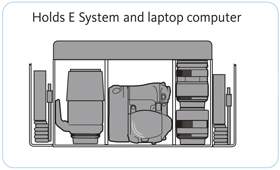
Olympus E-System Pro Bag - for E-1/E-300/E-330/E-500 E-System Pro BagSmall-sized bag with room for E-1, E-300, E-330 & E-500, and extra lenses.
- Water-resistant black nylon
- 2 external side accessory pockets, front lid zippered pocket
|
|
|
|
13/08
|
Canon PCWCP100 Paper Tray, Wide - for Selphy CP220/330/400/500/510/600/710PCWCP100 Paper Tray, Wide - for Selphy CP220/330/400/500/510/600/710
|
|
|
|
13/08
|
Canon CJ-3AII Ink Cartridge - Black, for BJ Printing CalculatorsCJ-3AII Ink Cartridge - Black, for BJ Printing Calculators
|
|
|
|
13/08
|
Canon CL-38 FINE Colour Ink Cartridge suits IP1800
|
|

|
|
Previous Page
|
Next Page
|
|