Shop online for Digital Cameras and accessories | Camerafarm Australia
Camerafarm product archive #39498
Image
Date
Product description
Price
Buy
22/02
CyberLink PowerDVD Ultra
- No.1 Player for High-Definition Movies
CyberLink PowerDVD Ultra
Product Information
Watch new high-def movies on HD DVDs or Blu-ray Discs
Experience exceptional audio quality with 7.1 home theater audio, and high-definition Dolby Digital Plus and DTS-HD
Enjoy extreme image performance with optimisation for the latest graphics cards
Access interactive movie content with support for BD-J and iHD
Play movies with a choice of advanced controls and smart DVD utilities
High-Definition Video
HD DVDs and Blu-ray Discs - New movie features and improved image detail
High-definition format support - Playback of high-def file formats H.264, HD MPEG-2, and WMV-HD
Advanced display technologies - Exceptional support for widescreen monitors, including the latest content protection standards for digital connectors
Hardware acceleration - Optimisation for high-definition graphics processors from Intel, NVIDIA and ATI
Supported Video Formats:
PowerDVD Ultra gives you total support for high-definition video formats, including MPEG-4 H.264.
MPEG-4 AVC (H.264) - high-definition
WMV-HD - high-definition
DVD+VR
DVD-Video
MPEG-2 HD - high-definition
DVD-VR
DivX Pro
Mini-DVD
Advanced Movie Interactivity
Interactive movie features - BD-J and iHD technology provides links to online content, games, and other disc extras
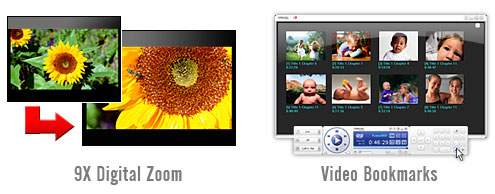
Next-gen navigation- Overlayed menus, movie bookmarks, and zooming offer new ways to enjoy movie content
Advanced content - Movie commentaries displayed in Picture-in-Picture mode let you watch a movie while referencing content like comments from actors and the director
Home Theater Audio
High-definition audio technologies - Pure high-definition audio with Dolby Digital Plus, TrueHD, DTS-HD
8-channel surround sound - The ultimate home-theater audio support with true 7.1 channel Dolby Digital EX and 5.1 channel DTS
Advanced audio effects - The feeling of surround sound quality via sound systems, headphones, and on notebook PCs, with technologies from Dolby, DTS, and CyberLink
Smart DVD Utilities & Advanced Controls
Say-It-Again - Never miss a word with auto dialog looping
Read-It-Clearly - Move subtitles from your movie screen
See-it-All - Extend your notebook viewing time by saving power and auto-adjusting playback speed
Freestyle controls - Choose from 5 UI modes, multiple skins, and colours
Specifications
System Requirements for Windows XP with Service Pack 2 Installed
Screen Resolution
1024 x 768 or 1280 x 1024
Screen Ratio
4:3 or widescreen
Processor
Intel (Minimum):
Pentium 4 541 3.2 GHz, Pentium D 840 3.2 GHz, Pentium D 930 3.0 GHz or 940 3.2 GHz, Core Duo T2400 1.83 GHz, Pentium M 755 2.0 GHz
Intel (Recommended):
Pentium EE 840 3.2 GHz or 955 3.4 GHz, Pentium D 945 3.4 GHz, 950 3.4 GHz or 960 3.6 GHz, Core Duo T2500 2.0 GHz, T2600 2.16 GHz or T2700 2.33 GHz, Core 2 Duo E6300 1.8 GHz, E6400 2.13 GHz, E6600 2.4 GHz, E6700 2.66 GHZ or X6800 2.93 GHz
Video RAM: Graphics card memory requires 256 MB or above
We strongly recommend that you update your graphics card driver to the latest version.
Sound Card
PCI sound card or on-board audio
Display Devices
HDCP (High-Bandwidth Digital Content Protection) compliant display for digital output
TV or computer monitor for analog output
Disc Drive
Blu-ray Disc drive or HD DVD drive (refer to list below)
Supported Optical Drive
HD DVD drives:
Toshiba TS-L802A (slim internal drive)
Toshiba SD-H802A (HH internal drive)
HP HD-100 (HH external drive)
Baffulo HDV-ROM2.4FB (HH internal drive)
Xbox 360 HD DVD external drive
BD drives:
BenQ BW1000 (HH internal drive)
LG GBW-H10N (HH internal drive)
Sony BWU-100A(HH internal drive)
Panasonic SW-5582 (HH internal drive)
Samsung SH-BO22 (HH internal drive)
Lite-On LX-2B1S (HH internal drive)
Note: PowerDVD optimizes performance by selecting the appropriate video deinterlacing algorithm for the available processing power. PowerDVD maintains its support for processors below 733 MHz by ensuring that CLEV-2 technology will be turned off by default. PowerDVD's advanced audio and video technologies function better when used with processors above 2 GHz.
NA
22/02
CyberLink PowerDVD 7 Max - Upgrade
- No. 1 DVD Experience on the PC
CyberLink PowerDVD 7 Max
No. 1 DVD Experience on the PC
Experience the best in video and audio entertainment
Feel the vibes with true home theater DTS and Dolby audio (MAX Version)
Maximize your Notebook's on-the-road performance
Get the smartest movie playback features available
Connect to your UPnP Network and playback media files (MAX version)
Winner of CES Innovations 2007 Design & Engineering Award
The Best DVD Experience Just Got Better
High-Definition Video Playback
Breathtaking Clarity - New and improved video technologies
Sharp, Bright Colors - Support for high definition video formats
Best Surround Sound Technology - Complete movie theater quality surround sound support
Intel Clear Video Technology - Support for hardware acceleration and advanced de-interlacing
Freetyle UI - Choice is freedom
Choice is freedom - Choose from 5 UI modes and multiple skins
Dock mode - Access controls fom the bottom of the viewing screen
Wheel Control mode - Save space by providing only essential player controls
Mini mode - Get access to controls via the taskbar
Player mode - Move your floating panel of complete controls; select from a choice of colors
Fullscreen mode - Expand the viewing mode to fit the entire screen
Smart Utilities - For enhanced DVD viewing
Say-It-Again - Never miss a word
Read-It-Clearly - Move subtitles from your movie screen
Notebook Maximisers - Extend your notebook viewing time (MAX Version)
AGP or PCI Express graphic accelerator with DirectDraw Overly Support
Sound Card
PCI sound card or on-board audio
Optical Drive
DVD-ROM, DVD-ROM/CD-RW combo, DVD-R/RW, DVD+RW or DVD-RAM drive with 1394, ATAPI, SCSI, USB 2.0 or Card Bus interface
Note: PowerDVD optimizes performance by selecting the appropriate video deinterlacing algorithm for the available processing power. PowerDVD maintains its support for processors below 733 MHz by ensuring that CLEV-2 technology will be turned off by default. PowerDVD's advanced audio and video technologies function better when used with processors above 2 GHz.
NA
22/02
Corel MediaOne Plus
From enhancing and organizing photos and video clips to creating multimedia slide shows and scrapbooks, Corel MediaOne Plus has it all! Theres even automatic, online backup of all your photos and videos, so all your precious memories are safe. Digital camera users looking for a fun and easy way to make the most of their photos and video clips need look no further than Corel MediaOne Plus!
Download photos automatically as soon as you plug in your camera
View and search photos by date taken, file size, file name and more
Rotate, crop, resize and fix red eye easily
Fix brightness, color and contrast in one click
Convert pictures to black and white or add picture frames and text
Remove blemishes, whiten teeth or paint on a sun tan
Download video clips from your camera to your computer automatically
Watch video clips as a thumbnail or full screen
Trim the unwanted portions of your clip
Save individual video frames as a still picture
Turn basic video clips into music videos or sentimental tributes
Choose from hundreds of professionally-designed creative templates - including templates from Sandra Magsamen and Smilebox
Drag and drop photos into scrapbooks, collages, calendars, greeting cards and more
Make multimedia slide shows using photos, videos and music you choose
Turn slide shows into a DVD you can watch on your TV
Email photos as attachments, embedded in emails or as slide shows
Play a full screen photo or video show on your computer
Get perfect prints every time or in any size - no paper wasted
Save photos or video clips to a CD or DVD and send to friends and family
Back up your entire photo collection online, automatically
New photos are instantly sent to your online archive
Recover all your photos easily in case of a hard drive failure
Keep your photo and video collection safe on CD or DVD
System Requirements
Windows Vista (with latest service packs installed) or Windows XP (with latest service packs installed)
256 MB or RAM (512 MB of RAM or greater recommended)
1 GHz processor (2 GHz processor or faster recommended)
500 MB of free hard disk space
24-bit color display, 1024 x 768 resolution
Microsoft DirectX 9
Apple QuickTime 7 or greater
CD-ROM Drive (Recordable CD or DVD drive recommended)
Mouse or Tablet
Microsoft Internet Explorer 6.0 or higher
Microsoft Outlook, Outlook Express, Corel WordPerfect MAIL or other MAPI-compliant email software recommended
NA
22/02
Pinnacle DVD Maker Deluxe
Product Information
Connect Simply connect your analog video source and plug in your computer to the included Hi-Speed USB 2.0 capture device.
Select Open the included Pinnacle InstantDVD Recorder application and follow the quick and easy steps for selecting menus and quality levels.
Enjoy Preserve your precious memories in digital format for generations to come. Now your family and friends can easily enjoy your videos on DVD.
Key Features
Pinnacle DVD Maker Deluxe is a software solution that allows for easy capture of home videos and TV recordings directly to DVD via VCRs, camcorders or other video equipment via the included plug-and-play USB 2.0 device. Easy-to-use software allows for quick transfer of video content straight from tape to DVD, with optional menu and chapter functions for simple navigation. A step-by-step wizard guides you through the process, and an advanced mode is available for menu customization. You can burn your video directly to a DVD without first copying files to the PC hard drive, saving both valuable time and space.
Quick to Connect just plug it in Simply attach your DVD Maker Deluxe hardware to your camcorder and your PCs Hi-Speed USB 2.0 port,then capture from virtually any video source S-Video and Composite Video inputs provide full-resolution DVD recording.
Simple enough for anyone to use DVD Maker Deluxe is designed for ease of use so you can transfer your memories to DVD in minutes without having to spend time learning new technology.
Fast and easy to archive Record your videos directly to DVDs with menus and chapters in only a few clicks of the mouse.
Fun to share with everyone Enjoy your movies on DVDs with your friends and family in front of the TV, send them as attachments in your e-mails, or upload them to the Web.
Send your videos over the Internet Create short video clips that you can attach in your e-mails.
Technical Specifications
Minimum System Requirements
Windows XP with SP2 or Vista (32-bit Vista recommended)
Intel Pentium or AMD Athlon 1.4 GHz or higher (2.4 GHz or higher recommended)
Intel Pentium HT or AMD Athlon 2.4 GHz or 1.6 GHz Dual core required for Windows Vista
512 MB RAM (1 GB recommended)
DirectX 9 or higher compatible graphics card with 64 MB (128 MB recommended) - 128 MB required on Vista (256 MB ATI Radeon9600+ or NVIDIA GeForce
DirectX 9 or higher compatible sound card
1 GB of disk space to install software and 3+ GB to install bonus content
1 USB 2.0 (Hi-Speed) port
DVD burner for creating DVDs
Optional:
CD burner for creating Video CDs or Super Video CDs (S-VCDs)
DVD burner for creating DVD discs
Hardware Specifications
Video inputs: Composite video (RCA), S-Video (mini-DIN)
Audio inputs: Stereo (RCA x2)
PC connection: Hi-Speed USB 2.0
Software Specifications
Capture from any video source with composite (RCA) or S-Video output.
Capture Formats: MPEG-2
Import Formats (Studio QuickStart):
Video: DV, AVI, MPEG-1, MPEG-2, DivX*, MPEG-4 (AVI)*, Windows Media Format, Non-encrypted DVD Titles*
Audio: WAV, MP3*
Graphics: BMP, JPG, PCT, TGA, TIF, Windows Media Format
The import/editing of DVD titles with Dolby Digital(AC3) audio, files with AC3 audio, DivX files, and MPEG-4 files, and the output of Dolby Digital and MP3 audio formats require the Advanced Codec Pack, which can be activated inside Studio QuickStart via the Internet at additional cost. Output of DivX & MPEG-4 files is also possible with the codec installed on your PC.
NA
22/02
Pinnacle Mobile Media Converter
Product Information
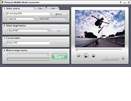
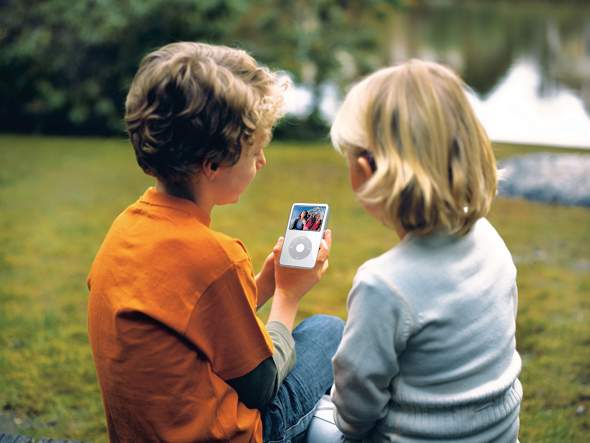
The easy-to-use Pinnacle Mobile Media Converter software converts and moves PC-based video files or un-encrypted DVD movies to mobile players such as the Sony PSP, Apple iPod and more.
Pinnacle Mobile Media Converter is a software tool that makes it easy to move PC-based video files and non-copyprotected DVD movies to portable movie players, including the Sony PSP, Apple iPod, Creative Zen, Archos, 3GP and MPEG-4 capable mobile phones and more. Take your favorite TV shows, movies and other personal video content on the road, and share them with friends and family.
Vista compatible - Works with Microsoft Windows Vista operating system! Download the Vista update here.
Maximum compatibility - Works with the Sony PSP, the video-capable Apple iPod and many other portable media players.
Easy to Use Connect your device, select a file or DVD, and hit START.
Fast video conversion software uses high-quality DivX technology and is optimized for hyper-threading technology and new generation dual-core processors.
On-the-go entertainment Watch your favorite TV shows, movies and videos wherever life takes you.
Technical Specifications
Minimum System Requirements
Windows XP (SP1 or higher)
Intel Pentium or AMD Athlon 1.0 GHz or higher (P4 1.5 GHz or higher recommended)
512 MB RAM
DirectX 9 or higher compatible sound card (Creative Audigy or M-Audio recommended)
500 MB disk space
1 USB port for mobile devices
Input Video formats
MPEG-1, MPEG-2, MPEG-4
DVD (non-copy protected)
VOB (MPEG-2)
DivX (v3- v6)
Xvid
WMV9
DAT (MPEG-1)
AVI: (DV & MJPEG)
DVR-MS (Microsoft Media Center TV recordings)
Output Formats
Sony PSP* (PlayStation Portable) compatible
Apple iPod* compatible (Output to iPod requires iTunes and video capable iPod)
Package Contents
Pinnacle Mobile Media Converter Install CD
Quick start guide
Apple iPod and Sony PSP are not included. Product specifications are subject to change without notice or obligation.
* This product is not endorsed or sponsored by Sony Computer Entertainment, Inc or Apple Computer, Inc.
NA
22/02
Pinnacle Mobile Media Organizer
Product Information
Pinnacle Mobile Media Organizer is an all-in-one software solution for converting video for use on the Sony PSP and Apple iPod, and for managing PC-based media files.
Manage all your media files and enjoy them on the go
Painless importing
Pinnacle Mobile Media Organizer automatically finds all the media files on your PC. You can also import music, photos and home or personal videos from CDs, DVDs*, memory cards and other sources.
Powerful organisation
Manage files using the drag and drop interface and powerful tools such as smart playlists, tags, thumbnails and album art. Preview photos, music and videos. With the dual-pane view, organise the media on your PC and mobile device at the same time.
Automatic conversion
Automatically convert media files into the right target format using the six presets--or customise conversion and compression settings yourself. It also uses high-quality DivX technology for video transcoding and is optimised for hyper-threading processor technology and new generation dual-core processors.
On the go enjoyment
Pinnacle Mobile Media Organizer easily transfers** compatible personal media files to the Sony PlayStation Portable (PSP), the Apple iPod and other portable media players. You can even burn to DVD with the click of your mouse.
* Works only with non-copy protected DVDs ** PSP only. Transferring files to the Apple iPod requires iTunes.
NA
22/02
Pinnacle Studio Ultimate - Version 11 Crossgrade
Your Life in Movies. Mastered.
Pinnacle Studio Ultimate lets you take complete control of your video quality and style by pairing the Pinnacle Studio Plus video editing software with popular audio and video tools.
This full-featured application lets true video enthusiasts harness the power of the latest technologies without compromising ease of use.
The extensive range of capabilities includes compatibility with the Windows Vista operating system, HD DVD and AVCHD format editing and disc authoring, hi-fi audio music generation, and automatic Web publishing. In addition to the softwares improved performance and speed, and a sleek new user interface.
Pinnacle Studio Ultimate includes BIAS Inc's SoundSoap audio cleaning tools, professional level special effects from ProDAD VitaScene, precision Panning and Zooming with StageTool MovingPicture, and a Chroma Key green screen backdrop for easy-to-achieve professional results.
Pinnacle Studio Ultimate combines HD video editing with professional audio and video tools for outstanding results.
Pro tools
BIAS SoundSoap Pinnacle Edition audio noise cleaning tools, plus complete Dolby Digital 5.1 audio mixing ensure your movie creations will sound as good as they look.
proDAD VitaScene provides the tools to add the kind of professional effects such as rays, blurs and more that really give your movies flair and a sense of style.
StageTools MovingPicture lets you use the same tool the professionals use to create precision pans and zooms, all in high resolution, while maintaining simplicity for stunning results.
End-to-end HD
A complete HD workflow with HD DVD authoring on standard DVD media - Pinnacle Studio Plus edits native HDV or AVCHD footage and then authors HD DVD format discs that will play on the latest HD players. You can even combine projects that mix SDV, HDV and photos that are then up-sampled to HD resolution.
Cutting-edge AVCHD capabilities
You now import and edit the latest HD format, projected to become the primary HDV format for Camcorder leaders like Panasonic and Sony, allowing for more HDV content in half the space.
Windows Vista compatibility
The perfect companion to the new Windows Vista operating system, Pinnacle Studio version 11 provides full compatibility and a sleek look while it offers complete video editing tools to do more with home video content.
Scorefitter music generator
Automatically generate soundtracks, now with 40 source tracks which include greater variation and 48k audio samples for higher fidelity and increased accuracy than previous solutions.
New User Interface
Pinnacle Studio's interface is scalable, making it perfect for working on widescreen monitors or adjusting the windows to get close to the task at hand while keeping all the tools at your fingertips.
Simplified Web publishing
Pinnacle Studio makes Web publishing automatic. You can now post your movies on Yahoo! Videos with just a few clicks.
Improved speed and performance
Pinnacle Studio Plus now installs faster and exports files at double* the speed previously possible. (*an average; results may vary)
Minimum System Requirements
Windows XP with SP2 or Windows Vista operating system (32 bit Windows Vista recommended)
Intel Pentium or AMD Athlon 1.8 GHz or higher (2.4 GHz recommended) - Intel Pentium HT or AMD Athlon 2.4 GHz or 1.6 GHz Dual core required for Windows Vista Intel Core2 Duo 2.4 GHz or higher required for 1440x1080 AVCHD editing; Intel Core2 Quad 2.66 GHz or higher required for 1920x1080 AVCHD editing
512 MB RAM (1 GB recommended) - 1 GB required for HD and/or Windows Vista (2 GB recommended) 1.5 GB required for AVCHD (2 GB required on Windows Vista)
DirectX 9 or higher compatible graphics card with 64 MB (128 MB recommended) - 128 MB required on Windows Vista (256 MB ATI Radeon9600+ or NVIDIA GeForce 6 or higher recommended) 256 MB required for HD and AVCHD editing (ATI Radeon9600+ or NVIDIA GeForce 6 or higher recommended)
DirectX 9 or higher compatible sound card
1 GB of disk space to install software and 3+ GB to install bonus content
DVD-ROM drive to install software
Optional:
CD burner for creating Video CDs or Super Video CDs (S-VCDs)
DVD burner for creating DVDs and HD DVD discs*
Sound card with surround sound output required for preview of surround sound mixes**
Capture Options
Capture from DV, HDV and Digital8 camcorders or VCRs (requires a FireWire port on your PC)
Capture from analog camcorders, 8 MM, HI 8, VHS, SVHS, VHS-C, SVHS-C, or VCRs (NTSC/PAL/SECAM). Requires DirectShow compatible graphic board or TV tuner board with analog (Composite or S-Video) inputs on your PC
Import from AVCHD* camcorders (requires USB 2.0 on your PC and a UDF driver which comes with your camcorder)
Output Options
Output to DV, HDV or Digital8 tape (requires camcorder with DV Input port and a PC with a DV/FireWire port)
Output to analog videotape (requires DirectShow compatible video device or video card with TV-output)
Video CD (VCD) or S-VCD with optional CD burner (CD-R or CD-RW)
HD DVD* and DVD* disc with optional DVD burner (DVD-R, DVD-RW, DVD+R or DVD+RW, dual layer)
Apple iPod and Sony PSP compatible (MPEG-4) formats*
DV, HDV, AVI, DivX, RealVideo 8, Windows Media 9, MPEG-1, MPEG-2, MPEG-4* files
Dolby Digital 2 channel* and 5.1 channel** audio
* Requires free product activation via Internet at the first use. ** Requires product activation via Internet at additional cost.
Product specifications are subject to change without notice or obligation.
NA
22/02
Ganz ZC-YHW702P Hi-Res Colour/Mono (D/N) Wide Dynamic Camera, 1/3`` IT CCD, PAL, Alarm Input
GANZ ZC-YHW702P Hi-Res Colour/Mono (D/N) Wide Dynamic Camera, 1/3" IT CCD, PAL, Alarm Input
GANZ ZC-YHW702P Hi-Res Colour/Mono (D/N) Wide Dynamic Camera, 1/3" IT CCD, PAL, Alarm Input, CS Mount Lens, Video Outputs: 510 TVL (Colour) 520 TVL (Mono), Wide Dynamic Range, Day/Night Function, Motion Detection, Auto Electronic Shutter/DC/Video White balance ATW/AWB/Manua
NA
22/02
Ganz ZC-PT226P PTZ Indoor Dome Camera, 1/4`` CCD, Focal Length 4 - 88mm, 26x indoor dome, 12x digital zoom, 460TVL
GANZ ZC-PT226P PTZ Indoor Dome Camera, 1/4" CCD, Focal Length 4 - 88mm, 26x indoor dome, 12x digital zoom, 460TVL
GANZ ZC-PT226P PTZ Indoor Dome Camera, 1/4" CCD, Focal Length 4 - 88mm, 26x indoor dome, 12x digital zoom, 460TVL
NA
22/02
Ganz ZC-DW4039PHA Super Wide Dynamic Colour Dome Camera, 3-9mm Varifocal Lens, 520TVL, On Screen Display (OSD), 3 axis gimble
GANZ ZC-DW4039PHA Super Wide Dynamic Colour Dome Camera, 3-9mm Varifocal Lens, 520TVL, On Screen Display (OSD), 3 axis gimble
GANZ ZC-DW4039PHA Super Wide Dynamic Colour Dome Camera, 3.0-9.0mm Varifocal Lens, Super High Resolution 520TVL, On Screen Display (OSD), 3 axis gimble, Line Lock with phas adjustment, Backlight Compensation, Digital Noise reduction for improved night performance, Automatic Gain Control, Next Gen Pixim sensor Technology
NA
22/02
Creative Live! Cam Optia AF - 2MP Sensor, 1600x1200 Video, Auto Focus, USB2.0
Small, stylish and packed with features
You can now enjoy super sharp image quality and sound your best all at the same time! The Live! Cam Optia AF features an Auto Focus 2 megapixel sensor and revolutionary Live! Audio technology that lets you deliver stunning image quality and crystal clear audio. Best of all, you can use this great looking Live! Cam anywhere on any notebooks or computer displays without having to worry about driver installations.
Sharper image quality with 2 Megapixel Sensor and Auto Focus feature Take clearer and sharper photos of up to 8 megapixel1 resolution with the Live! Cam Optia AF. There is no need to worry about adjusting your webcam for the Live! View Auto Tuning technology automatically sets the best lighting and brightness levels for you.
Sound your best Live! Audio uses revolutionary Noise Cancellation technology and Adaptive Array Microphones to reduce unwanted background noise from your video chats, leaving you to immerse in crystal clear speech.
Get up and running in no time! Get all the convenience of Plug & Play2 with this USB Video Class3 webcam. It does not require any driver installation at all!
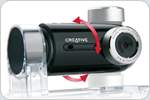
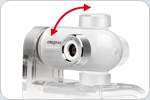
Greater viewing flexibility Video chat with greater flexibility and convenience using the Live! Cam Optia AF. Its multi-axis swivel and the automatic image flip ensure you get the image you always want. When the need for privacy arises, simply twist the camera downward to deactivate the USB connection.
Smooth videos, uninterrupted chats Experience smooth, full motion 30fps digital video streams and top quality images with High Speed USB 2.0 throughput. The Live! Cam Optia AF is also backward compatible and works with any USB 1.1 connection.
Say goodbye to mounting woes The Live! Cam Optia AF fits easily to almost anything - notebook displays, CRT monitors and flat panel displays. Or simply let it rest comfortably on a table or other flat surfaces.
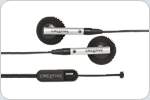
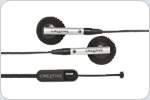
Bundled Creative Handsfree Stereo Headset Chat away with greater ease and comfort with the included Handsfree Stereo Headset.
Parental Control The Parental Control feature enables you to secure the camera with a password. Every time you activate your Live! Cam, you will be prompted for a password.
Log into your computer with Live! Cam FaceSecure4 Creative brings face recognition technology to your computer with Live! Cam FaceSecure. This powerful software adds a face logon option when logging on to Microsoft Windows, enabling you to logon to your computer account just by looking at your Live! Cam!
Live! Cam Avatar Personalize your online identity with dynamic avatars! Select from an Avatar library or create one-of-a-kind originals!
Spice up your chats Have more fun by adding a wide range of special effects and backgrounds to your video chats with the Advanced Video FX. You can even experiment with different voice effects to thrill your friends online!
Create your own effects real-time! With Live! Cam FX Creator and Live! Cam Doodling, the possibilities are limitless! Entertain your friends and families by drawing your own effects real-time while you chat with them!
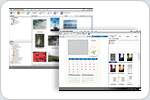
Edit, organize and create, for a complete photo experience Do more with Creative Live! Cam Suite! Edit and organize your photos easily, create fun photo calendars - the possibilities are virtually endless. Do all this and more with the included software suite.
Certified for Windows Vista Windows Vista is the exciting successor to Windows XP. Discover more about the latest Windows operating system, including support and product enhancements that Creative is providing.
Enhance your Instant Messaging with video! Works with Skype, Windows Live Messenger, Yahoo! Messenger and other compatible instant messaging services.
More than just a webcam Maximize your webcam experience with SightSpeed, included at no extra charge. Turn your PC into a video phone, make multi-party video calls5, and even stream photos and videos to web-enabled devices like laptops, PDAs and mobile phones.
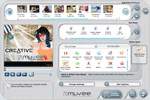
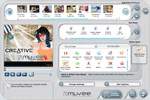
Be your own director, producer and star! Create videos easily and quickly with the muvee autoProducer! Its fantastic video editing technology enables you to produce professional videos in an amazingly short period of time. Simply shoot it, muvee it and share it!
1 Software enhanced. 2 Plug & Play functions include video chats with built-in mic, and video/photo capture at VGA resolution. 3 Applicable to Microsoft Windows XP Service Pack 2 (SP2) and above. 4 Live! Cam FaceSecure face recognition technology does not provide 100% recognition accuracy. It is not recommended to use this product for the protection of sensitive or confidential information. 5 This feature is available only with paid SightSpeed plans.
Feature
Description
Sensor:
2 megapixel sensor
Lens:
High quality precision lens
Microphone:
Built-in adaptive array microphones
Highest Still Image Resolution:
8 megapixels 3200 x 2400 (software enhanced)
Highest Video Resolution:
1600 x 1200
Focus:
Auto
Interface:
High-Speed USB 2.0 (backward compatible with USB 1.1)
Experience true plug and play with Live! Cam Optia! Hook it up to a USB port and start video chatting right away! No drivers are needed for this USB Video Class1 webcam. Built for perfection, Live! Cam Optia uses Precision Lens to give you the best picture quality. You can use it confidently anywhere on any notebook computer displays or LCD monitors with its stylish and ergonomic design.
Get up and running in no time! Get all the convenience of Plug & Play2 with this USB Video Class1 webcam. It does not require any driver installation at all!
Sharper image quality for clearer conversations Take clearer and sharper photos at up to 1.3 megapixel3 resolution with Live! Cam Optia's Precision Lens. There is no need to worry about adjusting your webcam, Live! View Auto Tuning technology automatically sets the best lighting and brightness levels for you.
Greater viewing flexibility Video chat with greater flexibility and convenience using the Live! Cam Optia. Its multi-axis swivel rotates to almost any viewing angle (270) and automatic image flip ensures the image is always upright when rotated more than 90. When the need for privacy arises, you don't need to manually unplug the USB connection; simply twist the camera downward to deactivate it.
Log into your computer with Live! Cam FaceSecure4 Creative brings face recognition technology to your computer with Live! Cam FaceSecure. This powerful software adds a face logon option when logging on to Microsoft Windows, enabling you to logon to your computer account just by looking at your Live! Cam!
Live! Cam Avatar Personalize your online identity with dynamic avatars! Select from an Avatar library or create one-of-a-kind originals!
Spice up your chats with fun video effects Have more fun by adding a wide range of special effects and backgrounds to your video chat with Advanced Video FX.
Be in the picture, always With Smart Face Tracking activated, the camera automatically follows you as you move about, so that you're always in the video. It even tracks multiple persons, so everyone can get in on the conversation.
Smooth videos, uninterrupted chats Experience smooth, full motion 30fps digital video streams and top quality images with High Speed USB 2.0 throughput. Live! Cam Optia is also backward compatible and works with any USB 1.1 connection.
Bundled Creative Handsfree Stereo Headset Chat away with greater ease and comfort with the included Handsfree Stereo Headset.
Say goodbye to mounting woes Live! Cam Optia fits easily to almost anything - notebook displays, CRT monitors and flat panel displays. Or simply let it rest comfortably on a table or other flat surface.
Edit, organize and create, for a complete photo experience Do more with Creative Live! Cam Suite! Edit and organize your photos easily, create fun photo calendars - the possibilities are virtually endless. Do all this and more with the included software suite.
Certified for Windows Vista Windows Vista is the exciting successor to Windows XP. Discover more about the latest Windows operating system, including support and product enhancements that Creative is providing.
Be your own director, producer and star! Create videos easily and quickly with the muvee autoProducer! Its fantastic video editing technology enables you to produce professional videos in an amazingly short period of time. Simply shoot it, muvee it and share it!
More than just a webcam Maximize your webcam experience with SightSpeed, included at no extra charge. Turn your PC into a video phone, make multi-party video calls5, and even stream photos and videos to Web-enabled devices like laptops, PDAs and mobile phones.
Enhance your Instant Messaging with video! Works with Skype, Windows Live Messenger, Yahoo! Messenger and other compatible instant messaging services.
1 Applicable to Microsoft Windows XP Service Pack 2 (SP2) and above. 2 Plug & Play functions include video chats with built-in mic, and video/photo capture at VGA resolution. 3 Software enhanced. 4 Live! Cam FaceSecure face recognition technology does not provide 100% recognition accuracy. It is not recommended to use this product for the protection of sensitive or confidential information. 5 This feature is available only with paid SightSpeed plans.
Feature
Description
Sensor:
VGA Sensor
Lens:
Precision Lens (High quality glass lens)
Highest Still Image Resolution:
1.3 Megapixel 1280x960 (software enhanced)
Highest Video Resolution:
640x480@30fps
Focus:
Manual focus ring
Interface:
High-Speed USB 2.0 (backward compatible with USB 1.1)
NA
22/02
Creative WebCam Vista - VGA, Manual Focus, USB
Natural looking videos with Live! View
Enjoy natural looking video chats with Creative Auto Tuning technology which automatically optimizes for the best picture. With up to 800x600 video resolution, you can share vivid and sharp images in your video chats with friends and loved ones. Getting closer has never been easier.
Snap photos and capture videos at up to 800x6001 resolution Enjoy clearer and sharper images with WebCam Vista's 640x480 VGA sensor.
Live! View gives you natural looking video chats Creative Auto Tuning automatically sets the best colors, lighting and contrast to give you the most natural looking video chats.
Compatible with both USB 2.0 and 1.1 Extremely versatile, WebCam Vista is compatible with computers that have either USB 2.0 or USB 1.1 connectivity.
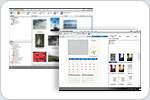
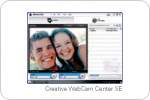
Software Suite Snap photos, record video, or send a special message to your loved ones. With Creative WebCam Center SE, everything you need is inside.
Superior Video for Instant Messaging! Works with Skype, Windows Live Messenger, Yahoo! Messenger and other compatible instant messaging services.
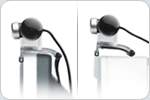
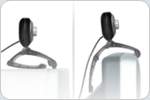
Multi-Attach Base WebCam Vista attaches to almost anything - notebook displays, CRT monitors, Flat panel displays. Or let it rest comfortably on tables or other flat surfaces.


 HD DVDs and Blu-ray Discs - New movie features and improved image detail
 MPEG-4 AVC (H.264) - high-definition
 Interactive movie features - BD-J and iHD technology provides links to online content, games, and other disc extras
 High-definition audio technologies - Pure high-definition audio with Dolby Digital Plus, TrueHD, DTS-HD



 Smart Utilities - For enhanced DVD viewing
 UPnP Connectivity - Play videos from any UPnP enabled device in your home network (MAX Version)
 Audio visualizations