Camerafarm product archive #39907
| Image |
Date |
Product description |
Price |
Buy |
|
06/04
|
Transcend 16GB Micro SD (SDHC) Card - Blue
- Class 6Features:
- SDHC card: SDHC Class 6 compliant
- The SDHC card is compatible with all SDHC-labeled host devices
- Compatible with the following cards without the need for an adapter:
SD
SDHC
MMC
RS-MMC
MMCplus
MMCmobile
- with the need for an adapter:
miniSD
miniSDHC
microSD/T-Flash
microSDHC
MMCmicro
Specifications:
Dimensions:
57.9mm X 23.2mm X 7.6mm |
| |
Operating Voltage:
5V DC from USB Port |
| |
Operating Temperature:
0C(32F) C 70C(158F) |
| |
Durability:
10,000 insertion/removal cycles |
| |
Weight:
10g |
| |
Certificates:
CE, FCC, BSMI |
|
|


|
|
|
06/04
|
Transcend 512 MB Micro SD Card
| General |
Product Type |
Flash memory card |
| |
Storage Capacity |
512 MB |
| |
Width |
11 mm |
| |
Depth |
15 mm |
| |
Height |
1 mm |
| |
Weight |
0.4 g |
| |
Compatibility |
Non-specific |
| Memory |
Form Factor |
MicroSD |
| |
Technology |
NAND Flash |
| |
Supply Voltage |
2.7 - 3.6 V |
| |
Features |
ECC support, write protection switch, Content Protection for Recorded Media (CPRM), In System Programming (ISP) support, Secure Digital Music Initiative (SDMI) |
| Expansion / Connectivity |
Compatible Slots |
1 x microSD |
| Miscellaneous |
Compliant Standards |
Plug and Play, RoHS |
| Manufacturer Warranty |
Service & Support |
Limited lifetime warranty |
| |
Service & Support Details |
Limited warranty - lifetime |
| Environmental Parameters |
Min Operating Temperature |
-25 C |
| |
Max Operating Temperature |
85 C |
|
|
|
|
06/04
|
Transcend 512 MB SD Card - MultiMediaCard
| General |
Product Type |
Flash memory card |
| |
Storage Capacity |
512 MB |
| |
Width |
24 mm |
| |
Depth |
32 mm |
| |
Height |
1.4 mm |
| |
Weight |
1.5 g |
| |
Compatibility |
Non-specific |
| Memory |
Form Factor |
MultiMediaCard |
| |
Supply Voltage |
2.7 - 3.6 V |
| Expansion / Connectivity |
Compatible Slots |
1 x MultiMediaCard |
| Miscellaneous |
Package Type |
Retail |
| Manufacturer Warranty |
Service & Support |
Limited lifetime warranty |
| |
Service & Support Details |
Limited warranty - lifetime |
| Environmental Parameters |
Min Operating Temperature |
-25 C |
| |
Max Operating Temperature |
85 C |
|
|
|
|
06/04
|
Kingston 16GB Micro SD Card, SDHC Class 6, Retail Pack, with Mini SD & SD Adaptors16GB Micro SD Card, SDHC Class 6, Retail Pack, with Mini SD & SD Adaptors, Lifetime warranty
|
|
|
|
06/04
|
Corel Designer Tech Suite X4 UPGRADE NOTE: This is only an upgrade version of the software
Technical illustration software
The ideal tool for creating technical illustrations and documentation, Corel DESIGNER Technical Suite X4 is a complete technical graphics application that offers precision illustration tools, bitmap-to-vector tracing, professional photo editing and industry-leading file compatibility, including 3D CAD
Overview
Corel DESIGNER Technical Suite X4 is the trusted choice for businesses that need to effectively communicate the strengths of their products and services through clear, informative technical illustrations or diagrams. From operation guides and parts catalogs, to schematics, wiring diagrams, assembly instructions, maintenance manuals and architectural presentations, this complete suite allows organizations of any size to create powerful technical graphicsfast!
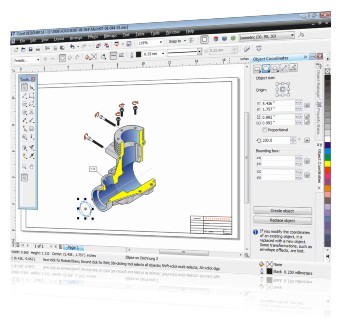
Market-leading file compatibility
3D import with Right Hemisphere Deep Exploration technology lets you open and work with 3D design data and convert 3D files to 2D, without needing a CAD license. New and extended support for Microsoft Publisher, Microsoft Visio, Microsoft Office, PDF, CGM, SVG, AutoCAD DXF, AutoCAD DWG, PDF 1.7, PDF/A and JPEG 2000 creates seamless file compatibility and eliminates file conversion errors.
Precise technical illustration tools
Accurately draw, resize and rotate shapes and lines with the help of the Object Coordinate docker and add missing detail and context when illustrating complex technical content with 2-Point Line, Dimension, Callout and Projected Drawing tools.
New and enhanced diagramming tools
Make wiring diagrams and flow charts easier to read and edit with enhanced connector lines, halos on curves and new arrowhead tools for improved accuracy.
Professional photo-editing power
Work with photos, including raw files, from over 300 camera models and achieve professional-quality color and accuracy with the new Image Adjustment and enhanced Cutout labs
Features
-
What's Included
-
Access Technical Design Assets
-
Streamline Technical Illustrations
-
Create Precise Technical Diagrams
-
Edit Technical Images
What's Included
- Corel DESIGNER X4 - a precision vector drawing and layout application for technical illustrators
- Corel PHOTO-PAINT X4 - an easy-to-use, professional image-editing program
- Corel PowerTRACE X4 - an accurate bitmap-to-vector image tracing application
- Corel CAPTURE X4 - a one-click screen capture utility
- Right Hemisphere Deep Exploration 5.5 CSE - a powerful application that transforms 3D designs into accurate 2D illustrations
- User Guides - for Corel DESIGNER X4 and Corel PHOTO-PAINT X4 (on CD and as a printed manual in the box)
- 4,000 standard drawing components, categorized in over 75 symbol libraries
- Tutorials - 6 new Corel DESIGNER tutorials, 5 new Corel PHOTO-PAINT tutorials, tips & tricks
Access Technical Design Assets
New! 3D CAD Import
Open and work with 3D designs (including AutoCAD 3D DWG and DXF, 3DS, VRML, U3D, SketchUp files and others) without needing a CAD license or having to navigate a complicated interface.
Optional: Additional native 3D CAD File Format Support
Upgrade to Deep Exploration CCE for direct access to over 80 3D file formats from major CAD systems such as CATIA, Inventor, Pro/ENGINEER, SolidWorks, Unigraphics NX and more. Find out more about this add-on tool.
Enhanced! AutoCAD DWG/DXF Support
Work with 2D CAD files from your suppliers or customers. Receive support for AutoCAD 2008 and versions dating back to 2.5, plus enjoy enhanced object, layer and hatch fills support.
New and enhanced! File Format Support
Easily collaborate with colleagues and clients thanks to seamless compatibility with commonly used file formats, including new support for Microsoft Visio 2007, PDF 1.7 and PDF/A, Microsoft Word 2007, Microsoft Publisher and JPEG 2000.
Computer Graphics Metafile (CGM) Support
Import and export to files of CGM Version 4 profiles, such as ActiveCGM, WebCGM, and ATA GREXCHANGE 2.4 and 2.6.
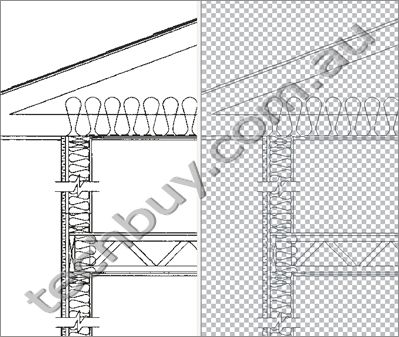
New! Corel PowerTRACE X4
Quickly unlock and repurpose data in legacy blueprints.
New! Welcome Screen
Quickly access recently used documents, templates, learning tools and inspiring illustration work.
New! Windows Vista Integration
Easily organize projects and search for files within a modern, more intuitive interface, and benefit from high-quality thumbnail previews that improve productivity and reduce searching time.
New! CorelDRAW ConceptShare
Share work and collaborate with colleagues and/or clients in real time.
Streamline Technical Illustrations
New! Object Coordinate Docker
Draw, size and rotate shapes and lines with enhanced precision and live screen preview.
Enhanced! Dimension Tools
Create custom dimensions and dimension styles with advanced control for clearly readable illustrations.
Enhanced! Arrowheads
Add precise arrowheads to connectors, callouts, dimension lines and any curve.
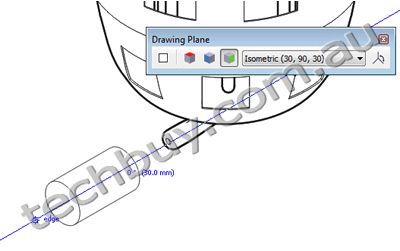
Projected Drawing Modes
Dramatically increase productivity by actively drawing on the projected plane, removing the need to draw the object first and then project or squeeze it in additional steps.
Hatch Fills
Use hatch patterns to represent different types of materials and to visualize cross sections in your drawing.
Enhanced! 2-point Line Tool
Draw lines that are tangent or perpendicular to two objects, making it much easier to draw objects such as cylinders.
Callout Tools
Create Callouts to let your audience identify objects in a drawing. This one-click tool lets you create callouts including text, callout lines and halos around the whole callout, providing presets and customizable settings.

Gravity Snapping and Dynamic Guides
Create and position objects accurately using gravity snapping and fully configurable dynamic guides that snap to direction and distance.
New! Independent Page Layers
Experience greater layout control with the ability to vary the layer structure across multiple pages of a document.
New! Crop Tool
Crop drawing objects and groups, as well as imported images, at the same time to achieve perfect illustrations.
New! Smart Fill Tool
Use the Smart Fill tool to detect the edges of any enclosed object area, such as cross section areas, and create a closed path to fill the area (unlike conventional fill tools that fill only existing objects).
Hotspotting
Manage a complex project and create interactive electronic technical manuals (IETMs) by assigning data to its objects.
Enhanced Line Styles
Illustrate stitch patterns and draw parallel lines with the help of enhanced line styles.
New! Interactive Tables
Align, resize or edit tables and table cells to provide a structured layout for text and graphics, plus import and visualize parts lists, bills of materials (BOMs) and other data.
New! Text Formatting
Preview text formatting changes before applying them to increase the accuracy of text size, style and positioning. The new Character and Paragraph formatting dockers provide a full preview onscreen to help streamline changes to text.
Unicode Support and Double-byte Formatting
Exchange files effortlessly by ensuring that text is displayed correctly, regardless of the language or operating system in which the file was created.
Create Precise Technical Diagrams
Enhanced! Support for Microsoft Visio Files
Import and work with the latest versions of Microsoft Visio files, making it easier to collaborate with colleagues and clients, enhance existing diagrams and integrate them into technical illustrations.
Enhanced! Connector Lines
Automatically adjust connector line paths to avoid other objects using Smart Drawing technology.
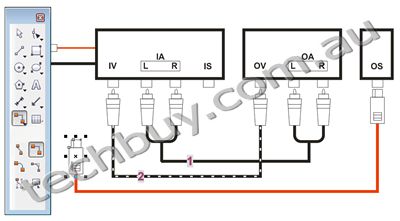
New! Halos on Curves
Identify connector lines more easily and add precision and clarity to diagrams.
Edit Technical Images
New! Raw Camera File Support
Preview adjustments in real time with interactive controls and support for raw camera files from over 300 camera models.
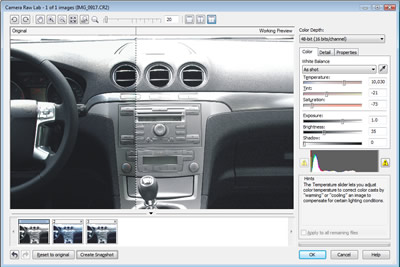
New! Image Adjustment Lab
Achieve professional-quality color and tone correction.
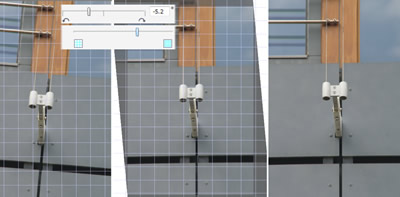
New! Straighten Image
Use new, interactive controls to quickly and easily straighten images.
Enhanced! Tone Curve Adjustments
Adjust images with more precision, reducing the number of iterations required.
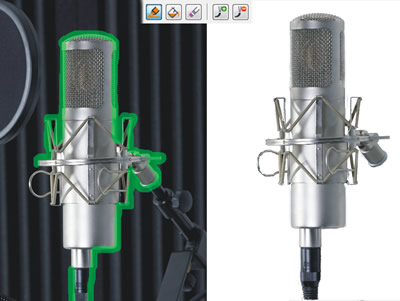
Enhanced! Cutout Lab
Gain control, improve accuracy and simplify the image-cutting process for complex cutout tasks.
3D CAD
Corel DESIGNER Technical Suite X4 includes Right Hemisphere Deep Exploration 5.5 CSE, a powerful application that transforms 3D CAD models into accurate 2D graphics.
To double your 3D CAD editing abilities and benefit from increased file format support, upgrade to Deep Exploration 5.5 CCE. See below for more information.
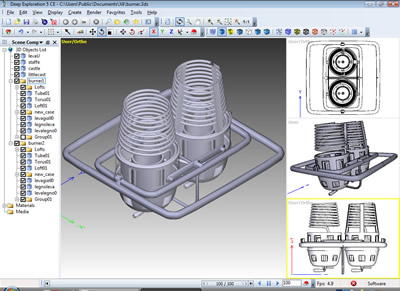
With Deep Exploration 5.5 CSE (included with Corel DESIGNER Technical Suite), you can:
- access 3D designs from AutoCAD DWG and DXF, 3DS, VRML, U3D, SketchUp and other formats
- modify 3D models and views to accommodate the needs of a technical illustration (e.g., by applying cross sections and exploding models to create disassembly views)
- quickly transform 3D CAD models into accurate 2D vector illustrations and insert directly into Corel DESIGNER X4
- create renderings from 3D designs to output directly to Corel PHOTO-PAINT for professional retouching and integration in technical documents and presentations
With Deep Exploration 5.5 CCE* (upgrade option) you receive:
- additional native 3D CAD file format support - get support for over 80 3D CAD file formats, including CATIA, Inventor, Pro/ENGINEER, SolidWorks, Unigraphics NX and more
- 3D PDF publishing abilities
- more 3D CAD tools to optimize 3D files for display and manipulation, such as Polygon reduction tools, small parts removal and more
*Note: Deep Exploration CCE is an upgrade that requires additional purchase. For more information, click here.
- Compare Deep Exploration CSE to Deep Exploration CCE
- Additional 3D CAD formats supported with Right Hemisphere Deep Exploration 5.5 CCE
- 3D file formats supported with Right Hemisphere Deep Exploration 5.5 CSE
Compare Deep Exploration CSE (included) to Deep Exploration CCE (upgrade option)
Functionality
|
Deep Exploration 5.5 CSE(included with Corel DESIGNER Technical Suite X4)
|
Deep Exploration 5.5 CCE
|
| Full error reporting |
 |
|
| PDF Publishing |
|
3D Output |
| Volume Cutting |
|
|
| Metadata Browser |
|
|
| CADTools |
Limited
(Explode assembly only) |
|
| DXF, DWG and DWF file Support |
|
|
| Rhino File Format |
|
|
| STEP, IGES, SAT ParaSolid support |
|
|
| Opening and importing native 3D CAD files |
Limited |
|
| Vector illustration output with direct connection to Corel DESIGNER |
|
|
| Bitmap rendering output with direct connection to Corel PHOTO-PAINT |
|
|
Additional 3D CAD formats supported with Right Hemisphere Deep Exploration 5.5 CCE (additional purchase to Corel DESIGNER Technical Suite X4)
File Format
|
Extension
|
| AutoCAD Sheet Set File |
DST |
| Autodesk Inventor Assembly |
IAM |
| Autodesk Inventor Part |
IPT |
| CADKEY Advanced Design Language |
CDL |
| CATIA4 |
CGR, DLV, MODEL, SESSION |
| CATIA5 |
CATPART, CATPRODUCT |
| Granite files |
G |
| IGES Files |
IGES, IGS |
| JT File |
JT |
| Lattice XVL Structure and Geometry |
XV0, XV3 |
| MicroStation CAD Graphic |
DGN |
| Neutral Part File |
NEU |
| Parasolid CAD File |
X_B, X_T, XMT, XMT_TXT |
| Pro/ENGINEER Assembly |
ASM, XAS |
| Pro/ENGINEER Part |
PRT, XPR |
| Rhinoceros 3D Model |
3DM |
| SDRC I-DEAS Model |
ARC, MF1 |
| SDRC I-DEAS Package |
PKG |
| SDRC I-DEAS Universal |
UNV |
| SolidEdge 3D CAD Model Part |
PAR |
| SolidWorks Files |
SLDASM, SLDLFP, SLDPRT, SLDDRW |
| Standard ACIS Text File |
SAT |
| Standard ACIS Binary File |
SAB |
| STEP Files |
STEP, STP |
| Unigraphics Parts and Assemblies (Releases 13-18, NX1, NX2, NX3, NX4, and NX5) |
PRT |
| VDA File |
VDA |
3D file formats supported with Right Hemisphere Deep Exploration 5.5 CSE (included with Corel DESIGNER Technical Suite X4)
File Format
|
Extension
|
| AutoCAD Drawing Interchange |
DXF |
| AutoCAD Drawing Object |
DWG |
| Autodesk 3D Studio |
3DS |
| Autodesk 3D Studio ASCII |
ASC |
| Autodesk 3D Studio Max ASCII |
ASE |
| Autodesk 3D Studio Project |
PRJ |
| AOFF File Format |
GEO |
| Caligari trueSpace Object |
COB |
| Caligari trueSpace Scene |
SCN |
| CINEMA 4D |
C4D |
| Collada |
DAE |
| DirectX Model |
X |
| FiLMBOX |
FBX |
| Imagine Geometry |
IOB |
| ISO G Code |
ISO, NC |
| LightWave 3D and Binary Object |
LWO, LW |
| LightWave Scene |
LWS |
| Nendo |
NDO |
| Object File Format Vector Graphics |
OFF |
| Open Inventor File |
IV |
| OpenFlight Scene Description Database |
FLT |
| OpenGL CPP Code |
CPP |
| Points File |
PTS |
| Polygon Model Format |
PLY |
| Portable Graymap Graphics File |
PGM |
| POV-Ray RAW Triangle Format |
RAW |
| Power Render Object |
PRO |
| Protein Data Bank |
PDB |
| Quake Character Model I |
MDL |
| Quake Character Model II |
MD2 |
| Quake Character Model III |
MD3 |
| Quake Map |
MAP |
| Quicktime 3D Metafile |
3DM, 3DMF |
| RAX Extended RAW Triangles |
RAX |
| Right Hemisphere Binary |
RH |
| Shockwave 3D File |
W3D |
| Shockwave Web Page |
HTML |
| Silo3D |
SIA |
| Google SketchUp Document |
SKP |
| SOFTIMAGE|XSI |
XSI |
| Stereolithography File |
STL |
| Universal 3D |
U3D |
| VRML Worlds |
WRL, VRML |
| Wavefront Object |
OBJ |
XAML
|
XAML
|
|
|
|
|
06/04
|
Corel Designer Technical Suite X4 Technical illustration software
The ideal tool for creating technical illustrations and documentation, Corel DESIGNER Technical Suite X4 is a complete technical graphics application that offers precision illustration tools, bitmap-to-vector tracing, professional photo editing and industry-leading file compatibility, including 3D CAD
Overview
Corel DESIGNER Technical Suite X4 is the trusted choice for businesses that need to effectively communicate the strengths of their products and services through clear, informative technical illustrations or diagrams. From operation guides and parts catalogs, to schematics, wiring diagrams, assembly instructions, maintenance manuals and architectural presentations, this complete suite allows organizations of any size to create powerful technical graphicsfast!
Market-leading file compatibility
3D import with Right Hemisphere Deep Exploration technology lets you open and work with 3D design data and convert 3D files to 2D, without needing a CAD license. New and extended support for Microsoft Publisher, Microsoft Visio, Microsoft Office, PDF, CGM, SVG, AutoCAD DXF, AutoCAD DWG, PDF 1.7, PDF/A and JPEG 2000 creates seamless file compatibility and eliminates file conversion errors.
Precise technical illustration tools
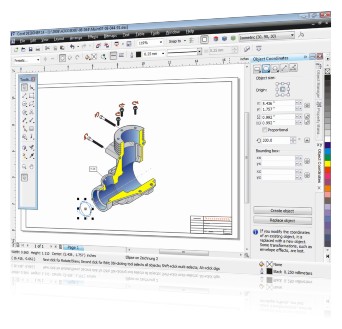
Accurately draw, resize and rotate shapes and lines with the help of the Object Coordinate docker and add missing detail and context when illustrating complex technical content with 2-Point Line, Dimension, Callout and Projected Drawing tools.
New and enhanced diagramming tools
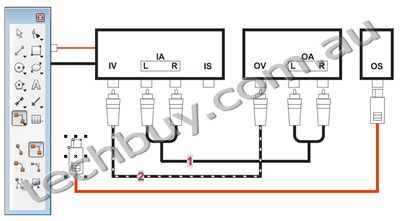
Make wiring diagrams and flow charts easier to read and edit with enhanced connector lines, halos on curves and new arrowhead tools for improved accuracy.
Professional photo-editing power
Work with photos, including raw files, from over 300 camera models and achieve professional-quality color and accuracy with the new Image Adjustment and enhanced Cutout labs
Features
-
What's Included
-
Access Technical Design Assets
-
Streamline Technical Illustrations
-
Create Precise Technical Diagrams
-
Edit Technical Images
What's Included
- Corel DESIGNER X4 - a precision vector drawing and layout application for technical illustrators
- Corel PHOTO-PAINT X4 - an easy-to-use, professional image-editing program
- Corel PowerTRACE X4 - an accurate bitmap-to-vector image tracing application
- Corel CAPTURE X4 - a one-click screen capture utility
- Right Hemisphere Deep Exploration 5.5 CSE - a powerful application that transforms 3D designs into accurate 2D illustrations
- User Guides - for Corel DESIGNER X4 and Corel PHOTO-PAINT X4 (on CD and as a printed manual in the box)
- 4,000 standard drawing components, categorized in over 75 symbol libraries
- Tutorials - 6 new Corel DESIGNER tutorials, 5 new Corel PHOTO-PAINT tutorials, tips & tricks
Access Technical Design Assets
New! 3D CAD Import
Open and work with 3D designs (including AutoCAD 3D DWG and DXF, 3DS, VRML, U3D, SketchUp files and others) without needing a CAD license or having to navigate a complicated interface.
Optional: Additional native 3D CAD File Format Support
Upgrade to Deep Exploration CCE for direct access to over 80 3D file formats from major CAD systems such as CATIA, Inventor, Pro/ENGINEER, SolidWorks, Unigraphics NX and more. Find out more about this add-on tool.
Enhanced! AutoCAD DWG/DXF Support
Work with 2D CAD files from your suppliers or customers. Receive support for AutoCAD 2008 and versions dating back to 2.5, plus enjoy enhanced object, layer and hatch fills support.
New and enhanced! File Format Support
Easily collaborate with colleagues and clients thanks to seamless compatibility with commonly used file formats, including new support for Microsoft Visio 2007, PDF 1.7 and PDF/A, Microsoft Word 2007, Microsoft Publisher and JPEG 2000.
Computer Graphics Metafile (CGM) Support
Import and export to files of CGM Version 4 profiles, such as ActiveCGM, WebCGM, and ATA GREXCHANGE 2.4 and 2.6.
New! Corel PowerTRACE X4
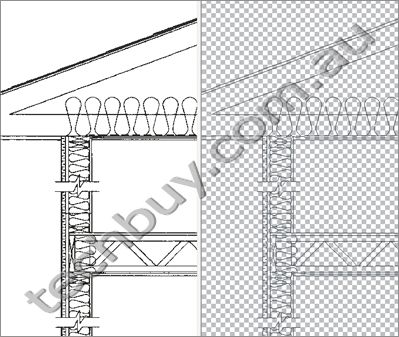
Quickly unlock and repurpose data in legacy blueprints.
New! Welcome Screen
Quickly access recently used documents, templates, learning tools and inspiring illustration work.
New! Windows Vista Integration
Easily organize projects and search for files within a modern, more intuitive interface, and benefit from high-quality thumbnail previews that improve productivity and reduce searching time.
New! CorelDRAW ConceptShare
Share work and collaborate with colleagues and/or clients in real time.
Streamline Technical Illustrations
New! Object Coordinate Docker
Draw, size and rotate shapes and lines with enhanced precision and live screen preview.
Enhanced! Dimension Tools
Create custom dimensions and dimension styles with advanced control for clearly readable illustrations.
Enhanced! Arrowheads
Add precise arrowheads to connectors, callouts, dimension lines and any curve.
Projected Drawing Modes
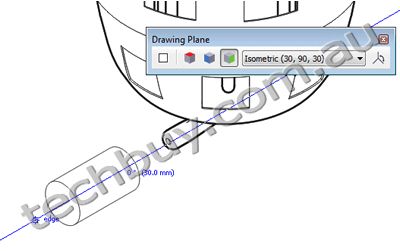
Dramatically increase productivity by actively drawing on the projected plane, removing the need to draw the object first and then project or squeeze it in additional steps.
Hatch Fills
Use hatch patterns to represent different types of materials and to visualize cross sections in your drawing.
Enhanced! 2-point Line Tool
Draw lines that are tangent or perpendicular to two objects, making it much easier to draw objects such as cylinders.
Callout Tools
Create Callouts to let your audience identify objects in a drawing. This one-click tool lets you create callouts including text, callout lines and halos around the whole callout, providing presets and customizable settings.

Gravity Snapping and Dynamic Guides
Create and position objects accurately using gravity snapping and fully configurable dynamic guides that snap to direction and distance.
New! Independent Page Layers
Experience greater layout control with the ability to vary the layer structure across multiple pages of a document.
New! Crop Tool
Crop drawing objects and groups, as well as imported images, at the same time to achieve perfect illustrations.
New! Smart Fill Tool
Use the Smart Fill tool to detect the edges of any enclosed object area, such as cross section areas, and create a closed path to fill the area (unlike conventional fill tools that fill only existing objects).
Hotspotting
Manage a complex project and create interactive electronic technical manuals (IETMs) by assigning data to its objects.
Enhanced Line Styles
Illustrate stitch patterns and draw parallel lines with the help of enhanced line styles.
New! Interactive Tables
Align, resize or edit tables and table cells to provide a structured layout for text and graphics, plus import and visualize parts lists, bills of materials (BOMs) and other data.
New! Text Formatting
Preview text formatting changes before applying them to increase the accuracy of text size, style and positioning. The new Character and Paragraph formatting dockers provide a full preview onscreen to help streamline changes to text.
Unicode Support and Double-byte Formatting
Exchange files effortlessly by ensuring that text is displayed correctly, regardless of the language or operating system in which the file was created.
Create Precise Technical Diagrams
Enhanced! Support for Microsoft Visio Files
Import and work with the latest versions of Microsoft Visio files, making it easier to collaborate with colleagues and clients, enhance existing diagrams and integrate them into technical illustrations.
Enhanced! Connector Lines
Automatically adjust connector line paths to avoid other objects using Smart Drawing technology.
New! Halos on Curves
Identify connector lines more easily and add precision and clarity to diagrams.
Edit Technical Images
New! Raw Camera File Support
Preview adjustments in real time with interactive controls and support for raw camera files from over 300 camera models.
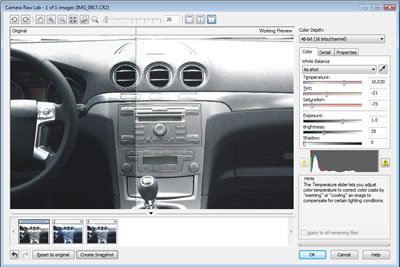
New! Image Adjustment Lab
Achieve professional-quality color and tone correction.
New! Straighten Image
Use new, interactive controls to quickly and easily straighten images.
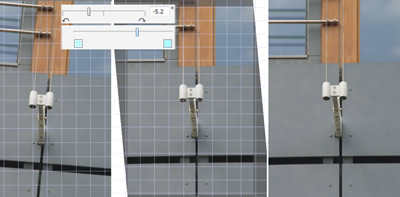
Enhanced! Tone Curve Adjustments
Adjust images with more precision, reducing the number of iterations required.
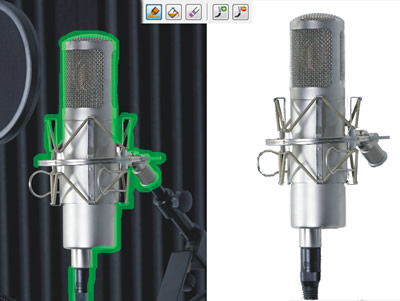
Enhanced! Cutout Lab
Gain control, improve accuracy and simplify the image-cutting process for complex cutout tasks.
3D CAD
Corel DESIGNER Technical Suite X4 includes Right Hemisphere Deep Exploration 5.5 CSE, a powerful application that transforms 3D CAD models into accurate 2D graphics.
To double your 3D CAD editing abilities and benefit from increased file format support, upgrade to Deep Exploration 5.5 CCE. See below for more information.
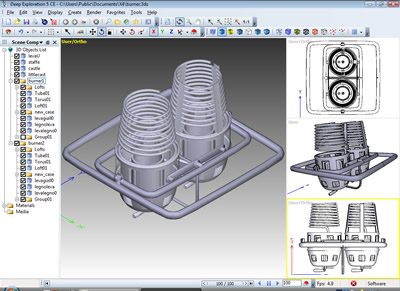
With Deep Exploration 5.5 CSE (included with Corel DESIGNER Technical Suite), you can:
- access 3D designs from AutoCAD DWG and DXF, 3DS, VRML, U3D, SketchUp and other formats
- modify 3D models and views to accommodate the needs of a technical illustration (e.g., by applying cross sections and exploding models to create disassembly views)
- quickly transform 3D CAD models into accurate 2D vector illustrations and insert directly into Corel DESIGNER X4
- create renderings from 3D designs to output directly to Corel PHOTO-PAINT for professional retouching and integration in technical documents and presentations
With Deep Exploration 5.5 CCE* (upgrade option) you receive:
- additional native 3D CAD file format support - get support for over 80 3D CAD file formats, including CATIA, Inventor, Pro/ENGINEER, SolidWorks, Unigraphics NX and more
- 3D PDF publishing abilities
- more 3D CAD tools to optimize 3D files for display and manipulation, such as Polygon reduction tools, small parts removal and more
*Note: Deep Exploration CCE is an upgrade that requires additional purchase. For more information, click here.
- Compare Deep Exploration CSE to Deep Exploration CCE
- Additional 3D CAD formats supported with Right Hemisphere Deep Exploration 5.5 CCE
- 3D file formats supported with Right Hemisphere Deep Exploration 5.5 CSE
Compare Deep Exploration CSE (included) to Deep Exploration CCE (upgrade option)
Functionality
|
Deep Exploration 5.5 CSE(included with Corel DESIGNER Technical Suite X4)
|
Deep Exploration 5.5 CCE
|
| Full error reporting |
 |
|
| PDF Publishing |
|
3D Output |
| Volume Cutting |
|
|
| Metadata Browser |
|
|
| CADTools |
Limited
(Explode assembly only) |
|
| DXF, DWG and DWF file Support |
|
|
| Rhino File Format |
|
|
| STEP, IGES, SAT ParaSolid support |
|
|
| Opening and importing native 3D CAD files |
Limited |
|
| Vector illustration output with direct connection to Corel DESIGNER |
|
|
| Bitmap rendering output with direct connection to Corel PHOTO-PAINT |
|
|
Additional 3D CAD formats supported with Right Hemisphere Deep Exploration 5.5 CCE (additional purchase to Corel DESIGNER Technical Suite X4)
File Format
|
Extension
|
| AutoCAD Sheet Set File |
DST |
| Autodesk Inventor Assembly |
IAM |
| Autodesk Inventor Part |
IPT |
| CADKEY Advanced Design Language |
CDL |
| CATIA4 |
CGR, DLV, MODEL, SESSION |
| CATIA5 |
CATPART, CATPRODUCT |
| Granite files |
G |
| IGES Files |
IGES, IGS |
| JT File |
JT |
| Lattice XVL Structure and Geometry |
XV0, XV3 |
| MicroStation CAD Graphic |
DGN |
| Neutral Part File |
NEU |
| Parasolid CAD File |
X_B, X_T, XMT, XMT_TXT |
| Pro/ENGINEER Assembly |
ASM, XAS |
| Pro/ENGINEER Part |
PRT, XPR |
| Rhinoceros 3D Model |
3DM |
| SDRC I-DEAS Model |
ARC, MF1 |
| SDRC I-DEAS Package |
PKG |
| SDRC I-DEAS Universal |
UNV |
| SolidEdge 3D CAD Model Part |
PAR |
| SolidWorks Files |
SLDASM, SLDLFP, SLDPRT, SLDDRW |
| Standard ACIS Text File |
SAT |
| Standard ACIS Binary File |
SAB |
| STEP Files |
STEP, STP |
| Unigraphics Parts and Assemblies (Releases 13-18, NX1, NX2, NX3, NX4, and NX5) |
PRT |
| VDA File |
VDA |
3D file formats supported with Right Hemisphere Deep Exploration 5.5 CSE (included with Corel DESIGNER Technical Suite X4)
File Format
|
Extension
|
| AutoCAD Drawing Interchange |
DXF |
| AutoCAD Drawing Object |
DWG |
| Autodesk 3D Studio |
3DS |
| Autodesk 3D Studio ASCII |
ASC |
| Autodesk 3D Studio Max ASCII |
ASE |
| Autodesk 3D Studio Project |
PRJ |
| AOFF File Format |
GEO |
| Caligari trueSpace Object |
COB |
| Caligari trueSpace Scene |
SCN |
| CINEMA 4D |
C4D |
| Collada |
DAE |
| DirectX Model |
X |
| FiLMBOX |
FBX |
| Imagine Geometry |
IOB |
| ISO G Code |
ISO, NC |
| LightWave 3D and Binary Object |
LWO, LW |
| LightWave Scene |
LWS |
| Nendo |
NDO |
| Object File Format Vector Graphics |
OFF |
| Open Inventor File |
IV |
| OpenFlight Scene Description Database |
FLT |
| OpenGL CPP Code |
CPP |
| Points File |
PTS |
| Polygon Model Format |
PLY |
| Portable Graymap Graphics File |
PGM |
| POV-Ray RAW Triangle Format |
RAW |
| Power Render Object |
PRO |
| Protein Data Bank |
PDB |
| Quake Character Model I |
MDL |
| Quake Character Model II |
MD2 |
| Quake Character Model III |
MD3 |
| Quake Map |
MAP |
| Quicktime 3D Metafile |
3DM, 3DMF |
| RAX Extended RAW Triangles |
RAX |
| Right Hemisphere Binary |
RH |
| Shockwave 3D File |
W3D |
| Shockwave Web Page |
HTML |
| Silo3D |
SIA |
| Google SketchUp Document |
SKP |
| SOFTIMAGE|XSI |
XSI |
| Stereolithography File |
STL |
| Universal 3D |
U3D |
| VRML Worlds |
WRL, VRML |
| Wavefront Object |
OBJ |
XAML
|
XAML
|
Technical illustration software
The ideal tool for creating technical illustrations and documentation, Corel DESIGNER Technical Suite X4 is a complete technical graphics application that offers precision illustration tools, bitmap-to-vector tracing, professional photo editing and industry-leading file compatibility, including 3D CAD
Overview
Corel DESIGNER Technical Suite X4 is the trusted choice for businesses that need to effectively communicate the strengths of their products and services through clear, informative technical illustrations or diagrams. From operation guides and parts catalogs, to schematics, wiring diagrams, assembly instructions, maintenance manuals and architectural presentations, this complete suite allows organizations of any size to create powerful technical graphicsfast!
Market-leading file compatibility
3D import with Right Hemisphere Deep Exploration technology lets you open and work with 3D design data and convert 3D files to 2D, without needing a CAD license. New and extended support for Microsoft Publisher, Microsoft Visio, Microsoft Office, PDF, CGM, SVG, AutoCAD DXF, AutoCAD DWG, PDF 1.7, PDF/A and JPEG 2000 creates seamless file compatibility and eliminates file conversion errors.
Precise technical illustration tools
Accurately draw, resize and rotate shapes and lines with the help of the Object Coordinate docker and add missing detail and context when illustrating complex technical content with 2-Point Line, Dimension, Callout and Projected Drawing tools.
New and enhanced diagramming tools
Make wiring diagrams and flow charts easier to read and edit with enhanced connector lines, halos on curves and new arrowhead tools for improved accuracy.
Professional photo-editing power
Work with photos, including raw files, from over 300 camera models and achieve professional-quality color and accuracy with the new Image Adjustment and enhanced Cutout labs
Features
-
What's Included
-
Access Technical Design Assets
-
Streamline Technical Illustrations
-
Create Precise Technical Diagrams
-
Edit Technical Images
What's Included
- Corel DESIGNER X4 - a precision vector drawing and layout application for technical illustrators
- Corel PHOTO-PAINT X4 - an easy-to-use, professional image-editing program
- Corel PowerTRACE X4 - an accurate bitmap-to-vector image tracing application
- Corel CAPTURE X4 - a one-click screen capture utility
- Right Hemisphere Deep Exploration 5.5 CSE - a powerful application that transforms 3D designs into accurate 2D illustrations
- User Guides - for Corel DESIGNER X4 and Corel PHOTO-PAINT X4 (on CD and as a printed manual in the box)
- 4,000 standard drawing components, categorized in over 75 symbol libraries
- Tutorials - 6 new Corel DESIGNER tutorials, 5 new Corel PHOTO-PAINT tutorials, tips & tricks
Access Technical Design Assets
New! 3D CAD Import
Open and work with 3D designs (including AutoCAD 3D DWG and DXF, 3DS, VRML, U3D, SketchUp files and others) without needing a CAD license or having to navigate a complicated interface.
Optional: Additional native 3D CAD File Format Support
Upgrade to Deep Exploration CCE for direct access to over 80 3D file formats from major CAD systems such as CATIA, Inventor, Pro/ENGINEER, SolidWorks, Unigraphics NX and more. Find out more about this add-on tool.
Enhanced! AutoCAD DWG/DXF Support
Work with 2D CAD files from your suppliers or customers. Receive support for AutoCAD 2008 and versions dating back to 2.5, plus enjoy enhanced object, layer and hatch fills support.
New and enhanced! File Format Support
Easily collaborate with colleagues and clients thanks to seamless compatibility with commonly used file formats, including new support for Microsoft Visio 2007, PDF 1.7 and PDF/A, Microsoft Word 2007, Microsoft Publisher and JPEG 2000.
Computer Graphics Metafile (CGM) Support
Import and export to files of CGM Version 4 profiles, such as ActiveCGM, WebCGM, and ATA GREXCHANGE 2.4 and 2.6.
New! Corel PowerTRACE X4
Quickly unlock and repurpose data in legacy blueprints.
New! Welcome Screen
Quickly access recently used documents, templates, learning tools and inspiring illustration work.
New! Windows Vista Integration
Easily organize projects and search for files within a modern, more intuitive interface, and benefit from high-quality thumbnail previews that improve productivity and reduce searching time.
New! CorelDRAW ConceptShare
Share work and collaborate with colleagues and/or clients in real time.
Streamline Technical Illustrations
New! Object Coordinate Docker
Draw, size and rotate shapes and lines with enhanced precision and live screen preview.
Enhanced! Dimension Tools
Create custom dimensions and dimension styles with advanced control for clearly readable illustrations.
Enhanced! Arrowheads
Add precise arrowheads to connectors, callouts, dimension lines and any curve.
Projected Drawing Modes
Dramatically increase productivity by actively drawing on the projected plane, removing the need to draw the object first and then project or squeeze it in additional steps.
Hatch Fills
Use hatch patterns to represent different types of materials and to visualize cross sections in your drawing.
Enhanced! 2-point Line Tool
Draw lines that are tangent or perpendicular to two objects, making it much easier to draw objects such as cylinders.
Callout Tools
Create Callouts to let your audience identify objects in a drawing. This one-click tool lets you create callouts including text, callout lines and halos around the whole callout, providing presets and customizable settings.
Gravity Snapping and Dynamic Guides
Create and position objects accurately using gravity snapping and fully configurable dynamic guides that snap to direction and distance.
New! Independent Page Layers
Experience greater layout control with the ability to vary the layer structure across multiple pages of a document.
New! Crop Tool
Crop drawing objects and groups, as well as imported images, at the same time to achieve perfect illustrations.
New! Smart Fill Tool
Use the Smart Fill tool to detect the edges of any enclosed object area, such as cross section areas, and create a closed path to fill the area (unlike conventional fill tools that fill only existing objects).
Hotspotting
Manage a complex project and create interactive electronic technical manuals (IETMs) by assigning data to its objects.
Enhanced Line Styles
Illustrate stitch patterns and draw parallel lines with the help of enhanced line styles.
New! Interactive Tables
Align, resize or edit tables and table cells to provide a structured layout for text and graphics, plus import and visualize parts lists, bills of materials (BOMs) and other data.
New! Text Formatting
Preview text formatting changes before applying them to increase the accuracy of text size, style and positioning. The new Character and Paragraph formatting dockers provide a full preview onscreen to help streamline changes to text.
Unicode Support and Double-byte Formatting
Exchange files effortlessly by ensuring that text is displayed correctly, regardless of the language or operating system in which the file was created.
Create Precise Technical Diagrams
Enhanced! Support for Microsoft Visio Files
Import and work with the latest versions of Microsoft Visio files, making it easier to collaborate with colleagues and clients, enhance existing diagrams and integrate them into technical illustrations.
Enhanced! Connector Lines
Automatically adjust connector line paths to avoid other objects using Smart Drawing technology.
New! Halos on Curves
Identify connector lines more easily and add precision and clarity to diagrams.
Edit Technical Images
New! Raw Camera File Support
Preview adjustments in real time with interactive controls and support for raw camera files from over 300 camera models.
New! Image Adjustment Lab
Achieve professional-quality color and tone correction.
New! Straighten Image
Use new, interactive controls to quickly and easily straighten images.
Enhanced! Tone Curve Adjustments
Adjust images with more precision, reducing the number of iterations required.
Enhanced! Cutout Lab
Gain control, improve accuracy and simplify the image-cutting process for complex cutout tasks.
3D CAD
Corel DESIGNER Technical Suite X4 includes Right Hemisphere Deep Exploration 5.5 CSE, a powerful application that transforms 3D CAD models into accurate 2D graphics.
To double your 3D CAD editing abilities and benefit from increased file format support, upgrade to Deep Exploration 5.5 CCE. See below for more information.
With Deep Exploration 5.5 CSE (included with Corel DESIGNER Technical Suite), you can:
- access 3D designs from AutoCAD DWG and DXF, 3DS, VRML, U3D, SketchUp and other formats
- modify 3D models and views to accommodate the needs of a technical illustration (e.g., by applying cross sections and exploding models to create disassembly views)
- quickly transform 3D CAD models into accurate 2D vector illustrations and insert directly into Corel DESIGNER X4
- create renderings from 3D designs to output directly to Corel PHOTO-PAINT for professional retouching and integration in technical documents and presentations
With Deep Exploration 5.5 CCE* (upgrade option) you receive:
- additional native 3D CAD file format support - get support for over 80 3D CAD file formats, including CATIA, Inventor, Pro/ENGINEER, SolidWorks, Unigraphics NX and more
- 3D PDF publishing abilities
- more 3D CAD tools to optimize 3D files for display and manipulation, such as Polygon reduction tools, small parts removal and more
*Note: Deep Exploration CCE is an upgrade that requires additional purchase. For more information, click here.
- Compare Deep Exploration CSE to Deep Exploration CCE
- Additional 3D CAD formats supported with Right Hemisphere Deep Exploration 5.5 CCE
- 3D file formats supported with Right Hemisphere Deep Exploration 5.5 CSE
Compare Deep Exploration CSE (included) to Deep Exploration CCE (upgrade option)
Functionality
|
Deep Exploration 5.5 CSE(included with Corel DESIGNER Technical Suite X4)
|
Deep Exploration 5.5 CCE
|
| Full error reporting |
|
|
| PDF Publishing |
|
3D Output |
| Volume Cutting |
|
|
| Metadata Browser |
|
|
| CADTools |
Limited
(Explode assembly only) |
|
| DXF, DWG and DWF file Support |
|
|
| Rhino File Format |
|
|
| STEP, IGES, SAT ParaSolid support |
|
|
| Opening and importing native 3D CAD files |
Limited |
|
| Vector illustration output with direct connection to Corel DESIGNER |
|
|
| Bitmap rendering output with direct connection to Corel PHOTO-PAINT |
|
|
Additional 3D CAD formats supported with Right Hemisphere Deep Exploration 5.5 CCE (additional purchase to Corel DESIGNER Technical Suite X4)
File Format
|
Extension
|
| AutoCAD Sheet Set File |
DST |
| Autodesk Inventor Assembly |
IAM |
| Autodesk Inventor Part |
IPT |
| CADKEY Advanced Design Language |
CDL |
| CATIA4 |
CGR, DLV, MODEL, SESSION |
| CATIA5 |
CATPART, CATPRODUCT |
| Granite files |
G |
| IGES Files |
IGES, IGS |
| JT File |
JT |
| Lattice XVL Structure and Geometry |
XV0, XV3 |
| MicroStation CAD Graphic |
DGN |
| Neutral Part File |
NEU |
| Parasolid CAD File |
X_B, X_T, XMT, XMT_TXT |
| Pro/ENGINEER Assembly |
ASM, XAS |
| Pro/ENGINEER Part |
PRT, XPR |
| Rhinoceros 3D Model |
3DM |
| SDRC I-DEAS Model |
ARC, MF1 |
| SDRC I-DEAS Package |
PKG |
| SDRC I-DEAS Universal |
UNV |
| SolidEdge 3D CAD Model Part |
PAR |
| SolidWorks Files |
SLDASM, SLDLFP, SLDPRT, SLDDRW |
| Standard ACIS Text File |
SAT |
| Standard ACIS Binary File |
SAB |
| STEP Files |
STEP, STP |
| Unigraphics Parts and Assemblies (Releases 13-18, NX1, NX2, NX3, NX4, and NX5) |
PRT |
| VDA File |
VDA |
3D file formats supported with Right Hemisphere Deep Exploration 5.5 CSE (included with Corel DESIGNER Technical Suite X4)
File Format
|
Extension
|
| AutoCAD Drawing Interchange |
DXF |
| AutoCAD Drawing Object |
DWG |
| Autodesk 3D Studio |
3DS |
| Autodesk 3D Studio ASCII |
ASC |
| Autodesk 3D Studio Max ASCII |
ASE |
| Autodesk 3D Studio Project |
PRJ |
| AOFF File Format |
GEO |
| Caligari trueSpace Object |
COB |
| Caligari trueSpace Scene |
SCN |
| CINEMA 4D |
C4D |
| Collada |
DAE |
| DirectX Model |
X |
| FiLMBOX |
FBX |
| Imagine Geometry |
IOB |
| ISO G Code |
ISO, NC |
| LightWave 3D and Binary Object |
LWO, LW |
| LightWave Scene |
LWS |
| Nendo |
NDO |
| Object File Format Vector Graphics |
OFF |
| Open Inventor File |
IV |
| OpenFlight Scene Description Database |
FLT |
| OpenGL CPP Code |
CPP |
| Points File |
PTS |
| Polygon Model Format |
PLY |
| Portable Graymap Graphics File |
PGM |
| POV-Ray RAW Triangle Format |
RAW |
| Power Render Object |
PRO |
| Protein Data Bank |
PDB |
| Quake Character Model I |
MDL |
| Quake Character Model II |
MD2 |
| Quake Character Model III |
MD3 |
| Quake Map |
MAP |
| Quicktime 3D Metafile |
3DM, 3DMF |
| RAX Extended RAW Triangles |
RAX |
| Right Hemisphere Binary |
RH |
| Shockwave 3D File |
W3D |
| Shockwave Web Page |
HTML |
| Silo3D |
SIA |
| Google SketchUp Document |
SKP |
| SOFTIMAGE|XSI |
XSI |
| Stereolithography File |
STL |
| Universal 3D |
U3D |
| VRML Worlds |
WRL, VRML |
| Wavefront Object |
OBJ |
XAML
|
XAML
|
|
|
|
|
06/04
|
Corel DRAW 20th Anniversary Edition UPGRADE Note: This is an Upgrade version of the software
CorelDRAW Anniversary Edition takes you from idea to final creation in the simplest, most natural way possible. With award-winning CorelDRAW Graphics Suite X4, the Wacom Intuos3 A6 (4X6) pen tablet and new Corel Painter Sketch Pad in one complete package, you'll flow through the creative process with more freedom and control than ever before. Now you can freely express yourself the moment inspiration strikesand create anything you imagine.
Overview
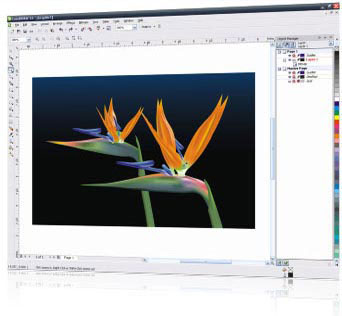
CorelDRAW Graphics Suite X4 delivers all the essential tools for today's busy designer. Create powerful designs using intuitive vector illustration and page layout tools. Retouch and enhance photos with professional photo-editing software. And easily convert bitmap images to editable and scalable vector files. Whatever your project, CorelDRAW Graphics Suite X4 will streamline your workflow and inspire you with new creative possibilities.
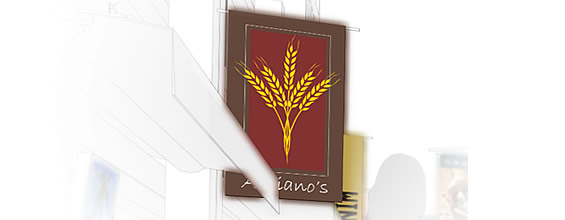
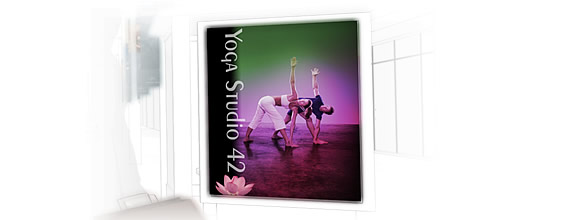
Create illustrations, logos, brochures, newsletters, flyers, signs, Web images and more.
What's Included
-
CorelDRAW X4
-
Corel PHOTO-PAINT X4
-
Corel PowerTRACE X4
-
Wacom Intuos3 A6 wide (4X6) pen tablet X4 (Anniversary Edition only)
-
Corel Painter Sketch Pad (Anniversary Edition only)
Features
Illustrate
CorelDRAW X4 delivers intuitive vector illustration tools that meet the demands of todays busy design professionals and aspiring graphic artists. It delivers results fast, whether youre creating a company logo or working on a large project with a demanding production schedule.
Vector Illustration
Confidently tackle a wide variety of projects, from logos and Web graphics to multi-page brochures and eye-catching signs.
Market-Leading File Compatibility
Open, edit and save as other industry-standard formats, including Adobe Illustrator AI files. Support for more than 100 import/export filters provides greater flexibility.
Layout
CorelDRAW X4 features time-saving text and page layout enhancements that help you complete your designs faster.
New! Interactive Tables
Create and import tables to quickly provide a structured layout for text and graphics.
New! Independent Page Layers
Work with more freedom and control by creating individual page layouts within a multi-page document.
New! Live Text Formatting
See how a text formatting change will look before you apply it.
New! WhatTheFont Integration
Save time by immediately identifying fonts used in existing designs or artwork received from clients (English only).
New! Mirror Paragraph Text
Mirror text horizontally, vertically or both.
Create Boundary, Simplified Star and Smart Fill
Work faster with easy-to-use tools that automate tasks and simplify the design process.
Photo-edit
Corel PHOTO-PAINT X4 is professional image-editing software that lets you quickly and easily retouch and enhance photos. Closely integrated with CorelDRAW X4, its especially useful in a production workflow that includes bitmap photo editing.
New! Raw Camera File Support
CorelDRAW Graphics Suite X4 now supports raw camera file formats for hundreds of different types of cameras. Achieve the results you want with greater artistic control and flexibility while still maintaining the original raw files.
New! Straighten Image
Quickly and easily correct images that were scanned or photographed at an awkward angle.
Enhanced! Histogram Feedback
Edit images more efficiently by previewing changes and comparing results in real time as you adjust image tone, apply effects or process raw camera files.
Enhanced! Tone Curve Adjustments
Adjust images with more precision, thanks to an integrated histogram that provides real-time feedback as you make adjustments. In addition, the new Eyedropper lets you pinpoint specific color locations on the tone curve of your image.
Streamlined Page Sizes
Work more efficiently with page sizes that better reflect your geographic location.
Cut Out Lab
Cut out elements of a picture from its background and maintain fine details. Available in CorelDRAW X4 and Corel PHOTO-PAINT X4, the Cut Out Lab saves valuable time masking objects.
Trace
With Corel PowerTRACE X4, you can quickly and accurately trace bitmaps, converting them into editable and scalable vector images.
Enhanced! Bitmap-to-Vector Conversion
Turn poor-quality bitmaps into high-quality vector images with greater control. This is ideal for creating business cards, brochures, signs or other promotional material.
New! Centerline Trace
This method produces more accurate strokes and is perfect for tracing line drawings or signatures.
Color Palette
Corel PowerTRACE X4 generates a color palette, allowing you to easily edit, merge or delete colors, and control which colors appear in traced results.
User Guide
This comprehensive book outlines how to use each application, tool and feature in the suite.
CorelDRAW Handbook Insights from the Experts
Learn from practical, real-world designs created by CorelDRAW experts.
Designer Notes
Look through designer template notes for information on design choices and for instructions on customizing templates while adhering to design principles.
Quick Reference Card
This handy guide provides shortcuts to the most commonly used tools and menu commands in CorelDRAW and Corel PHOTO-PAINT.
Hints Docker
View interactive hints that get you started quickly and provide step-by-step help on the suite's powerful tools.
Help Files
Find detailed information on using each application, tool and feature in the suite.
Training Videos
Learn the basics of using CorelDRAW Graphics Suite X4 with 2 hours of new training videos on DVD. Topics include illustration, design and image-editing fundamentals, industry-specific design principles and output details for various media, such as print or the Web.
Supporting Applications & Services
- Corel CAPTURE
- CorelDRAW ConceptShare
- Bitstream Font Navigator
- WhatTheFont
- Barcode Wizard
- Service Bureau Profiler
- Duplexing Wizard
Additional Content
- 10,000 high-quality clipart images, individually selected to meet the needs of design professionals and occasional users alike
- 1,000 high resolution, royalty-free photographs from iStockphoto
- Over 1,000 OpenType and international fonts, including 75 Windows Glyph List 4 (WGL4) fonts and 10 engraver fonts
- 80 professionally designed templates
System Requirements
- Windows XP (with Service Pack 2 or later) or Windows Vista (32-bit or 64-bit editions)
- 512 MB RAM, 830 MB hard disk space
- Pentium IV, 800 MHz processor or AMD Athlon XP
- 24-bit color display
- 1,024 768 or better monitor resolution
- DVD drive, mouse and USB port
|
|
|
|
06/04
|
Corel DRAW Graphics Suite X4 20th Anniversary Edition CorelDRAW Anniversary Edition takes you from idea to final creation in the simplest, most natural way possible. With award-winning CorelDRAW Graphics Suite X4, the Wacom Intuos3 A6 (4X6) pen tablet and new Corel Painter Sketch Pad in one complete package, you'll flow through the creative process with more freedom and control than ever before. Now you can freely express yourself the moment inspiration strikesand create anything you imagine.
Overview
CorelDRAW Graphics Suite X4 delivers all the essential tools for today's busy designer. Create powerful designs using intuitive vector illustration and page layout tools. Retouch and enhance photos with professional photo-editing software. And easily convert bitmap images to editable and scalable vector files. Whatever your project, CorelDRAW Graphics Suite X4 will streamline your workflow and inspire you with new creative possibilities.
Create illustrations, logos, brochures, newsletters, flyers, signs, Web images and more.
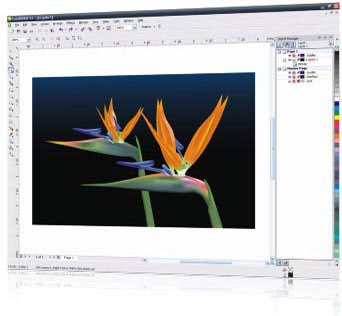

What's Included
-
CorelDRAW X4
-
Corel PHOTO-PAINT X4
-
Corel PowerTRACE X4
-
Wacom Intuos3 A6 wide (4X6) pen tablet X4 (Anniversary Edition only)
-
Corel Painter Sketch Pad (Anniversary Edition only)
Features
Illustrate
CorelDRAW X4 delivers intuitive vector illustration tools that meet the demands of todays busy design professionals and aspiring graphic artists. It delivers results fast, whether youre creating a company logo or working on a large project with a demanding production schedule.
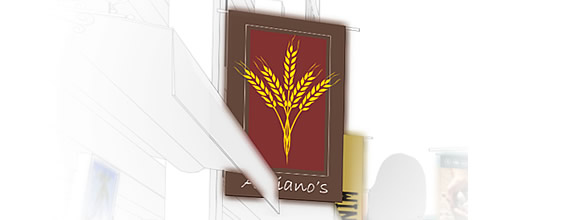
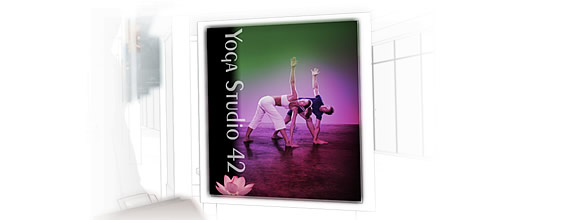
Vector Illustration
Confidently tackle a wide variety of projects, from logos and Web graphics to multi-page brochures and eye-catching signs.
Market-Leading File Compatibility
Open, edit and save as other industry-standard formats, including Adobe Illustrator AI files. Support for more than 100 import/export filters provides greater flexibility.
Layout
CorelDRAW X4 features time-saving text and page layout enhancements that help you complete your designs faster.

New! Interactive Tables
Create and import tables to quickly provide a structured layout for text and graphics.
New! Independent Page Layers
Work with more freedom and control by creating individual page layouts within a multi-page document.
New! Live Text Formatting
See how a text formatting change will look before you apply it.
New! WhatTheFont Integration
Save time by immediately identifying fonts used in existing designs or artwork received from clients (English only).
New! Mirror Paragraph Text
Mirror text horizontally, vertically or both.
Create Boundary, Simplified Star and Smart Fill
Work faster with easy-to-use tools that automate tasks and simplify the design process.
Photo-edit
Corel PHOTO-PAINT X4 is professional image-editing software that lets you quickly and easily retouch and enhance photos. Closely integrated with CorelDRAW X4, its especially useful in a production workflow that includes bitmap photo editing.
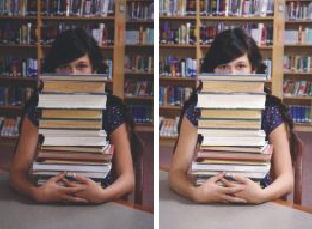
New! Raw Camera File Support
CorelDRAW Graphics Suite X4 now supports raw camera file formats for hundreds of different types of cameras. Achieve the results you want with greater artistic control and flexibility while still maintaining the original raw files.
New! Straighten Image
Quickly and easily correct images that were scanned or photographed at an awkward angle.
Enhanced! Histogram Feedback
Edit images more efficiently by previewing changes and comparing results in real time as you adjust image tone, apply effects or process raw camera files.
Enhanced! Tone Curve Adjustments
Adjust images with more precision, thanks to an integrated histogram that provides real-time feedback as you make adjustments. In addition, the new Eyedropper lets you pinpoint specific color locations on the tone curve of your image.
Streamlined Page Sizes
Work more efficiently with page sizes that better reflect your geographic location.
Cut Out Lab
Cut out elements of a picture from its background and maintain fine details. Available in CorelDRAW X4 and Corel PHOTO-PAINT X4, the Cut Out Lab saves valuable time masking objects.
Trace
With Corel PowerTRACE X4, you can quickly and accurately trace bitmaps, converting them into editable and scalable vector images.

Enhanced! Bitmap-to-Vector Conversion
Turn poor-quality bitmaps into high-quality vector images with greater control. This is ideal for creating business cards, brochures, signs or other promotional material.
New! Centerline Trace
This method produces more accurate strokes and is perfect for tracing line drawings or signatures.
Color Palette
Corel PowerTRACE X4 generates a color palette, allowing you to easily edit, merge or delete colors, and control which colors appear in traced results.
User Guide
This comprehensive book outlines how to use each application, tool and feature in the suite.
CorelDRAW Handbook Insights from the Experts
Learn from practical, real-world designs created by CorelDRAW experts.
Designer Notes
Look through designer template notes for information on design choices and for instructions on customizing templates while adhering to design principles.
Quick Reference Card
This handy guide provides shortcuts to the most commonly used tools and menu commands in CorelDRAW and Corel PHOTO-PAINT.
Hints Docker
View interactive hints that get you started quickly and provide step-by-step help on the suite's powerful tools.
Help Files
Find detailed information on using each application, tool and feature in the suite.
Training Videos
Learn the basics of using CorelDRAW Graphics Suite X4 with 2 hours of new training videos on DVD. Topics include illustration, design and image-editing fundamentals, industry-specific design principles and output details for various media, such as print or the Web.
Supporting Applications & Services
- Corel CAPTURE
- CorelDRAW ConceptShare
- Bitstream Font Navigator
- WhatTheFont
- Barcode Wizard
- Service Bureau Profiler
- Duplexing Wizard
Additional Content
- 10,000 high-quality clipart images, individually selected to meet the needs of design professionals and occasional users alike
- 1,000 high resolution, royalty-free photographs from iStockphoto
- Over 1,000 OpenType and international fonts, including 75 Windows Glyph List 4 (WGL4) fonts and 10 engraver fonts
- 80 professionally designed templates
System Requirements
- Windows XP (with Service Pack 2 or later) or Windows Vista (32-bit or 64-bit editions)
- 512 MB RAM, 830 MB hard disk space
- Pentium IV, 800 MHz processor or AMD Athlon XP
- 24-bit color display
- 1,024 768 or better monitor resolution
- DVD drive, mouse and USB port
|
|
|
|
06/04
|
Corel Draw Graphics suite X4 Home and Student edition Corel Draw Graphics Suite X4 Home and student edition* lets you explore your creative ideas and turn them into outstanding results. Easy-to-use features make it fun to produce all kinds of projects: from T-shirts and posters, to presentations and school reports. Built-in learning tools and tutorials let you learn as you go, and support for market-leading file formats means you can easily share your ideas. Plus, this all-in-one suite comes with a wealth of clipart and fonts to get you started. Whether youre interested in layout, photo editing or illustration you can do it with Corel Draw Graphics Suite X4.
*for non-commercial use only.
Create cool designs with this powerful creative graphics suite
Illustrate
Create your designs quickly and easily with powerful and intuitive illustration tools for print or web
Open and work with all popular file types, including PDF, Microsoft Publisher and Microsoft Word.
Photo Edit
Retouch and enhance photos with powerful image-editing tools
Cut out individual parts of a photo to use in a project or as part of a photo montage with the image Cutout lab.
Layout
Combine Graphics and text to create your own club newsletters, greeting cards or posters
Share your designs in many creative ways on t-shirts, mugs, posters, stickers and much more.
Trace
Convert bitmaps to scalable and editable Logos with only a few mouse clicks.
Expand your creativity by creating line art or cartoons from scanned images.

Unleash your creativity
Easily create amazing illustrations and designs
Turn your creative ideas into cool logos for posters, flyers, signs or web pages.
Spice up your reports and essays with stunning graphics
Express yourself through a wide choice of graphics and text elements
Get started quickly with learning Videos, tutorials and interactive hints
Discover over 1,000 clipart images and 50 fonts to inspire and help you with your projects
|
|
|
|
06/04
|
Corel VideoStudio PRO X2 Ultimate, Video Editing Software - Upgrade Note: This is only the upgrade version of the software
Product InformationFull HD video editing with complete creative control
Corel VideoStudio Pro X2 Ultimate is a complete digital media solution. Edit standard- or high-definition video with templates or hands-on creative tools. Share your movies on Blu-ray Disc, DVD or iPhone, or upload directly to YouTube. Edit audio professionally, copy and convert video, and watch movies with WinDVD 9 Plus Blu-ray!
OverviewVideoStudio is easy-to-use video editing and disc authoring software for creating professional-looking videos and slide shows. Produce complete movies with the time-saving Movie Wizard or use easy editing tools. Share your creation in any format from DVD to mobile phones to the latest high-definition home theater systems. Even upload directly to YouTube to let the whole world in on the fun.
- Grab photos and video from anywhere camcorders, cameras or TV
- Edit with the easy Movie Wizard, or with hands-on professional editing tools
- Make movies pop by adding titles, music and special effects
- Create movie & slideshow discs to share with family and friends
Complete video solution
- Enhanced! Capture video and photos in HD or standard definition from camcorders, the internet, TV, digital cameras and mobile devices
- Personalize video and slide shows with a full set of editing tools
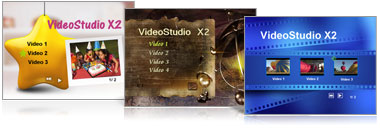
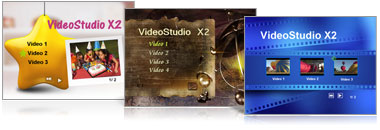
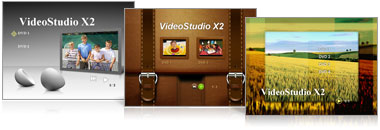
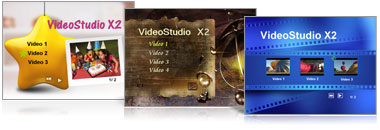
- Create DVDs with stunning animated Hollywood-style menus
- Enhanced! Output movies to HD or standard formats - Blu-ray, AVCHD, DVD, mobile devices, or YouTube
Easy to use
- Enhanced! Create vibrant videos with the flexible user interface, clearly defined icons and guided workflow
- Enhanced! Produce professional-looking movies or photo slide shows with the Movie Wizard - ideal for quick projects or for users new to video editing. Select from attractive theme templates and let the Wizard bring your video and stills to life
- Burn video straight to disc with the DV-to-DVD Wizard the fastest way from tape to DVD. Just hook up your camcorder and in two steps you have a finished DVD
Powerful tools
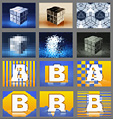
- New! Create sophisticated picture-in-picture and montage effects with transitions on overlay tracks
- New! Apply audio/video cross-fades quickly and accurately by simply Overlapping clips
- Enhanced! Create animated titles and add color backgrounds in a variety of styles
- Encode Dolby Digital 5.1 Surround Sound audio tracks with one click, using standard stereo audio
- Improve video with automatic color and tone correction
Creative control
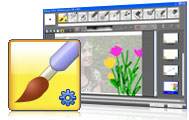
- New! Paint, draw, or write freehand on video with the new Painting Creator for example, draw vacation routes on a map
- Enhanced! Make photo slide shows come to life with Auto Pan & Zoom that automatically recognizes faces
- Replace any color background with effective Chroma Key tools
- Enhanced! Create sophisticated DVD menus with unique disc menu transitions
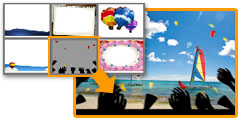
- Enhanced! Jumpstart your creativity with 100s of effects filters and content like overlay frames, objects and Flash animations
- New! Make your video look like old film with NewBlue Film Effects filters
End-to-end HD support
- Enhanced! Import video in leading HD formats, including HDV, AVCHD and Blu-ray Disc
- Enhanced! Edit smoothly and efficiently with unique Smart Proxy
- Enhanced! Encode fast with dual-core and quad-core CPUs, in the latest formats like H.264
- Enhanced! Author Blu-ray and AVCHD discs with sophisticated menus
- Watch DVDsand AVCHD movies with Corel WinDVD
Easier & more intuitive editing
- Create video/audio cross-fades by simply dragging clips over each other
- Resize interface windows to suit your needs
- Apply effects more easily and accurately with larger dialog boxes and controls.
- Trim clips quickly directly in the library
More creative options
- Draw, paint or write freehand on video with the unique new Painting Creator. For example, trace a family vacation on the map
- Add transitions to overlay tracks for sophisticated picture-in-picture effects
- Apply auto pan & zoom to photos individually or in groups
- Add background shapes to titles to make them stand out more
- Recreate the appealing look of true cinema and old film with NewBlue Film Effects
More content
- Jumpstart your creativity with new templates for movies and DVD menus
- Movie Wizard and disc menu templates have been added in standard and high-definition formats

- Make your movies pop with new overlay objects, frames and Flash animations
More sharing
- Uploading to YouTube is easier, faster and more powerful. Sign in to your YouTube account directly and encode your movies in FLV for the best quality
- Create high-definition AVCHD discs using standard DVDs
- Take your videos on the go with support for Apple iPhone
Next-generation HD
- Capture and import from AVCHD, Blu-ray Disc and JVC HD camcorders
- Edit HD video quickly and smoothly with enhanced Smart Proxy editing
- Render faster with improved MPEG encoding performance
- Enjoy enhanced performance with support for Intel quad-core technology
System Requirements
Minimum requirements
- Intel Pentium 4, AMD Athlon XP (equivalent) or higher recommended
- Microsoft Windows XP SP2 Home Edition/Professional, Windows XP Media Center Edition, Windows XP Professional x64 Edition, Windows Vista
- 512 MB of RAM (1 GB or higher recommended)
- 1 GB of available hard disk space for program installation
- Windows-compatible sound card (multi-channel sound card for surround sound support recommended)
- Windows-compatible DVD-ROM for installation
Non-Proxy HDV Editing
- Intel Pentium 4 3.0 GHz, AMD Athlon XP 3000+ or higher with Hyper-Threading technology
- 1 GB of RAM (2GB or higher recommended)
- 16X PCI Express display adapter
Input/Output Device Support
- 1394 FireWire cards for use with DV/D8/HDV camcorders
- Support for OHCI Compliant IEEE-1394
- Analog capture cards for analog camcorders (VFW & WDM support for XP and Broadcast Driver Architecture support for Vista)
- Analog and Digital TV capture device (Broadcast Driver Architecture support)
- USB capture devices, PC cameras, and DVD/hard drive/AVCHD/Blu-ray camcorders
- Windows compatible Blu-ray, HD DVD, DVD-R/RW, DVD+R/RW, DVD-RAM or CD-R/RW drive
- Apple iPhone, iPod with video, Sony PSP, Pocket PC, Smartphone, Nokia Mobile phone, Microsoft Zune
Input File Format Support
- Video: AVI, MPEG-1, MPEG-2, HDV, AVCHD, M2T, MPEG-4, H.264, QuickTime, Windows Media Format, DVR-MS, MOD (JVC MOD File Format), M2TS, TOD, BDMV, 3GPP, 3GPP2
- Audio: Dolby Digital Stereo, Dolby Digital 5.1, MP3, MPA, QuickTime, WAV, Windows Media Format
- Images: BMP, CLP, CUR, EPS, FAX, FPX, GIF87a, ICO, IFF, IMG, JP2, JPC, JPG, PCD, PCT, PCX, PIC, PNG, PSD, PXR, RAS, SCT, SHG, TGA, TIF/TIFF, UFO, UFP, WMF
- Disc: DVD, Video CD (VCD), Super Video CD (SVCD)
Output File Format Support
- Video: AVI, MPEG-1, MPEG-2, HDV, AVCHD, MPEG-4, H.264, QuickTime, RealMedia, Windows Media Format, BDMV, 3GPP, 3GPP2, FLV
- Audio: Dolby Digital Stereo, Dolby Digital 5.1, MPA, WAV, Windows Media Format
- Images: BMP, JPG
- Disc: DVD, Video CD (VCD), Super Video CD (SVCD), Blu-ray (BDMV)
- Media: CD-R/RW, DVD-R/RW, DVD+R/RW, DVD-R Dual Layer, DVD+R Double Layer, BD-R/RE
|
|
|
|
06/04
|
Corel VideoStudio PRO X2 Ultimate - Video Editing Software Product InformationFull HD video editing with complete creative control
Corel VideoStudio Pro X2 Ultimate is a complete digital media solution. Edit standard- or high-definition video with templates or hands-on creative tools. Share your movies on Blu-ray Disc, DVD or iPhone, or upload directly to YouTube. Edit audio professionally, copy and convert video, and watch movies with WinDVD 9 Plus Blu-ray!
OverviewVideoStudio is easy-to-use video editing and disc authoring software for creating professional-looking videos and slide shows. Produce complete movies with the time-saving Movie Wizard or use easy editing tools. Share your creation in any format from DVD to mobile phones to the latest high-definition home theater systems. Even upload directly to YouTube to let the whole world in on the fun.
- Grab photos and video from anywhere camcorders, cameras or TV
- Edit with the easy Movie Wizard, or with hands-on professional editing tools
- Make movies pop by adding titles, music and special effects
- Create movie & slideshow discs to share with family and friends
Complete video solution
- Enhanced! Capture video and photos in HD or standard definition from camcorders, the internet, TV, digital cameras and mobile devices
- Personalize video and slide shows with a full set of editing tools
- Create DVDs with stunning animated Hollywood-style menus
- Enhanced! Output movies to HD or standard formats - Blu-ray, AVCHD, DVD, mobile devices, or YouTube
Easy to use
- Enhanced! Create vibrant videos with the flexible user interface, clearly defined icons and guided workflow
- Enhanced! Produce professional-looking movies or photo slide shows with the Movie Wizard - ideal for quick projects or for users new to video editing. Select from attractive theme templates and let the Wizard bring your video and stills to life
- Burn video straight to disc with the DV-to-DVD Wizard the fastest way from tape to DVD. Just hook up your camcorder and in two steps you have a finished DVD
Powerful tools
- New! Create sophisticated picture-in-picture and montage effects with transitions on overlay tracks
- New! Apply audio/video cross-fades quickly and accurately by simply Overlapping clips
- Enhanced! Create animated titles and add color backgrounds in a variety of styles
- Encode Dolby Digital 5.1 Surround Sound audio tracks with one click, using standard stereo audio
- Improve video with automatic color and tone correction
Creative control
- New! Paint, draw, or write freehand on video with the new Painting Creator for example, draw vacation routes on a map
- Enhanced! Make photo slide shows come to life with Auto Pan & Zoom that automatically recognizes faces
- Replace any color background with effective Chroma Key tools
- Enhanced! Create sophisticated DVD menus with unique disc menu transitions
- Enhanced! Jumpstart your creativity with 100s of effects filters and content like overlay frames, objects and Flash animations
- New! Make your video look like old film with NewBlue Film Effects filters
End-to-end HD support
- Enhanced! Import video in leading HD formats, including HDV, AVCHD and Blu-ray Disc
- Enhanced! Edit smoothly and efficiently with unique Smart Proxy
- Enhanced! Encode fast with dual-core and quad-core CPUs, in the latest formats like H.264
- Enhanced! Author Blu-ray and AVCHD discs with sophisticated menus
- Watch DVDsand AVCHD movies with Corel WinDVD
Easier & more intuitive editing
- Create video/audio cross-fades by simply dragging clips over each other
- Resize interface windows to suit your needs
- Apply effects more easily and accurately with larger dialog boxes and controls.
- Trim clips quickly directly in the library
More creative options
- Draw, paint or write freehand on video with the unique new Painting Creator. For example, trace a family vacation on the map
- Add transitions to overlay tracks for sophisticated picture-in-picture effects
- Apply auto pan & zoom to photos individually or in groups
- Add background shapes to titles to make them stand out more
- Recreate the appealing look of true cinema and old film with NewBlue Film Effects
More content
- Jumpstart your creativity with new templates for movies and DVD menus
- Movie Wizard and disc menu templates have been added in standard and high-definition formats

- Make your movies pop with new overlay objects, frames and Flash animations
More sharing
- Uploading to YouTube is easier, faster and more powerful. Sign in to your YouTube account directly and encode your movies in FLV for the best quality
- Create high-definition AVCHD discs using standard DVDs
- Take your videos on the go with support for Apple iPhone
Next-generation HD
- Capture and import from AVCHD, Blu-ray Disc and JVC HD camcorders
- Edit HD video quickly and smoothly with enhanced Smart Proxy editing
- Render faster with improved MPEG encoding performance
- Enjoy enhanced performance with support for Intel quad-core technology
System Requirements
Minimum requirements
- Intel Pentium 4, AMD Athlon XP (equivalent) or higher recommended
- Microsoft Windows XP SP2 Home Edition/Professional, Windows XP Media Center Edition, Windows XP Professional x64 Edition, Windows Vista
- 512 MB of RAM (1 GB or higher recommended)
- 1 GB of available hard disk space for program installation
- Windows-compatible sound card (multi-channel sound card for surround sound support recommended)
- Windows-compatible DVD-ROM for installation
Non-Proxy HDV Editing
- Intel Pentium 4 3.0 GHz, AMD Athlon XP 3000+ or higher with Hyper-Threading technology
- 1 GB of RAM (2GB or higher recommended)
- 16X PCI Express display adapter
Input/Output Device Support
- 1394 FireWire cards for use with DV/D8/HDV camcorders
- Support for OHCI Compliant IEEE-1394
- Analog capture cards for analog camcorders (VFW & WDM support for XP and Broadcast Driver Architecture support for Vista)
- Analog and Digital TV capture device (Broadcast Driver Architecture support)
- USB capture devices, PC cameras, and DVD/hard drive/AVCHD/Blu-ray camcorders
- Windows compatible Blu-ray, HD DVD, DVD-R/RW, DVD+R/RW, DVD-RAM or CD-R/RW drive
- Apple iPhone, iPod with video, Sony PSP, Pocket PC, Smartphone, Nokia Mobile phone, Microsoft Zune
Input File Format Support
- Video: AVI, MPEG-1, MPEG-2, HDV, AVCHD, M2T, MPEG-4, H.264, QuickTime, Windows Media Format, DVR-MS, MOD (JVC MOD File Format), M2TS, TOD, BDMV, 3GPP, 3GPP2
- Audio: Dolby Digital Stereo, Dolby Digital 5.1, MP3, MPA, QuickTime, WAV, Windows Media Format
- Images: BMP, CLP, CUR, EPS, FAX, FPX, GIF87a, ICO, IFF, IMG, JP2, JPC, JPG, PCD, PCT, PCX, PIC, PNG, PSD, PXR, RAS, SCT, SHG, TGA, TIF/TIFF, UFO, UFP, WMF
- Disc: DVD, Video CD (VCD), Super Video CD (SVCD)
Output File Format Support
- Video: AVI, MPEG-1, MPEG-2, HDV, AVCHD, MPEG-4, H.264, QuickTime, RealMedia, Windows Media Format, BDMV, 3GPP, 3GPP2, FLV
- Audio: Dolby Digital Stereo, Dolby Digital 5.1, MPA, WAV, Windows Media Format
- Images: BMP, JPG
- Disc: DVD, Video CD (VCD), Super Video CD (SVCD), Blu-ray (BDMV)
- Media: CD-R/RW, DVD-R/RW, DVD+R/RW, DVD-R Dual Layer, DVD+R Double Layer, BD-R/RE
|
|
|
|
06/04
|
Corel VideoStudio PRO X2 - Video Editing Software Upgrade NOTE: This is only the upgrade version of the software
VideoStudio is easy-to-use video editing and disc authoring software for creating professional-looking videos and slide shows. Produce complete movies with the time-saving Movie Wizard or use easy editing tools. Share your creation in any format from DVD to mobile phones to the latest high-definition home theater systems. Even upload directly to YouTube to let the whole world in on the fun.
- Grab photos and video from anywhere camcorders, cameras or TV
- Edit with the easy Movie Wizard, or with hands-on professional editing tools
- Make movies pop by adding titles, music and special effects
- Create movie & slideshow discs to share with family and friends
What's Included
- VideoStudio Editor powerful editing & disc authoring in leading formats, including HDV and AVCHD
- Movie Wizard create complete movies in a few clicks
- DV-to-DVD Wizard the fastest way to record directly from tape to disc you can even author Blu-ray and AVCHD discs
- Supplementary content extensive library of templates, overlay clips, title animations, menus and effects help personalize and enhance projects
- Bonus NewBlue Film Effects 5 filters with 81 presets that give videos the magic of an "old-film" appearance
- Documentation Help file and PDF User Guide
What's New
Easier & more intuitive editing
- Create video/audio cross-fades by simply dragging clips over each other
- Resize interface windows to suit your needs
- Apply effects more easily and accurately with larger dialog boxes and controls.
- Trim clips quickly directly in the library
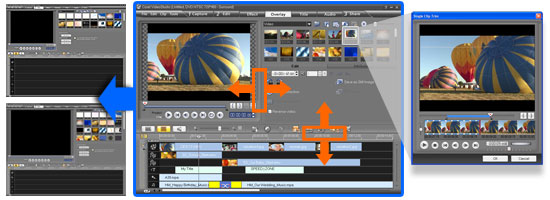
More creative options
- Draw, paint or write freehand on video with the unique new Painting Creator. For example, trace a family vacation on the map
- Add transitions to overlay tracks for sophisticated picture-in-picture effects
- Apply auto pan & zoom to photos individually or in groups
- Add background shapes to titles to make them stand out more
- Recreate the appealing look of true cinema and old film with NewBlue Film Effects
More content
- Jumpstart your creativity with new templates for movies and DVD menus
- Movie Wizard and disc menu templates have been added in standard and high-definition formats

- Make your movies pop with new overlay objects, frames and Flash animations
More sharing
- Uploading to YouTube is easier, faster and more powerful. Sign in to your YouTube account directly and encode your movies in FLV for the best quality
- Create high-definition AVCHD discs using standard DVDs
- Take your videos on the go with support for Apple iPhone
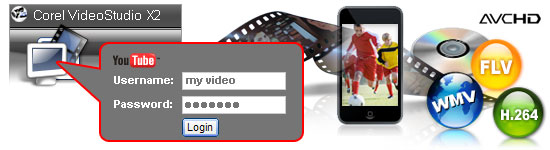
Next-generation HD
- Capture and import from AVCHD, Blu-ray Disc and JVC HD camcorders
- Edit HD video quickly and smoothly with enhanced Smart Proxy editing
- Render faster with improved MPEG encoding performance
- Enjoy enhanced performance with support for Intel quad-core technology
 |
 |
Render 30 mins AVCHD film (1440x1080)
|
System Requirements
Minimum requirements
- Intel Pentium 4, AMD Athlon XP (equivalent) or higher recommended
- Microsoft Windows XP SP2 Home Edition/Professional, Windows XP Media Center Edition, Windows XP Professional x64 Edition, Windows Vista
- 512 MB of RAM (1 GB or higher recommended)
- 1 GB of available hard disk space for program installation
- Windows-compatible sound card (multi-channel sound card for surround sound support recommended)
- Windows-compatible DVD-ROM for installation
Non-Proxy HDV Editing
- Intel Pentium 4 3.0 GHz, AMD Athlon XP 3000+ or higher with Hyper-Threading technology
- 1 GB of RAM (2GB or higher recommended)
- 16X PCI Express display adapter
Input/Output Device Support
- 1394 FireWire cards for use with DV/D8/HDV camcorders
- Support for OHCI Compliant IEEE-1394
- Analog capture cards for analog camcorders (VFW & WDM support for XP and Broadcast Driver Architecture support for Vista)
- Analog and Digital TV capture device (Broadcast Driver Architecture support)
- USB capture devices, PC cameras, and DVD/hard drive/AVCHD/Blu-ray camcorders
- Windows compatible Blu-ray, HD DVD, DVD-R/RW, DVD+R/RW, DVD-RAM or CD-R/RW drive
- Apple iPhone, iPod with video, Sony PSP, Pocket PC, Smartphone, Nokia Mobile phone, Microsoft Zune
Input File Format Support
- Video: AVI, MPEG-1, MPEG-2, HDV, AVCHD, M2T, MPEG-4, H.264, QuickTime, Windows Media Format, DVR-MS, MOD (JVC MOD File Format), M2TS, TOD, BDMV, 3GPP, 3GPP2
- Audio: Dolby Digital Stereo, Dolby Digital 5.1, MP3, MPA, QuickTime, WAV, Windows Media Format
- Images: BMP, CLP, CUR, EPS, FAX, FPX, GIF87a, ICO, IFF, IMG, JP2, JPC, JPG, PCD, PCT, PCX, PIC, PNG, PSD, PXR, RAS, SCT, SHG, TGA, TIF/TIFF, UFO, UFP, WMF
- Disc: DVD, Video CD (VCD), Super Video CD (SVCD)
Output File Format Support
- Video: AVI, MPEG-1, MPEG-2, HDV, AVCHD, MPEG-4, H.264, QuickTime, RealMedia, Windows Media Format, BDMV, 3GPP, 3GPP2, FLV
- Audio: Dolby Digital Stereo, Dolby Digital 5.1, MPA, WAV, Windows Media Format
- Images: BMP, JPG
- Disc: DVD, Video CD (VCD), Super Video CD (SVCD), Blu-ray (BDMV)
- Media: CD-R/RW, DVD-R/RW, DVD+R/RW, DVD-R Dual Layer, DVD+R Double Layer, BD-R/RE
|
|
|
|
06/04
|
Corel VideoStudio PRO X2 - Video Editing Software VideoStudio is easy-to-use video editing and disc authoring software for creating professional-looking videos and slide shows. Produce complete movies with the time-saving Movie Wizard or use easy editing tools. Share your creation in any format from DVD to mobile phones to the latest high-definition home theater systems. Even upload directly to YouTube to let the whole world in on the fun.
- Grab photos and video from anywhere camcorders, cameras or TV
- Edit with the easy Movie Wizard, or with hands-on professional editing tools
- Make movies pop by adding titles, music and special effects
- Create movie & slideshow discs to share with family and friends
What's Included
- VideoStudio Editor powerful editing & disc authoring in leading formats, including HDV and AVCHD
- Movie Wizard create complete movies in a few clicks
- DV-to-DVD Wizard the fastest way to record directly from tape to disc you can even author Blu-ray and AVCHD discs
- Supplementary content extensive library of templates, overlay clips, title animations, menus and effects help personalize and enhance projects
- Bonus NewBlue Film Effects 5 filters with 81 presets that give videos the magic of an "old-film" appearance
- Documentation Help file and PDF User Guide
What's New
Easier & more intuitive editing
- Create video/audio cross-fades by simply dragging clips over each other
- Resize interface windows to suit your needs
- Apply effects more easily and accurately with larger dialog boxes and controls.
- Trim clips quickly directly in the library
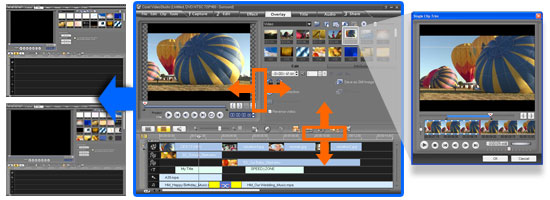
More creative options
- Draw, paint or write freehand on video with the unique new Painting Creator. For example, trace a family vacation on the map
- Add transitions to overlay tracks for sophisticated picture-in-picture effects
- Apply auto pan & zoom to photos individually or in groups
- Add background shapes to titles to make them stand out more
- Recreate the appealing look of true cinema and old film with NewBlue Film Effects
More content
- Jumpstart your creativity with new templates for movies and DVD menus
- Movie Wizard and disc menu templates have been added in standard and high-definition formats

- Make your movies pop with new overlay objects, frames and Flash animations
More sharing
- Uploading to YouTube is easier, faster and more powerful. Sign in to your YouTube account directly and encode your movies in FLV for the best quality
- Create high-definition AVCHD discs using standard DVDs
- Take your videos on the go with support for Apple iPhone
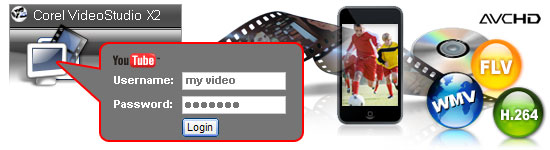
Next-generation HD
- Capture and import from AVCHD, Blu-ray Disc and JVC HD camcorders
- Edit HD video quickly and smoothly with enhanced Smart Proxy editing
- Render faster with improved MPEG encoding performance
- Enjoy enhanced performance with support for Intel quad-core technology
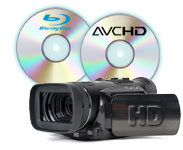 |
 |
Render 30 mins AVCHD film (1440x1080)
|
System Requirements
Minimum requirements
- Intel Pentium 4, AMD Athlon XP (equivalent) or higher recommended
- Microsoft Windows XP SP2 Home Edition/Professional, Windows XP Media Center Edition, Windows XP Professional x64 Edition, Windows Vista
- 512 MB of RAM (1 GB or higher recommended)
- 1 GB of available hard disk space for program installation
- Windows-compatible sound card (multi-channel sound card for surround sound support recommended)
- Windows-compatible DVD-ROM for installation
Non-Proxy HDV Editing
- Intel Pentium 4 3.0 GHz, AMD Athlon XP 3000+ or higher with Hyper-Threading technology
- 1 GB of RAM (2GB or higher recommended)
- 16X PCI Express display adapter
Input/Output Device Support
- 1394 FireWire cards for use with DV/D8/HDV camcorders
- Support for OHCI Compliant IEEE-1394
- Analog capture cards for analog camcorders (VFW & WDM support for XP and Broadcast Driver Architecture support for Vista)
- Analog and Digital TV capture device (Broadcast Driver Architecture support)
- USB capture devices, PC cameras, and DVD/hard drive/AVCHD/Blu-ray camcorders
- Windows compatible Blu-ray, HD DVD, DVD-R/RW, DVD+R/RW, DVD-RAM or CD-R/RW drive
- Apple iPhone, iPod with video, Sony PSP, Pocket PC, Smartphone, Nokia Mobile phone, Microsoft Zune
Input File Format Support
- Video: AVI, MPEG-1, MPEG-2, HDV, AVCHD, M2T, MPEG-4, H.264, QuickTime, Windows Media Format, DVR-MS, MOD (JVC MOD File Format), M2TS, TOD, BDMV, 3GPP, 3GPP2
- Audio: Dolby Digital Stereo, Dolby Digital 5.1, MP3, MPA, QuickTime, WAV, Windows Media Format
- Images: BMP, CLP, CUR, EPS, FAX, FPX, GIF87a, ICO, IFF, IMG, JP2, JPC, JPG, PCD, PCT, PCX, PIC, PNG, PSD, PXR, RAS, SCT, SHG, TGA, TIF/TIFF, UFO, UFP, WMF
- Disc: DVD, Video CD (VCD), Super Video CD (SVCD)
Output File Format Support
- Video: AVI, MPEG-1, MPEG-2, HDV, AVCHD, MPEG-4, H.264, QuickTime, RealMedia, Windows Media Format, BDMV, 3GPP, 3GPP2, FLV
- Audio: Dolby Digital Stereo, Dolby Digital 5.1, MPA, WAV, Windows Media Format
- Images: BMP, JPG
- Disc: DVD, Video CD (VCD), Super Video CD (SVCD), Blu-ray (BDMV)
- Media: CD-R/RW, DVD-R/RW, DVD+R/RW, DVD-R Dual Layer, DVD+R Double Layer, BD-R/RE
|
|
|
|
06/04
|
Corel VideoStudio X2 - Video Editing Software
Overview
VideoStudio is easy-to-use video editing and disc authoring software for creating professional-looking videos and slide shows. Produce complete movies with the time-saving Movie Wizard or use easy editing tools. Share your creation in any format from DVD to mobile phones to the latest high-definition home theater systems. Even upload directly to YouTube to let the whole world in on the fun.
- Grab photos and video from anywhere camcorders, cameras or TV
- Edit with the easy Movie Wizard, or with hands-on professional editing tools
- Make movies pop by adding titles, music and special effects
- Create movie & slideshow discs to share with family and friends
Features
Ideal for beginners to video editing, VideoStudio X2 lets anyone turn video clips and photos into fun movies and slide shows.
Movie Making Made Easy
- Produce Hollywood-style movies in just minutes
- Enhanced! Create vibrant videos easier with the flexible user interface, clearly defined icons and guided workflow
- Enhanced! Select from attractive theme templates and let The Movie Wizard create a professional-looking movie or photo slide show, bringing your video and stills to life. Ideal for beginners
- The DV-to-DVD Wizard is the fastest way from tape to DVD. Just hook up your camcorder and in two steps you have a finished DVD
Professional-looking results
- Enhanced! Create dazzling movies with professionally-designed theme templates and DVD menus
- Personalize your projects with easy-to-use creative options, adding titles, transitions and music tracks
- Enhanced! Jumpstart your creativity with 100's of effects filters and content like overlay frames, objects and Flash animations
- New! Paint, draw, or write freehand on video with the new Painting Creator for example, trace your vacation routes on a map
Share on YouTube or DVD
- Enhanced! Upload movies directly to YouTube to share with family and friends
- Create DVDs with stunning animated Hollywood-style menus
- Enhanced! Send movies by email or share on mobile devices
- Enhanced! Create high-definition AVCHD discs using standard DVDs and burners

Works with cameras, camcorders and cell phones
- Use photos and video from camcorders, the internet, TV, digital cameras and cell phones
- Make exciting HD movies from your AVCHD camcorder

What's New
Easier & more intuitive editing
- Create video/audio cross-fades by simply dragging clips over each other
- Resize interface windows to suit your needs
- Apply effects more easily and accurately with larger dialog boxes and controls.
- Trim clips quickly directly in the library
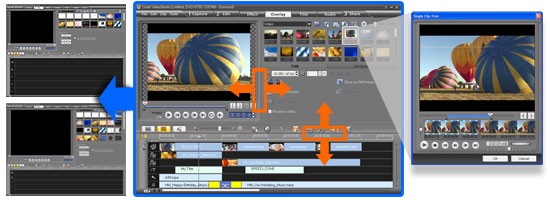
More creative options
- Draw, paint or write freehand on video with the unique new Painting Creator. For example, trace a family vacation on the map
- Add transitions to overlay tracks for sophisticated picture-in-picture effects
- Apply auto pan & zoom to photos individually or in groups
- Add background shapes to titles to make them stand out more
- Recreate the appealing look of true cinema and old film with NewBlue Film Effects
More content
- Jumpstart your creativity with new templates for movies and DVD menus
- Movie Wizard and disc menu templates have been added in standard and high-definition formats

- Make your movies pop with new overlay objects, frames and Flash animations
More sharing
- Uploading to YouTube is easier, faster and more powerful. Sign in to your YouTube account directly and encode your movies in FLV for the best quality
- Create high-definition AVCHD discs using standard DVDs and burners
- Take your videos to new places with support for Apple iPhone
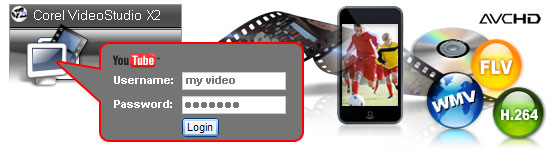
Next-generation HD
- Capture and import from AVCHD, Blu-ray Disc and JVC HD camcorders
- Edit HD video quickly and smoothly with enhanced Smart Proxy editing
- Render faster with improved MPEG encoding performance
- Enjoy enhanced performance with support for Intel quad-core technology
 |
 |
Render 30 mins AVCHD film (1440x1080)
|
What's Included
- VideoStudio Editor powerful editing & disc authoring in leading formats, including HDV and AVCHD
- Movie Wizard helps create complete movies in a few clicks
- DV-to-DVD Wizard the fastest way to record directly from tape to disc
- Corel WinDVD the world's #1 DVD playback software
- Supplementary content extensive library of templates, overlay clips, title animations, menus and effects that help personalize and enhance projects
- Documentation Help file and PDF User Guide
System Requirements
Minimum requirements
- Intel Pentium 4, AMD Athlon XP (equivalent) or higher recommended
- Microsoft Windows XP SP2 Home Edition/Professional, Windows XP Media Center Edition, Windows XP Professional x64 Edition, Windows Vista
- 512 MB of RAM (1 GB or higher recommended)
- 1 GB of available hard disk space for program installation
- Windows-compatible sound card (multi-channel sound card for surround sound support recommended)
- Windows-compatible DVD-ROM for installation
Non-Proxy HDV Editing
- Intel Pentium 4 3.0 GHz, AMD Athlon XP 3000+ or higher with Hyper-Threading technology
- 1 GB of RAM (2GB or higher recommended)
- 16X PCI Express display adapter
Input/Output Device Support
- 1394 FireWire cards for use with DV/D8/HDV camcorders
- Support for OHCI Compliant IEEE-1394
- Analog capture cards for analog camcorders (VFW & WDM support for XP and Broadcast Driver Architecture support for Vista)
- Analog and Digital TV capture device (Broadcast Driver Architecture support)
- USB capture devices, PC cameras, and DVD/hard drive/AVCHD/Blu-ray camcorders
- Windows compatible Blu-ray, HD DVD, DVD-R/RW, DVD+R/RW, DVD-RAM or CD-R/RW drive
- Pocket PC, Smartphone, Microsoft Zune
Input File Format Support
- Video: AVI, MPEG-1, MPEG-2, HDV, AVCHD, M2T, QuickTime, Windows Media Format, DVR-MS, MOD (JVC MOD File Format), M2TS, TOD, BDMV
- Audio: Dolby Digital Stereo, MP3, MPA, QuickTime, WAV, Windows Media Format
- Images: BMP, CLP, CUR, EPS, FAX, FPX, GIF87a, ICO, IFF, IMG, JP2, JPC, JPG, PCD, PCT, PCX, PIC, PNG, PSD, PXR, RAS, SCT, SHG, TGA, TIF/TIFF, UFO, UFP, WMF
- Disc: DVD, Video CD (VCD), Super Video CD (SVCD)
Output File Format Support
- Video: AVI, MPEG-1, MPEG-2, HDV, AVCHD, QuickTime, RealMedia, Windows Media Format, FLV
- Audio: Dolby Digital Stereo, MPA, WAV, Windows Media Format
- Images: BMP, JPG
- Disc: DVD, Video CD (VCD), Super Video CD (SVCD)
- Media: CD-R/RW, DVD-R/RW, DVD+R/RW, DVD-R Dual Layer, DVD+R Double Layer
|
|
|
|
06/04
|
Corel Photo Impact X3 Upgrade NOTE: This is only an upgrade version for the software
|
Easy & Fast ExpressFix Mode
Automated enhancements and easy-to-understand options put the tools you need at your fingertips!
- Instantly fix exposure, color, and composition
- Beginners like the simplicity, experienced users like the efficiency!
|
|
|
Take Your Photos to New Places
Use easy wizards to create fun photo projects and gifts. Choose from over 200 customizable templates for a wide range of ways to share your pictures.
- Collages
- Comic strips
- Calendars
- Greeting cards
|
 |
Create Amazing Digital Art
Paint realistic looking clouds with the cloud pen, Enhance your photos with creative filters, and draw and paint like a pro. |
|
|
Corel Painter Essentials 3 Full Version
- A complete home art studio - for novices and experts alike.
- Breathtaking Natural-Media watercolor and oil-paint brushes behave just like the real thing!
- Automatically turn your photos of kids, travel, or weddings into stunning paintings in 3 easy steps!
|
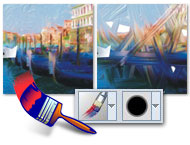 |
|
Graphics Tools for Video Enthusiasts
If youre into creating video, you also need tools for photos and graphics
- Slideshow Prep Wizard - Make sure your photos look their best in a DVD slideshow.
- DVD Content Sets - Design and print DVD labels and case covers that match menus in Ulead DVD MovieFactory and VideoStudio.
- DVD Menu Maker Plug-in included create your own completely custom DVD menus.
|
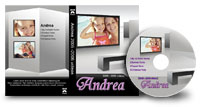 |
|
BONUS! Corel MediaOne Plus* Digital Media Management
Keep track of all your digital images with this complete media management suite. Import, tag and sort your photos and video, and find any image fast.
- Create virtual groups, or Smart Collections to keep your photos organized.
- Add descriptions and tags, to retrieve images individually or in groups.
- Create video slideshows to send to friends and family.
|
 |
Make Every Photo Special
Make every photo special with automated enhancements and easy-to-understand options for editing and sharing!
|
Easy and Fast ExpressFix Mode
Unique ExpressFix panel with one-click fixes and enhancements. Large preview screen with Before and After views.
- SmartCurves Automatically bring out details in dark areas, without overexposing the highlights.
- Auto White Balance Control - Easily correct your images to make colors look natural under any kind of light.
- Reduce Noise Automatically clean up digital artifacts in photos shot in low light or at high ISO settings. Especially useful for improving pics from cell phone cameras.
- Photo Project wizard Easily create collages, comic strips, DVD labels and greeting cards.
|
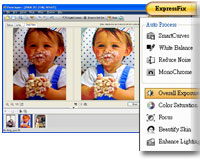 |
|

Next-generation Crop tools
PhotoImpact now offers two easy ways to recompose your pictures for more impact:
- Rule of Thirds Crop Apply the classic Rule of Thirds grid for more dynamic images.
- Golden Ratio Crop Used throughout history by the masters, this is a timeless tool to compose more powerful images. It worked for the Mona Lisa it can work for your photos too!
|
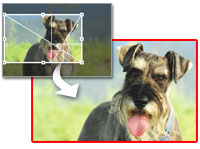 |
|
SmartGuide How-to Help
Shows you how to complete great-looking projects:
- Step-by-step directions on-screen.
- Guides for basic and advanced photo-editing, Webpage, video and DVD menu tasks.
- Links take you directly to the tools you need.
|
 |
More Editing Power
PhotoImpact X3 includes a complete set of powerful tools to satisfy the demands of high-end users.
|
Powerful Retouching Enhance your photos using advanced darkroom tools.
- Dodge, Burn, Remove Scratch and many others.
- Touch-up Tool Easily remove skin blemishes and unwanted image details and objects.
|
 |

RAW File Support - Brighter previews, improved performance and a greater number of supported camera models make working with your RAW images easier than ever. |
 |
|
High Dynamic Range
- Create professional images that capture color and detail in both shadows and highlights.
- Remove elements of the scene that change between shots.
- Enhanced with preset curves for more camera models.
SmartRemove Scene Compositor
- Selectively remove undesired elements from multiple shots of the same scene keep just the elements you want!
- Replicate your subject in multiple poses in the same scene, or create a crowd where there was none.
|
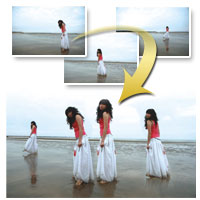 |
Take your photos to new places
Create Amazing Digital Art
|

Cloud Pen
- Say goodbye to dull skies! Paint natural-looking clouds or add fun effects.
- Choose from cumulus, cirrus, and stratus cloud types.
- Get creative with fantasy cloud animals, skywriting or smoke signals.
|
 |
|
BONUS!Corel Painter Essentials 3 Full Version
- A complete home art studio - for novices and experts alike.
- Draw or paint original artwork, or enhance your photos with paint effects.
- Breathtaking Natural-Media watercolor and oil-paint brushes behave just like the real thing!
- Automatically turn your photos of kids, travel, or weddings into stunning paintings in 3 easy steps!
Creative Photographic Filters
- Choose from 100s of optical effects, textures and lighting effects to add flair to your photos.
|
 |
Graphics Tools for Video Enthusiasts
Make your video productions stand out. PhotoImpact will help you create stunning graphics for slideshows, videos, DVDs and more.
Slideshow Prep Wizard
- Make sure your photos look their best in a DVD slideshow.
- Choose from a selection of sophisticated frames, drop-shadow and color-gradient background styles.
- Add date/time labels, and batch process.
- Import your photos into Ulead VideoStudio or DVD MovieFactory to create your slideshow!
|
 |
|
DVD Content Sets
Present your video projects like a pro. Design and print DVD labels and case covers that match menus in DVD MovieFactory and VideoStudio.
Save Images for Video
Generate GIF & PNG images with transparency for video overlays, logos or lower-thirds.
DVD Menu Maker Plug-in
Create DVD menus for Ulead DVD MovieFactory 5/6 and Ulead VideoStudio 10/11.
|
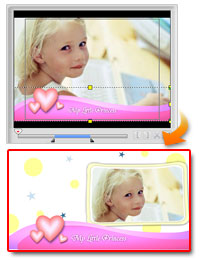 |
System Requirements
System Requirements
- Intel Pentium III, AMD Athlon 800 or above CPU
- 512 MB RAM (for Windows XP), 1 GB RAM (for Windows Vista)
- Windows XP Service Pack 2 Home Edition / Professional, Windows XP Media Center Edition, Windows XP Professional x64 Edition, Windows Vista Operating System
- 750 MB available hard drive space for main program and content files
- An additional 320 MB available hard drive space for bonus programs
- True Color or Hi-Color display adapter with 1024x768 resolutions or higher
- CD-ROM Drive
File Format Support
001, BMP, CLP, CUR, DCS, DCX, EPS, FAX, FPX, GIF, ICO, IFF, IMG, JP2, JPC, JPG, MAC, MSP, PBM, PCD, PCT, PCX, PEF, PGM, PIC, PNG, PPM, PSD, PSP, PXR, RAS, SCI, SCT, SHG, SVG (output), TGA, TIF, UFO, UFP, WBMP, WMF
Digital Device Support
- Digital cameras, USB card readers, TWAIN/WIA compliant scanners
- Pressure-sensitive graphics tablets
RAW Format Support
ARW, BAY, CR2, CRW, CS1, DCR, DNG, ERF, FFF, HDR, K25, KDC, MEF, MOS, MRW, NEF, ORF, PEF, PNM, RAF, RAW, SR2, SRF, STI, X3F
|
|
|
|
06/04
|
Corel PhotoImpact X3 Digital Imaging Software & Web Design
|
Easy & Fast ExpressFix Mode
Automated enhancements and easy-to-understand options put the tools you need at your fingertips!
- Instantly fix exposure, color, and composition
- Beginners like the simplicity, experienced users like the efficiency!
|
|
|
Take Your Photos to New Places
Use easy wizards to create fun photo projects and gifts. Choose from over 200 customizable templates for a wide range of ways to share your pictures.
- Collages
- Comic strips
- Calendars
- Greeting cards
|
 |
Create Amazing Digital Art
Paint realistic looking clouds with the cloud pen, Enhance your photos with creative filters, and draw and paint like a pro. |
|
|
Corel Painter Essentials 3 Full Version
- A complete home art studio - for novices and experts alike.
- Breathtaking Natural-Media watercolor and oil-paint brushes behave just like the real thing!
- Automatically turn your photos of kids, travel, or weddings into stunning paintings in 3 easy steps!
|
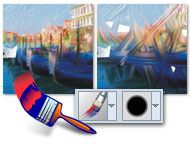 |
|
Graphics Tools for Video Enthusiasts
If youre into creating video, you also need tools for photos and graphics
- Slideshow Prep Wizard - Make sure your photos look their best in a DVD slideshow.
- DVD Content Sets - Design and print DVD labels and case covers that match menus in Ulead DVD MovieFactory and VideoStudio.
- DVD Menu Maker Plug-in included create your own completely custom DVD menus.
|
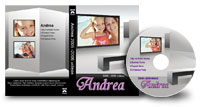 |
|
BONUS! Corel MediaOne Plus* Digital Media Management
Keep track of all your digital images with this complete media management suite. Import, tag and sort your photos and video, and find any image fast.
- Create virtual groups, or Smart Collections to keep your photos organized.
- Add descriptions and tags, to retrieve images individually or in groups.
- Create video slideshows to send to friends and family.
|
 |
Make Every Photo Special
Make every photo special with automated enhancements and easy-to-understand options for editing and sharing!
|
Easy and Fast ExpressFix Mode
Unique ExpressFix panel with one-click fixes and enhancements. Large preview screen with Before and After views.
- SmartCurves Automatically bring out details in dark areas, without overexposing the highlights.
- Auto White Balance Control - Easily correct your images to make colors look natural under any kind of light.
- Reduce Noise Automatically clean up digital artifacts in photos shot in low light or at high ISO settings. Especially useful for improving pics from cell phone cameras.
- Photo Project wizard Easily create collages, comic strips, DVD labels and greeting cards.
|
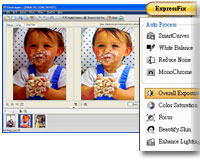 |

Next-generation Crop tools PhotoImpact now offers two easy ways to recompose your pictures for more impact:
- Rule of Thirds Crop Apply the classic Rule of Thirds grid for more dynamic images.
- Golden Ratio Crop Used throughout history by the masters, this is a timeless tool to compose more powerful images. It worked for the Mona Lisa it can work for your photos too!
|
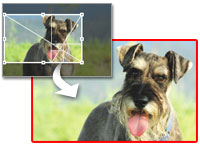 |
|
SmartGuide How-to Help
Shows you how to complete great-looking projects:
- Step-by-step directions on-screen.
- Guides for basic and advanced photo-editing, Webpage, video and DVD menu tasks.
- Links take you directly to the tools you need.
|
 |
More Editing Power
PhotoImpact X3 includes a complete set of powerful tools to satisfy the demands of high-end users.
|
Powerful Retouching Enhance your photos using advanced darkroom tools.
- Dodge, Burn, Remove Scratch and many others.
- Touch-up Tool Easily remove skin blemishes and unwanted image details and objects.
|
 |

RAW File Support - Brighter previews, improved performance and a greater number of supported camera models make working with your RAW images easier than ever. |
 |
|
High Dynamic Range
- Create professional images that capture color and detail in both shadows and highlights.
- Remove elements of the scene that change between shots.
- Enhanced with preset curves for more camera models.
SmartRemove Scene Compositor
- Selectively remove undesired elements from multiple shots of the same scene keep just the elements you want!
- Replicate your subject in multiple poses in the same scene, or create a crowd where there was none.
|
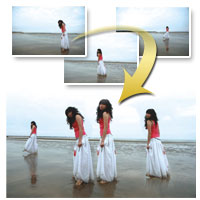 |
Take your photos to new places
Create Amazing Digital Art

Cloud Pen
- Say goodbye to dull skies! Paint natural-looking clouds or add fun effects.
- Choose from cumulus, cirrus, and stratus cloud types.
- Get creative with fantasy cloud animals, skywriting or smoke signals.
|
 |
|
BONUS!Corel Painter Essentials 3 Full Version
- A complete home art studio - for novices and experts alike.
- Draw or paint original artwork, or enhance your photos with paint effects.
- Breathtaking Natural-Media watercolor and oil-paint brushes behave just like the real thing!
- Automatically turn your photos of kids, travel, or weddings into stunning paintings in 3 easy steps!
Creative Photographic Filters
- Choose from 100s of optical effects, textures and lighting effects to add flair to your photos.
|
 |
Graphics Tools for Video Enthusiasts
Make your video productions stand out. PhotoImpact will help you create stunning graphics for slideshows, videos, DVDs and more.
Slideshow Prep Wizard
- Make sure your photos look their best in a DVD slideshow.
- Choose from a selection of sophisticated frames, drop-shadow and color-gradient background styles.
- Add date/time labels, and batch process.
- Import your photos into Ulead VideoStudio or DVD MovieFactory to create your slideshow!
|
 |
DVD Content Sets
Present your video projects like a pro. Design and print DVD labels and case covers that match menus in DVD MovieFactory and VideoStudio.
Save Images for Video
Generate GIF & PNG images with transparency for video overlays, logos or lower-thirds.
DVD Menu Maker Plug-in
Create DVD menus for Ulead DVD MovieFactory 5/6 and Ulead VideoStudio 10/11.
|
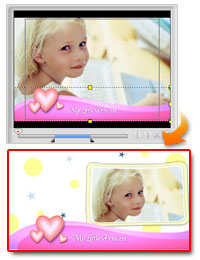 |
System Requirements
System Requirements
- Intel Pentium III, AMD Athlon 800 or above CPU
- 512 MB RAM (for Windows XP), 1 GB RAM (for Windows Vista)
- Windows XP Service Pack 2 Home Edition / Professional, Windows XP Media Center Edition, Windows XP Professional x64 Edition, Windows Vista Operating System
- 750 MB available hard drive space for main program and content files
- An additional 320 MB available hard drive space for bonus programs
- True Color or Hi-Color display adapter with 1024x768 resolutions or higher
- CD-ROM Drive
File Format Support
001, BMP, CLP, CUR, DCS, DCX, EPS, FAX, FPX, GIF, ICO, IFF, IMG, JP2, JPC, JPG, MAC, MSP, PBM, PCD, PCT, PCX, PEF, PGM, PIC, PNG, PPM, PSD, PSP, PXR, RAS, SCI, SCT, SHG, SVG (output), TGA, TIF, UFO, UFP, WBMP, WMF
Digital Device Support
- Digital cameras, USB card readers, TWAIN/WIA compliant scanners
- Pressure-sensitive graphics tablets
RAW Format Support
ARW, BAY, CR2, CRW, CS1, DCR, DNG, ERF, FFF, HDR, K25, KDC, MEF, MOS, MRW, NEF, ORF, PEF, PNM, RAF, RAW, SR2, SRF, STI, X3F
|
|
|
|
06/04
|
Corel Painter X for PC and MAC New Corel Painter Xthe world's most powerful Natural-Media painting and illustration softwarefeatures unique digital brushes, art materials and textures that mirror the look and feel of their traditional counterparts. Setting the standard for digital painting and illustration, the Corel Painter X digital art studio introduces new composition tools, unparalleled performance, and the all-new RealBristle painting systemthatmodels traditional brushes like never beforeright down the individual bristles on the brush!
Designed for Artists, Designers, and Photographersand the next generation of Creative Professionals!
Commercial Designers
Commercial designers require powerful tools for their craft. That's why many of the world's foremost illustrators, automotive concept designers, industrial designers, architects, and graphic designers use Corel Painter. Corel Painter X enables commercial designers to vividly capture their creative vision and handcraft distinctive designs, illustrations, and logos for their clients.
Entertainment Artists
Leading artists in the entertainment industry use Corel Painter to produce some of the world's best-known movies, comic books and video games. Professional entertainment artists can speed their production time by using Corel Painter Xleveraging their natural talents and techniquesto create astounding scenes, characters, vehicles, and textures.
Professional Photographers
In recent years, Corel Painter has sparked a new trend in the professional photography market as photographers explore the creative possibilities of turning their photographs into paintings. Corel Painter X offers photographers new revenue streams by making it easier than ever to create breathtaking, hand-painted works of art from their photographs.

Fine Artists
Many fine artists use Corel Painter as their primary art medium. Their works appear in galleries around the world, demonstrating that digitally-created art has become an accepted medium on the world's art scene. Corel Painter X enables artists to experiment with new techniques, without investing the time and money that would ordinarily be required with analog mediums, and achieve results that emulate those of their traditional counterparts.

Students
Educators around the world are harnessing the power and ease-of-use of Corel Painter to help enhance the learning experience and provide students with the skills they need to succeed as leading creative professionals.
Product Highlights and New Features
Corel Painter X offers a broad range of tools and features that inspire creativity, increase performance, and further extend compatibility with other industry-standard tools and applications. It delivers an impressive array of new features that provide unprecedented power to replicate traditional art mediaright down to the individual bristles on the brush.
Increased Performance: Corel Painter X has been optimized to provide artists with the fastest version of Painterever! Depending on system hardware, brushes perform up to 35% fasterand file opening and saving is up to two times faster!
New RealBristle Painting System: The new RealBristle Painting System heightens the responsiveness of the brush and represents a major milestone for digital painting. Artists can now faithfully replicate the sensation of the interaction between the paint, the canvas, and the brush.
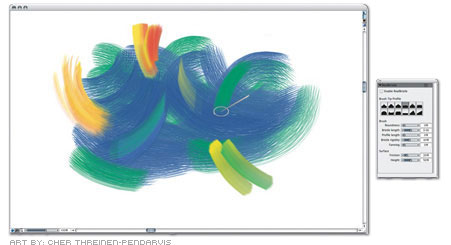
New Composition Tools: New composition tools help artists and photographers visually arrange a blank canvas prior to sketching or painting, or create an aesthetically pleasing composition from a photo using the Divine Proportion tool and the Rule of Thirds. Used throughout history by artists, designers, and architects alike, the Divine Proportion will help you compose your paintings like the masters! Similarly, professional photographers often use the Rule of Thirds to compose their photographs.
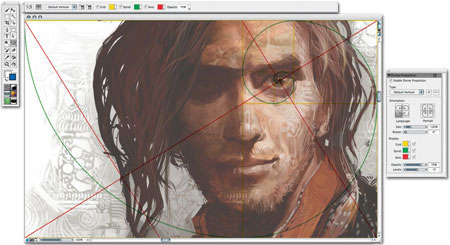
New Workspace Manager: Corel Painter X allows you to easily customize and back up your workspaces as well as export and share them with your friends and colleagues.
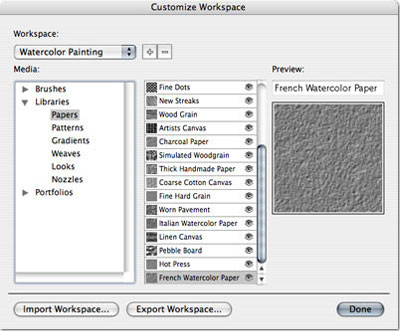
Enhanced Photo-Painting System: It's now easier than ever for photographers to create stunning paintings from photographs! Major improvements offer greater control when Underpainting, and the new Smart Strokes technology adds more intelligence during Auto-painting.
- The Underpainting palette includes color schemes based on various artistic styles, such as Impressionist, Classical, Modern, Watercolor, Sketchbook, and Chalk Drawing. You can also match your Underpainting's palette to that of any open image
- The Auto-Painting Palette transforms a photograph into a painting by automatically applying brushstrokes while intelligently changing stroke size and direction using new Smart StrokeTM technology.
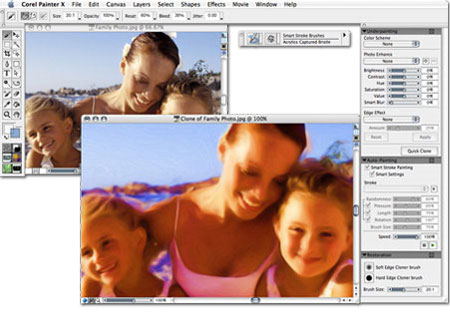
New Downloadable Training Videos: Getting up and running quickly with the new training videos by Painter Master Jeremy Sutton!
New Universal Mixer palette: For multicolor selection, the new Universal Mixer palette gives you better control over color blending between the Mixer palette and the canvas.
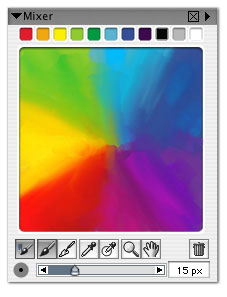
Dodge and Burn Tools: Dodge and burn capabilities have been improved with the addition of two new image enhancement tools to the toolbox. Now preparing photos for paintings is easier than ever!
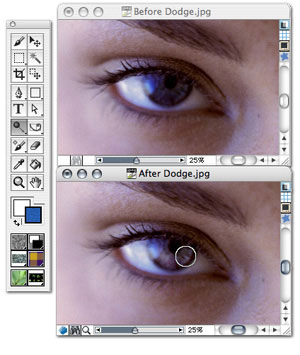
Enhanced Adobe Photoshop support: With improved layer grouping and combining, and enhanced support for layer merge modes, artists can more efficiently work between Corel Painter X and Adobe Photoshop.
Enhanced Wacom Support: Artists can use the entire Wacom product lineincluding the Cintiq 21 UX interactive pen display, the Intuos3 pen tablet, and the Wacom 6D Art Pen.
New Printed User Guide: Full and Upgrade customers receive a color printed User Guide which provides useful reference information and fast solutions. Also includes a 16-page art gallery.
New Match Palette effect: The new Match Palette effect lets you match the color and intensity between two images. Just open an image that features your desired color scheme and use the Match Palette effect to bring the desired color scheme to the image you want to change.
Windows Vista Support: Corel Painter X is compatible with Microsoft's latest operating system - Windows Vista.

Intel-based Mac Support: With support for Universal binary specifications, Corel Painter X is optimized for use on Intel-based Mac computers.

What's Included with Corel Painter X
Main Application:
Corel Painter X Mac OS and Windows versions
Content
Libraries of unique textures, gradients, nozzles, patterns, stock photos and brushes, including the new RealBristle brush category
Documentation
 |
Printed Documentation Full-color, printed User Guide including art gallery |
|
Electronic Documentation Help files (HTML) and User Guide with advanced topics (PDF) |
Training
|
Access to select downloadable training videos featuring renowned Painter Master Jeremy Sutton |
System Requirements
Mac OS version:
|
|
Mac OS X (version 10.3.9 or higher with latest revision applied) |
|
Macintosh computer with a 700 MHz or faster Power PC G4, Power PC G5 or Intel processor |
|
256 MB of RAM (512 MB recommended) |
|
Mouse or tablet |
|
24-bit color display |
|
1024 768 screen resolution |
|
280 MB Hard disk space |
|
CD-ROM drive |
Windows version:
|
|
Windows VistaTM, Windows XP or Windows 2000(each with latest Service Pack applied) |
|
Pentium III, 700 MHz or greater |
|
256 MB of RAM (512 MB recommended) |
|
Mouse or tablet |
|
24-bit color display |
|
1024 768 screen resolution |
|
360 MB hard disk space |
|
CD-ROM drive |
|
|
|
|
Previous Page
|
Next Page
|
|