Camerafarm product archive #41709
| Image |
Date |
Product description |
Price |
Buy |
|
13/03
|
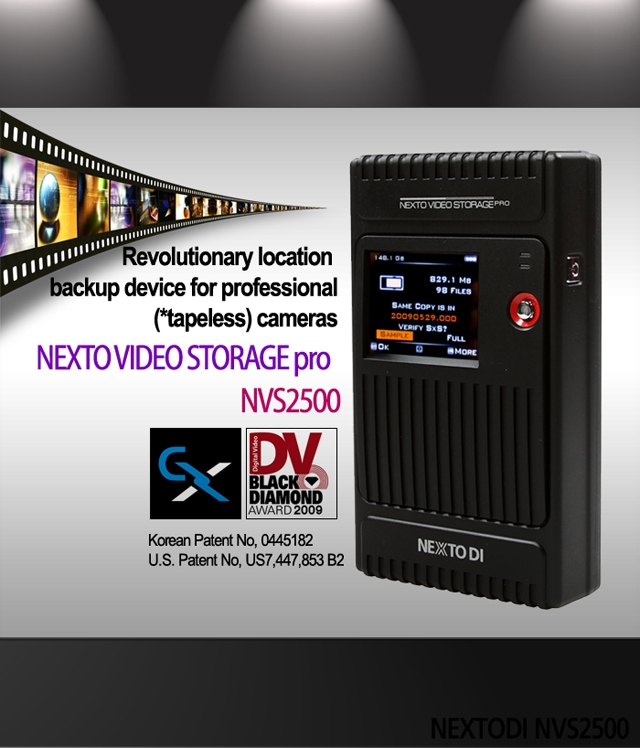
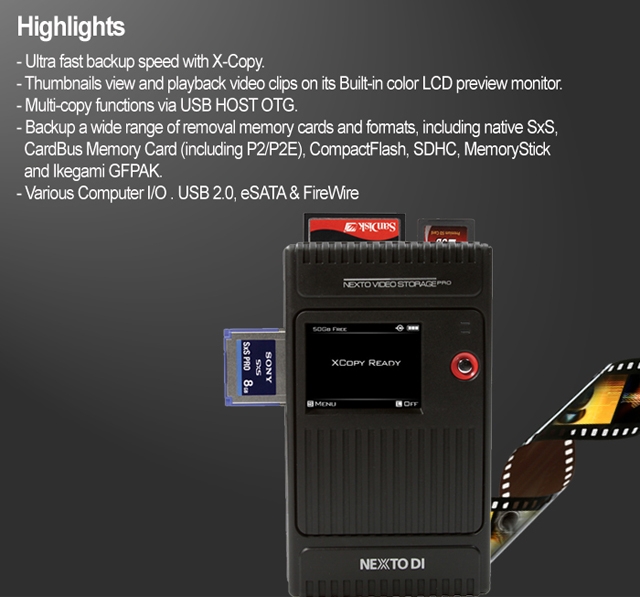
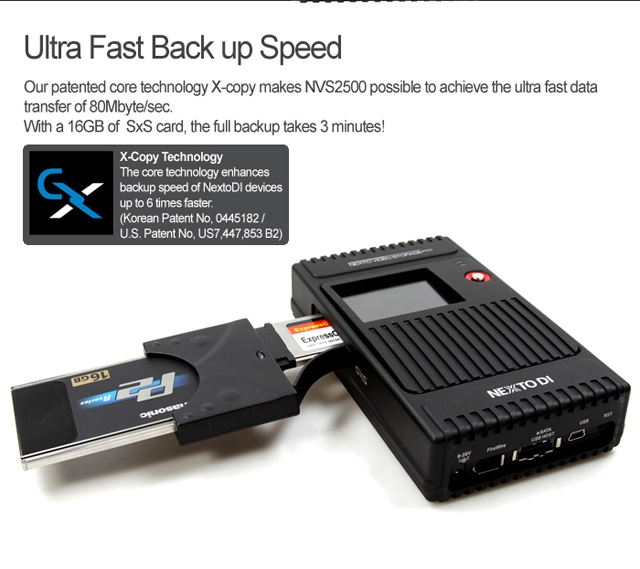
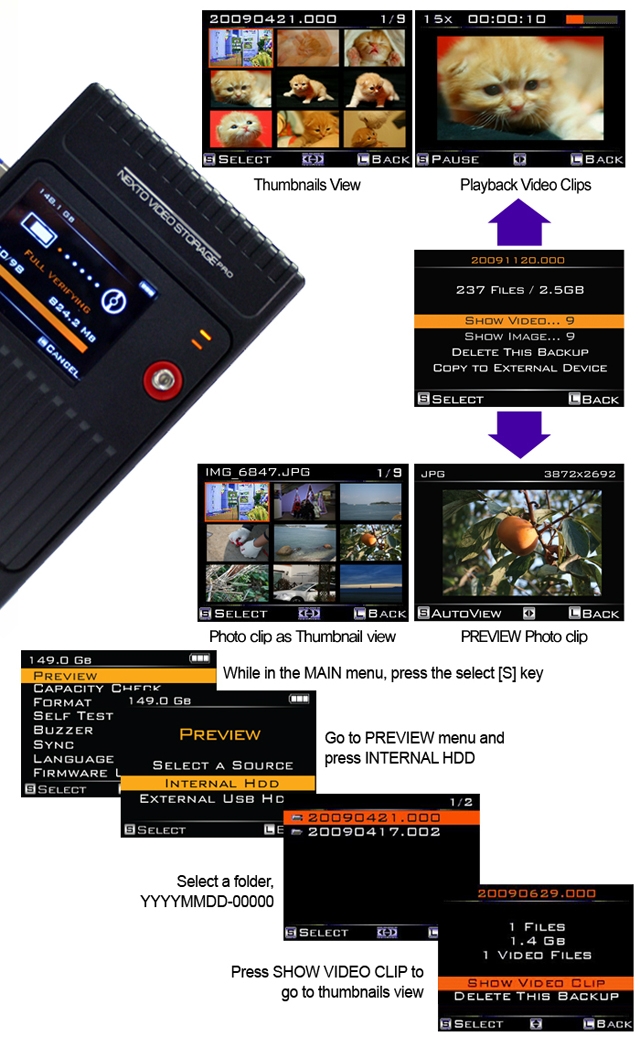
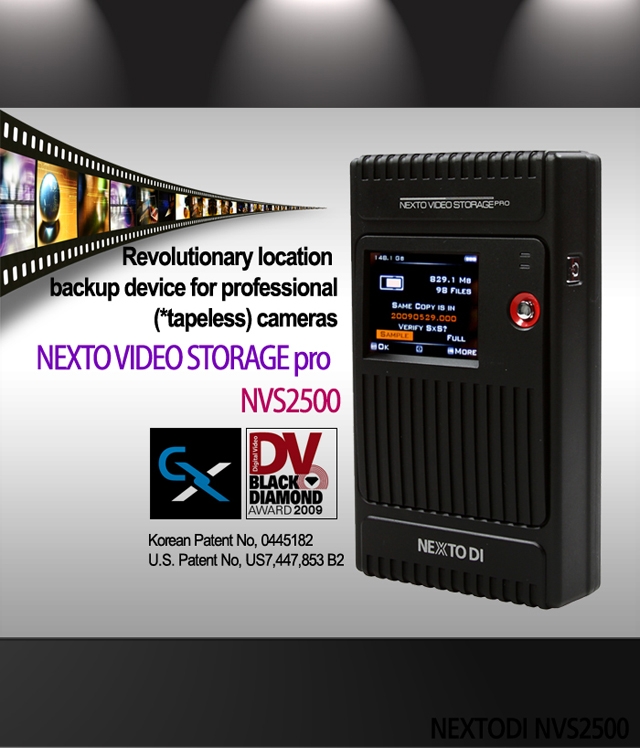
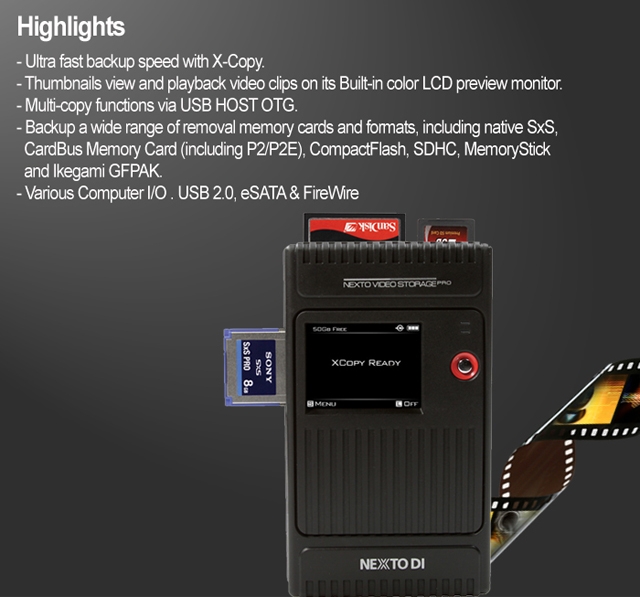
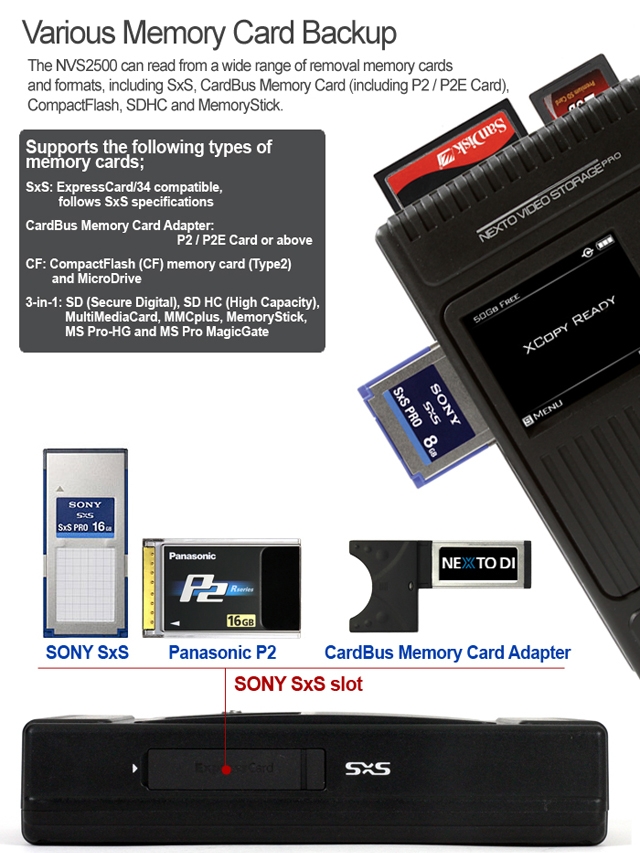
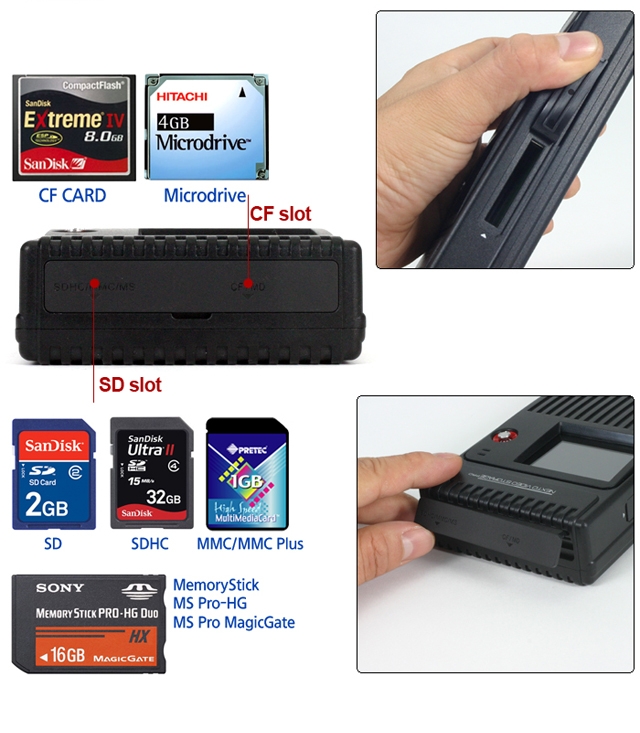
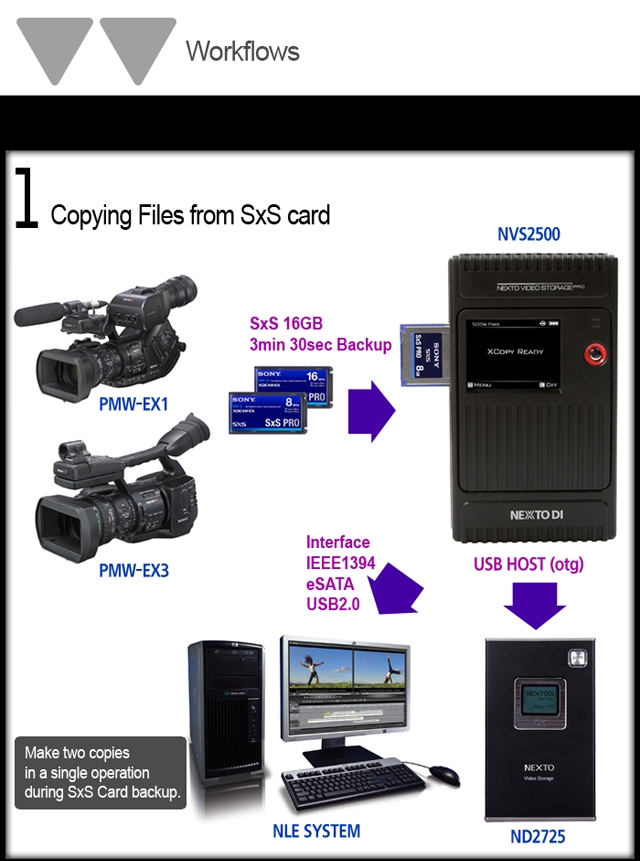
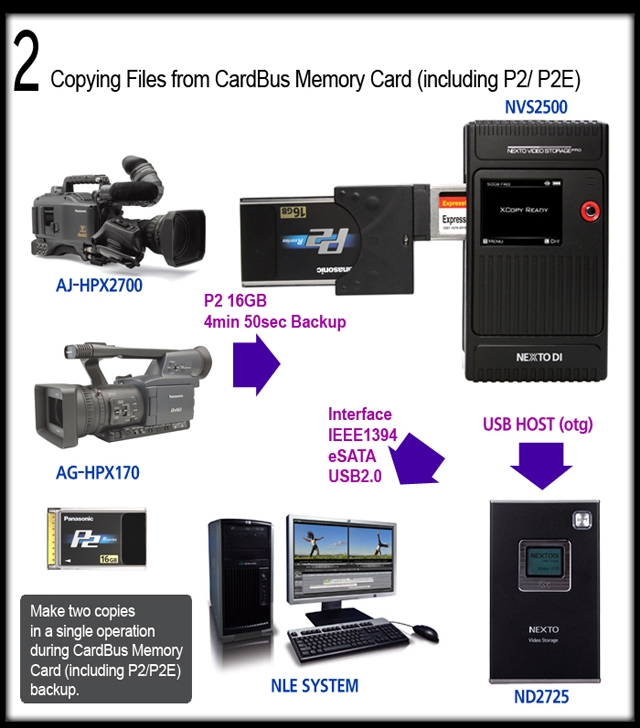
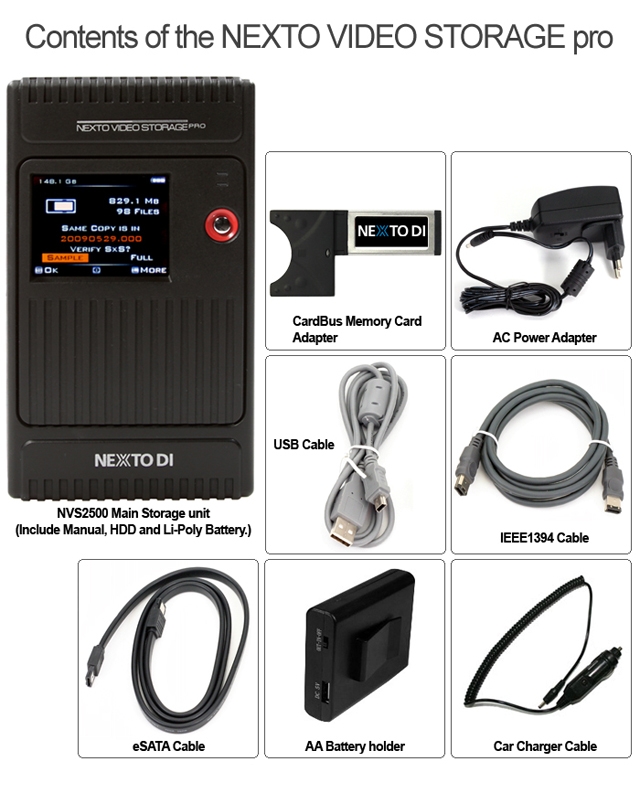
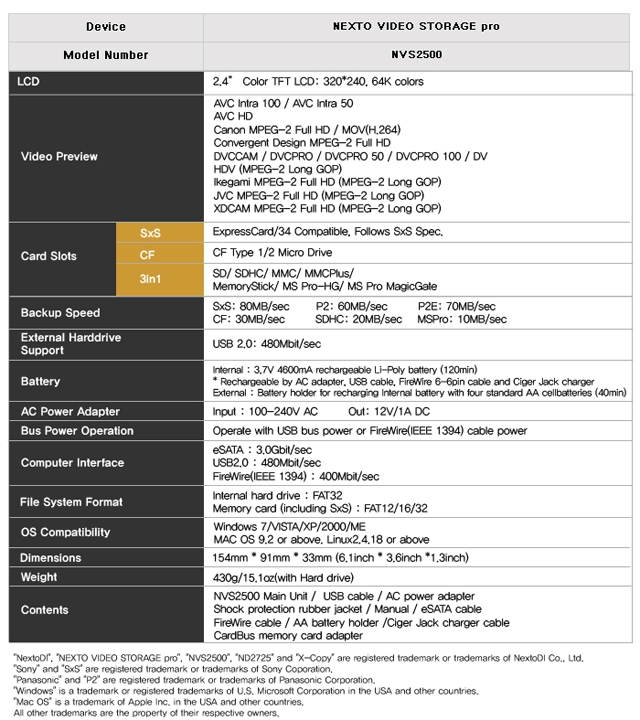
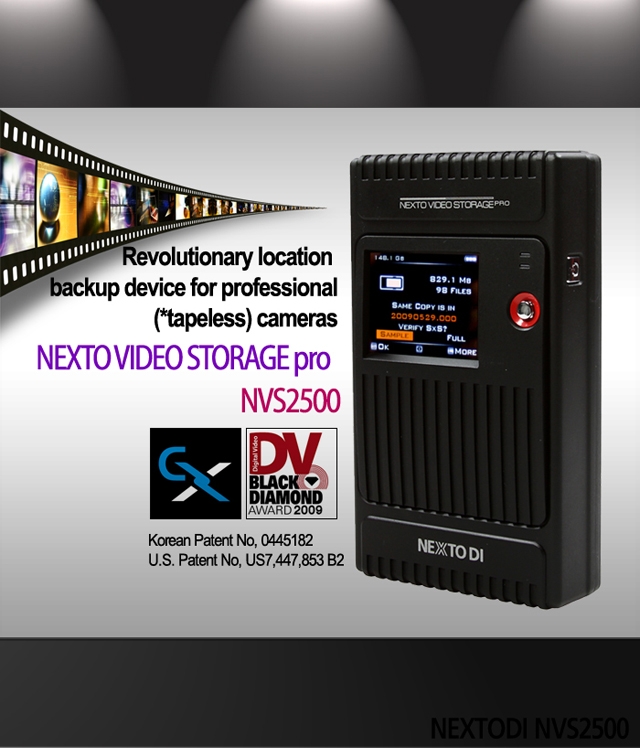
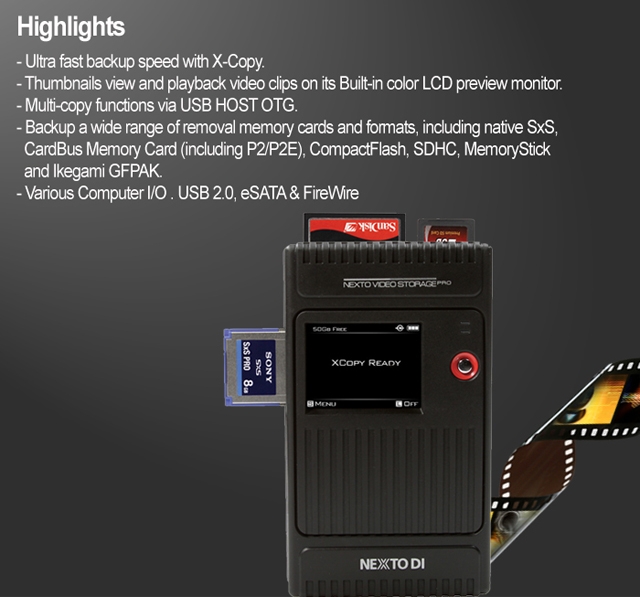
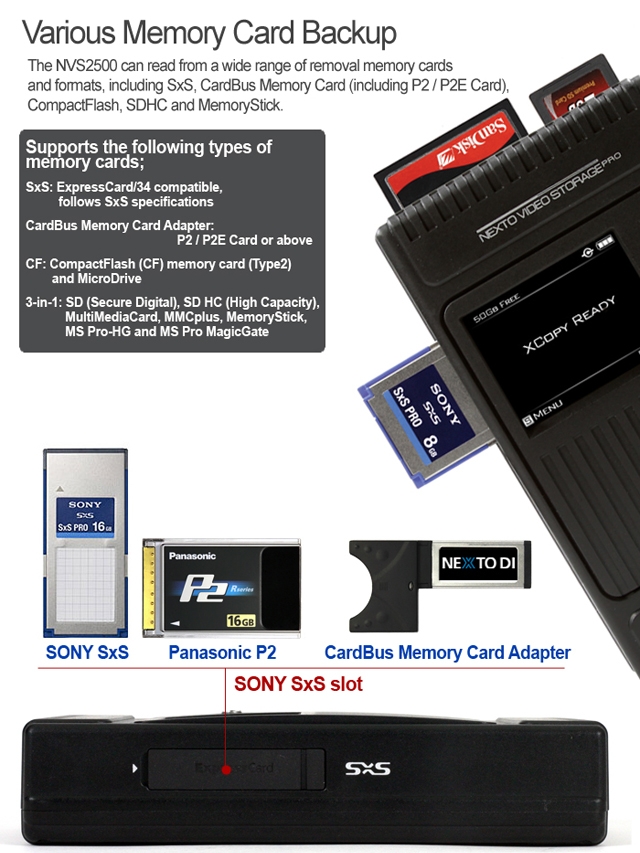
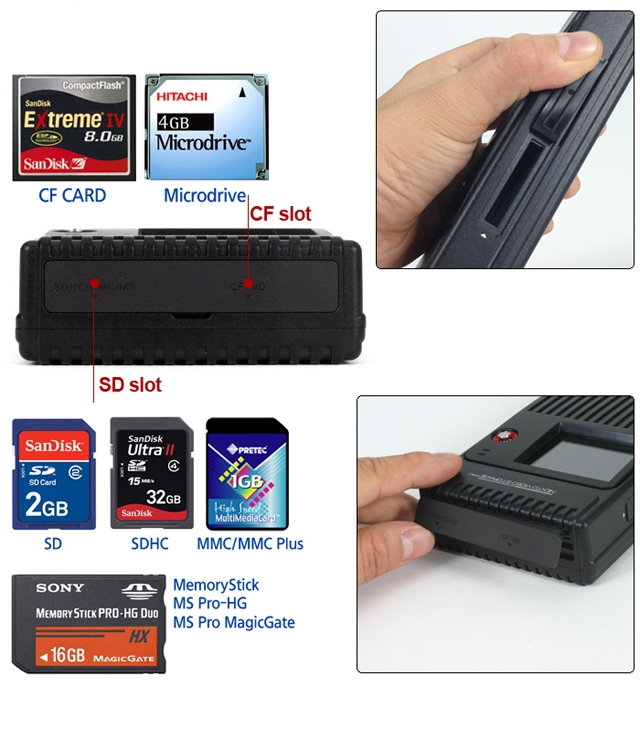
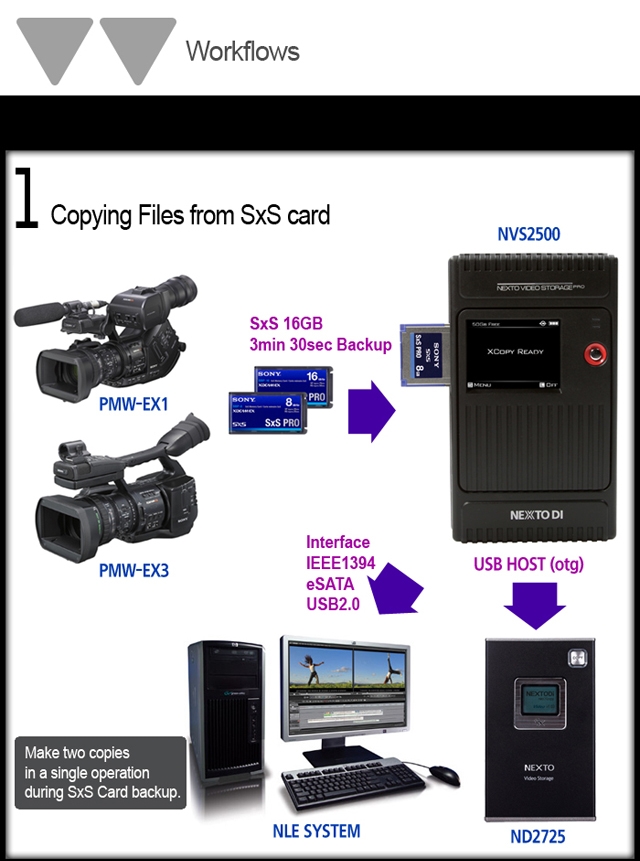
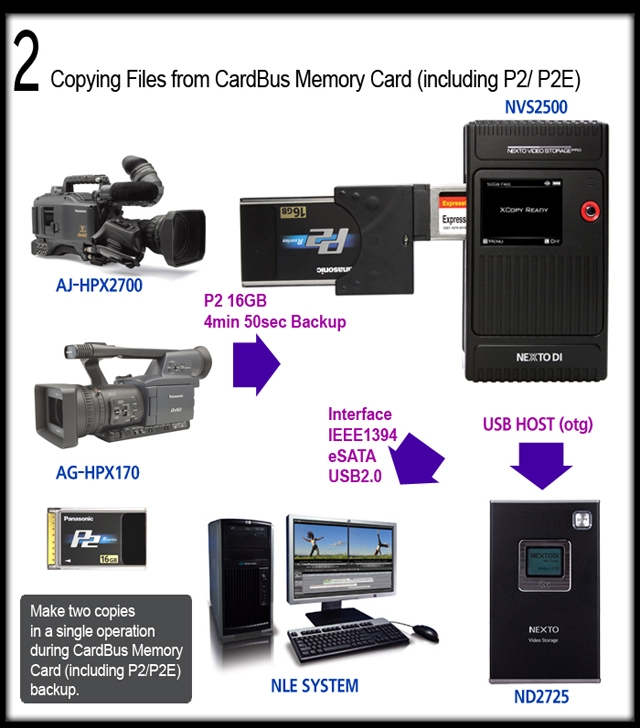
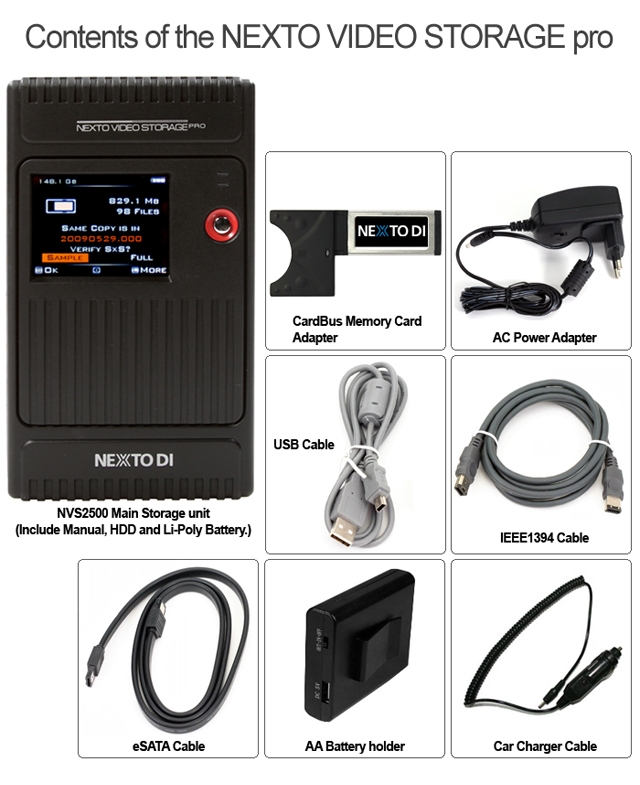
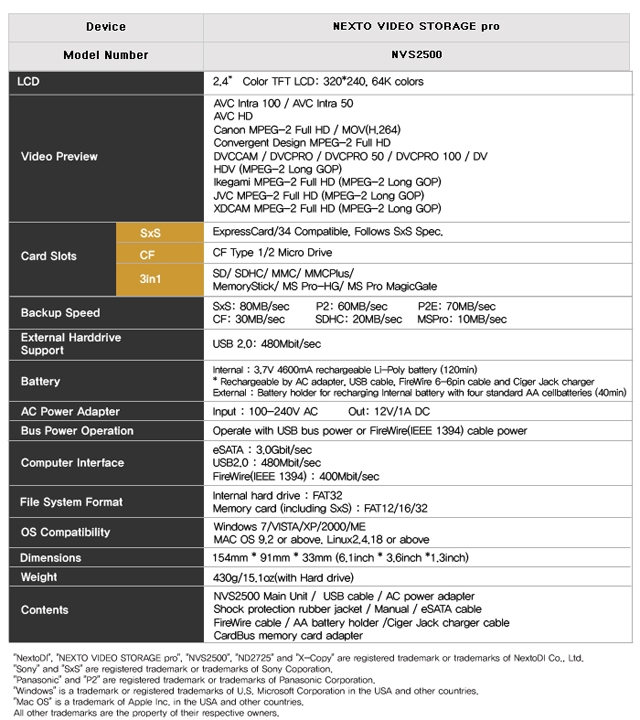
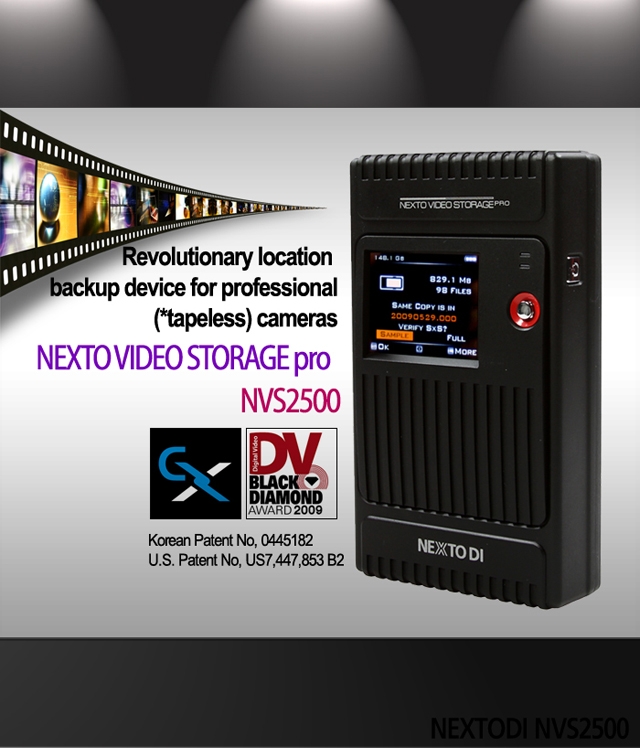
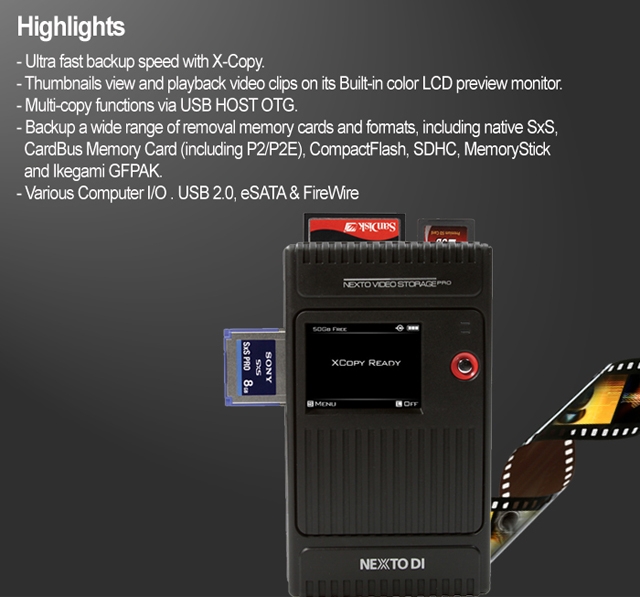
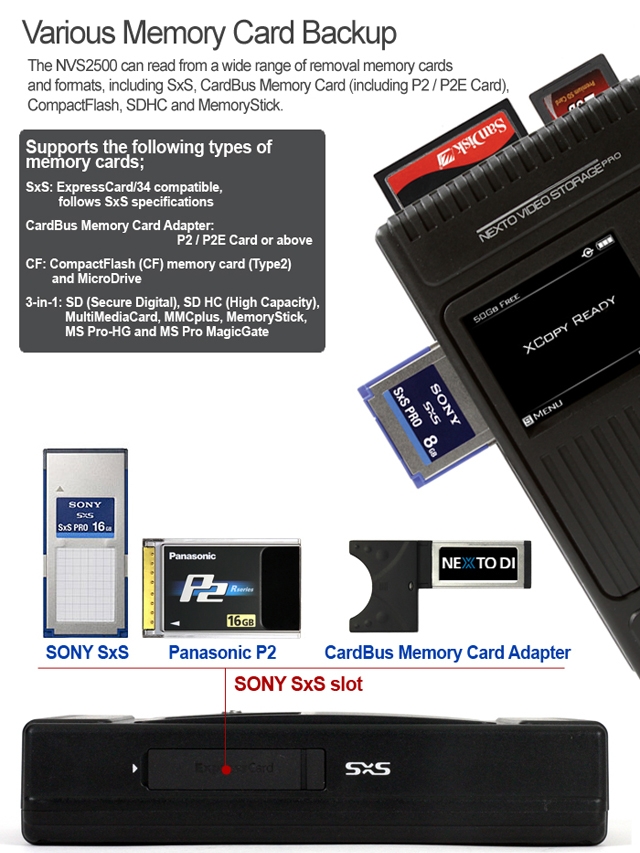
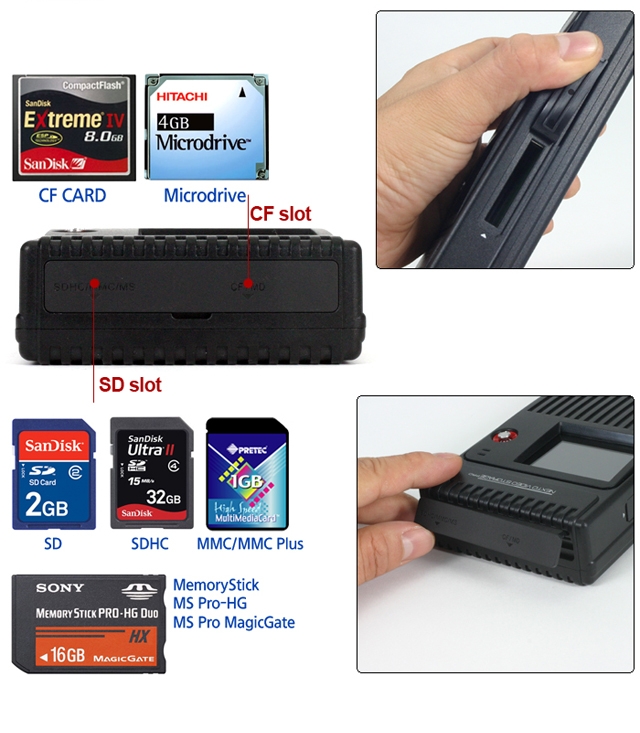
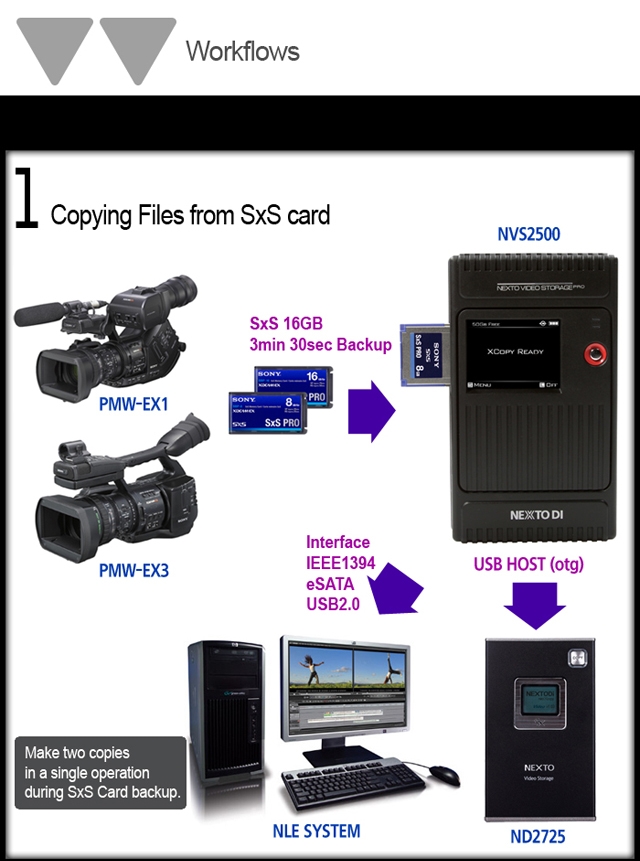
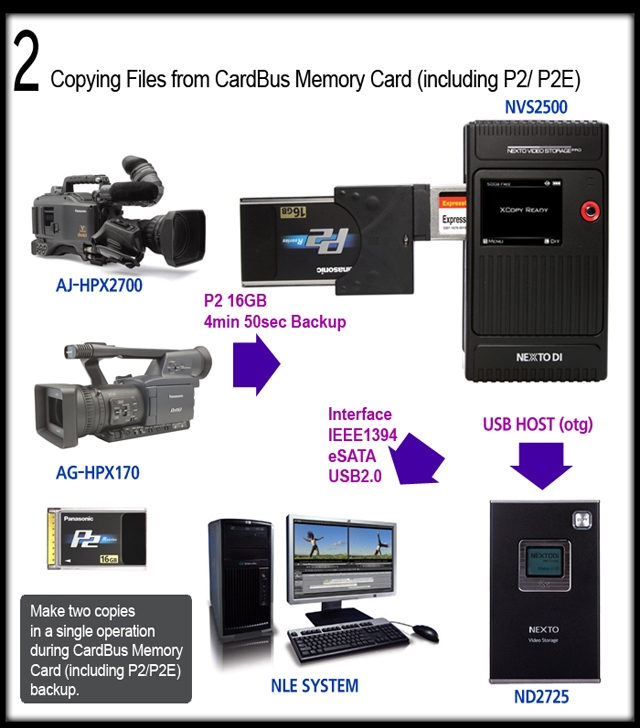
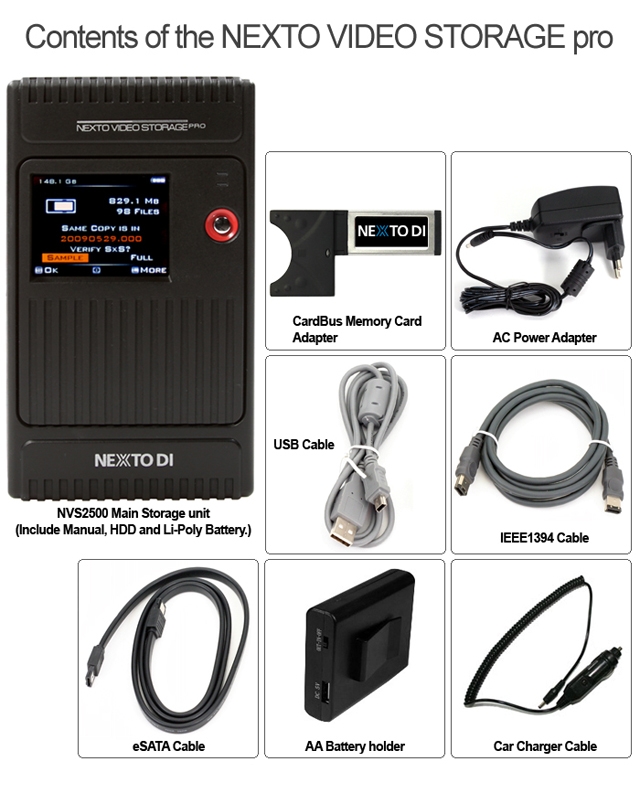
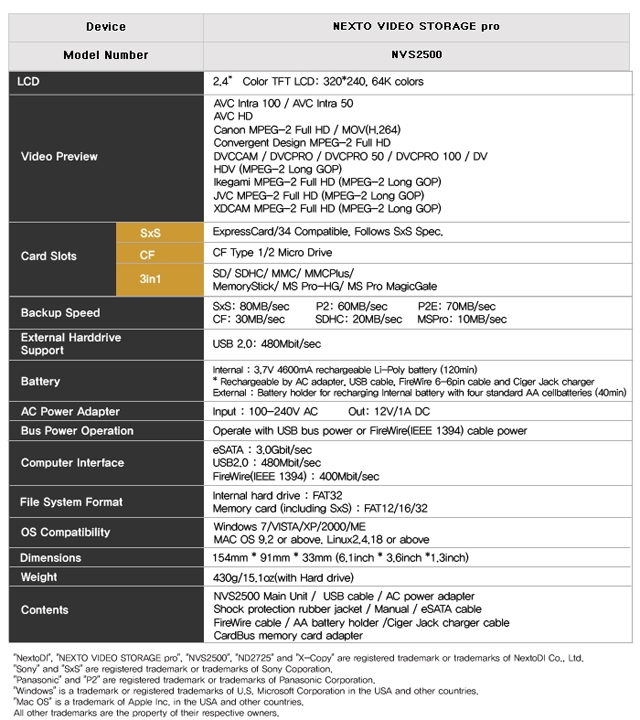
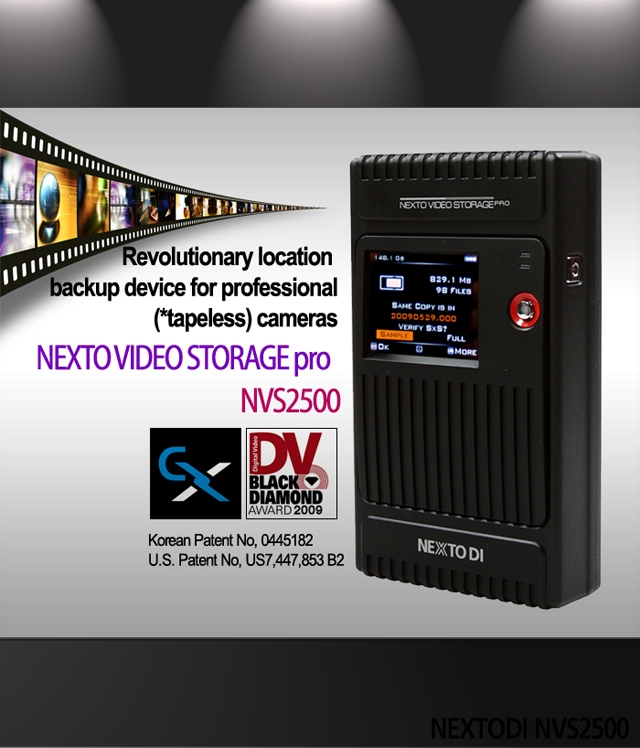
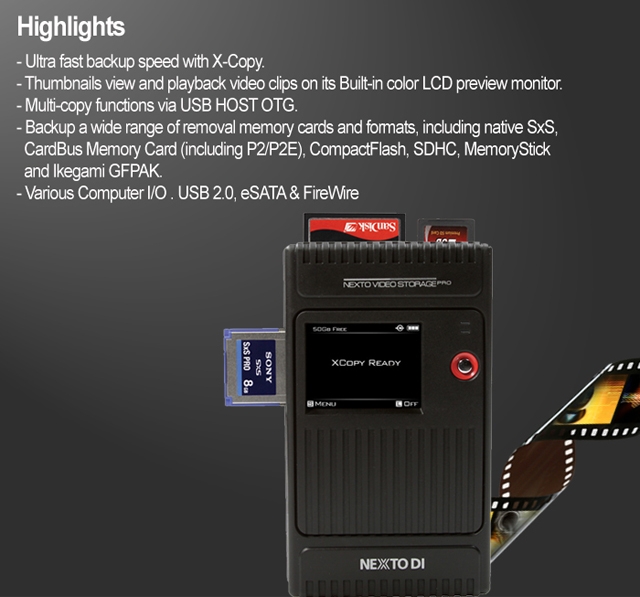
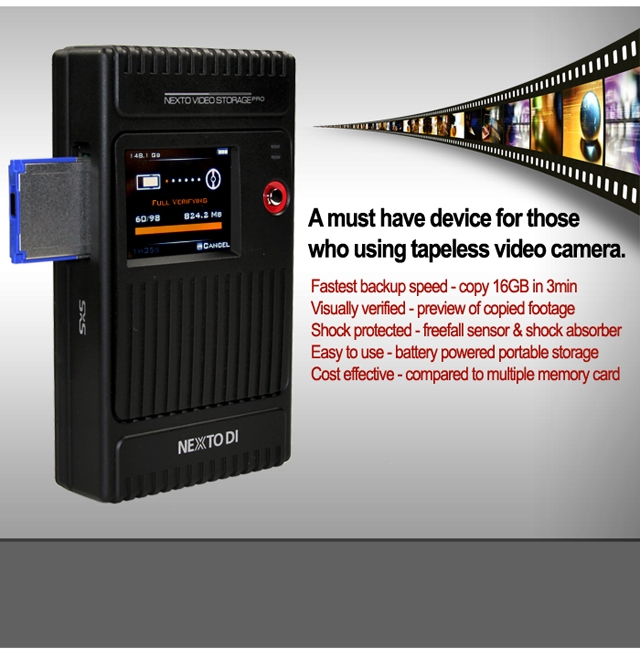
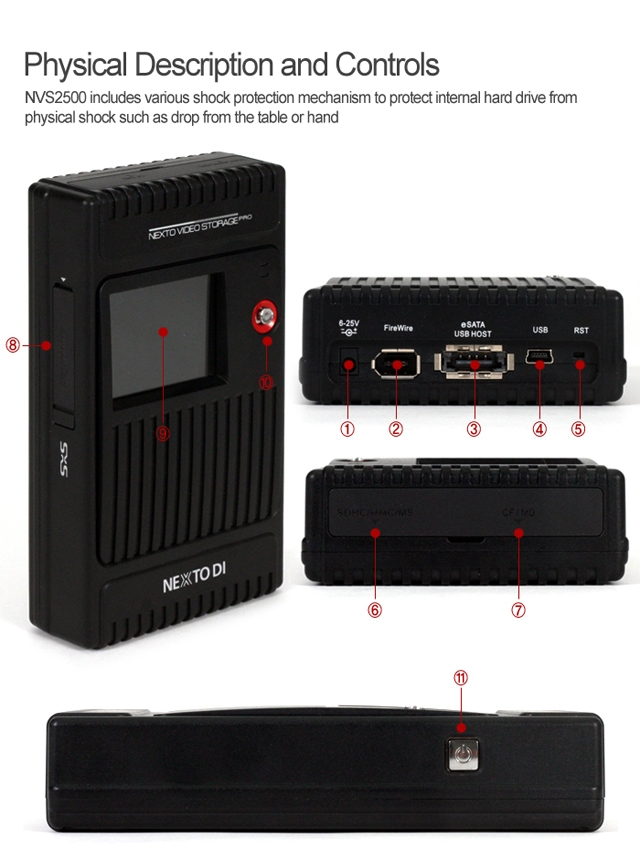
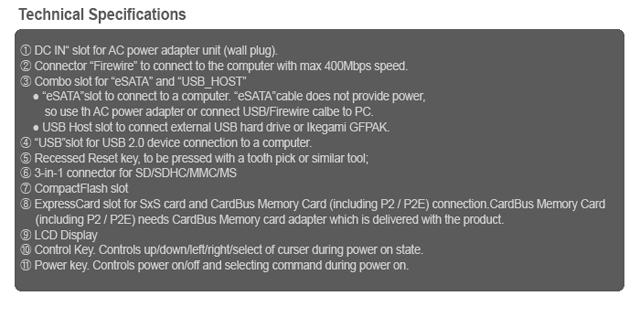
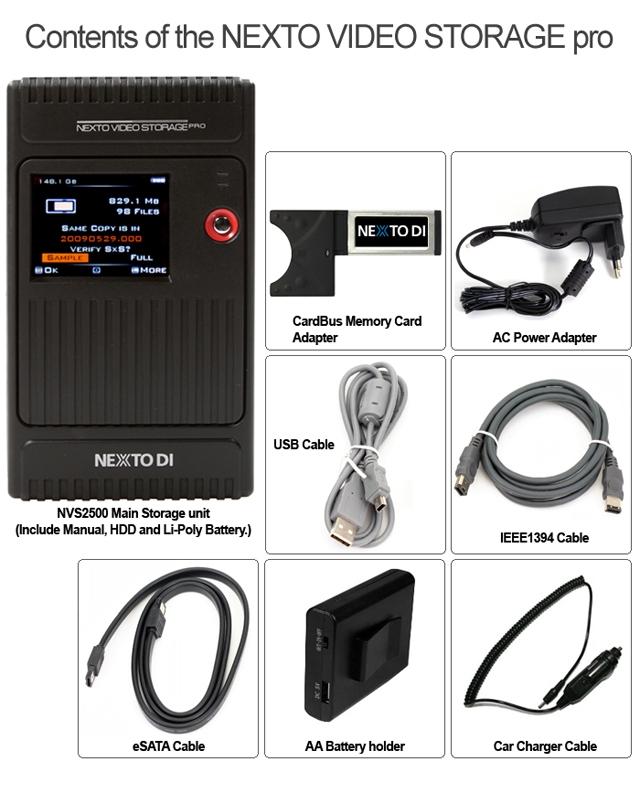
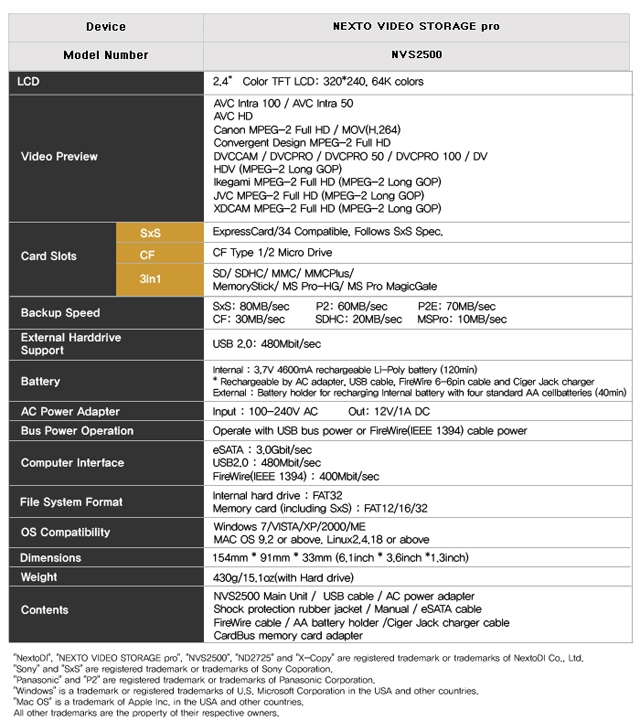
NextoDi NVS2500 NEXTO Video Storage Pro - 2.4" Colour TFT LCD, 256GB-SSD, Supports ExpressCard/34, CF Type 1/2 Micro Drive, SD, SDHC, MMC, MMC Plus, MS, MS-Pro-HG, MS-Pro, USB2.0
|


|
|
|
13/03
|
NextoDi NVS1501 NEXTO Video Storage - 2.4" Colour TFT LCD, 750GB-HDD, Supports CF Type 1/2, Micro Drive, SDHC, SDXC, MS, FireWire 800, USB2.0 NVS1501
Revolutionary lacation backup device for DSLR Cameras
Nexto Video Storage
NVS1501
Supports SDXC
The NVS1501 supports exFAT file system used in SDXC.
(Support for file size larger than 4GB shall be done later by free firmware upgrade (by 2012 Q4))
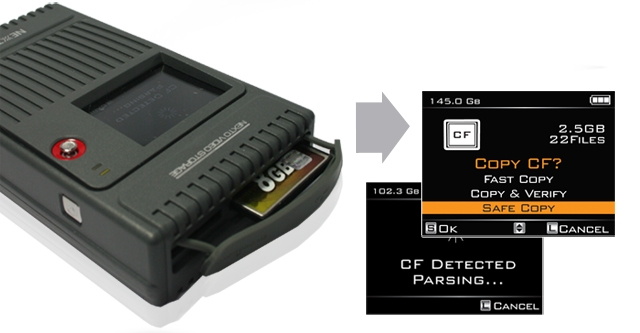
Copy mode & Performance
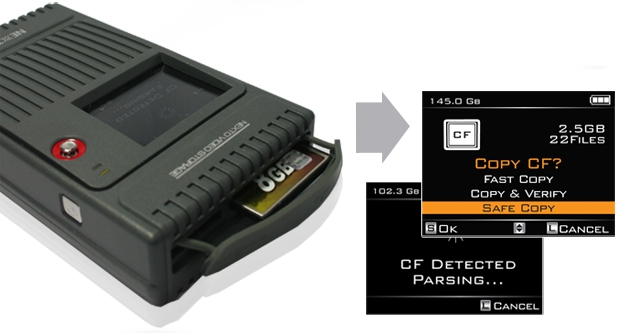
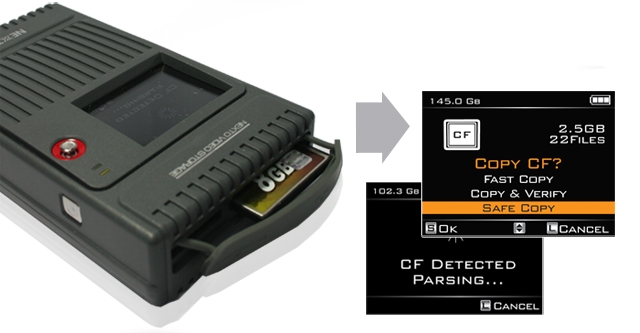
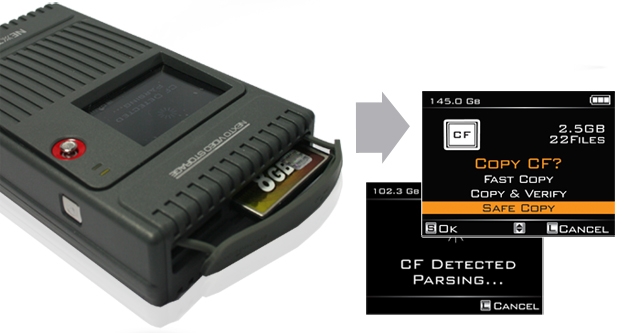
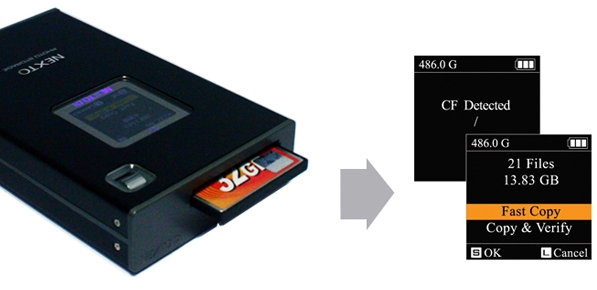
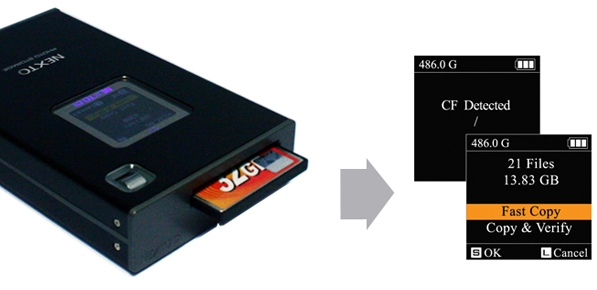
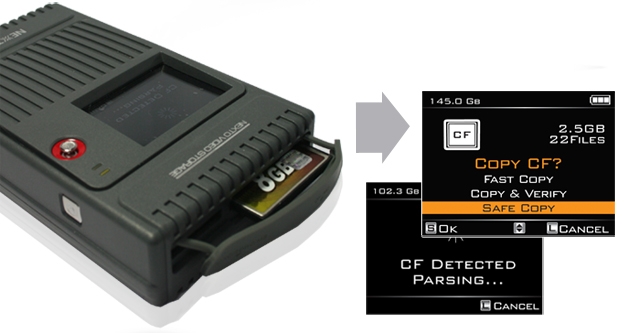
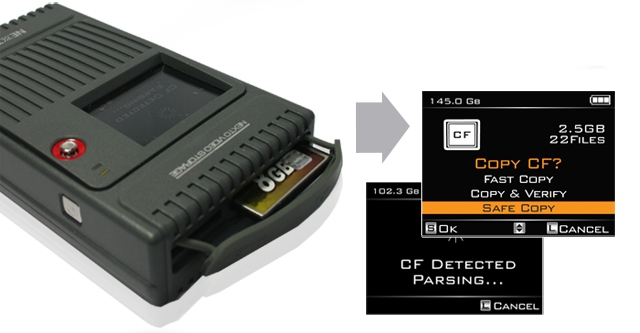
Make new folder and copy all the memory card data into the folder.
Same as [Fast Copy] but after copying, the data on the memory card is compared with the copied data in the NVS1501 hard drive. Each bit is verified.
Before copying data, the NVS1501 verifies that its hard drive area is safe. If a bad sector is detected, a new safe area is found - then copying [Fast Copy] will begin.
|
Performance
|
| Memory |
Speed(MB/s) |
Time(32GB) |
| CF |
80MB/s |
6m40s |
| SDHC/SDXC |
22MB/s |
24m14s |
SDHC/SDXC
UHS-1 |
60MB/s |
8m53s |
| MS |
12MB/s |
44m26s |
|
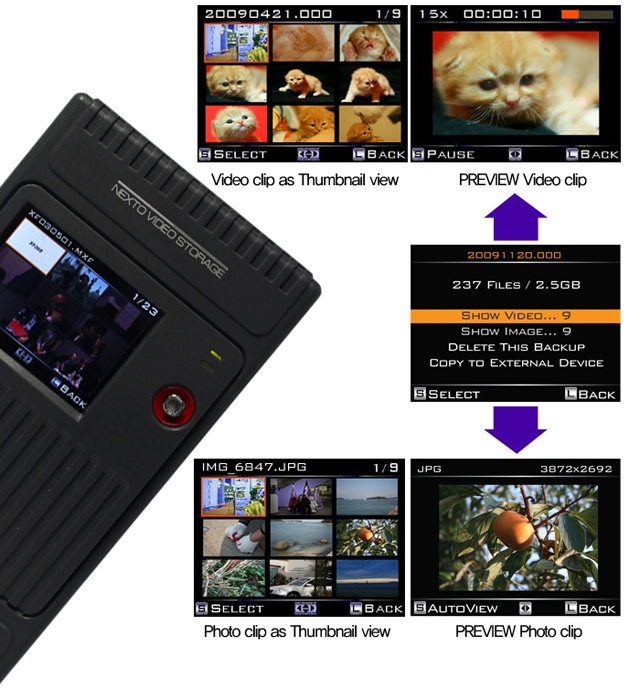
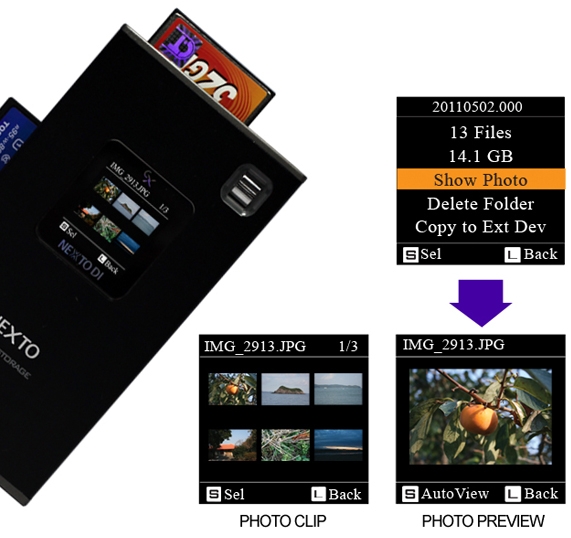
Preview Video & Photo clip
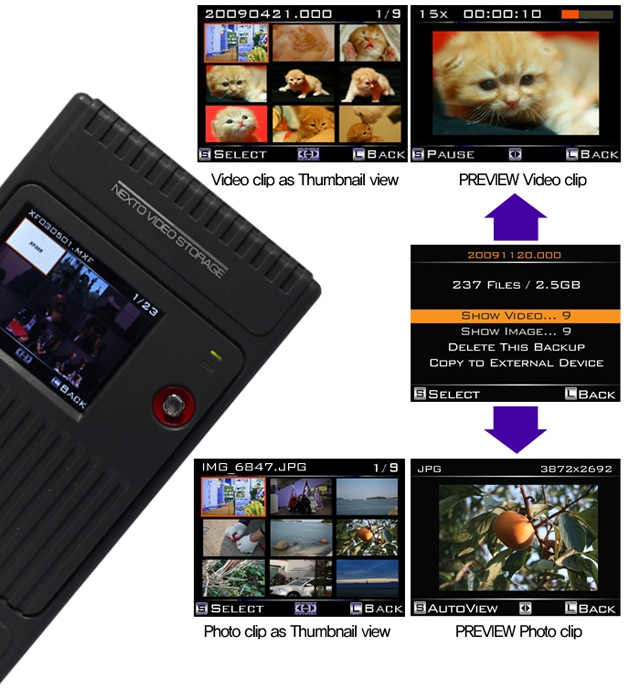
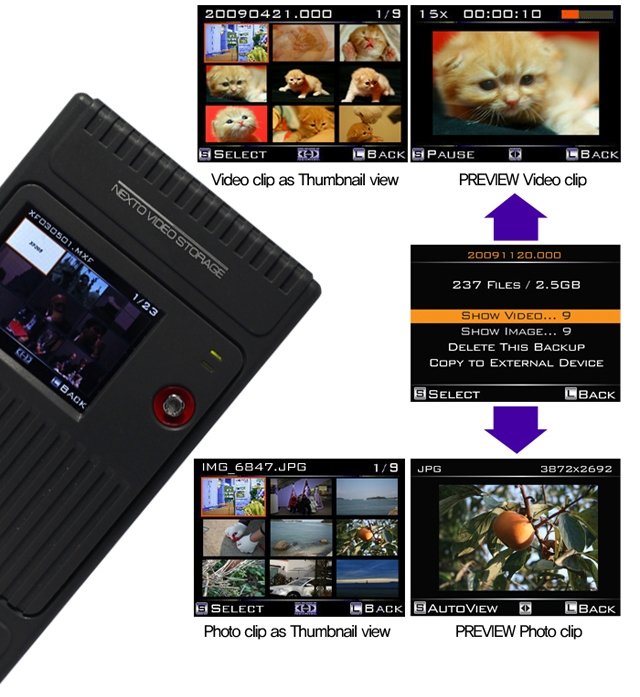
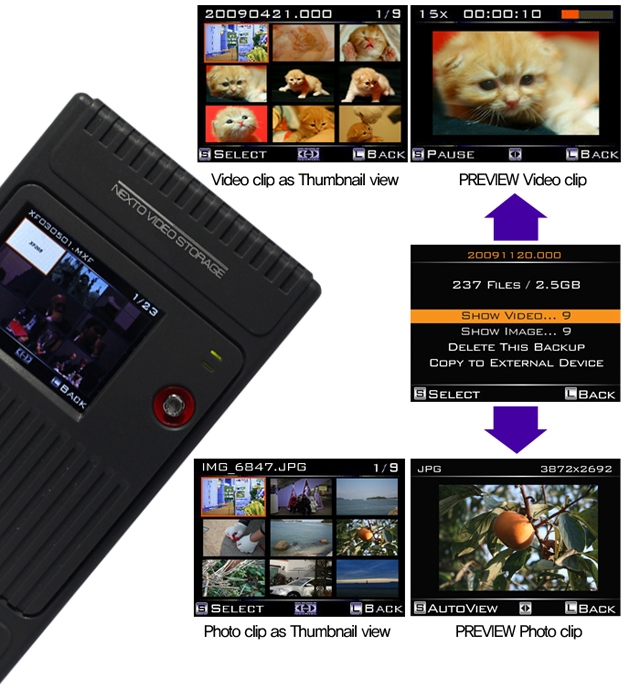
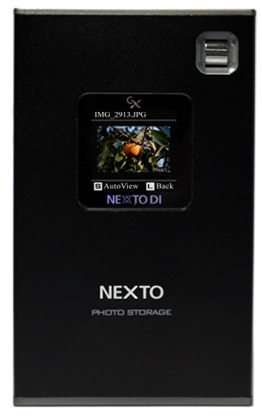
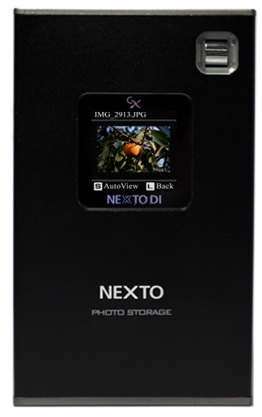
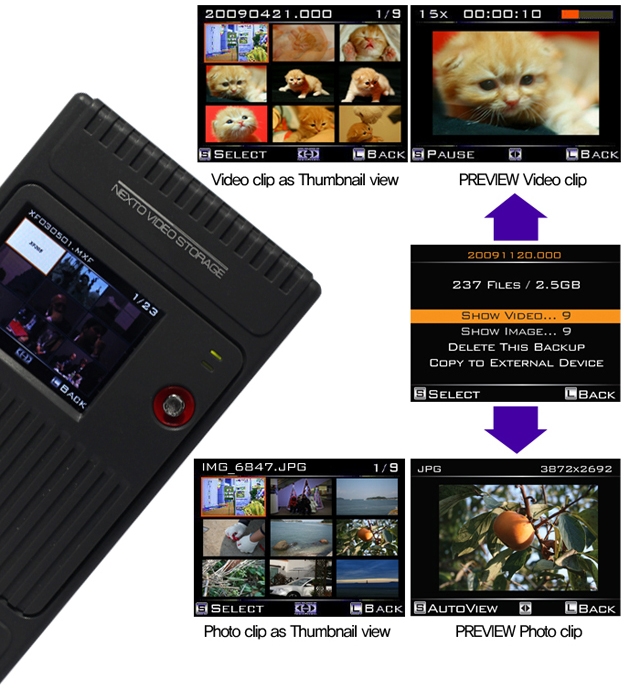
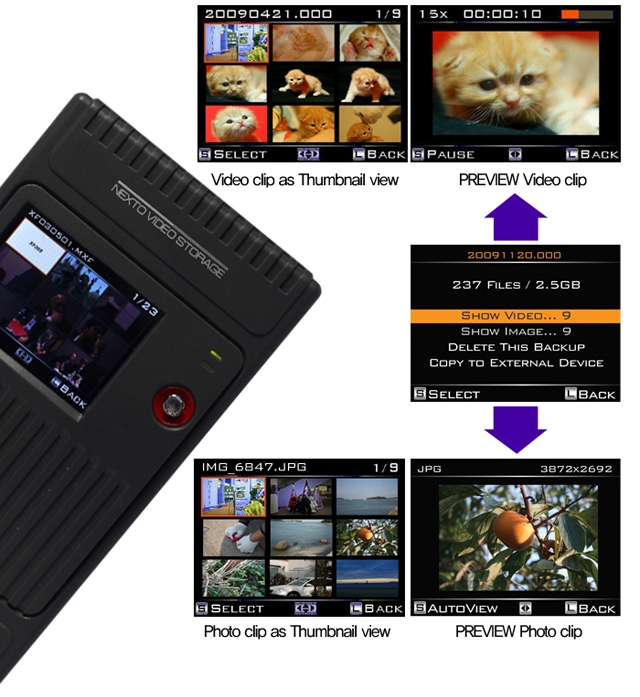
User can preview video and photo clip with built-in colour LCD. A preview of both the internal HDD and external device (CF / SDHC / SDXC / MS / USB external HDD) is supported.
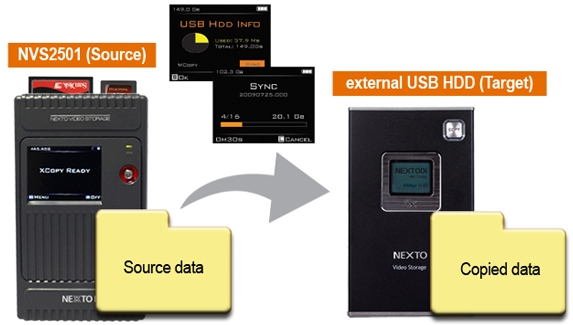
Making a secondary copy to USB hard drive
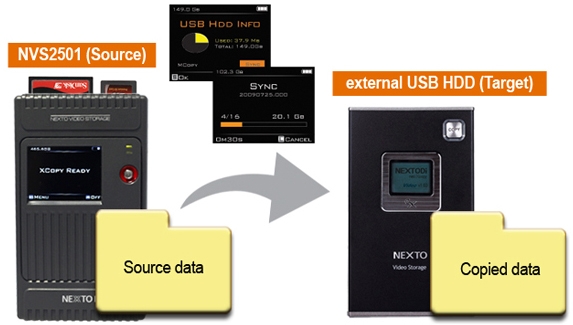
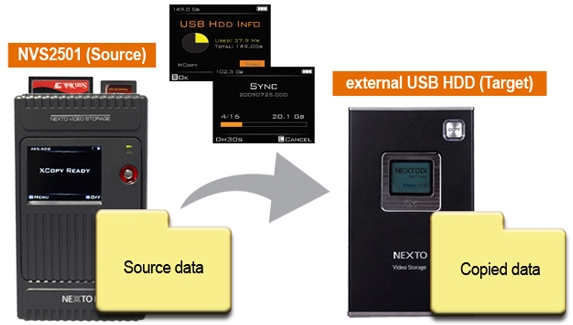
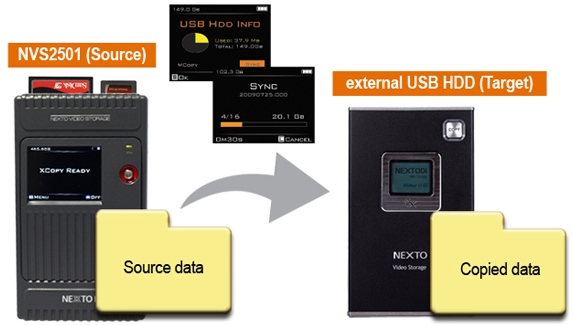
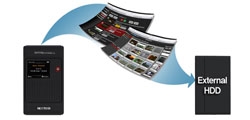
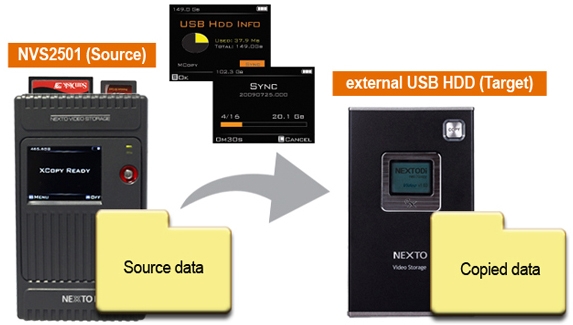
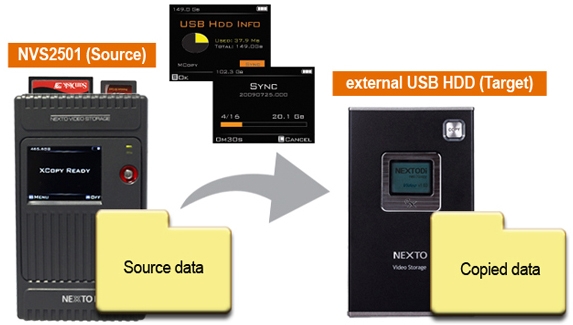
User can generate ("Sync") a secondary copy onto external USB HDD.
Export internal data to an external USB hard drive without needing a laptop.
Each time you plug-in a external USB hard drive to NVS1501, it syncs at any files recorded since the last sync, will be transferred. Automatically compare the video folders by file names ans sizes.
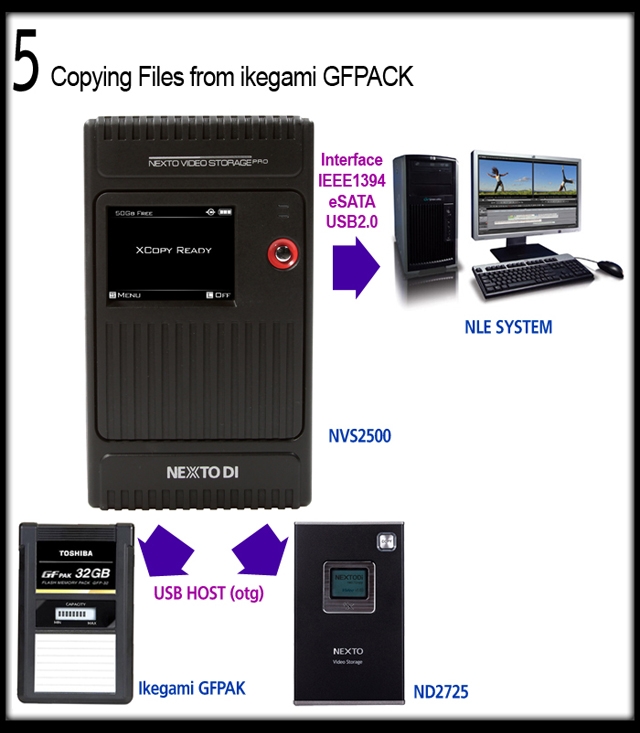
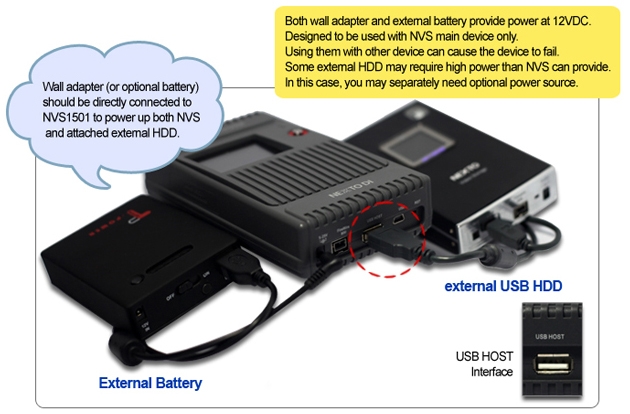
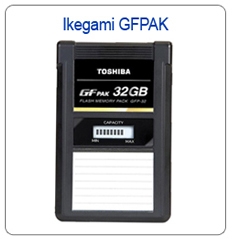
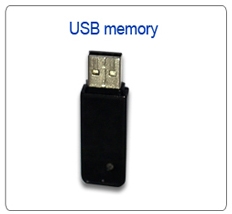
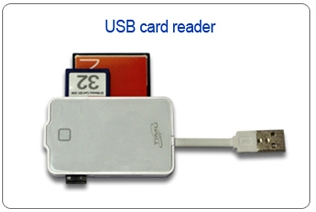
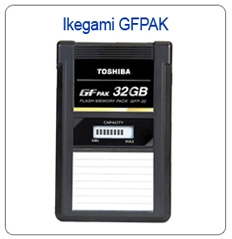
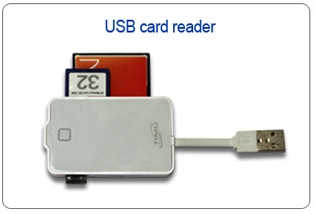
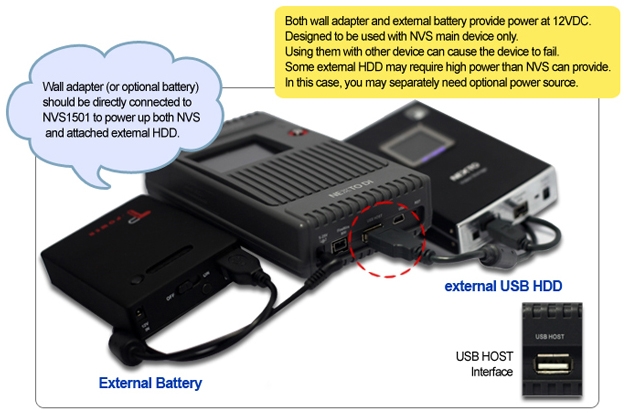
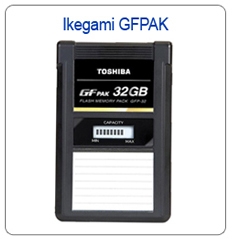
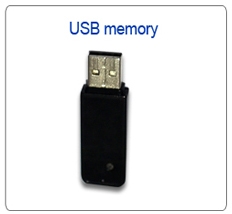
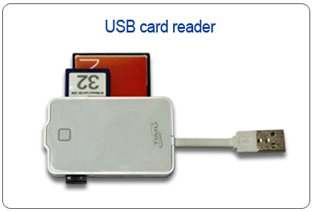
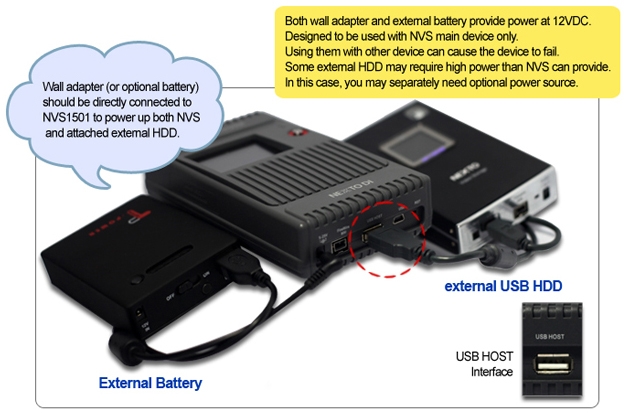
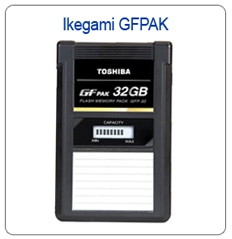
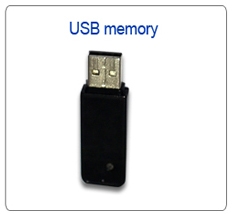
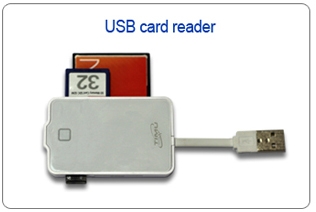
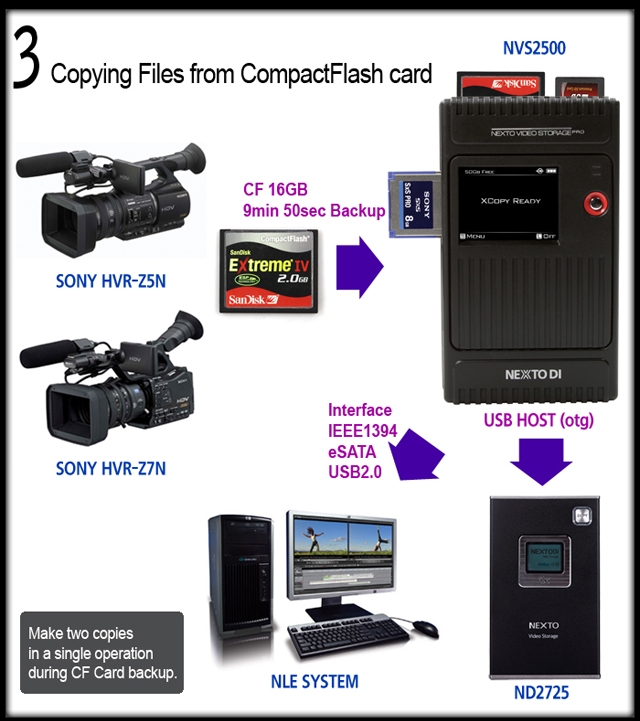
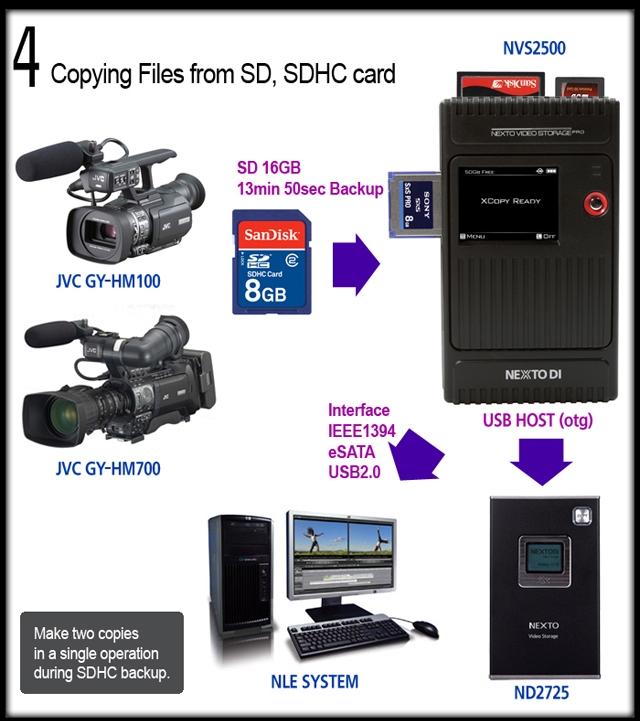
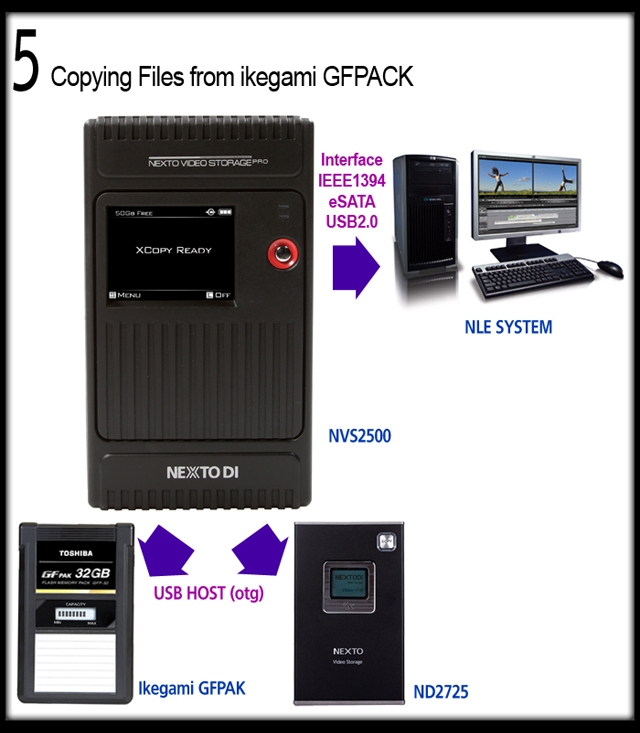
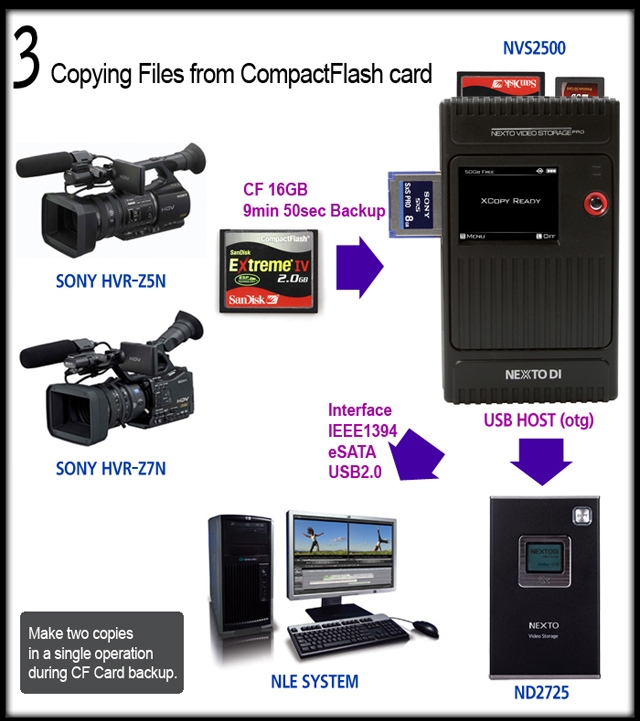
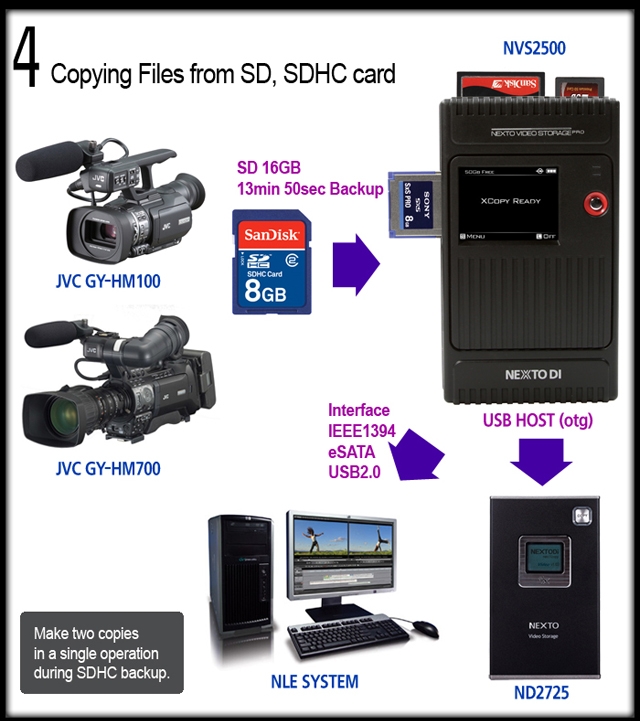
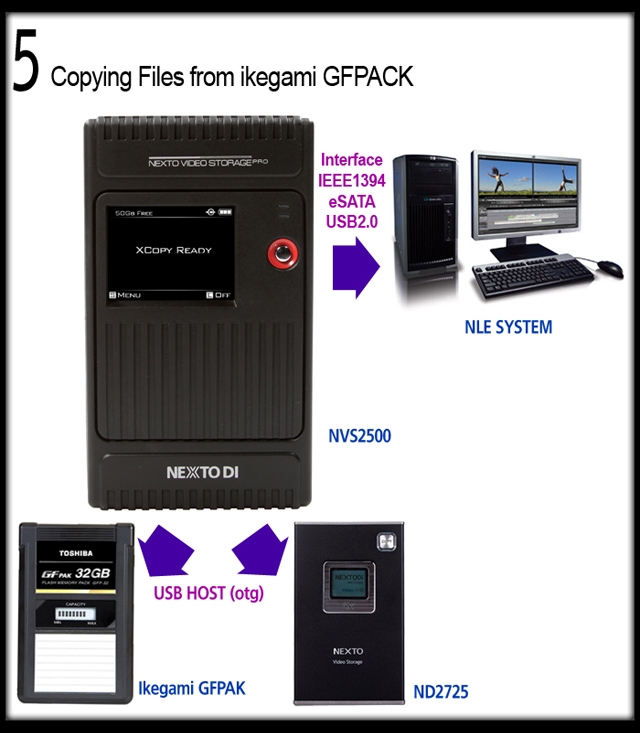
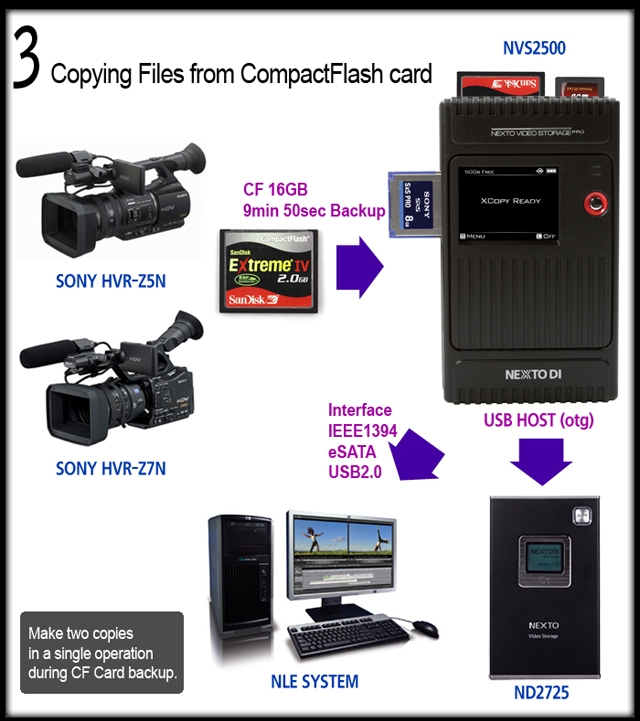
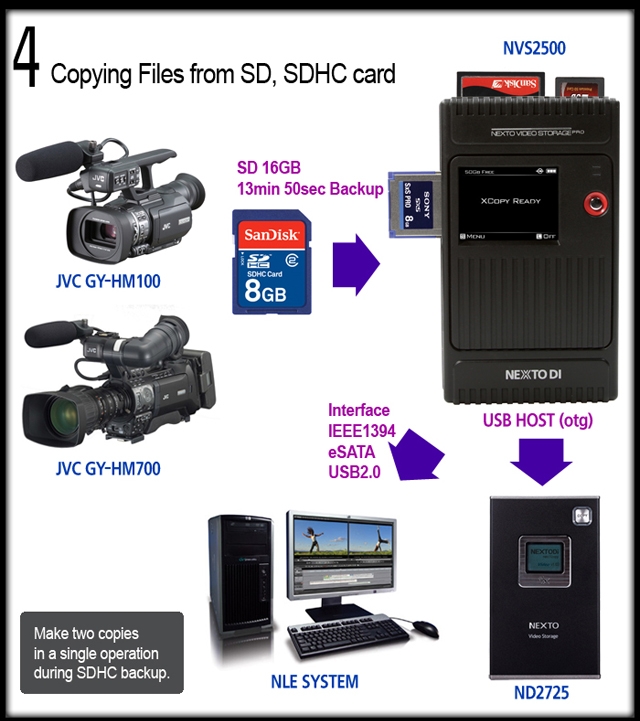
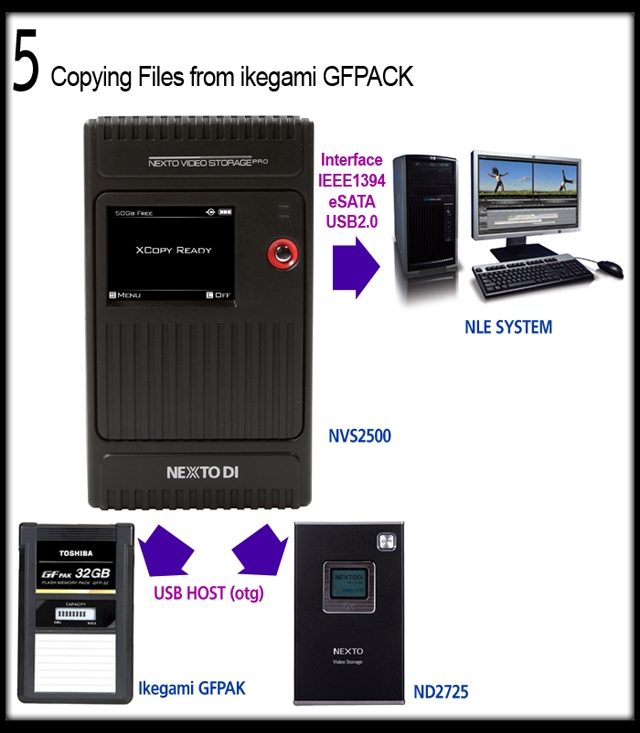
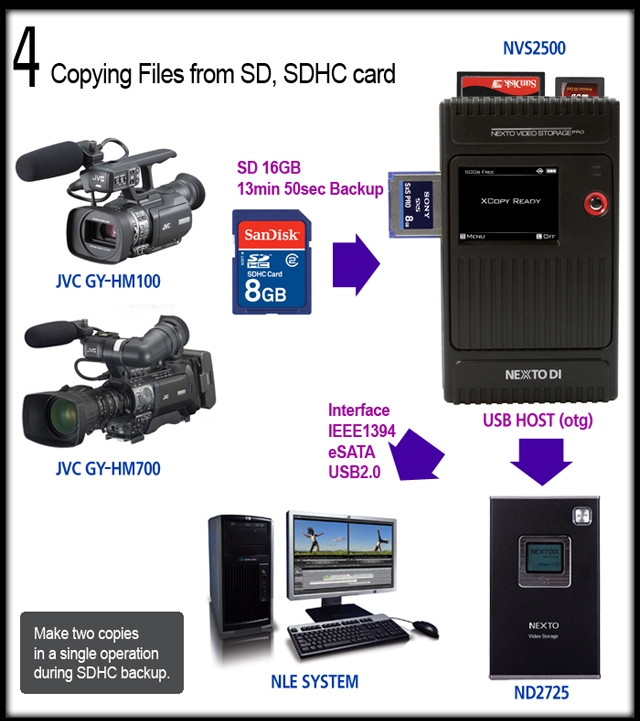
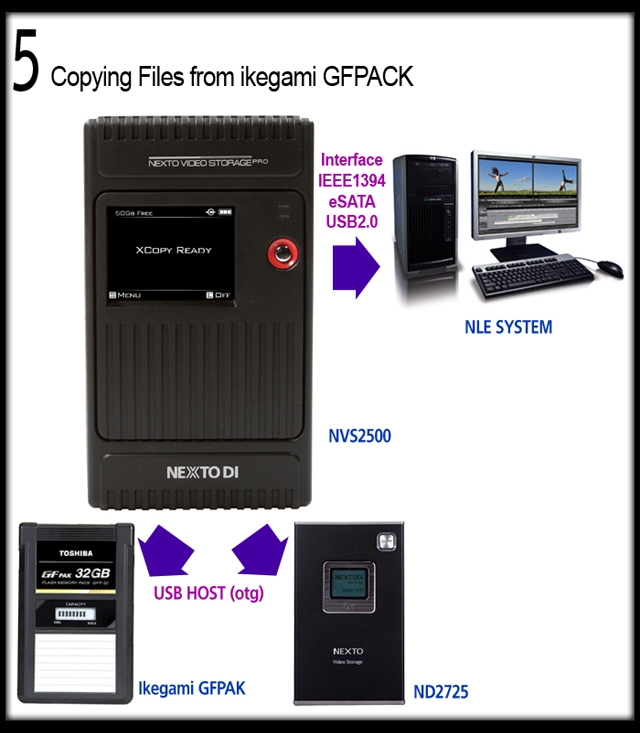
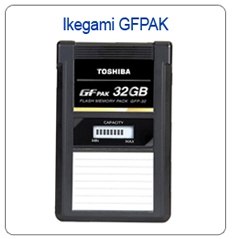
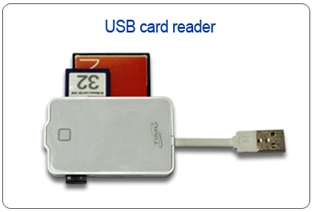
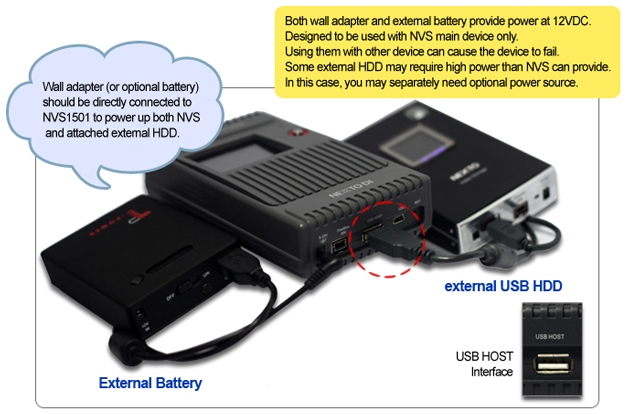
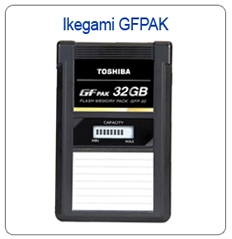
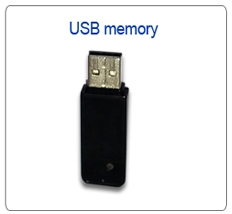
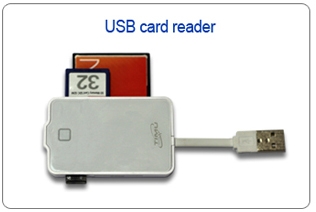
Supports copy from USB card reader or GFPAK using USB host connectivity through USB port.
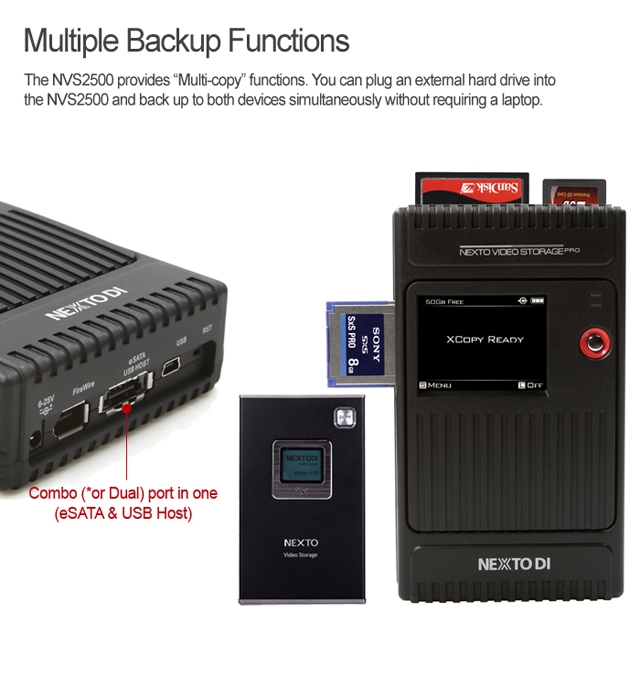
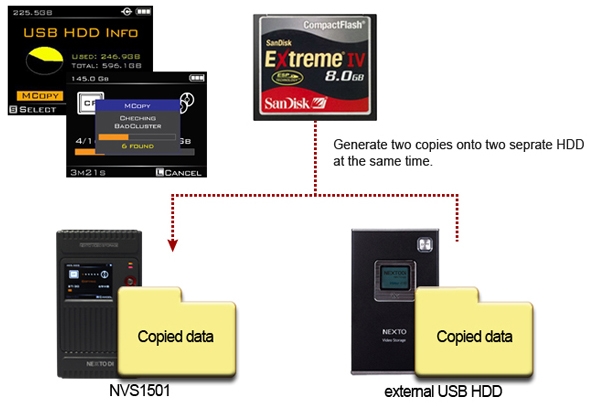
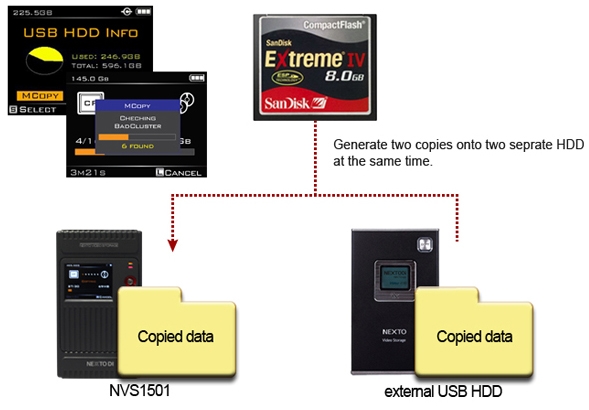
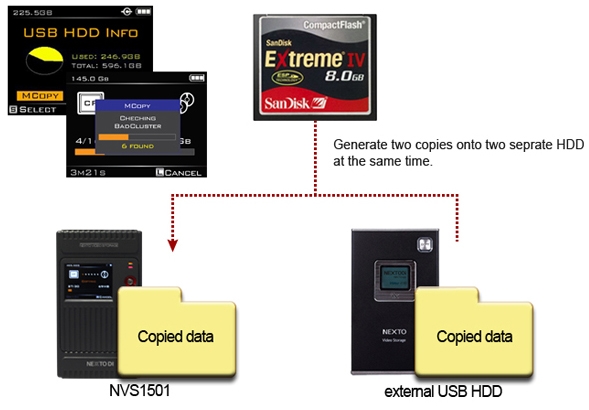
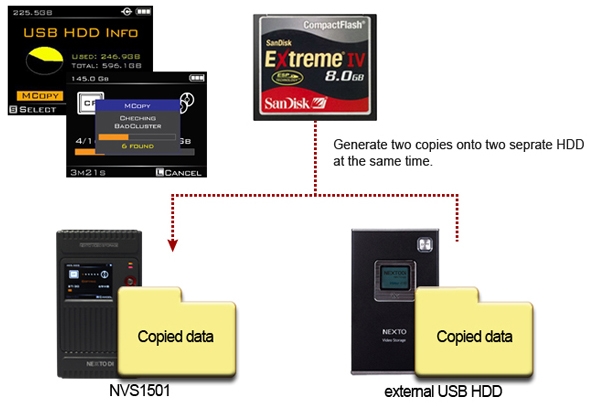
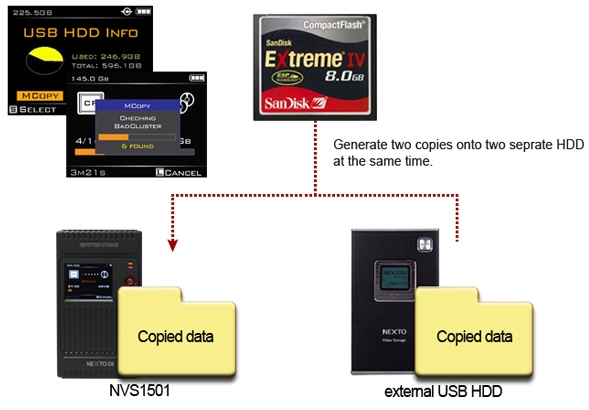
Multi-Copy onto two separate HDD at the same time
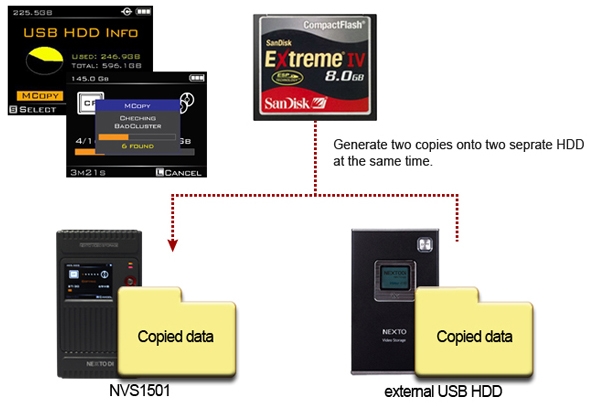
MCopy("Multi-Copy") enables copy data onto NVS1501 and USB external HDD at the same time to achieve maximum data safety.
Attach an USB external hard drive to make two copies at the same time with a single click.
Designed for data safety Shock protection
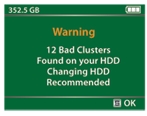
Featuring with advanced data management capabilities including Recover folder from bad sector, Shock protection and Success (or Failure) feedback of previous backup operation.
Shock Protection
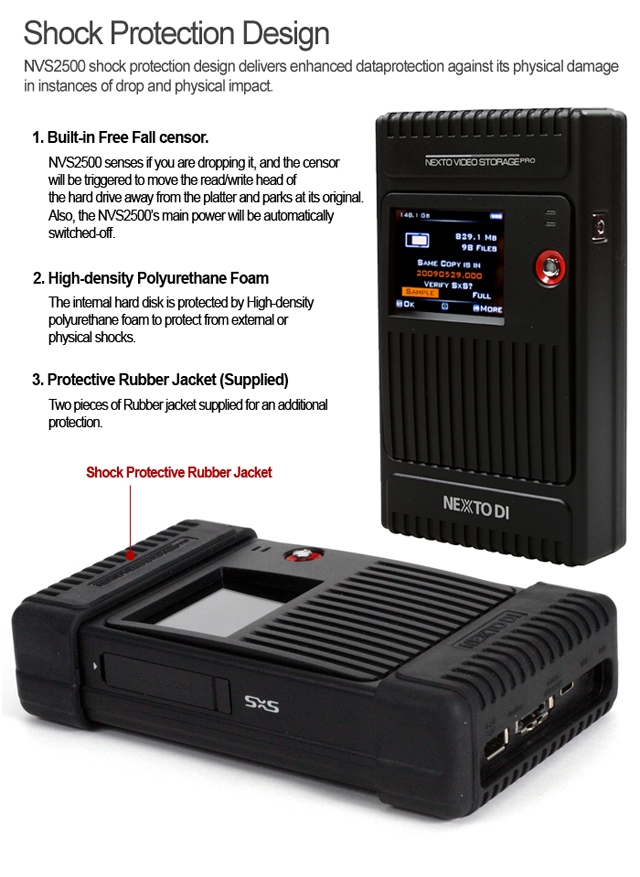
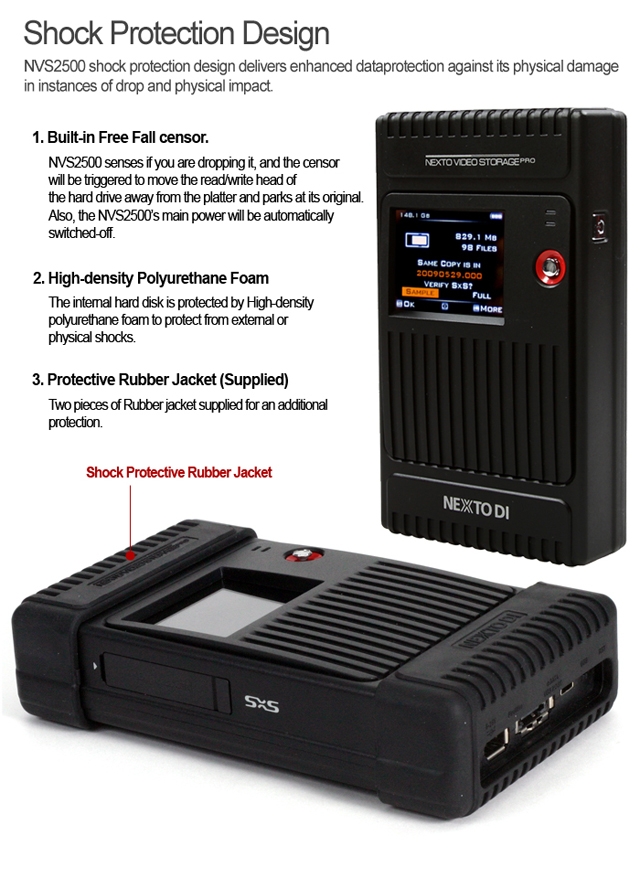
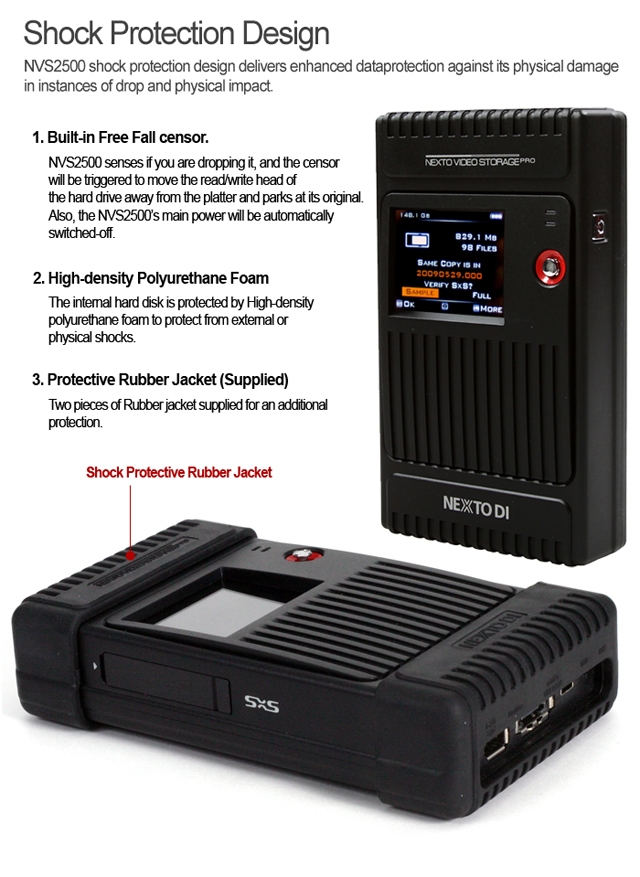
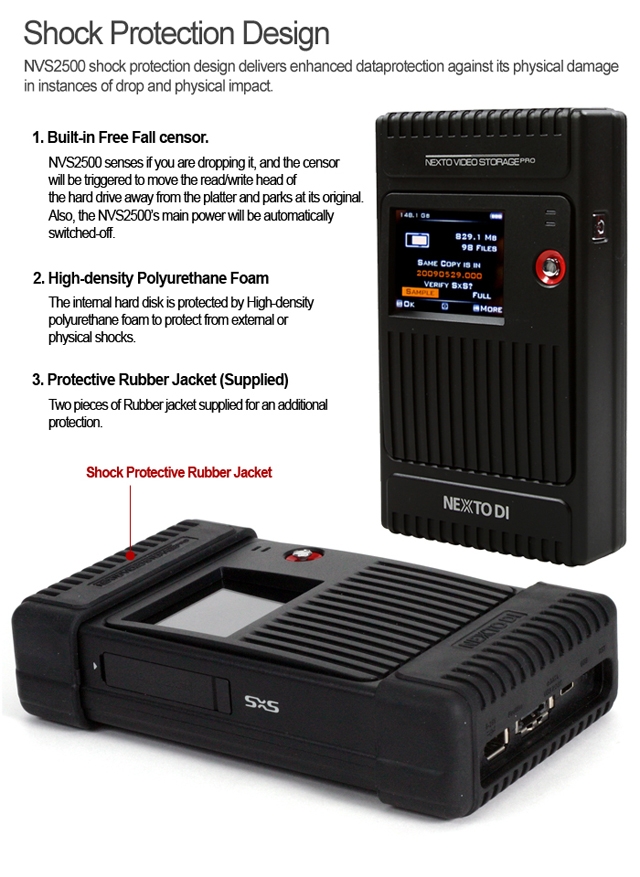
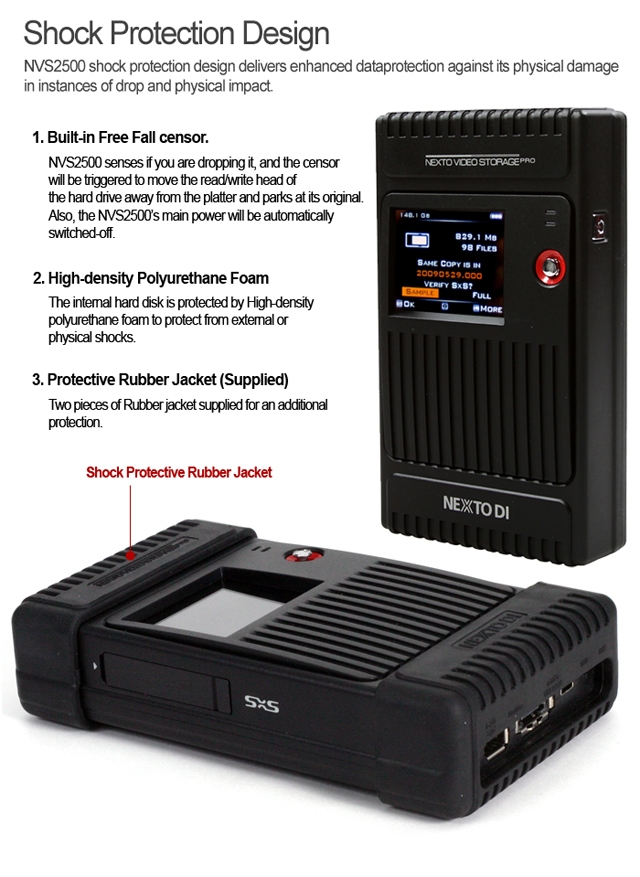
1. Built-in FREE-FALL Sensor NVS1501 senses when user dropping it and the sensor will be triggered to move the read/write head of HDD away from platter and parks at its original position. The main power will be automatically switched-off.
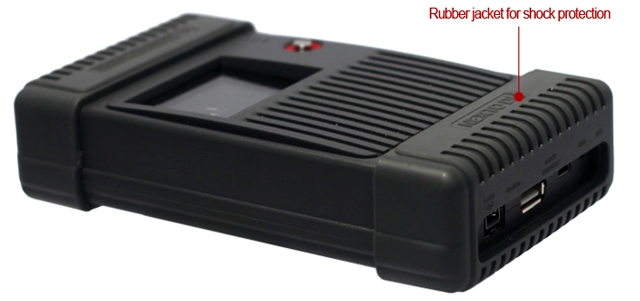
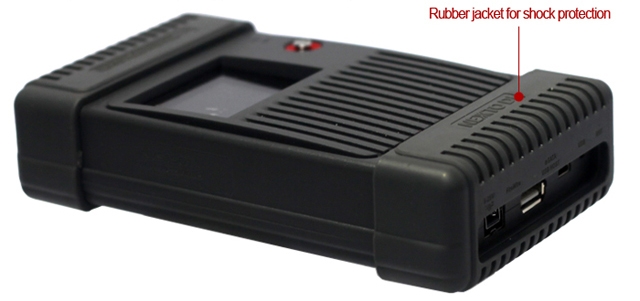
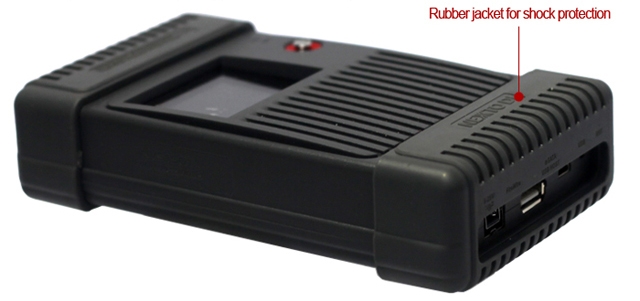
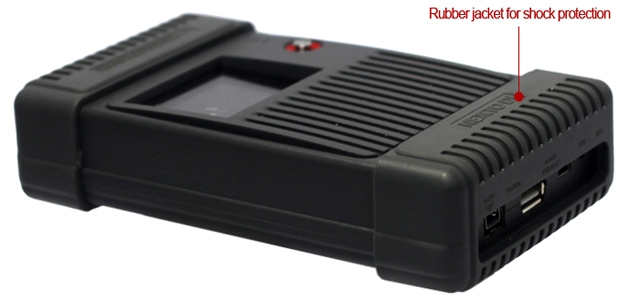
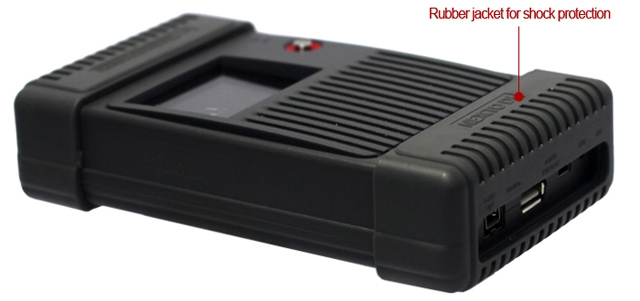
2. Supplied with Rubber Bumpers
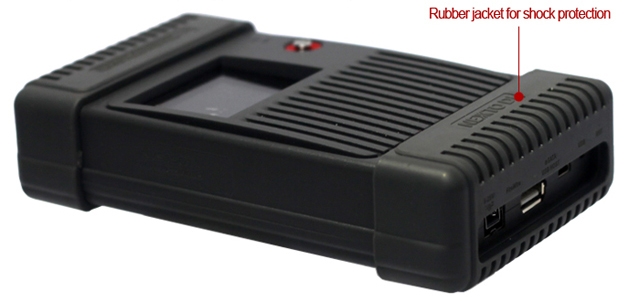
A pair of rubber bumper supplied for an additional protection
Bad Sector Recovery
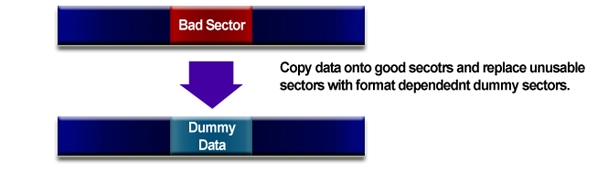
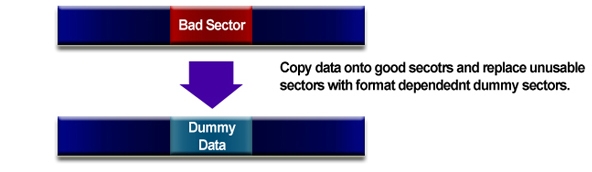
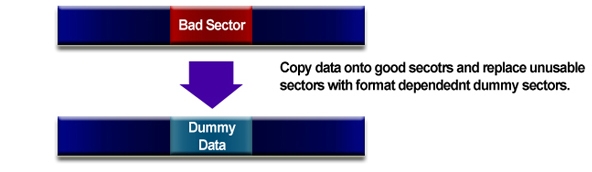
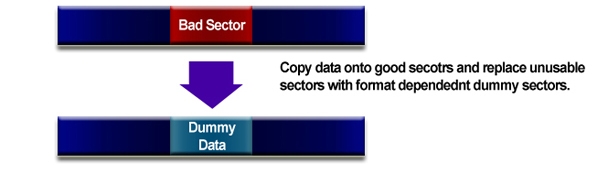
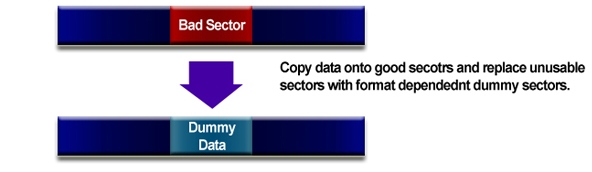
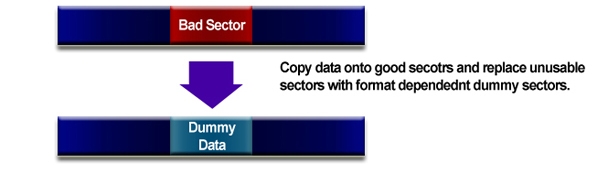
It becomes inaccessible or unusable, if a video folder contains bad sector, NVS1501 recovers the video folder to reusable and editable.
The frames that contain dummy sectors have block noises but rest of frames become usable.
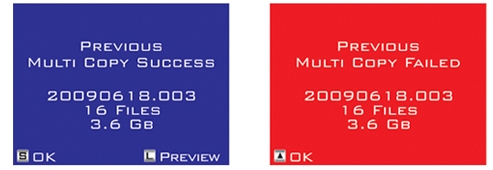
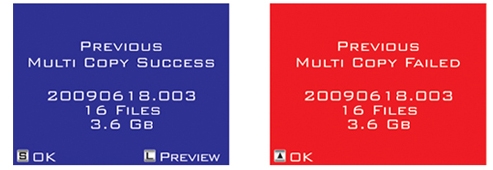
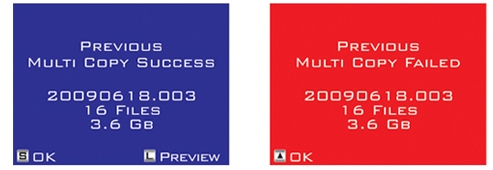
Success (or Failure) feedback
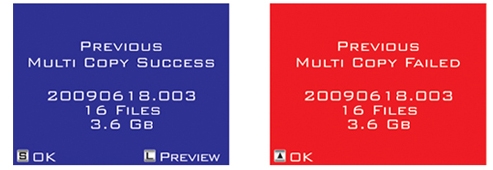
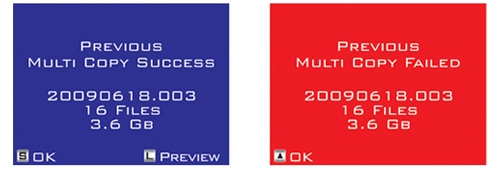
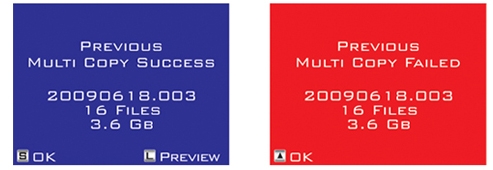
Next time you switch on NVS1501, it displays a previous backup result, in order to help the user to determine deletion of data stored in memory card.
Using the NVS1501 as a hard drive
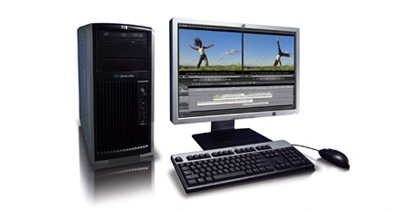
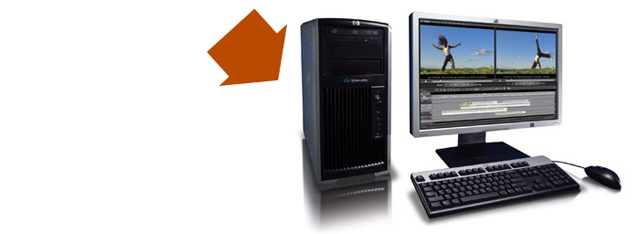
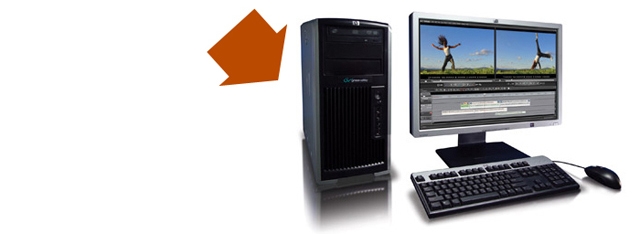
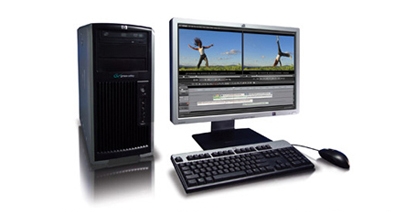
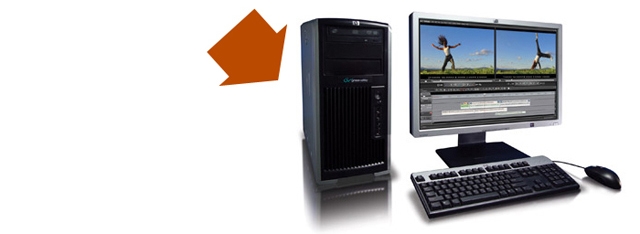
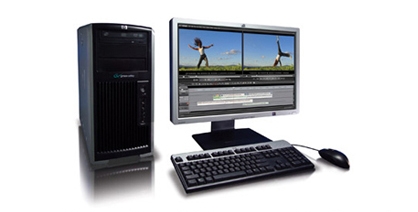
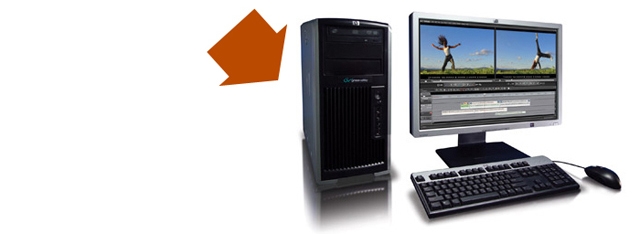
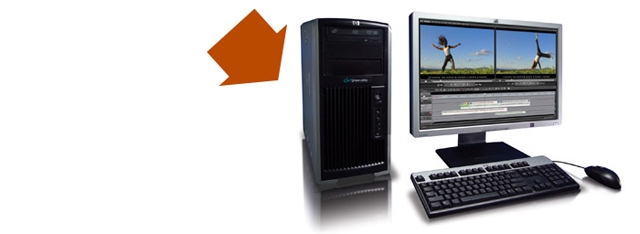
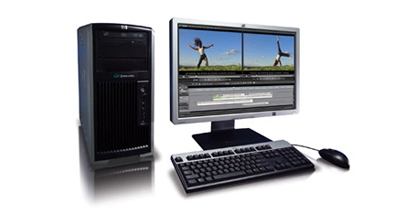
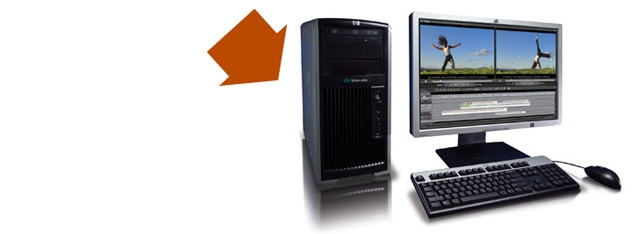
Supports high-speed data transfer to NLE System.
Transfer Speed by interfaces
| Interface |
Speeds(MB/s) |
Time(32GB) |
IEEE 1394b
FireWire 800) |
75MB/s |
7m10s |
| USB 2.0 |
33MB/s |
16m17s |
Versatile Power Option
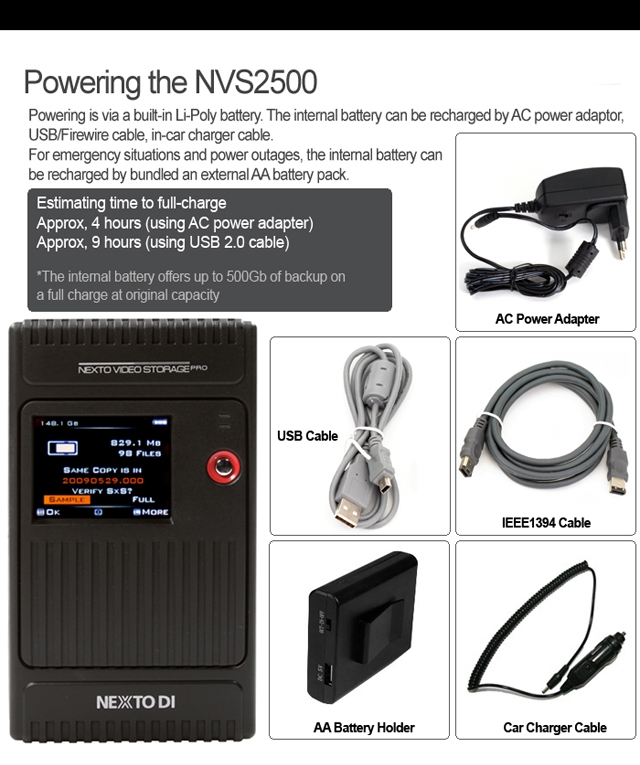
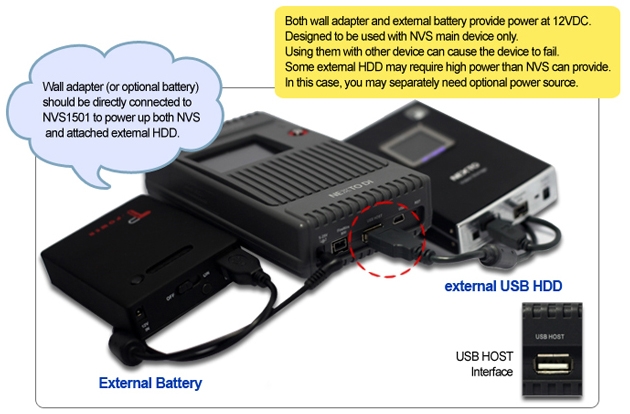
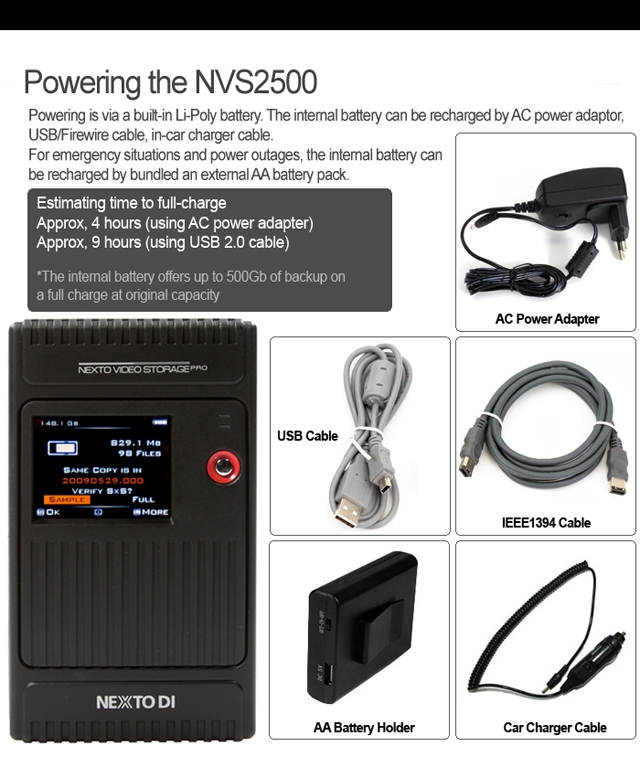
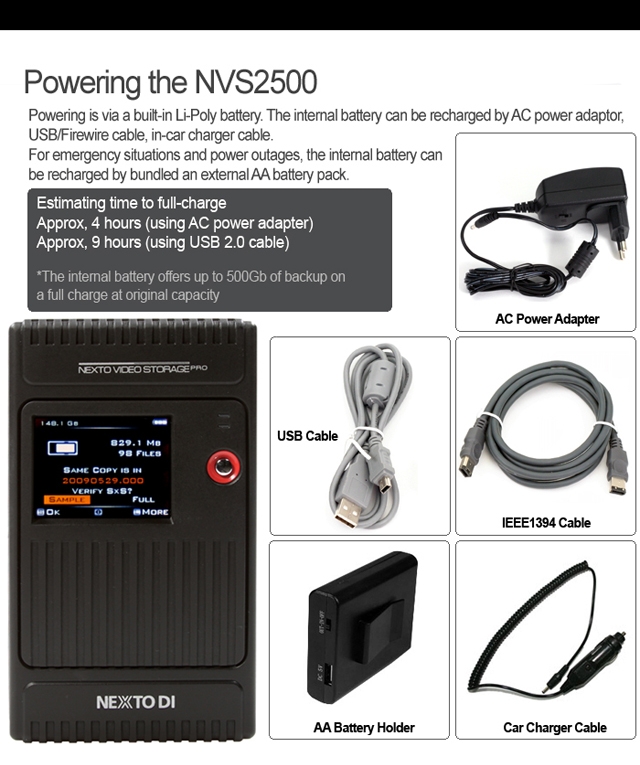
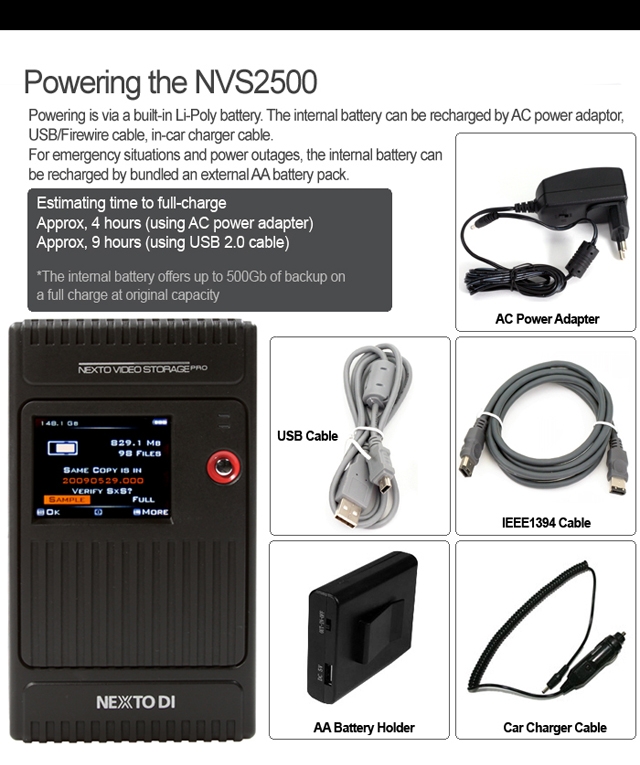
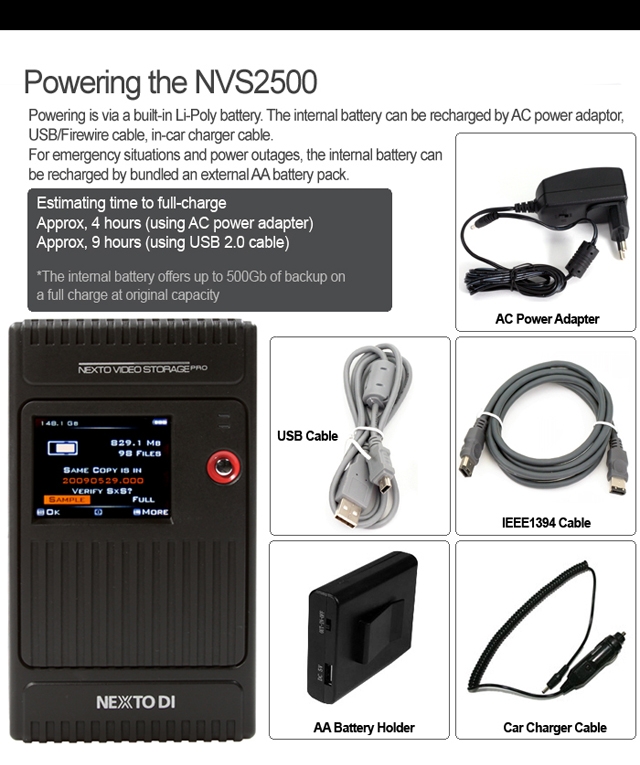
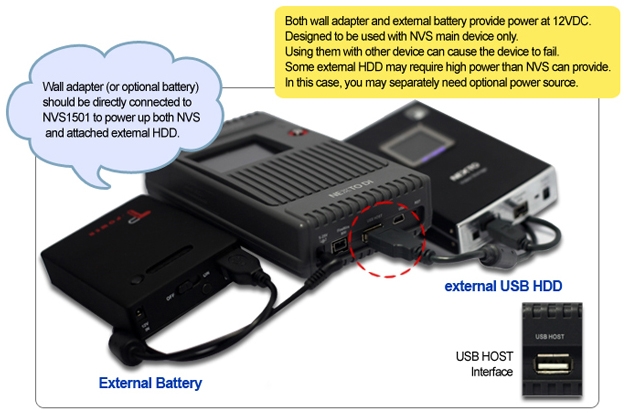
Its built-in internal battery makes NVS1501 the perfect companion for filed backup need. NVS1501 can be powered by Power adapter, Interface cables, AA Battery holder or External battery
Charging Time
Apporx 4 hours via power adpater\FireWire 800
Approx 9 hours via interface cable
Apporx 10 hours via AA battery holder
Buring a Blu-ray Disc
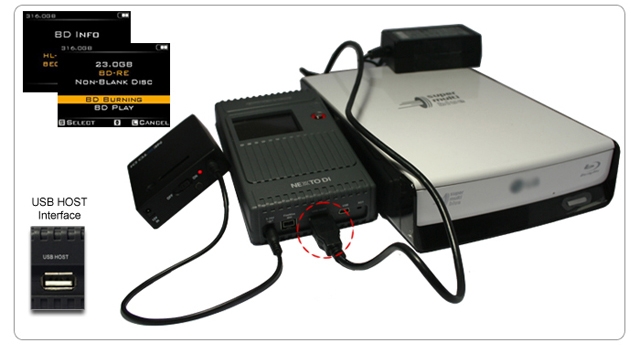
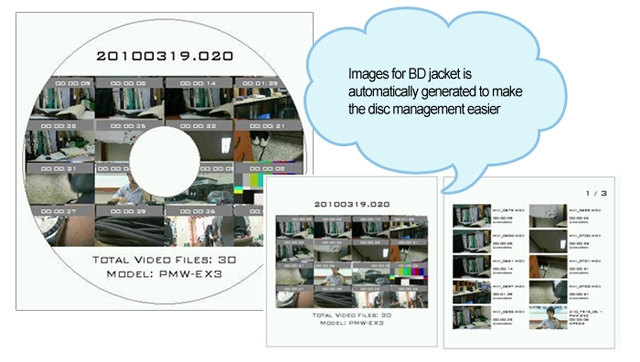
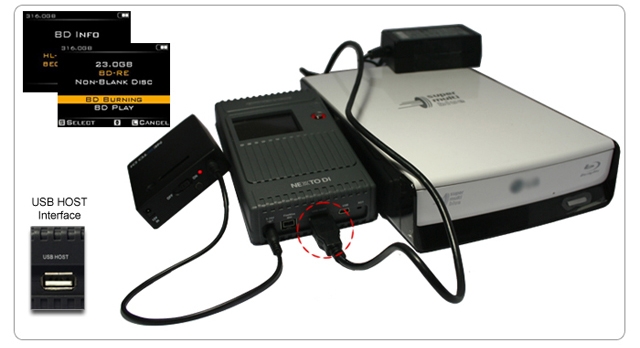
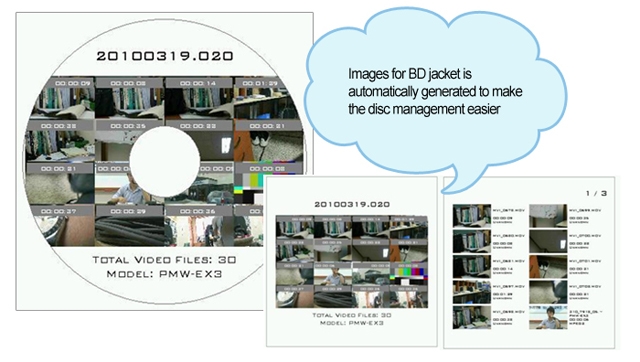
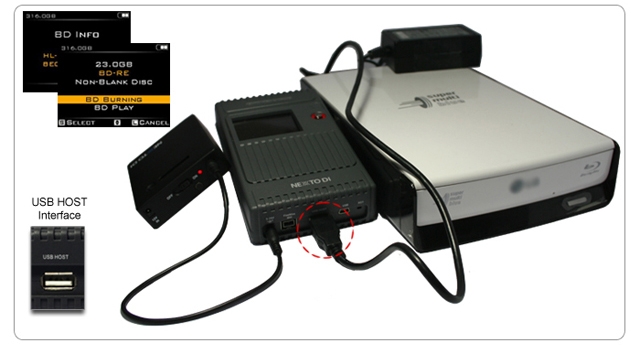
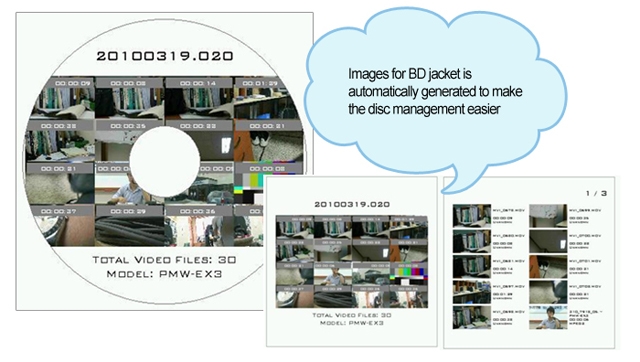
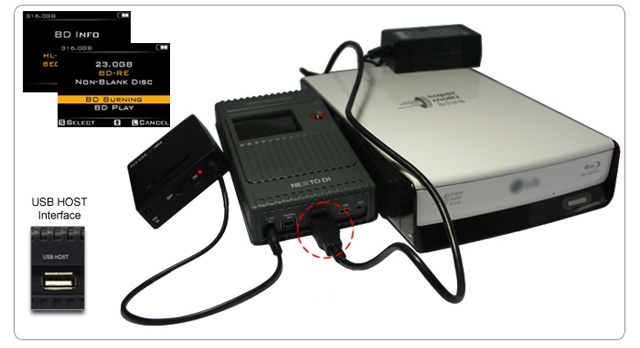
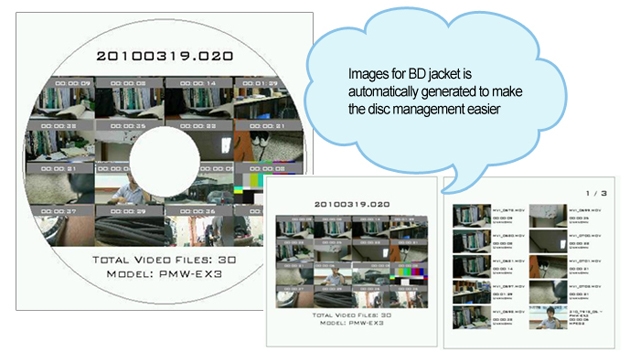
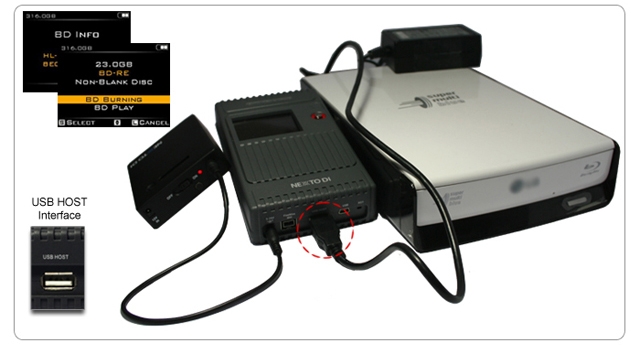
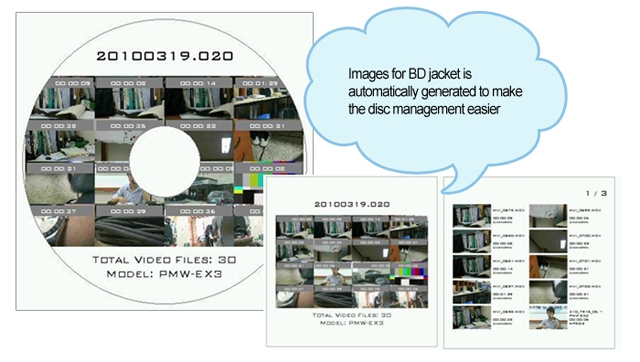
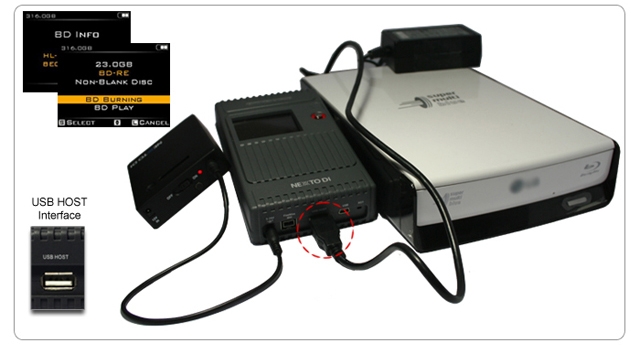
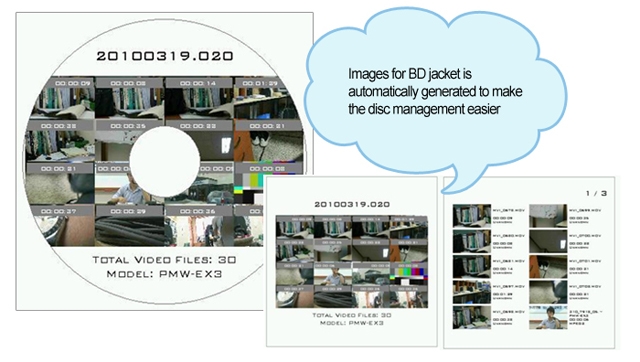
The NVS1501 supports the burning of Blu-ray Discs--or the preview of Blu-ray Discs--without the use of a computer. Only the BD-R or BD-RE is supported. There is no support for burning a CD or DVD.
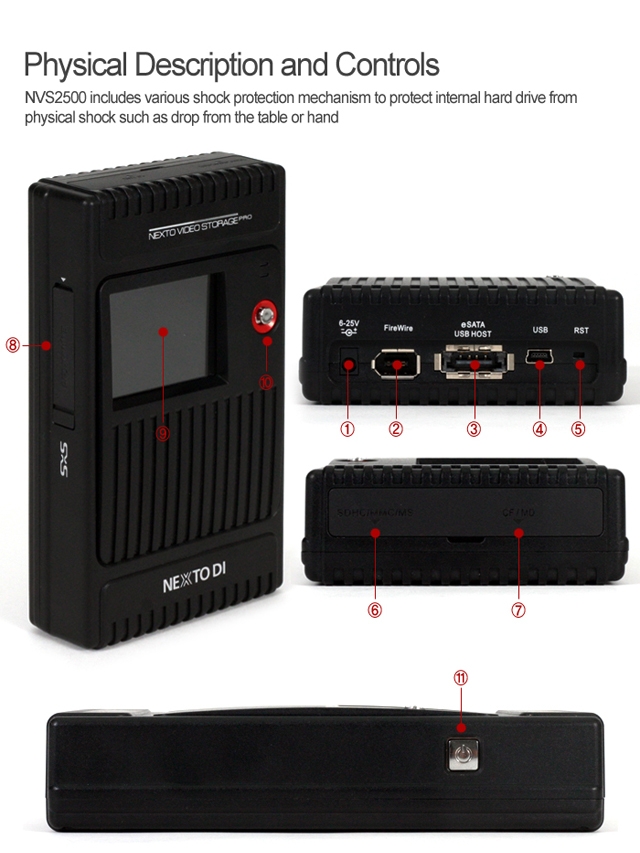
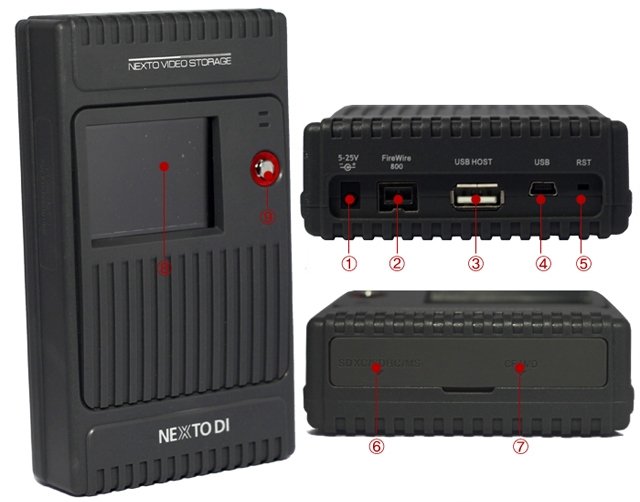
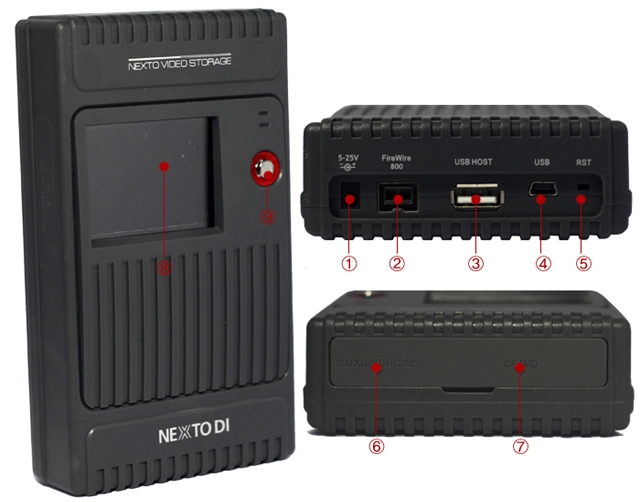
Physical Name and Desciptions
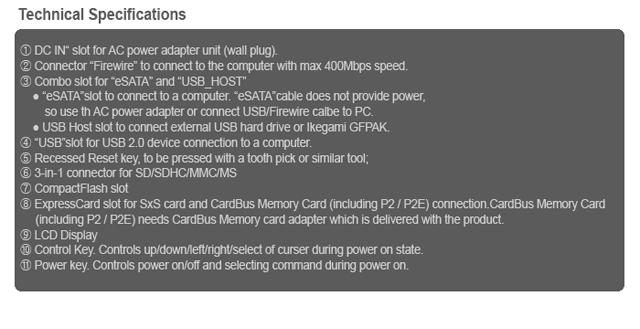
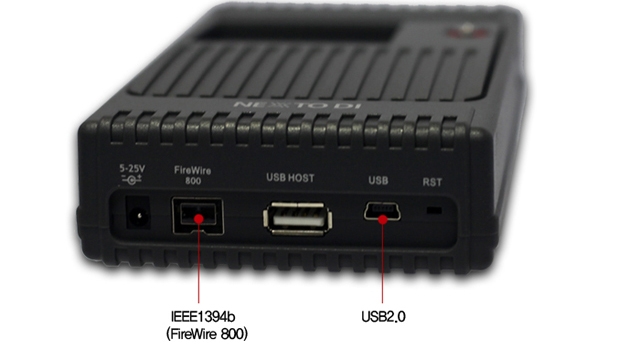
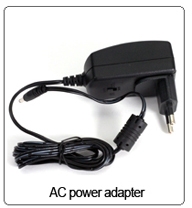
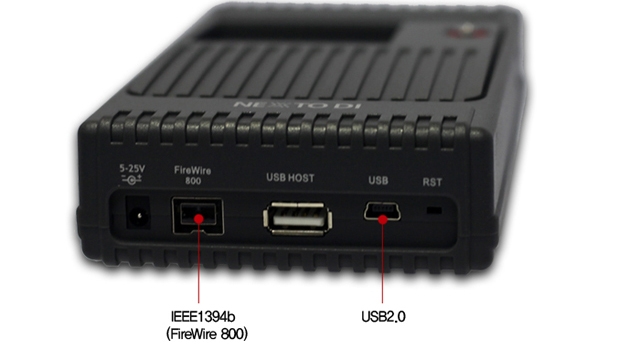
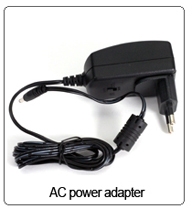
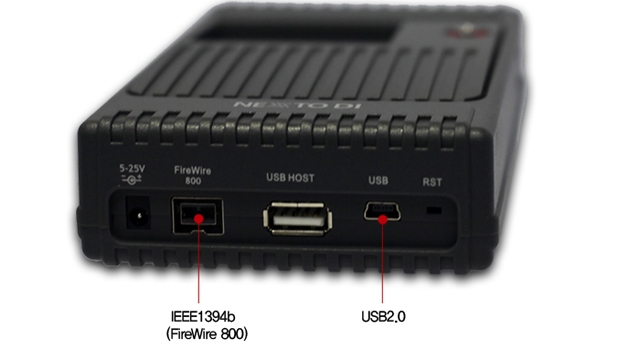
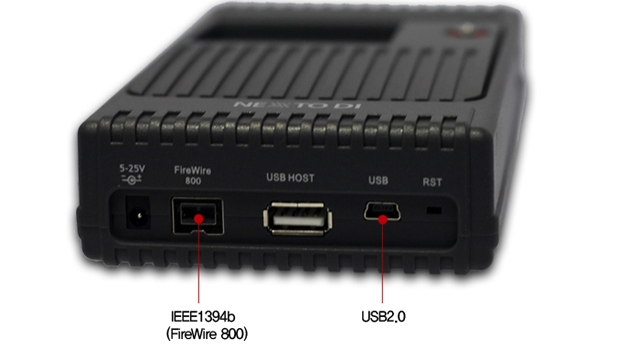
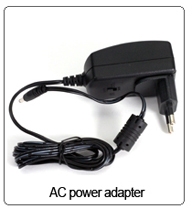
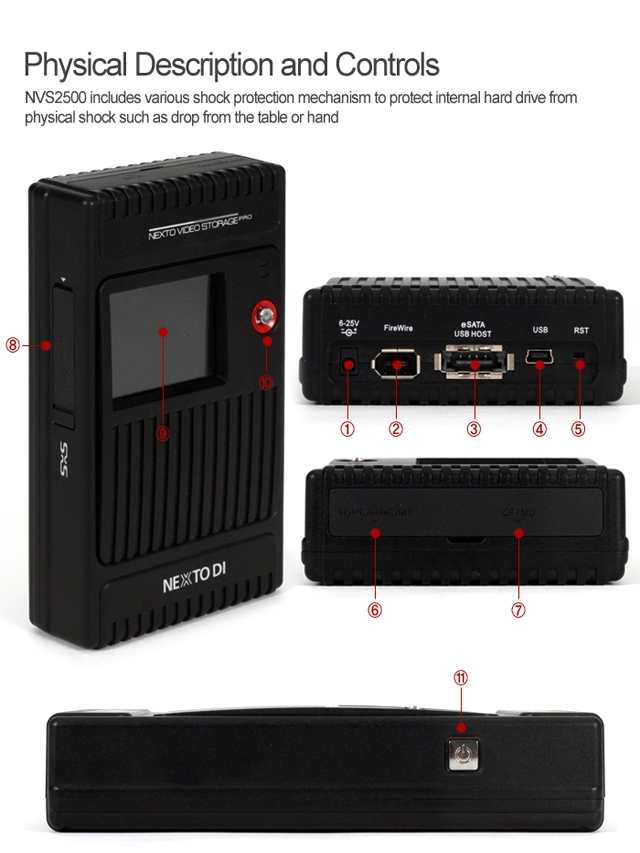
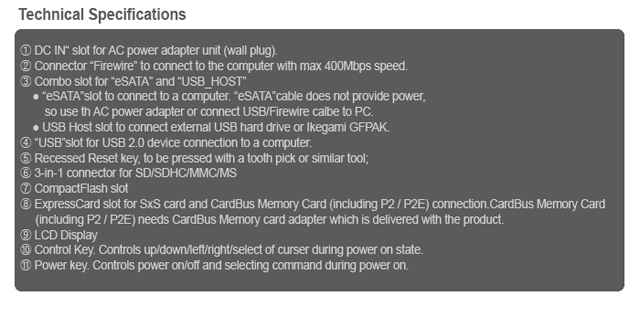
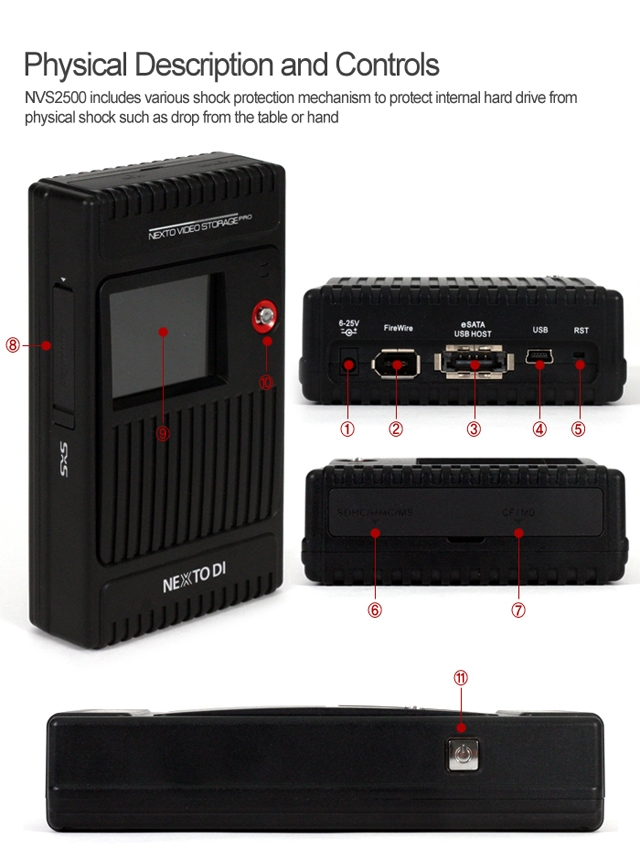
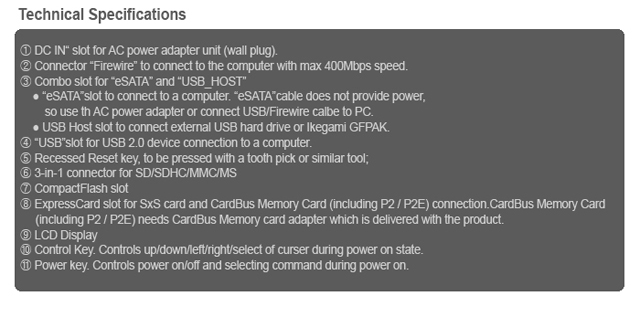
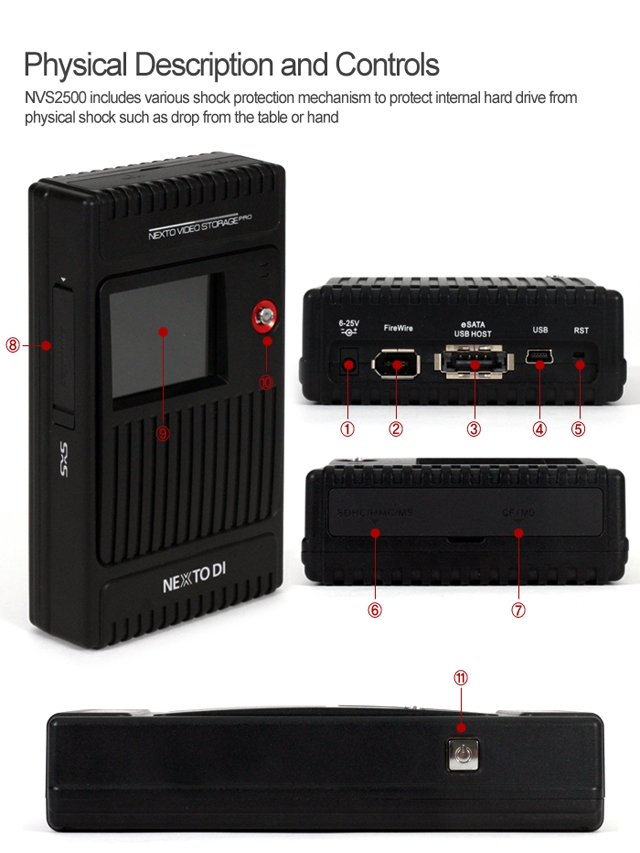
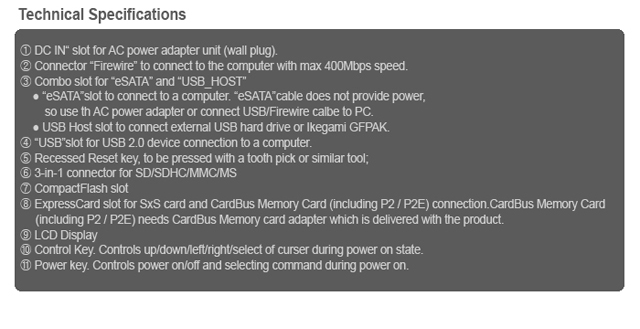
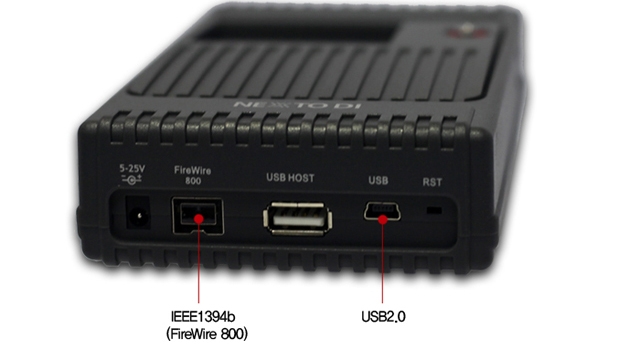
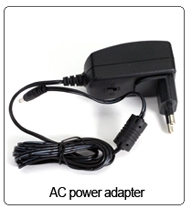
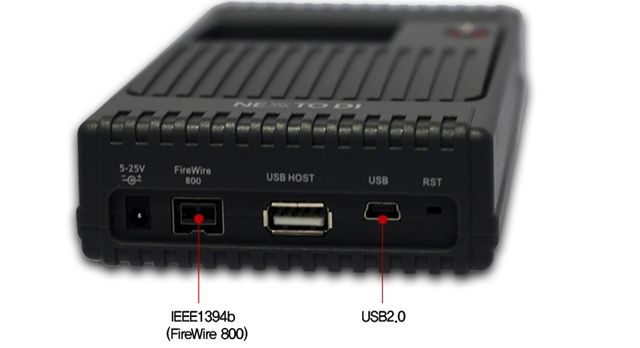
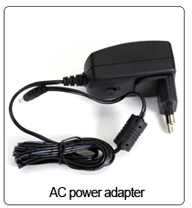
(1) "DC IN"slot for AC power adapter unit(wall plus; 6~25V).
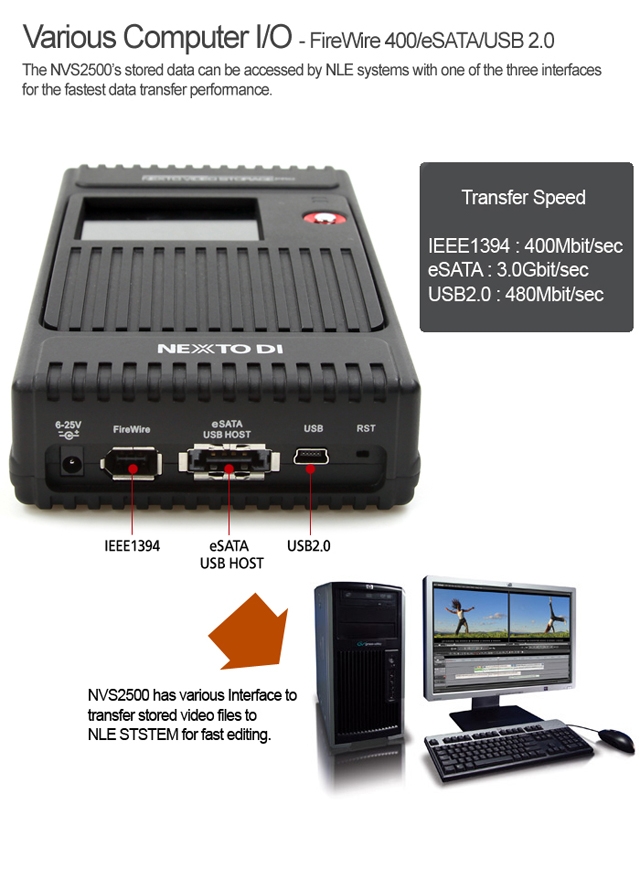
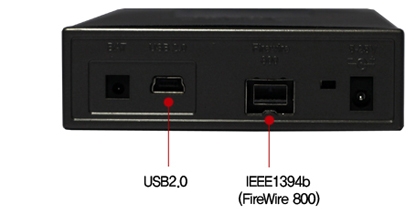
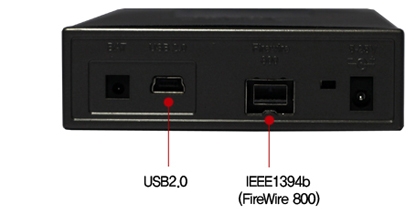
(2) Connector"FireWire 800(IEEE 1394b)"to connect to the computer with max 800Mbps speed.
(3) USB Host slot to connect external USB hard drive or Ikegami GFPAK or USB card reader.
(4) "USB"slot for USB 2.0 device connection to a computer.
(5) Recessed Reset key, to be pressed with a tooth pick or similar tool;
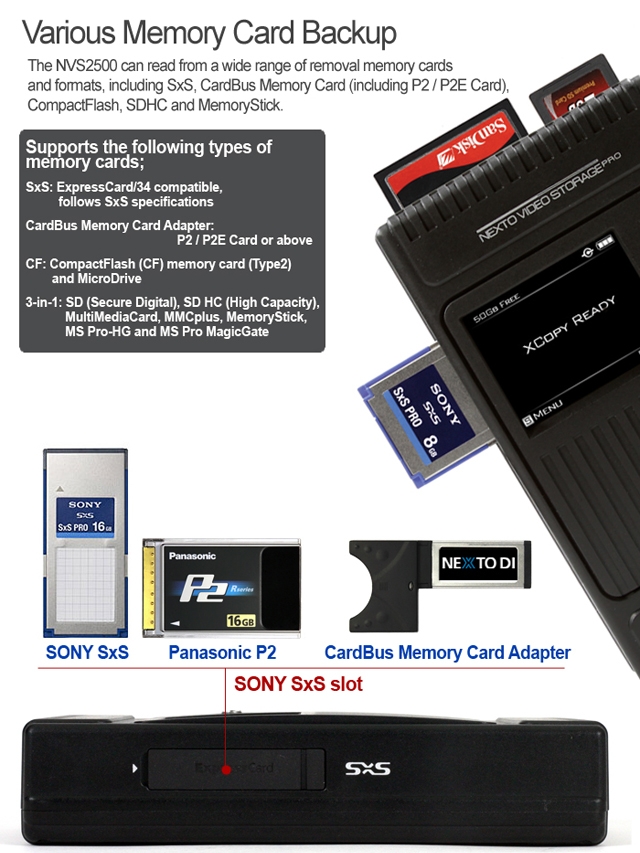
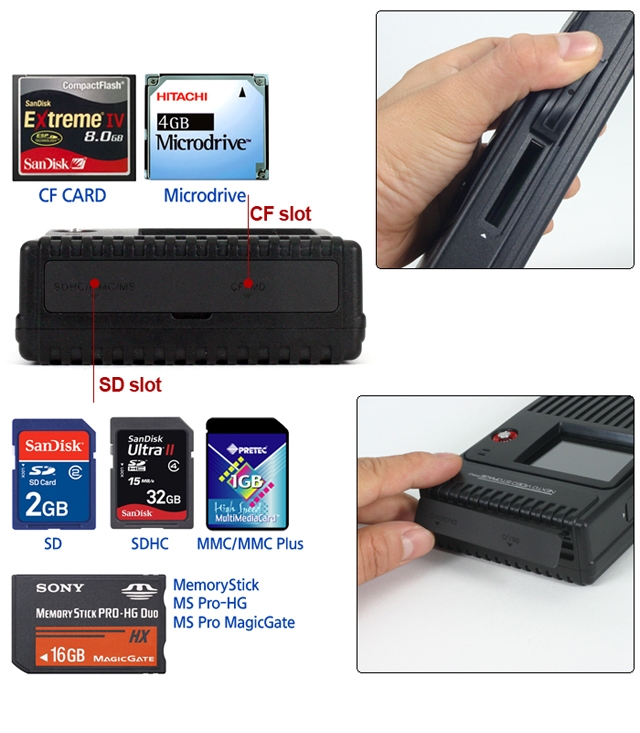
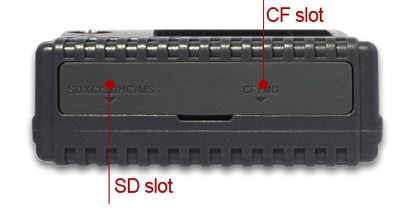
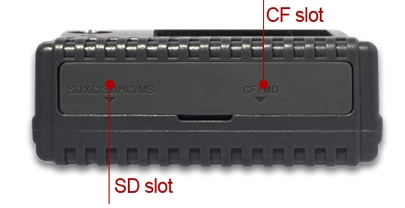
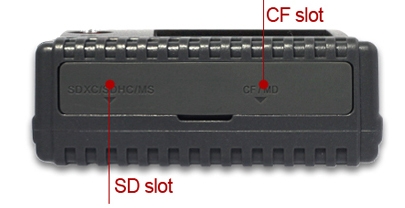
(6) 3-in-1 connector for SD/SDHC/SDXC/MMC/MS
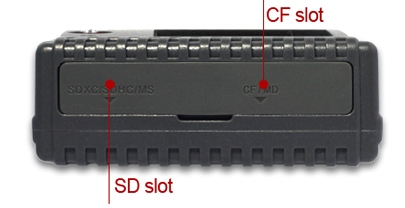
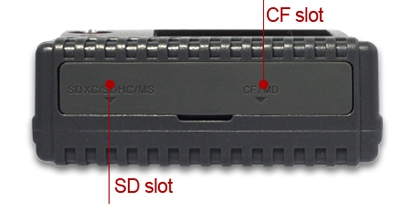
(7) Compact Flash slot
(8) LCD Display
(9) Control Key. Controls up/down/left/right/select of curser during power on state.
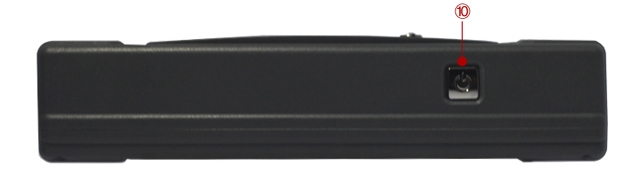
(10) Power key. Controls power on/off and selecting command during power on.
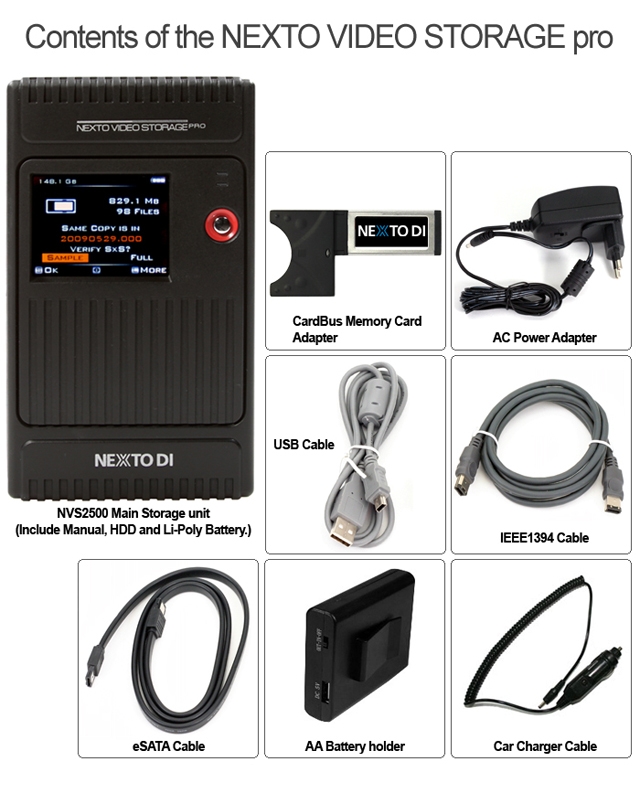
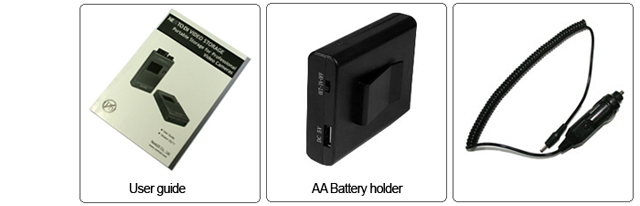
| Packaging Contents |
| |
 |
 |
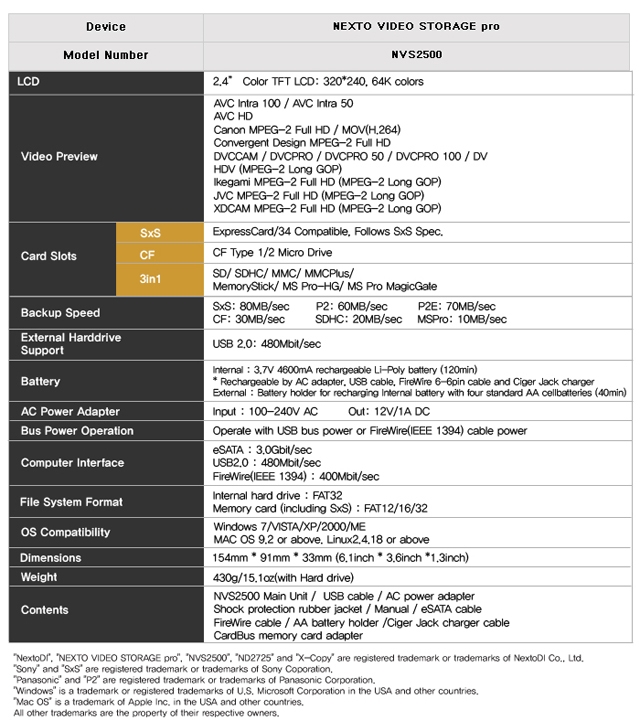
Specifications:
| Device |
NEXTO VIDEO STORAGE |
| Nodel Number |
NVS1501 |
| LCD |
2.4" Color TFT LCD: 320*240, 64K colors |
|
|
| CF Type 1/2, Micro Drive |
| |
| SDHC/SDXC/MS |
|
External Harddrive
Support |
USB 2.0: 480Mbit/sec |
| Battery |
Internal: 3.7V 4400mA rechargeable Li-Ploy battery (120min)
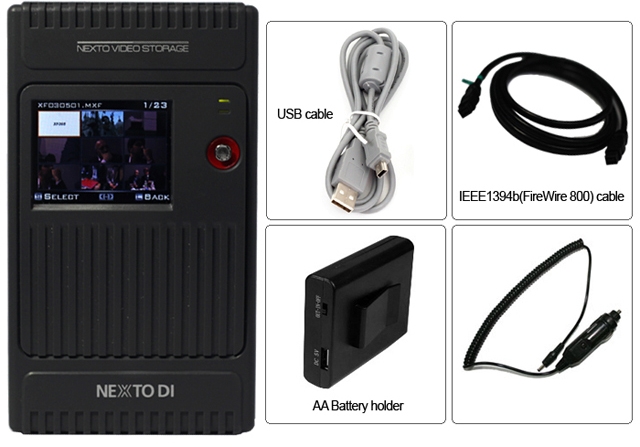
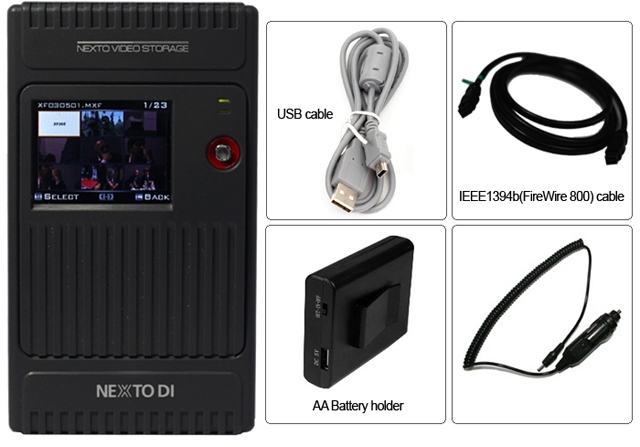
* Rechargeable by AC adapter, USB cable, IEEE 1394b(FireWire 800) cable (9-9pin) and Car charger cable
External: Battery holder for recharging internal battery with four standard AA cellbatteries (40min) |
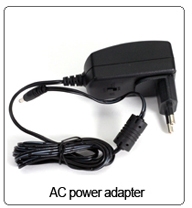
| AC Power Adapter |
Input: 100-240V AC
Out: 12V/1A DC |
| Bus Power Operation |
Operate with USB bus powerof IEEE 1394b(FireWire 800) cable power |
| Computer Interface |
USB 2.0: 480Mbit/sec
IEE 1394b(FireWire 800): 800Mbit/sec |
| File System Format |
Internal hard drive: FAT32
Memory card(including SxS): FAT12/16/32/exFAT |
| OS Compatibility |
Windows 7/VISTA/XP/2000/ME
Mac OS 9.2 or above.
Linux 2.4.18 or above. |
| Dimensions |
154mm*91mm*33mm(6.1inches*3.6inches*1.3inches) |
| Weight |
430g/15.1oz(with Hard drive) |
| Contents |
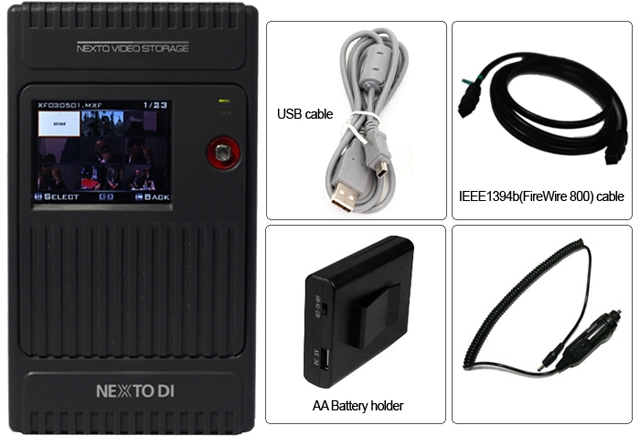
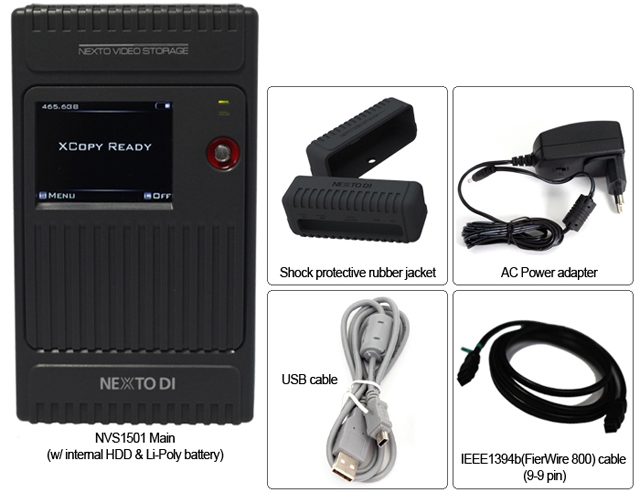
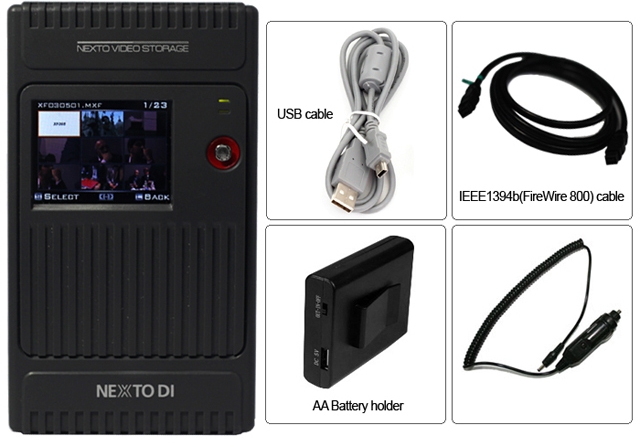
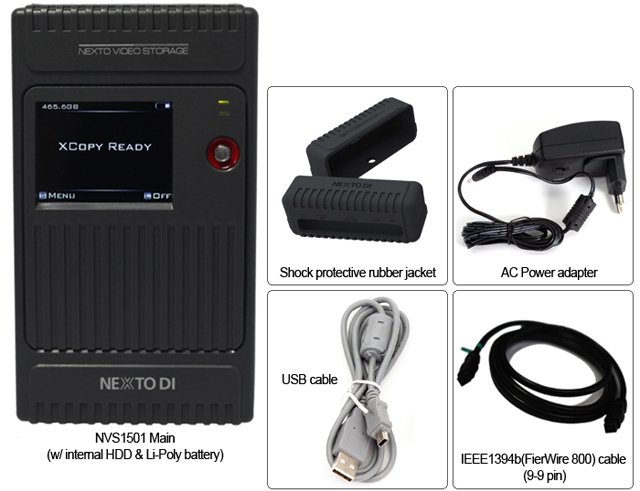
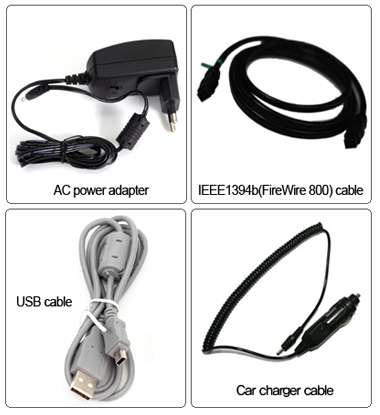
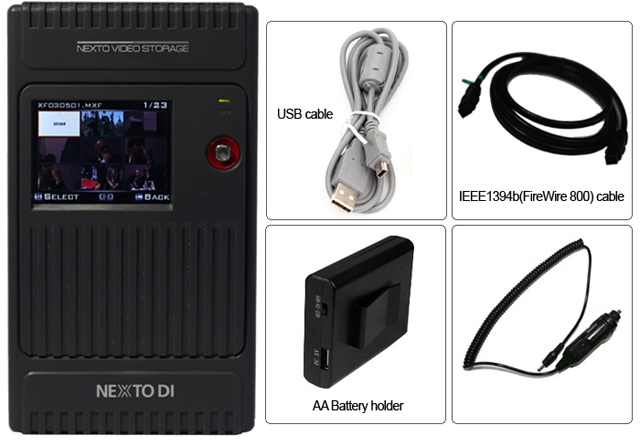
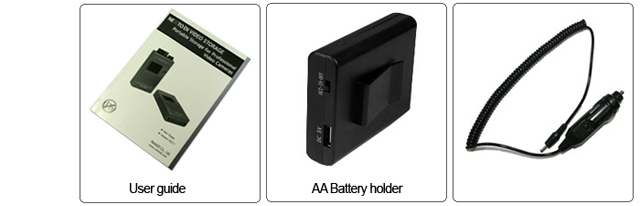
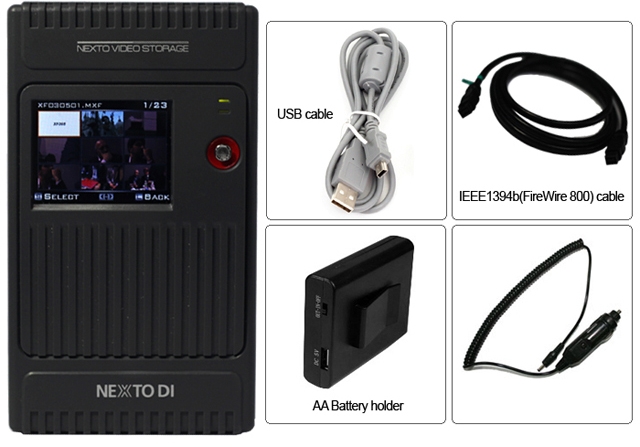
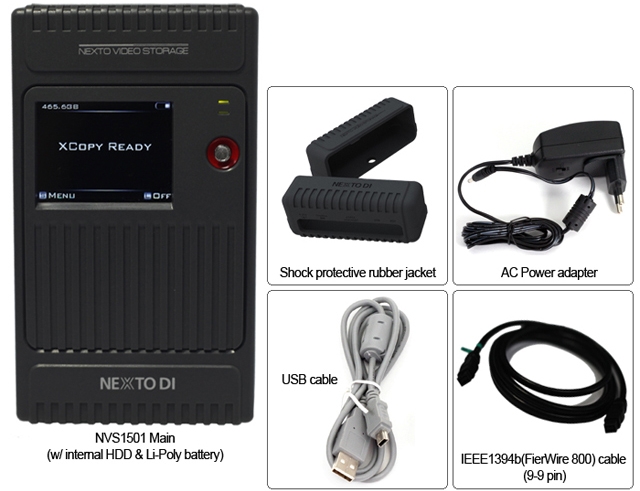
NVS1501 Main Unit / Manual / AC power adapter / USB cable / AA battery holder / IEEE 1394b(FireWire 800) cable (9-9 pin) / Shock protection rubber jacket / Car charger cable |
|
|
|
|
13/03
|
NextoDi NVS1501 NEXTO Video Storage - 2.4" Colour TFT LCD, 256GB-SSD, Supports CF Type 1/2, Micro Drive, SDHC, SDXC, MS, FireWire 800, USB2.0 NVS1501
Revolutionary lacation backup device for DSLR cameras
Nexto Video Storage NVS1501
Supports SDXC
The NVS1501 supports exFAT file system used in SDXC.
(Support for file size larger than 4GB shall be done later by free firmware upgrade (by 2012 Q4))
Copy mode & Performance
Make new folder and copy all the memory card data into the folder.
Same as [Fast Copy] but after copying, the data on the memory card is compared with the copied data in the NVS1501 hard drive. Each bit is verified.
Before copying data, the NVS1501 verifies that its hard drive area is safe. If a bad sector is detected, a new safe area is found - then copying [Fast Copy] will begin.
|
Performance
|
| Memory |
Speed(MB/s) |
Time(32GB) |
| CF |
80MB/s |
6m40s |
| SDHC/SDXC |
22MB/s |
24m14s |
SDHC/SDXC
UHS-1 |
60MB/s |
8m53s |
| MS |
12MB/s |
44m26s |
|
|
Preview Video & Photo clip
|
| User can preview video and photo clip with built-in colour LCD. A preview of both the internal HDD and external device (CF / SDHC / SDXC / MS / USB external HDD) is supported. |
|
Making a secondary copy to USB hard drive
|
|
User can generate ("Sync") a secondary copy onto external USB HDD.
Export internal data to an external USB hard drive without needing a laptop.
Each time you plug-in a external USB hard drive to NVS1501, it syncs at any files recorded since the last sync, will be transferred. Automatically compare the video folders by file names ans sizes.
|
Supports copy from USB card reader or GFPAK using USB host connectivity through USB port.
Multi-Copy onto two separate HDD at the same time
MCopy("Multi-Copy") enables copy data onto NVS1501 and USB external HDD at the same time to achieve maximum data safety.
Attach an USB external hard drive to make two copies at the same time with a single click.
Designed for data safety Shock protection
Featuring with advanced data management capabilities including Recover folder from bad sector, Shock protection and Success (or Failure) feedback of previous backup operation.
Shock Protection
1. Built-in FREE-FALL Sensor NVS1501 senses when user dropping it and the sensor will be triggered to move the read/write head of HDD away from platter and parks at its original position. The main power will be automatically switched-off.
2. Supplied with Rubber Bumpers
A pair of rubber bumper supplied for an additional protection
Bad Sector Recovery
It becomes inaccessible or unusable, if a video folder contains bad sector, NVS1501 recovers the video folder to reusable and editable.
The frames that contain dummy sectors have block noises but rest of frames become usable.
Success (or Failure) feedback
Next time you switch on NVS1501, it displays a previous backup result, in order to help the user to determine deletion of data stored in memory card.
Using the NVS1501 as a hard drive
Supports high-speed data transfer to NLE System.
| Transfer Speed by interfaces |
| Interface |
Speeds(MB/s) |
Time(32GB) |
IEEE 1394b
FireWire 800) |
75MB/s |
7m10s |
| USB 2.0 |
33MB/s |
16m17s |
|
Versatile Power Option
Its built-in internal battery makes NVS1501 the perfect companion for filed backup need. NVS1501 can be powered by Power adapter, Interface cables, AA Battery holder or External battery
Charging Time
Apporx 4 hours via power adpater\FireWire 800
Approx 9 hours via interface cable
Apporx 10 hours via AA battery holder
Buring a Blu-ray Disc
The NVS1501 supports the burning of Blu-ray Discs--or the preview of Blu-ray Discs--without the use of a computer. Only the BD-R or BD-RE is supported. There is no support for burning a CD or DVD.
|
Physical Name and Desciptions
|
| |
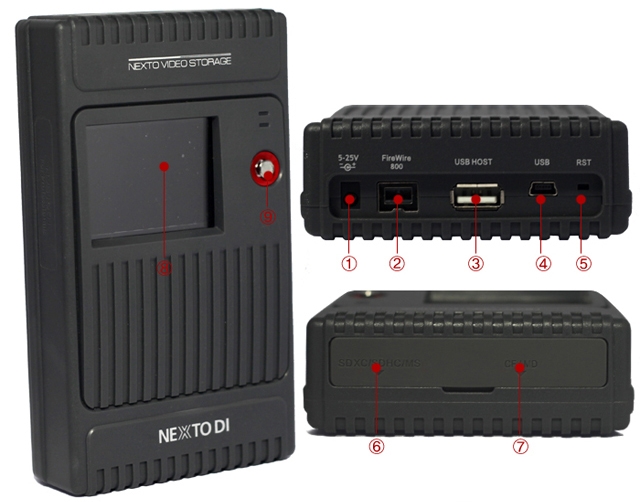 |
(1) "DC IN"slot for AC power adapter unit(wall plus; 6~25V).
(2) Connector"FireWire 800(IEEE 1394b)"to connect to the computer with max 800Mbps speed.
(3) USB Host slot to connect external USB hard drive or Ikegami GFPAK or USB card reader.
(4) "USB"slot for USB 2.0 device connection to a computer.
(5) Recessed Reset key, to be pressed with a tooth pick or similar tool;
(6) 3-in-1 connector for SD/SDHC/SDXC/MMC/MS
(7) Compact Flash slot
(8) LCD Display
(9) Control Key. Controls up/down/left/right/select of curser during power on state.
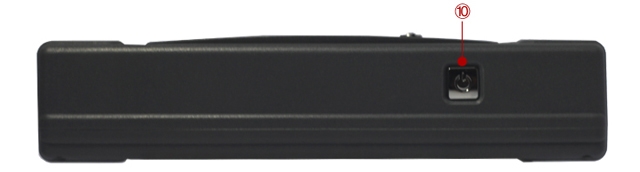
(10) Power key. Controls power on/off and selecting command during power on.
Packaging Contents
Specifications
| Device |
NEXTO VIDEO STORAGE |
| Nodel Number |
NVS1501 |
| LCD |
2.4" Color TFT LCD: 320*240, 64K colors |
|
|
| CF Type 1/2, Micro Drive |
| |
| SDHC/SDXC/MS |
|
External Harddrive
Support |
USB 2.0: 480Mbit/sec |
| Battery |
Internal: 3.7V 4400mA rechargeable Li-Ploy battery (120min)
* Rechargeable by AC adapter, USB cable, IEEE 1394b(FireWire 800) cable (9-9pin) and Car charger cable
External: Battery holder for recharging internal battery with four standard AA cellbatteries (40min) |
| AC Power Adapter |
Input: 100-240V AC
Out: 12V/1A DC |
| Bus Power Operation |
Operate with USB bus powerof IEEE 1394b(FireWire 800) cable power |
| Computer Interface |
USB 2.0: 480Mbit/sec
IEE 1394b(FireWire 800): 800Mbit/sec |
| File System Format |
Internal hard drive: FAT32
Memory card(including SxS): FAT12/16/32/exFAT |
| OS Compatibility |
Windows 7/VISTA/XP/2000/ME
Mac OS 9.2 or above.
Linux 2.4.18 or above. |
| Dimensions |
154mm*91mm*33mm(6.1inches*3.6inches*1.3inches) |
| Weight |
430g/15.1oz(with Hard drive) |
| Contents |
NVS1501 Main Unit / Manual / AC power adapter / USB cable / AA battery holder / IEEE 1394b(FireWire 800) cable (9-9 pin) / Shock protection rubber jacket / Car charger cable |
|
|
|
|
13/03
|
NextoDi NVS1501 NEXTO Video Storage - 2.4" Colour TFT LCD, 128GB-SSD, Supports CF Type 1/2, Micro Drive, SDHC, SDXC, MS, FireWire 800, USB2.0 NVS1501
Revolutionary Lacation backup device for DSLR cameras
Nextovideo storage
|
Supports SDXC
|
|
The NVS1501 supports exFAT file system used in SDXC.
(Support for file size larger than 4GB shall be done later by free firmware upgrade (by 2012 Q4))
|
Make new folder and copy all the memory card data into the folder.
Same as [Fast Copy] but after copying, the data on the memory card is compared with the copied data in the NVS1501 hard drive. Each bit is verified.
Before copying data, the NVS1501 verifies that its hard drive area is safe. If a bad sector is detected, a new safe area is found - then copying [Fast Copy] will begin.
| Performance |
| Memory |
Speed(MB/s) |
Time(32GB) |
| CF |
80MB/s |
6m40s |
| SDHC/SDXC |
22MB/s |
24m14s |
SDHC/SDXC
UHS-1 |
60MB/s |
8m53s |
| MS |
12MB/s |
44m26s |
|
|
Preview Video & Photo clip
|
| User can preview video and photo clip with built-in colour LCD. A preview of both the internal HDD and external device (CF / SDHC / SDXC / MS / USB external HDD) is supported. |
Making a secondary copy to USB hard drive
User can generate ("Sync") a secondary copy onto external USB HDD.
Export internal data to an external USB hard drive without needing a laptop.
Each time you plug-in a external USB hard drive to NVS1501, it syncs at any files recorded since the last sync, will be transferred. Automatically compare the video folders by file names ans sizes.
Supports copy from USB card reader or GFPAK using USB host connectivity through USB port.
Multi-Copy onto two separate HDD at the same time
MCopy("Multi-Copy") enables copy data onto NVS1501 and USB external HDD at the same time to achieve maximum data safety.
Attach an USB external hard drive to make two copies at the same time with a single click.
Designed for data safety Shock protection
Featuring with advanced data management capabilities including Recover folder from bad sector, Shock protection and Success (or Failure) feedback of previous backup operation.
Shock Protection
1. Built-in FREE-FALL Sensor NVS1501 senses when user dropping it and the sensor will be triggered to move the read/write head of HDD away from platter and parks at its original position. The main power will be automatically switched-off.
2. Supplied with Rubber Bumpers
A pair of rubber bumper supplied for an additional protection
Bad Sector Recovery
It becomes inaccessible or unusable, if a video folder contains bad sector, NVS1501 recovers the video folder to reusable and editable.
The frames that contain dummy sectors have block noises but rest of frames become usable.
Success (or Failure) feedback
Next time you switch on NVS1501, it displays a previous backup result, in order to help the user to determine deletion of data stored in memory card.
|
Using the NVS1501 as a hard drive
|
|
Supports high-speed data transfer to NLE System
.
|
| Transfer Speed by interfaces |
| Interface |
Speeds(MB/s) |
Time(32GB) |
IEEE 1394b
FireWire 800) |
75MB/s |
7m10s |
| USB 2.0 |
33MB/s |
16m17s |
|
|
Versatile Power Option
Its built-in internal battery makes NVS1501 the perfect companion for filed backup need. NVS1501 can be powered by Power adapter, Interface cables, AA Battery holder or External battery
Charging Time
Apporx 4 hours via power adpater\FireWire 800
Approx 9 hours via interface cable
Apporx 10 hours via AA battery holder
Buring a Blu-ray Disc
The NVS1501 supports the burning of Blu-ray Discs--or the preview of Blu-ray Discs--without the use of a computer. Only the BD-R or BD-RE is supported. There is no support for burning a CD or DVD.
| Physical Name and Desciptions |
| |
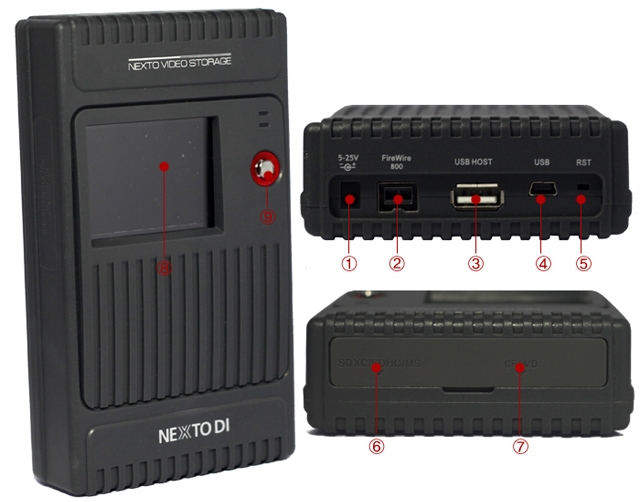 |
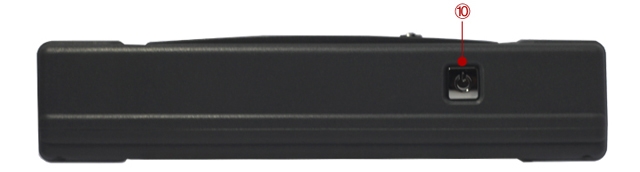
(1) "DC IN"slot for AC power adapter unit(wall plus; 6~25V).
(2) Connector"FireWire 800(IEEE 1394b)"to connect to the computer with max 800Mbps speed.
(3) USB Host slot to connect external USB hard drive or Ikegami GFPAK or USB card reader.
(4) "USB"slot for USB 2.0 device connection to a computer.
(5) Recessed Reset key, to be pressed with a tooth pick or similar tool;
(6) 3-in-1 connector for SD/SDHC/SDXC/MMC/MS
(7) Compact Flash slot
(8) LCD Display
(9) Control Key. Controls up/down/left/right/select of curser during power on state.
(10) Power key. Controls power on/off and selecting command during power on.
Specifications
| Device |
NEXTO VIDEO STORAGE |
| Nodel Number |
NVS1501 |
| LCD |
2.4" Color TFT LCD: 320*240, 64K colors |
|
|
| CF Type 1/2, Micro Drive |
| |
| SDHC/SDXC/MS |
|
External Harddrive
Support |
USB 2.0: 480Mbit/sec |
| Battery |
Internal: 3.7V 4400mA rechargeable Li-Ploy battery (120min)
* Rechargeable by AC adapter, USB cable, IEEE 1394b(FireWire 800) cable (9-9pin) and Car charger cable
External: Battery holder for recharging internal battery with four standard AA cellbatteries (40min) |
| AC Power Adapter |
Input: 100-240V AC
Out: 12V/1A DC |
| Bus Power Operation |
Operate with USB bus powerof IEEE 1394b(FireWire 800) cable power |
| Computer Interface |
USB 2.0: 480Mbit/sec
IEE 1394b(FireWire 800): 800Mbit/sec |
| File System Format |
Internal hard drive: FAT32
Memory card(including SxS): FAT12/16/32/exFAT |
| OS Compatibility |
Windows 7/VISTA/XP/2000/ME
Mac OS 9.2 or above.
Linux 2.4.18 or above. |
| Dimensions |
154mm*91mm*33mm(6.1inches*3.6inches*1.3inches) |
| Weight |
430g/15.1oz(with Hard drive) |
| Contents |
NVS1501 Main Unit / Manual / AC power adapter / USB cable / AA battery holder / IEEE 1394b(FireWire 800) cable (9-9 pin) / Shock protection rubber jacket / Car charger cable |
|
|
|
|
13/03
|
NextoDi NVS1501 NEXTO Video Storage - 2.4" Colour TFT LCD, 1000GB-HDD, Supports CF Type 1/2, Micro Drive, SDHC, SDXC, MS, FireWire 800, USB2.0 NVS1501
Revolutionary Lacation backup device for DSLR cameras
Nextovideo Storage
NVS1501
|
Supports SDXC
|
|
The NVS1501 supports exFAT file system used in SDXC.
(Support for file size larger than 4GB shall be done later by free firmware upgrade (by 2012 Q4))
|
Copy mode & Performance
Make new folder and copy all the memory card data into the folder.
Same as [Fast Copy] but after copying, the data on the memory card is compared with the copied data in the NVS1501 hard drive. Each bit is verified.
Before copying data, the NVS1501 verifies that its hard drive area is safe. If a bad sector is detected, a new safe area is found - then copying [Fast Copy] will begin.
| Performance |
| Memory |
Speed(MB/s) |
Time(32GB) |
| CF |
80MB/s |
6m40s |
| SDHC/SDXC |
22MB/s |
24m14s |
SDHC/SDXC
UHS-1 |
60MB/s |
8m53s |
| MS |
12MB/s |
44m26s |
|
Preview Video & Photo clip
User can preview video and photo clip with built-in colour LCD. A preview of both the internal HDD and external device (CF / SDHC / SDXC / MS / USB external HDD) is supported.
Making a secondary copy to USB hard drive
User can generate ("Sync") a secondary copy onto external USB HDD.
Export internal data to an external USB hard drive without needing a laptop.
Each time you plug-in a external USB hard drive to NVS1501, it syncs at any files recorded since the last sync, will be transferred. Automatically compare the video folders by file names ans sizes.
Supports copy from USB card reader or GFPAK using USB host connectivity through USB port.
Multi-Copy onto two separate HDD at the same time
MCopy("Multi-Copy") enables copy data onto NVS1501 and USB external HDD at the same time to achieve maximum data safety.
Attach an USB external hard drive to make two copies at the same time with a single click.
Designed for data safety Shock protection
Featuring with advanced data management capabilities including Recover folder from bad sector, Shock protection and Success (or Failure) feedback of previous backup operation.
Shock Protection
1. Built-in FREE-FALL Sensor
NVS1501 senses when user dropping it and the sensor will be triggered to move the read/write head of HDD away from platter and parks at its original position.
The main power will be automatically switched-off.
2. Supplied with Rubber Bumpers
A pair of rubber bumper supplied for an additional protection
Bad Sector Recovery
It becomes inaccessible or unusable, if a video folder contains bad sector, NVS1501 recovers the video folder to reusable and editable.
The frames that contain dummy sectors have block noises but rest of frames become usable.
Success (or Failure) feedback
Next time you switch on NVS1501, it displays a previous backup result, in order to help the user to determine deletion of data stored in memory card.
|
Using the NVS1501 as a hard drive
|
|
Supports high-speed data transfer to NLE System
|
|
Transfer Speed by interfaces
|
| Interface |
Speeds(MB/s) |
Time(32GB) |
IEEE 1394b
FireWire 800) |
75MB/s |
7m10s |
| USB 2.0 |
33MB/s |
16m17s |
|
|
Versatile Power Option
Its built-in internal battery makes NVS1501 the perfect companion for filed backup need. NVS1501 can be powered by Power adapter, Interface cables, AA Battery holder or External battery
Charging Time
Apporx 4 hours via power adpater\FireWire 800
Approx 9 hours via interface cable
Apporx 10 hours via AA battery holder
Buring a Blu-ray Disc
The NVS1501 supports the burning of Blu-ray Discs--or the preview of Blu-ray Discs--without the use of a computer. Only the BD-R or BD-RE is supported. There is no support for burning a CD or DVD.
Physical Name and Desciptions
(1) "DC IN"slot for AC power adapter unit(wall plus; 6~25V).
(2) Connector"FireWire 800(IEEE 1394b)"to connect to the computer with max 800Mbps speed.
(3) USB Host slot to connect external USB hard drive or Ikegami GFPAK or USB card reader.
(4) "USB"slot for USB 2.0 device connection to a computer.
(5) Recessed Reset key, to be pressed with a tooth pick or similar tool;
(6) 3-in-1 connector for SD/SDHC/SDXC/MMC/MS
(7) Compact Flash slot
(8) LCD Display
(9) Control Key. Controls up/down/left/right/select of curser during power on state.
(10) Power key. Controls power on/off and selecting command during power on.
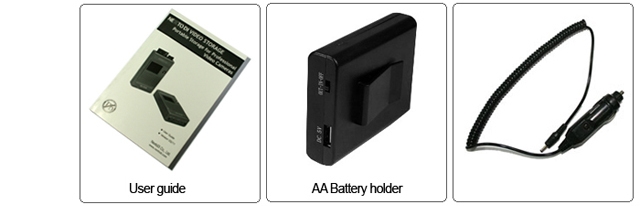
| Packaging Contents |
| |
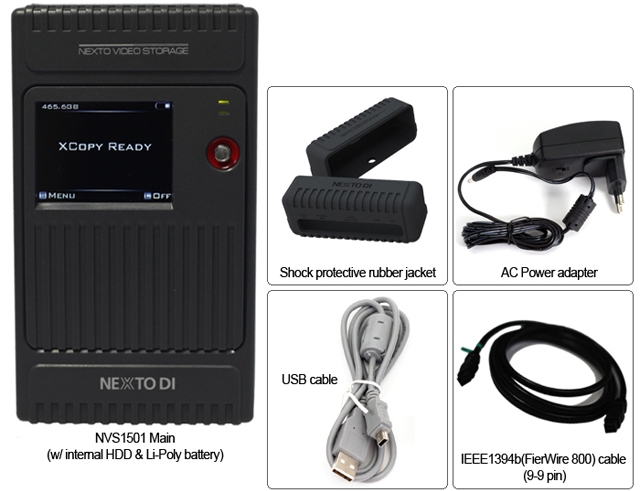 |
Specifications
| Device |
NEXTO VIDEO STORAGE |
| Nodel Number |
NVS1501 |
| LCD |
2.4" Color TFT LCD: 320*240, 64K colors |
|
|
| CF Type 1/2, Micro Drive |
| |
| SDHC/SDXC/MS |
|
External Harddrive
Support |
USB 2.0: 480Mbit/sec |
| Battery |
Internal: 3.7V 4400mA rechargeable Li-Ploy battery (120min)
* Rechargeable by AC adapter, USB cable, IEEE 1394b(FireWire 800) cable (9-9pin) and Car charger cable
External: Battery holder for recharging internal battery with four standard AA cellbatteries (40min) |
| AC Power Adapter |
Input: 100-240V AC
Out: 12V/1A DC |
| Bus Power Operation |
Operate with USB bus powerof IEEE 1394b(FireWire 800) cable power |
| Computer Interface |
USB 2.0: 480Mbit/sec
IEE 1394b(FireWire 800): 800Mbit/sec |
| File System Format |
Internal hard drive: FAT32
Memory card(including SxS): FAT12/16/32/exFAT |
| OS Compatibility |
Windows 7/VISTA/XP/2000/ME
Mac OS 9.2 or above.
Linux 2.4.18 or above. |
| Dimensions |
154mm*91mm*33mm(6.1inches*3.6inches*1.3inches) |
| Weight |
430g/15.1oz(with Hard drive) |
| Contents |
NVS1501 Main Unit / Manual / AC power adapter / USB cable / AA battery holder / IEEE 1394b(FireWire 800) cable (9-9 pin) / Shock protection rubber jacket / Car charger cable |
|
|
|
|
13/03
|
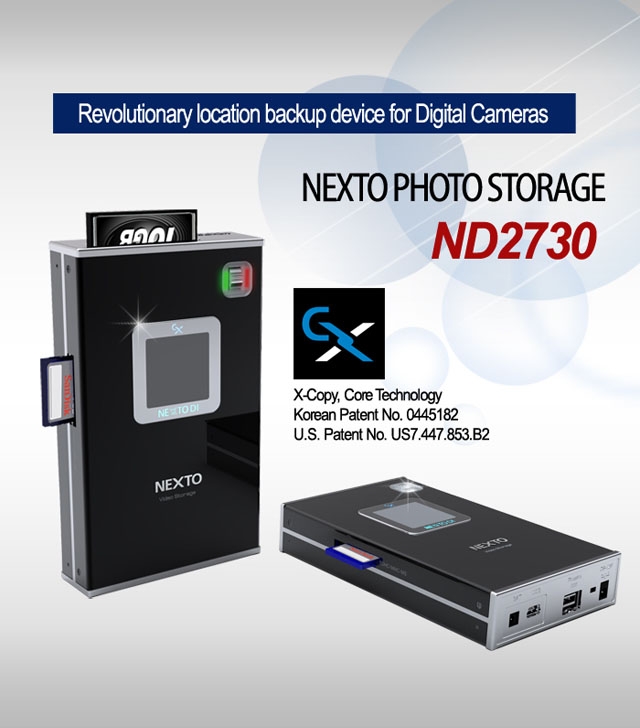
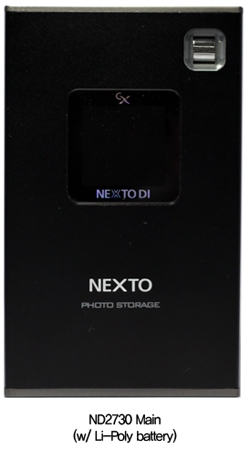
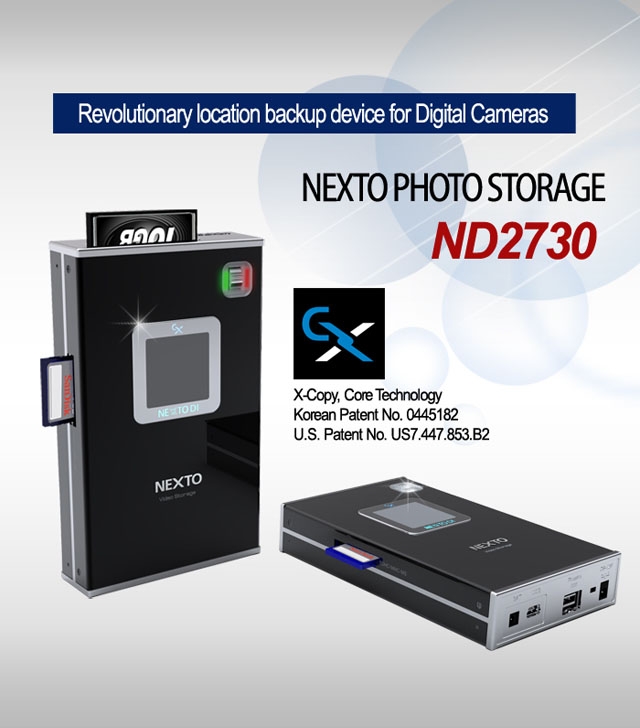
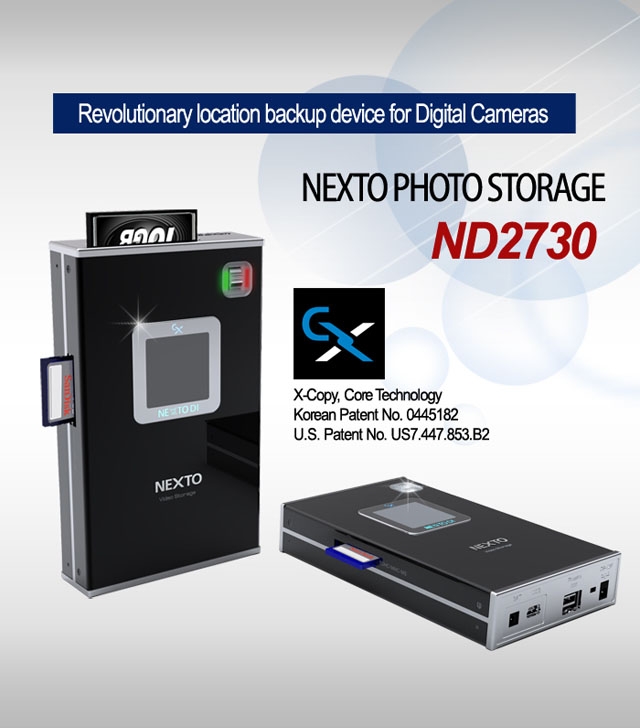
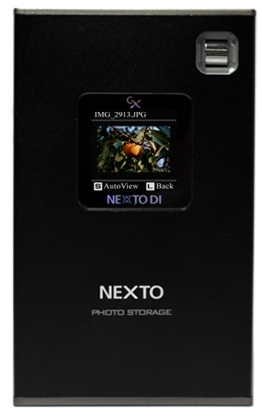
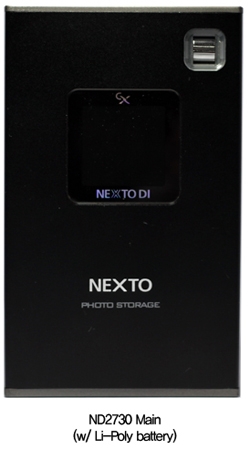
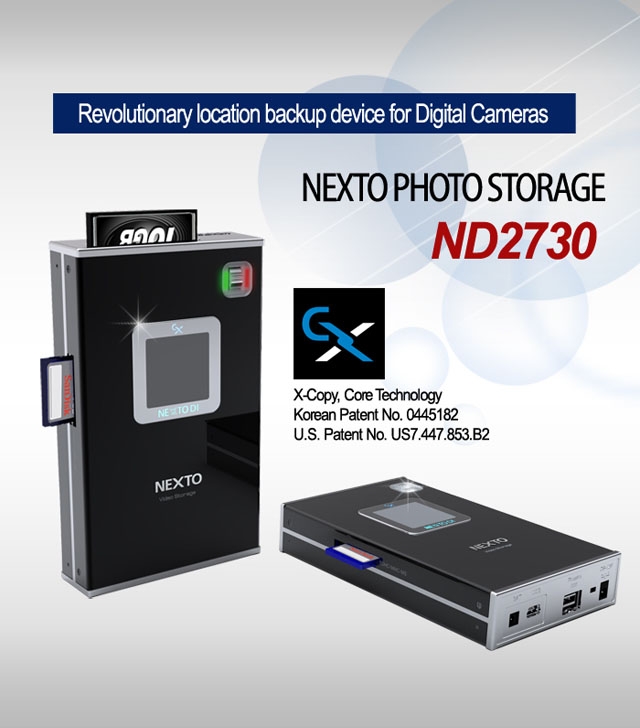
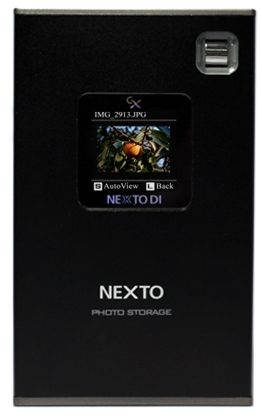
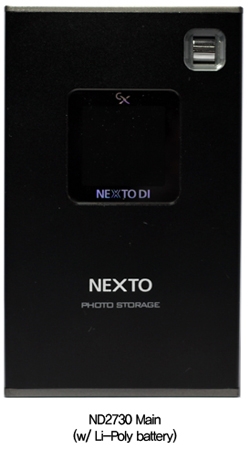
NextoDi ND2730 NEXTO Photo Storage - 1.44" Colour TFT LCD, 256GB-SSD, Supports CF Type 1/2, SD, SDHC, SDXC, FireWire 800, USB2.0 ND2730
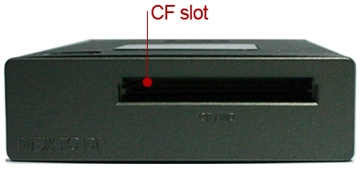
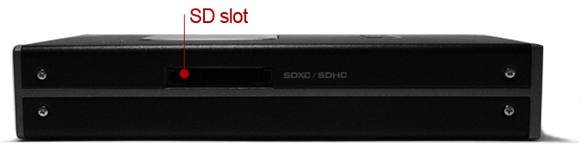
| Back up from Various Memory cards |
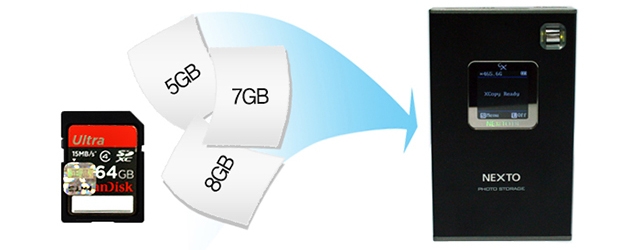
| Download data from Digital Camera memory cards (CF,SD, SDHC, SDXC) |
 |
| CF |
|
|
 |
|
| |
|
|
 |
Backup A File Larger Than 4GB (Firmware V2.0)
The ND2730 supports the exFAT file format. You can back up a memory card with a file size in excess of 4GB--such as an SDXC card.
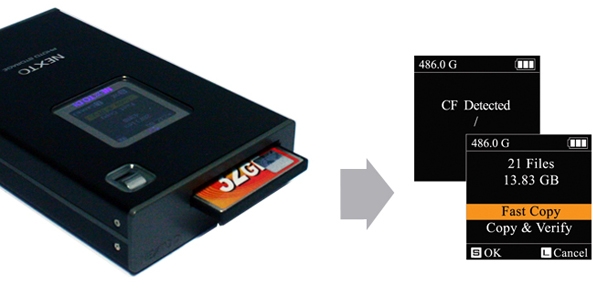
Make new folder and copy all the memory card data into the folder.
Same as [Fast Copy] but after copying, the data on the memory card is compared with the copied data in the ND2730 hard drive. Each bit is verified.
|
Performance
|
| Memory |
Speed(MB/s) |
Time(32GB) |
| CF |
70MB/s |
7m10s |
| SD |
14MB/s |
38m1s |
|
Auto Copy
On/Off setting for auto copy option. If this function is activated, "Copy" of a memory card will be automatically initiated when you insert the memory card into one of the built-in slots.
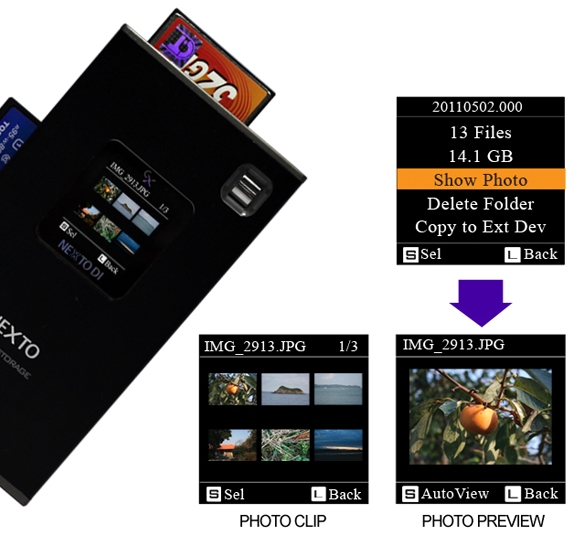
Preview Photo clip
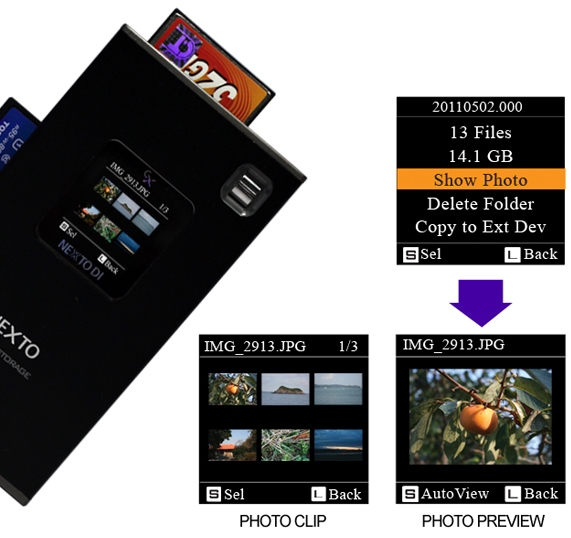
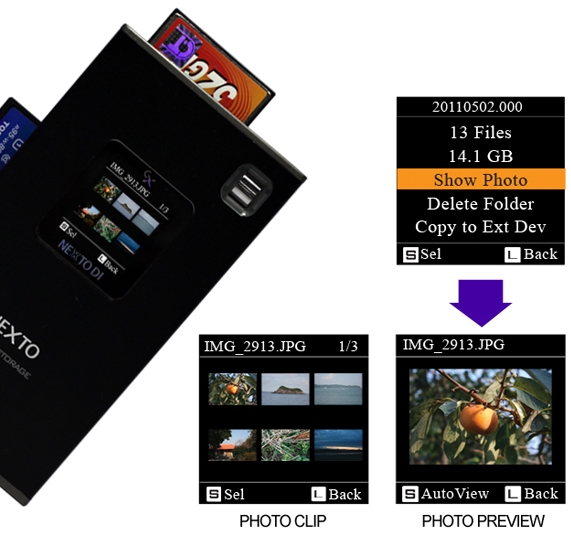
User can preview photo clip with built-in colour LCD. A preview of both the internal HDD and the external device (CF / SD / SDHC / SDXC) is supported.
|
Supports Photo file format
|
| Extension |
Desc |
| JPG |
EXIF JPEG Format File |
| CR2 |
Canon RAW(CR2) File |
| NEF |
NIKON RAW(NEF) File |
| ARW |
SONY RAW(ARW) File |
| RW2 |
Panasonic RAW(RW2) File |
|
|
Installation of a hard disk drive
|
|
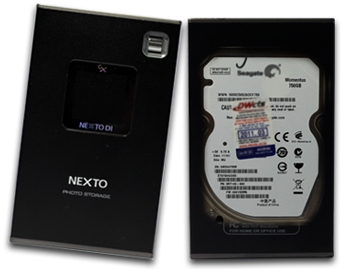
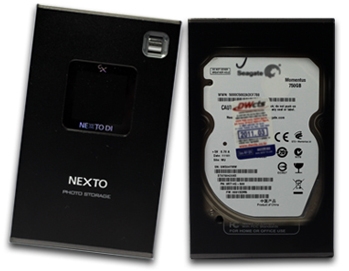
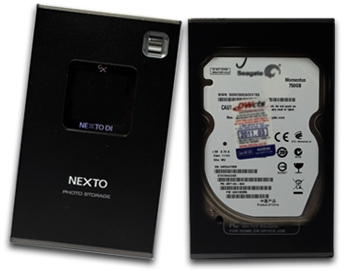
The ND2730 is delivered without a hard disk drive. A user can install a 2.5" Serial ATA (SATA) hard disk drive with 9.5mm height. Supported hard disk drive capacity is up to 2,000 GB (2 TB).
(* ND2730 does not support Parallel ATA (PATA) or IDE hard disk drive.)
|
Using the ND2730 as a hard drive
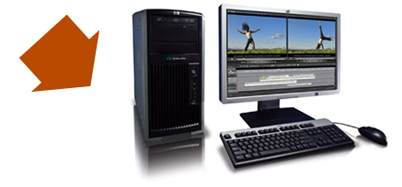
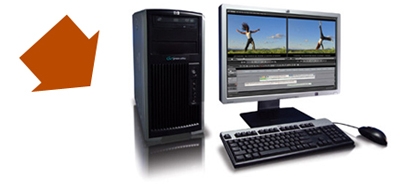
Supports high-speed data transfer to NLE System.
|
Transfer Speed by interfaces
|
| Interface |
Speeds(MB/s) |
Time(32GB) |
IEEE 1394b
FireWire 800) |
75MB/s |
7m10s |
| USB 2.0 |
33MB/s |
16m17s |
|
Versatile Power Option
Its built-in internal battery makes ND2730 the perfect companion for field backup need. ND2730 can be powered by Power adapter, Interface calbes, AA Battery holder or External battery
Charging Time
Apporx 5 hours via power adpater\FireWire 800\USB cable
|
Physical Name and Desciptions
|
| |
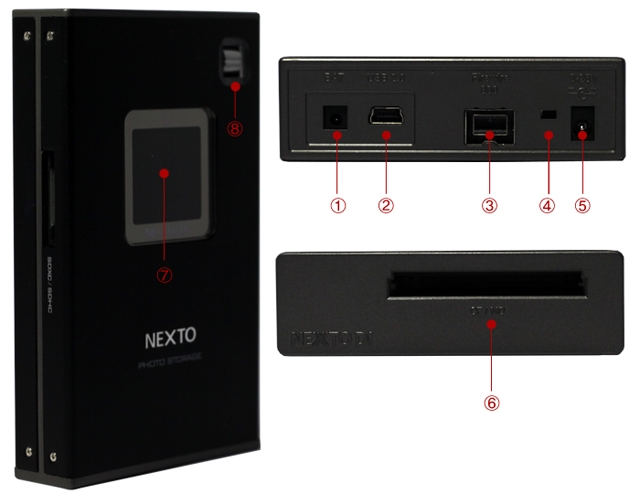 |
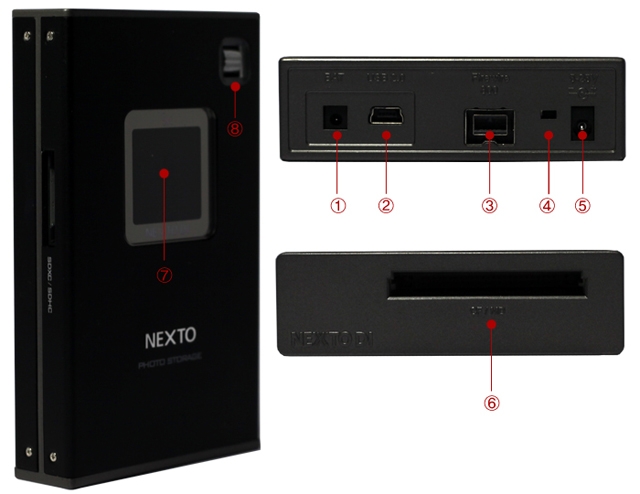
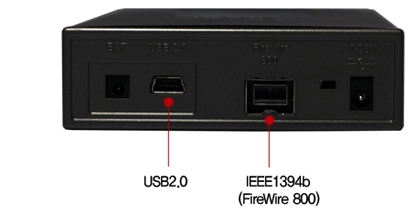
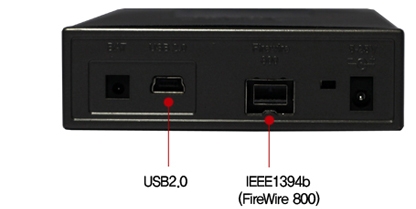
(1) Connector BAT for external rechargeable battery pack (optional)
(2) "USB2.0" slot for USB 2.0 device connection to a computer.
(3) Connector "FireWire 800 (IEEE 1394b)" to connect to the computer with max 800Mbps speed.
(4) Recessed Reset key, to be pressed with a tooth pick or similar tool.
(5) "DC IN" slot for AC power adapter unit (wall plug; 5~25V).
(6) Compact Flash slot.
(7) LCD Display
(8) Control key. Controls movement of cursor (up/down/ select) when power is on.
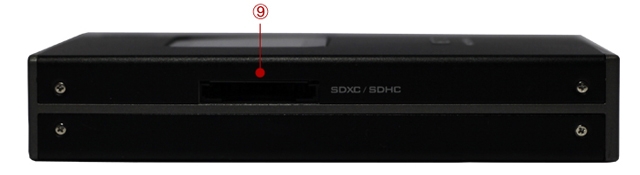
(9) SD/SDXC/SDHC slot
Specifications
| Device |
NEXTO PHOTO STORAGE |
| Nodel Number |
ND2730 |
| LCD |
1.44" Color TFT LCD: 128*128, 16 bit colors |
|
|
| CF Type 1/2 (Max 70 MB/s) |
| |
| SD / SDHC / SDXC (Max 14 MB/s) |
|
| Battery |
Internal : 3.7V 2300mAH rechargeable Li-Poly battery (120min)
* Rechargeable by AC adapter, USB cable and IEEE 1394b(FireWire 800) cable(9-9pin) |
| AC Power Adapter |
Input: 100-240V AC
Out: 5V/2A or 12V/1A DC |
| Bus Power Operation |
Operate with USB bus power or IEEE 1394b(FireWire 800) cable power |
| Computer Interface |
USB 2.0: 480Mbit/sec
IEE 1394b(FireWire 800): 800Mbit/sec |
| File System Format |
Internal hard drive: FAT32
Memory card: FAT12/16/32/exFAT |
| OS Compatibility |
Windows 7/VISTA/XP/2000/ME
Mac OS 9.2 or above.
Linux 2.4.18 or above. |
| Dimensions |
128 mm * 77 mm * 23 mm (5.0 inches * 3.0 inches * 0.9 inches) |
| Weight |
130 g / 4.6 oz (without Hard drive), 230 g / 8.11 oz (with Hard drive) |
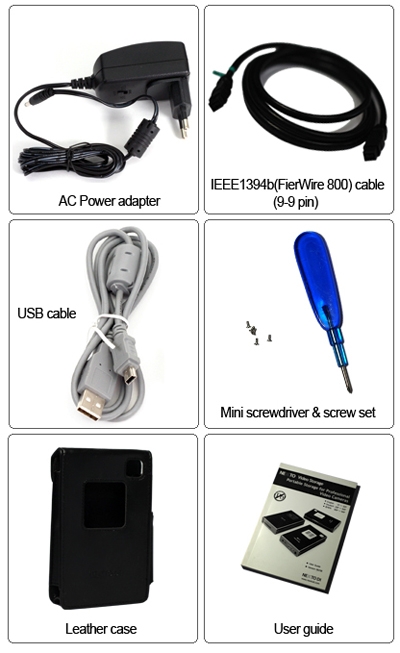
| Contents |
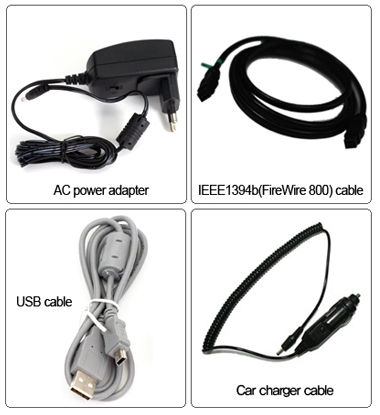
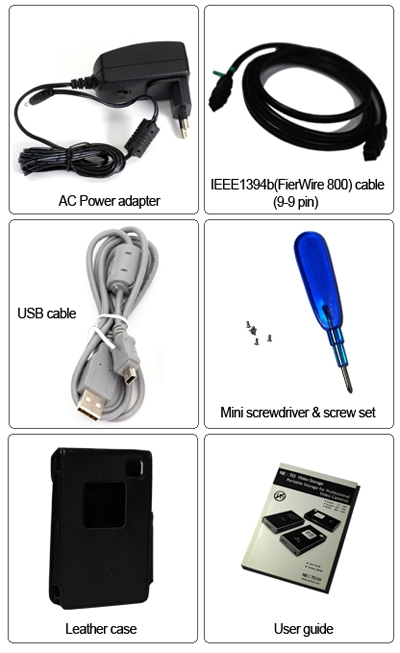
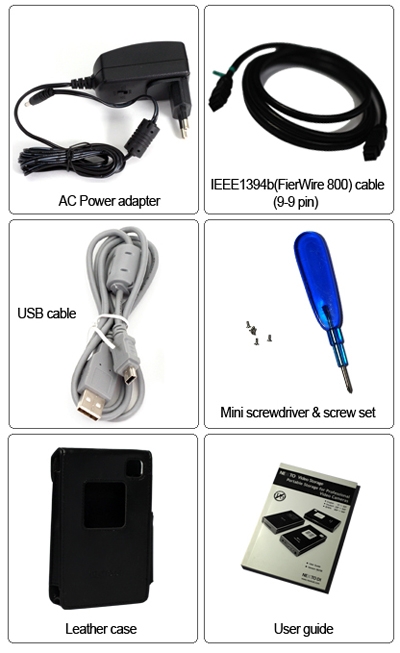
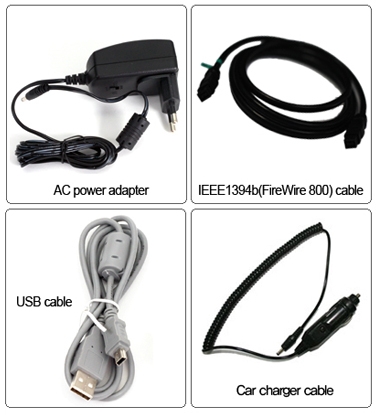
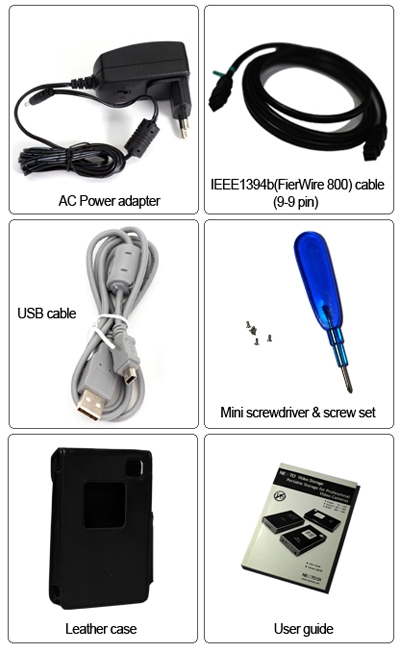
ND2730 Main Unit / Manual / AC power adapter / USB cable / Leather case / FireWire 800 (IEEE 1394b) cable (9-9pin) / Mini screwdriver and screw set |
|
|
|
|
13/03
|
NextoDi NS2730 NEXTO Photo Storage - 1.44" Colour TFT LCD, 128GB-SSD, Supports CF Type 1/2, SD, SDHC, SDXC, FireWire 800, USB2.0 ND2730
|
Back up from Various Memory cards
|
|
Download data from Digital Camera memory cards (CF,SD, SDHC, SDXC)
|
 |
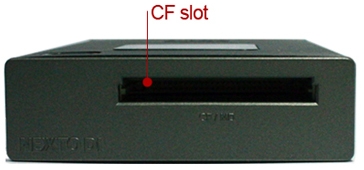
| CF |
|
|
 |
|
| |
|
|
 |
Backup A File Larger Than 4GB (Firmware V2.0)
The ND2730 supports the exFAT file format. You can back up a memory card with a file size in excess of 4GB--such as an SDXC card.
Make new folder and copy all the memory card data into the folder.
Same as [Fast Copy] but after copying, the data on the memory card is compared with the copied data in the ND2730 hard drive. Each bit is verified.
|
Performance
|
| Memory |
Speed(MB/s) |
Time(32GB) |
| CF |
70MB/s |
7m10s |
| SD |
14MB/s |
38m1s |
|
Auto Copy
On/Off setting for auto copy option. If this function is activated, "Copy" of a memory card will be automatically initiated when you insert the memory card into one of the built-in slots.
Preview Photo clip
User can preview photo clip with built-in colour LCD. A preview of both the internal HDD and the external device (CF / SD / SDHC / SDXC) is supported.
| Supports Photo file format |
| Extension |
Desc |
| JPG |
EXIF JPEG Format File |
| CR2 |
Canon RAW(CR2) File |
| NEF |
NIKON RAW(NEF) File |
| ARW |
SONY RAW(ARW) File |
| RW2 |
Panasonic RAW(RW2) File |
|
Installation of a hard disk drive
The ND2730 is delivered without a hard disk drive. A user can install a 2.5" Serial ATA (SATA) hard disk drive with 9.5mm height. Supported hard disk drive capacity is up to 2,000 GB (2 TB).
(* ND2730 does not support Parallel ATA (PATA) or IDE hard disk drive.)
Using the ND2730 as a hard drive
Supports high-speed data transfer to NLE System.
Transfer Speed by interfaces
| Interface |
Speeds(MB/s) |
Time(32GB) |
IEEE 1394b
FireWire 800) |
75MB/s |
7m10s |
| USB 2.0 |
33MB/s |
16m17s |
Versatile Power Option
Its built-in internal battery makes ND2730 the perfect companion for field backup need. ND2730 can be powered by Power adapter, Interface calbes, AA Battery holder or External battery
Charging Time
Apporx 5 hours via power adpater\FireWire 800\USB cable
Physical Name and Desciptions
(1) Connector BAT for external rechargeable battery pack (optional)
(2) "USB2.0" slot for USB 2.0 device connection to a computer.
(3) Connector "FireWire 800 (IEEE 1394b)" to connect to the computer with max 800Mbps speed.
(4) Recessed Reset key, to be pressed with a tooth pick or similar tool.
(5) "DC IN" slot for AC power adapter unit (wall plug; 5~25V).
(6) Compact Flash slot.
(7) LCD Display
(8) Control key. Controls movement of cursor (up/down/ select) when power is on.
(9) SD/SDXC/SDHC slot
Packaging Contents
Specifications
| Device |
NEXTO PHOTO STORAGE |
| Nodel Number |
ND2730 |
| LCD |
1.44" Color TFT LCD: 128*128, 16 bit colors |
|
|
| CF Type 1/2 (Max 70 MB/s) |
| |
| SD / SDHC / SDXC (Max 14 MB/s) |
|
| Battery |
Internal : 3.7V 2300mAH rechargeable Li-Poly battery (120min)
* Rechargeable by AC adapter, USB cable and IEEE 1394b(FireWire 800) cable(9-9pin) |
| AC Power Adapter |
Input: 100-240V AC
Out: 5V/2A or 12V/1A DC |
| Bus Power Operation |
Operate with USB bus power or IEEE 1394b(FireWire 800) cable power |
| Computer Interface |
USB 2.0: 480Mbit/sec
IEE 1394b(FireWire 800): 800Mbit/sec |
| File System Format |
Internal hard drive: FAT32
Memory card: FAT12/16/32/exFAT |
| OS Compatibility |
Windows 7/VISTA/XP/2000/ME
Mac OS 9.2 or above.
Linux 2.4.18 or above. |
| Dimensions |
128 mm * 77 mm * 23 mm (5.0 inches * 3.0 inches * 0.9 inches) |
| Weight |
130 g / 4.6 oz (without Hard drive), 230 g / 8.11 oz (with Hard drive) |
| Contents |
ND2730 Main Unit / Manual / AC power adapter / USB cable / Leather case / FireWire 800 (IEEE 1394b) cable (9-9pin) / Mini screwdriver and screw set |
|
|
|
|
13/03
|
NextoDi ND2730 NEXTO Photo Storage - 1.44" Colour TFT LCD, 1000GB-HDD, Supports CF Type 1/2, SD, SDHC, SDXC, FireWire 800, USB2.0 ND2730
|
Back up from Various Memory cards
|
|
Download data from Digital Camera memory cards (CF,SD, SDHC, SDXC)
|
 |
| CF |
|
|
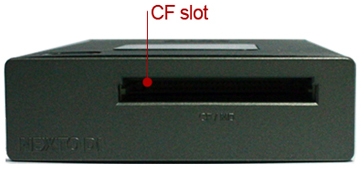 |
|
| |
|
|
 |
Copy mode & Performance
Make new folder and copy all the memory card data into the folder.
Same as [Fast Copy] but after copying, the data on the memory card is compared with the copied data in the ND2730 hard drive. Each bit is verified.
|
Performance
|
| Memory |
Speed(MB/s) |
Time(32GB) |
| CF |
70MB/s |
7m10s |
| SD |
14MB/s |
38m1s |
|
Auto Copy
On/Off setting for auto copy option. If this function is activated, "Copy" of a memory card will be automatically initiated when you insert the memory card into one of the built-in slots.
Preview Photo clip
User can preview photo clip with built-in colour LCD. A preview of both the internal HDD and the external device (CF / SD / SDHC / SDXC) is supported.
| Supports Photo file format |
| Extension |
Desc |
| JPG |
EXIF JPEG Format File |
| CR2 |
Canon RAW(CR2) File |
| NEF |
NIKON RAW(NEF) File |
| ARW |
SONY RAW(ARW) File |
| RW2 |
Panasonic RAW(RW2) File |
|
|
Installation of a hard disk drive
|
The ND2730 is delivered without a hard disk drive. A user can install a 2.5" Serial ATA (SATA) hard disk drive with 9.5mm height. Supported hard disk drive capacity is up to 2,000 GB (2 TB).
(* ND2730 does not support Parallel ATA (PATA) or IDE hard disk drive.) |
|
Using the ND2730 as a hard drive
|
|
Supports high-speed data transfer to NLE System.
|
|
Transfer Speed by interfaces
|
| Interface |
Speeds(MB/s) |
Time(32GB) |
IEEE 1394b
FireWire 800) |
75MB/s |
7m10s |
| USB 2.0 |
33MB/s |
16m17s |
|
Versatile Power Option
Its built-in internal battery makes ND2730 the perfect companion for field backup need. ND2730 can be powered by Power adapter, Interface calbes, AA Battery holder or External battery
|
Charging Time
Apporx 5 hours via power adpater\FireWire 800\USB cable
| Physical Name and Desciptions |
| |
 |
 |
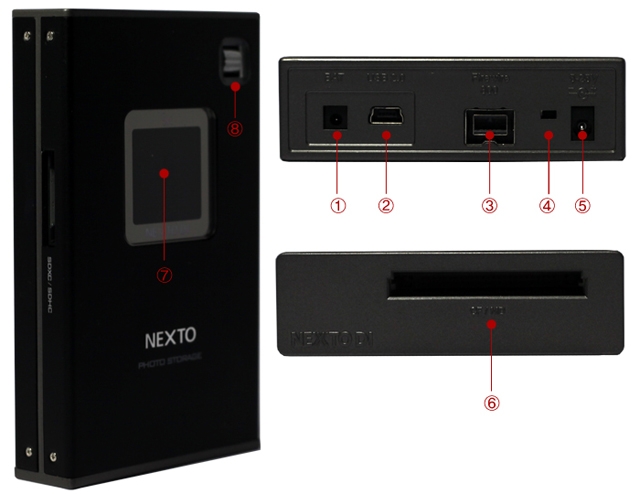
(1) Connector BAT for external rechargeable battery pack (optional)
(2) "USB2.0" slot for USB 2.0 device connection to a computer.
(3) Connector "FireWire 800 (IEEE 1394b)" to connect to the computer with max 800Mbps speed.
(4) Recessed Reset key, to be pressed with a tooth pick or similar tool.
(5) "DC IN" slot for AC power adapter unit (wall plug; 5~25V).
(6) Compact Flash slot.
(7) LCD Display
(8) Control key. Controls movement of cursor (up/down/ select) when power is on.
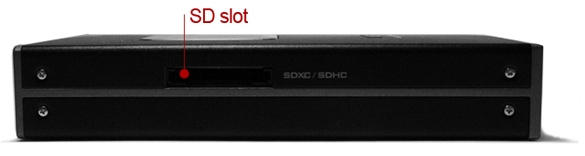
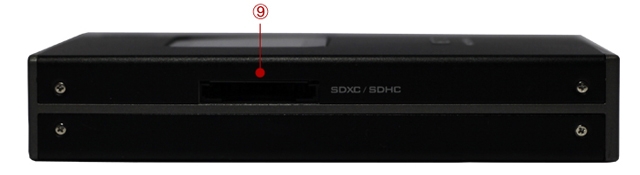
(9) SD/SDXC/SDHC slot
Packaging Contents
Specifications
| Device |
NEXTO PHOTO STORAGE |
| Nodel Number |
ND2730 |
| LCD |
1.44" Color TFT LCD: 128*128, 16 bit colors |
|
|
| CF Type 1/2 (Max 70 MB/s) |
| |
| SD / SDHC / SDXC (Max 14 MB/s) |
|
| Battery |
Internal : 3.7V 2300mAH rechargeable Li-Poly battery (120min)
* Rechargeable by AC adapter, USB cable and IEEE 1394b(FireWire 800) cable(9-9pin) |
| AC Power Adapter |
Input: 100-240V AC
Out: 5V/2A or 12V/1A DC |
| Bus Power Operation |
Operate with USB bus power or IEEE 1394b(FireWire 800) cable power |
| Computer Interface |
USB 2.0: 480Mbit/sec
IEE 1394b(FireWire 800): 800Mbit/sec |
| File System Format |
Internal hard drive: FAT32
Memory card: FAT12/16/32/exFAT |
| OS Compatibility |
Windows 7/VISTA/XP/2000/ME
Mac OS 9.2 or above.
Linux 2.4.18 or above. |
| Dimensions |
128 mm * 77 mm * 23 mm (5.0 inches * 3.0 inches * 0.9 inches) |
| Weight |
130 g / 4.6 oz (without Hard drive), 230 g / 8.11 oz (with Hard drive) |
| Contents |
ND2730 Main Unit / Manual / AC power adapter / USB cable / Leather case / FireWire 800 (IEEE 1394b) cable (9-9pin) / Mini screwdriver and screw set |
|
|
|
|
13/03
|
NextoDi ND2730 NEXTO Photo Storage - 1.44" Colour TFT LCD, 750GB-HDD, Supports CF Type 1/2, SD, SDHC, SDXC, FireWire 800, USB2.0 ND2730
| Back up from Various Memory cards |
| Download data from Digital Camera memory cards (CF,SD, SDHC, SDXC) |
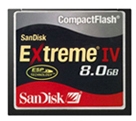 |
| CF |
|
|
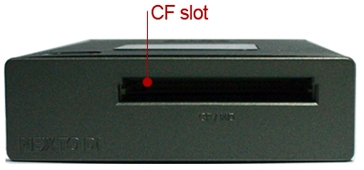 |
|
| |
|
|
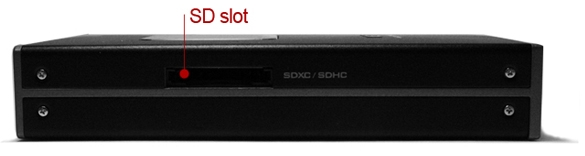 |
Backup A File Larger Than 4GB (Firmware V2.0)
The ND2730 supports the exFAT file format. You can back up a memory card with a file size in excess of 4GB--such as an SDXC card.
Copy mode & Performance
Make new folder and copy all the memory card data into the folder.
Same as [Fast Copy] but after copying, the data on the memory card is compared with the copied data in the ND2730 hard drive. Each bit is verified.
|
Performance
|
| Memory |
Speed(MB/s) |
Time(32GB) |
| CF |
70MB/s |
7m10s |
| SD |
14MB/s |
38m1s |
|
Auto Copy
On/Off setting for auto copy option. If this function is activated, "Copy" of a memory card will be automatically initiated when you insert the memory card into one of the built-in slots.
Preview Photo clip
User can preview photo clip with built-in colour LCD. A preview of both the internal HDD and the external device (CF / SD / SDHC / SDXC) is supported.
|
Supports Photo file format
|
| Extension |
Desc |
| JPG |
EXIF JPEG Format File |
| CR2 |
Canon RAW(CR2) File |
| NEF |
NIKON RAW(NEF) File |
| ARW |
SONY RAW(ARW) File |
| RW2 |
Panasonic RAW(RW2) File |
|
Installation of a hard disk drive
The ND2730 is delivered without a hard disk drive. A user can install a 2.5" Serial ATA (SATA) hard disk drive with 9.5mm height. Supported hard disk drive capacity is up to 2,000 GB (2 TB).
(* ND2730 does not support Parallel ATA (PATA) or IDE hard disk drive.)
Using the ND2730 as a hard drive
Supports high-speed data transfer to NLE System.
Transfer Speed by interfaces
Interface Speeds(MB/s) Time(32GB)
IEEE 1394b
FireWire 800) 75MB/s 7m10s
USB 2.0 33MB/s 16m17s
Versatile Power Option
Its built-in internal battery makes ND2730 the perfect companion for field backup need. ND2730 can be powered by Power adapter, Interface calbes, AA Battery holder or External battery
Charging Time
Apporx 5 hours via power adpater\FireWire 800\USB cable
|
Physical Name and Desciptions
|
| |
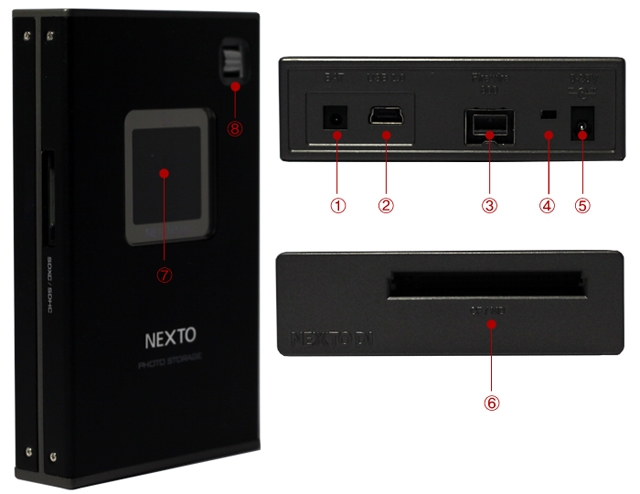 |
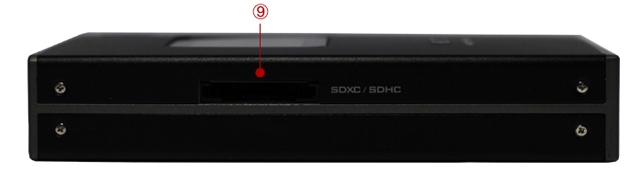
(1) Connector ??BAT?? for external rechargeable battery pack (optional)
(2) "USB2.0" slot for USB 2.0 device connection to a computer.
(3) Connector "FireWire 800 (IEEE 1394b)" to connect to the computer with max 800Mbps speed.
(4) Recessed Reset key, to be pressed with a tooth pick or similar tool.
(5) "DC IN" slot for AC power adapter unit (wall plug; 5~25V).
(6) Compact Flash slot.
(7) LCD Display
(8) Control key. Controls movement of cursor (up/down/ select) when power is on.
(9) SD/SDXC/SDHC slot
Packaging Contents
Specifications:
| Device |
NEXTO PHOTO STORAGE |
| Nodel Number |
ND2730 |
| LCD |
1.44" Color TFT LCD: 128*128, 16 bit colors |
|
|
| CF Type 1/2 (Max 70 MB/s) |
| |
| SD / SDHC / SDXC (Max 14 MB/s) |
|
| Battery |
Internal : 3.7V 2300mAH rechargeable Li-Poly battery (120min)
* Rechargeable by AC adapter, USB cable and IEEE 1394b(FireWire 800) cable(9-9pin) |
| AC Power Adapter |
Input: 100-240V AC
Out: 5V/2A or 12V/1A DC |
| Bus Power Operation |
Operate with USB bus power or IEEE 1394b(FireWire 800) cable power |
| Computer Interface |
USB 2.0: 480Mbit/sec
IEE 1394b(FireWire 800): 800Mbit/sec |
| File System Format |
Internal hard drive: FAT32
Memory card: FAT12/16/32/exFAT |
| OS Compatibility |
Windows 7/VISTA/XP/2000/ME
Mac OS 9.2 or above.
Linux 2.4.18 or above. |
| Dimensions |
128 mm * 77 mm * 23 mm (5.0 inches * 3.0 inches * 0.9 inches) |
| Weight |
130 g / 4.6 oz (without Hard drive), 230 g / 8.11 oz (with Hard drive) |
| Contents |
ND2730 Main Unit / Manual / AC power adapter / USB cable / Leather case / FireWire 800 (IEEE 1394b) cable (9-9pin) / Mini screwdriver and screw set |
|
|
|
|
13/03
|
NextoDi NVS2825 Video Storage Air - 2.4" Colour TFT LCD, 1000GB-SSD, 802.11b/g/n, Supports ExpressCard/34, CardBus, SD, SDHC, SDXC, FireWire 800, USB3.0 NVS2825
NextoDI Video Storage-Air
Portable Memory card Backup Storage
Backup from various memory cards
SxS PRO / SxS PRO+ / SxS-1P2 / P2ECFSDHC / SDXC
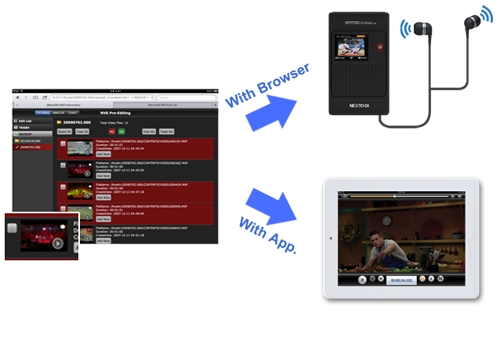
Provides Pre-editing function over Wi-Fi
Play video and audio on your iPad. Provides basic video-editing functions and the ability to export EDLs to an external drive
Preview Video with Audio
XAVC 2K / 4KMPEG2 full HD 4:4:4 / 4:2:2 / 4:2:0PRORES
AVC-Intra 100/50H.264AVCHDDNxHDDV / DVCPRO HD
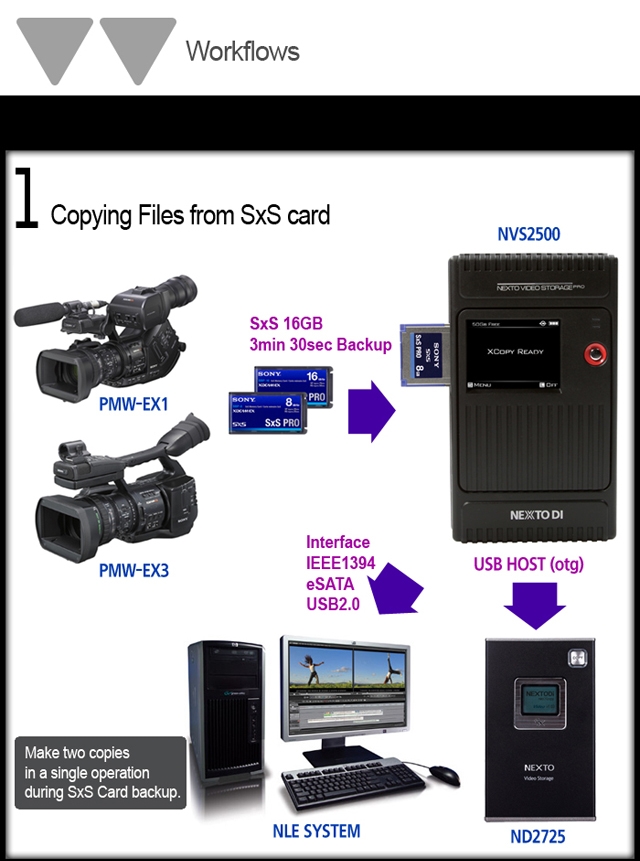
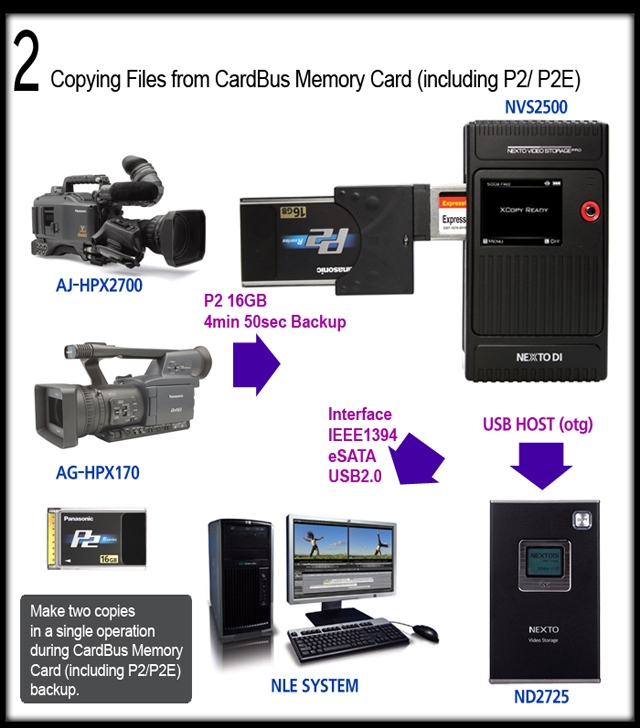
Quickly makes 2 copies in a single backup
Boost your confidence in the safety of your data with two identical backups ("MCopy")
Supports file size larger than 4GB
Supported file system : exFAT / FAT32 / UDF (HFS+ at July 2013)
Generate LOG file on every NVS operation
To keep track of backup history, NVS2825 generates CRC protected LOG file.
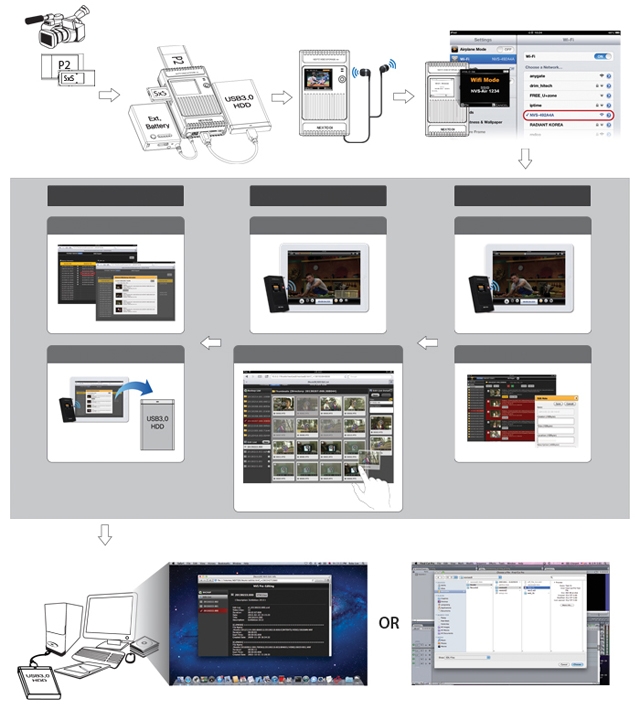
NVS2825 Workflow
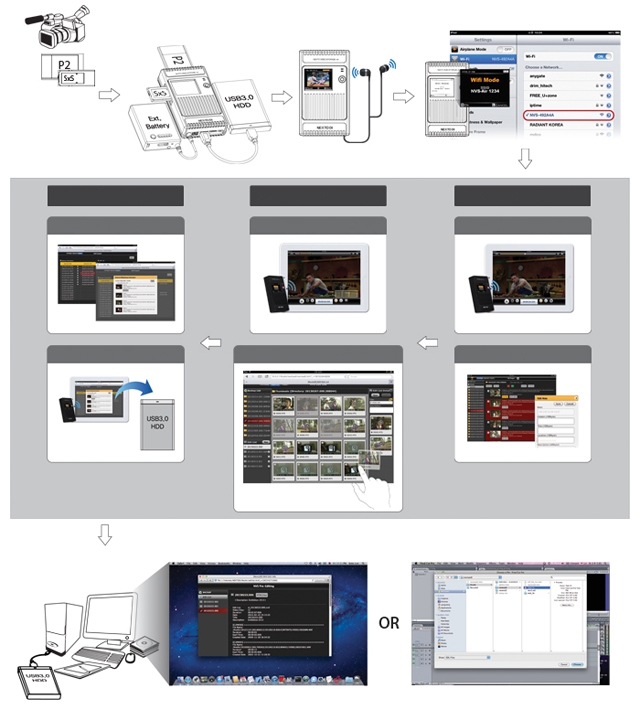
Shoot, take a card out & insert it to NVS2825
Simultaneously
backup to two drives
Preview Video & Audio
Pre-EDIT over Wi-Fi
Pre-Editing
Preview A/V
Cut Selection
Select goot cut or bad cut
Make List
Mark In/Out
Drag & drop clips to create EDLs
Drag a clip [+]& drop it to tumbnail view panel
Click [i] to display the file info
Export
Select & Check
Export to Ext. HDD
Export edited info to
an external USB3.0 drive
Open [nextoid2.html] file that is located under
root folder and use it as editing guidance
Import the EDL to editing systems
[nextoid2.htm]
The EDL is located inside of [NvsAir -> nextoedt] folder
Backup Function
Multi Copy via USB3.0
Quickly makes 2 copies in a single backup!
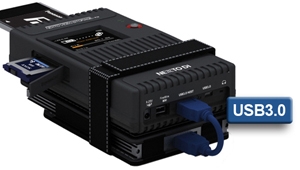
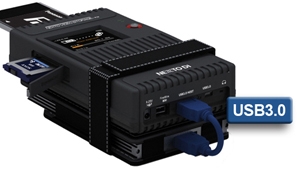
The NVS2825 supports the USB3.0 Host connection; it makes two copies at the same time--much faster than previous NVS models.
Connect an external USB hard drive using the supplied USB3.0 cable to the USB3.0 host port on the NVS2825.
(The power or an external battery must be connected to the NVS2825.)
Preview with Audio
Video/Photo Preview and Audio Play
The NVS2825 can display video footage taken with professional video cameras on a 2.4" color TFT LCD and can also enable the playing of sound through an audio jack located at the bottom of the device.
When previewing the copied data, you can change the play speed from 1x to 64x.
PC Interface Via FireWire 800/USB3.0
Easier & Faster Production at the Editing House/Station
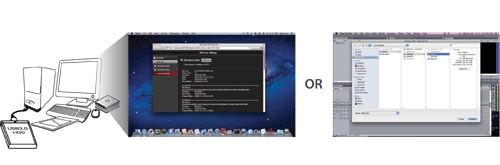
Use your editing tool, such as Final Cut Pro, to produce a finished video from the pre-edited content--fast!
Open [nextoid2.htm] file that is located under root folder and use it as editing guidance [nextoid2.htm]
Import the EDL to editing systems
*The EDL is located inside of [NvsAir -> nextoedt] folder
Using the NVS2825 as a Hard Drive
Connect to the computer's USB3.0 slot via the NVS2825 USB3.0 slot and USB3.0 cable.
The NVS2825 also supports the USB2.0 PC interface.
Fastest and Safest Data Backup
Insert a memory card into the corresponding memory slot. The NVS2825 detects the type of memory card automatically and shows 3 backup modes on the LCD screen.
The NVS2825 will make a new folder on the hard disk and copy all the files and folders in the memory card onto the internal hard disk. (Copy speed: 10sec/GB)
After fast copy, the data on the memory card is compared with the copied data in the NVS2825 hard drive. Each bit is verified.
Befoe copying data, the NVS2825 verifies that its hard drive area is safe, If a bad sector is detected, a new, safe area is found then fast copy will begin.
Making a Secondary Copy (Sync)
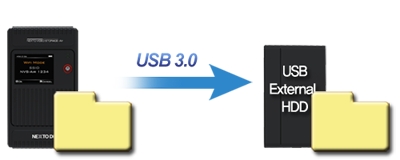
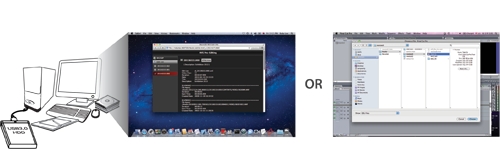
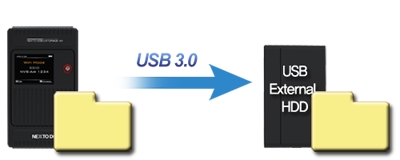
Export the NVS2825's contents to the external USB hard drive without using a computer!
Connect the external USB hard drive to the USB3.0 Host port of the NVS2825.
The NVS2825 allows you to make a secondary copy of the backup folder to an external USB hard drive without a computer.
A new folder can be copied to the external hard drive if it resides in the NVS2825 unit, but not in the external hard drive. (The NVS2825 will copy only new footage to the external hard drive!)
Maximum Data Protection & Smart Management
Motion/Free-Fall Sensor & Rubber Bumpers
Motion Sensor:
The embedded motion sensor detects vibrations that can cause damage to internal hard drive. NVS2825 displays a warning message on LCD when it detects shake or shock motion. It also cut-off power before it hits the ground when it detects droping motion to protect the internal hard drive.
Free-Fall Sensor:
Tums off power during falls
Rubber Bumpers:
Protects against impact
Smart Data Management: Previous operational status display
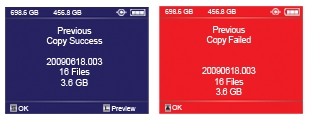
If an error occurs during backup, the error message will be displayed. The NVS2825 will automatically turn off to save battery power.
When you turn NVS back on, it will show the results from the previous backup. You will thus know whether the last backup was successful.
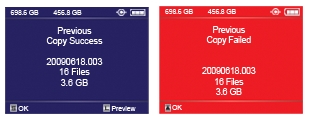
During the boot sequences, NVS2825 displays a warning if there were any bad sectors detected on the internal drive.
Wi-Fi
Preview A/V
Play your footage through iOS device or NVS
Press the play icon on thumb
If the web browser is using, the NVS2825 will preview the selected footage with audio
If you connected the Wi-Fi using the App, iPad preview your footage with full resolution & audio
Cut Selection
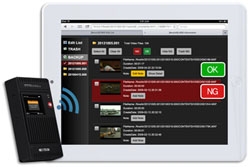
The NVS2825 generates HTML index file which make it possible to show all footages, select cuts and attach comments to clips using an iPad.
1. OK NG cut selection
2. Hide NG / Show All
3. Send the NG cuts to Trash Folder
4. [Restore] returning the NG cuts to Backup folder
5. Delete the NG cut in the Trash Folder
6. [Note] Write & Attach comment to clips
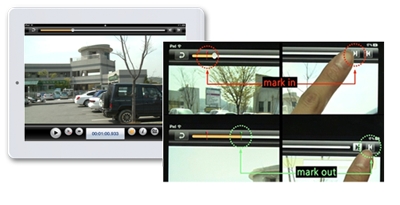
Mark In, Mark Out
While connecting the Wi-Fi using the App, user can mark any section during the play.
Make List
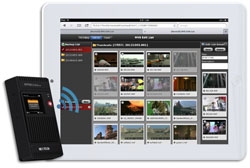
Just drag & drop the clips and user can bind cuts into a video.
This edit list can be imported to the editing tool such as Final Cut Pro.
1. Entering the Make list function
2. Checking the note on the Make List function
3. Make List
4. Batch Play
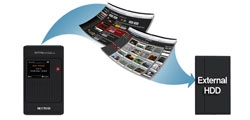
Export to external HDD
Pre-edited data such as OK/NG cut lists and edit list can be copied to the external hard drive.
Specification
| Device |
NEXTO VIDEO STORAGE-Air (NVS-Air) |
| Model Number |
NVS2825 |
| LCD |
2.4" Color TFT LCD: 320*240, 64K color |
| Video Preview |
CODEC: MPEG2/AVC/H.264/PRORES/DNxHD/DV
File: MP4/MOV/MXF/AVI/DV/(MTS) |
| Audio |
Head Phone jack. Support playing PCM Audio in Video file |
Supported
Memory Card |
SxS |
ExpressCard/34 Compatible, Follow SxS Spec. |
CardBus
Memory card |
Supports CardBus Memory Card
(including P2/P2E Card) |
| CF (Adapter) |
Through CF to ExpressCard Adapter |
| SD (Adapter) |
Through SD to ExpressCard Adapter
SD/SDHC/SDXC
High speed UHS-1 compatible |
External Hard
drive Support |
USB 3.0: 5Gbit/sec |
| Battery |
Internal: 3.7V 4400mAH rechargeable Li-Poly battery (120 min)
*Rechargeable by AC adapter, USB cable, FireWire 800 cable(9-9 pin) and Car charger
External: 3.7V 6600mAH rechargeable Li-Ion battery (180min)
* Rechargeable by AC adapter |
| AC power adapter |
Input: 100-240V AC Output: 12V/12A DC |
Bus power
operation |
Operates with USB bus power or FireWire800 cable power |
| Computer Interface |
USB3.0: 5Gbit/sec, IEEE1394b(FirWire800): 800Mbit/sec |
| File system format |
Hard drive: exFAT
Memory cards: FAT32, exFAT, UDF |
| OS Compatibility |
Windows 8 / Windows 7 / VISTA / XP SP2 or later
MAC OS 10.6.5 or above |
| Wi-Fi connection |
802.11b/g/n 54Mbps. Pre-editing through App./ Web Browser |
| Dimensions |
154mm*91mm*33mm / 430g(with Hard drive) |
| Contents |
NVS2825 Main unit / CF adapter / SD adapter/ Manual / AC power adapter / USB 3.0 cable / FireWire800 cable(IEEE1394b, 9-9pin) / Leather case / Shock protection rubber jacket / Li-Ion external battery |
|
|
|
|
13/03
|
NextoDi NVS2825 Video Storage Air - 2.4" Colour TFT LCD, 1000GB-HDD, 802.11b/g/n, Supports ExpressCard/34, CardBus, SD, SDHC, SDXC, FireWire 800, USB3.0 NVS2825
NextoDI Video Storage-Air
Portable Memory Card Backup Storage
Backup from various memory cards
SxS PRO / SxS PRO+ / SxS-1P2 / P2ECFSDHC / SDXC
Provides Pre-editing function over Wi-Fi
Play video and audio on your iPad. Provides basic video-editing functions and the ability to export EDLs to an external drive
Preview Video with Audio
XAVC 2K / 4KMPEG2 full HD 4:4:4 / 4:2:2 / 4:2:0PRORES
AVC-Intra 100/50H.264AVCHDDNxHDDV / DVCPRO HD
Quickly makes 2 copies in a single backup
Boost your confidence in the safety of your data with two identical backups ("MCopy")
Supports file size larger than 4GB
Supported file system : exFAT / FAT32 / UDF (HFS+ at July 2013)
Generate LOG file on every NVS operation
To keep track of backup history, NVS2825 generates CRC protected LOG file.
NVS2825 Workflow
Simultaneously
backup to two drives
Preview Video & Audio
Pre-EDIT over Wi-Fi
Pre-Editing
Preview A/V
Cut Selection
Select goot cut or bad cut
Make List
Mark In/Out
Drag & drop clips to create EDLs
Drag a clip [+]& drop it to tumbnail view panel
Click [i] to display the file info
Export
Select & Check
Export to Ext. HDD
Export edited info to
an external USB3.0 drive
Open [nextoid2.html] file that is located under
root folder and use it as editing guidance
Import the EDL to editing systems
[nextoid2.htm]
* The EDL is located inside of [NvsAir -> nextoedt] folder
Backup Function
Multi Copy via USB3.0
Quickly makes 2 copies in a single backup!
The NVS2825 supports the USB3.0 Host connection; it makes two copies at the same time--much faster than previous NVS models.
Connect an external USB hard drive using the supplied USB3.0 cable to the USB3.0 host port on the NVS2825.
(The power or an external battery must be connected to the NVS2825.)
Preview with Audio
Video/Photo Preview and Audio Play
The NVS2825 can display video footage taken with professional video cameras on a 2.4" color TFT LCD and can also enable the playing of sound through an audio jack located at the bottom of the device.
When previewing the copied data, you can change the play speed from 1x to 64x.
PC Interface Via FireWire 800/USB3.0
Easier & Faster Production at the Editing House/Station
Use your editing tool, such as Final Cut Pro, to produce a finished video from the pre-edited content--fast!
Open [nextoid2.htm] file that is located under root folder and use it as editing guidance [nextoid2.htm]
Import the EDL to editing systems
*The EDL is located inside of [NvsAir -> nextoedt] folder
Using the NVS2825 as a Hard Drive
Connect to the computer's USB3.0 slot via the NVS2825 USB3.0 slot and USB3.0 cable.
The NVS2825 also supports the USB2.0 PC interface.
Fastest and Safest Data Backup
Insert a memory card into the corresponding memory slot. The NVS2825 detects the type of memory card automatically and shows 3 backup modes on the LCD screen.

The NVS2825 will make a new folder on the hard disk and copy all the files and folders in the memory card onto the internal hard disk. (Copy speed: 10sec/GB)
After fast copy, the data on the memory card is compared with the copied data in the NVS2825 hard drive. Each bit is verified.
Befoe copying data, the NVS2825 verifies that its hard drive area is safe, If a bad sector is detected, a new, safe area is found then fast copy will begin.
Making a Secondary Copy (Sync)
Export the NVS2825's contents to the external USB hard drive without using a computer!
Connect the external USB hard drive to the USB3.0 Host port of the NVS2825.
The NVS2825 allows you to make a secondary copy of the backup folder to an external USB hard drive without a computer.
A new folder can be copied to the external hard drive if it resides in the NVS2825 unit, but not in the external hard drive. (The NVS2825 will copy only new footage to the external hard drive!)
NVS2825 (Source)
USB External HDD (Target)
Maximum Data Protection & Smart Management
Motion/Free-Fall Sensor & Rubber Bumpers
Motion Sensor:
The embedded motion sensor detects vibrations that can cause damage to internal hard drive. NVS2825 displays a warning message on LCD when it detects shake or shock motion. It also cut-off power before it hits the ground when it detects droping motion to protect the internal hard drive.
Free-Fall Sensor:
Tums off power during falls
Rubber Bumpers:
Protects against impact
Smart Data Management: Previous operational status display
If an error occurs during backup, the error message will be displayed. The NVS2825 will automatically turn off to save battery power.
When you turn NVS back on, it will show the results from the previous backup. You will thus know whether the last backup was successful.
During the boot sequences, NVS2825 displays a warning if there were any bad sectors detected on the internal drive.
Wi-Fi
Preview A/V
Play your footage through iOS device or NVS
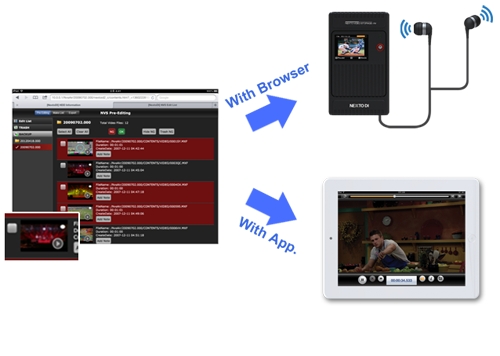
Press the play icon on thumb
If the web browser is using, the NVS2825 will preview the selected footage with audio
If you connected the Wi-Fi using the App, iPad preview your footage with full resolution & audio
Cut Selection
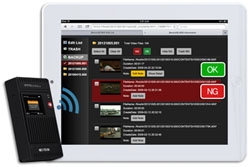
The NVS2825 generates HTML index file which make it possible to show all footages, select cuts and attach comments to clips using an iPad.
1. OK NG cut selection
2. Hide NG / Show All
3. Send the NG cuts to Trash Folder
4. [Restore] returning the NG cuts to Backup folder
5. Delete the NG cut in the Trash Folder
6. [Note] Write & Attach comment to clips
Mark In, Mark Out
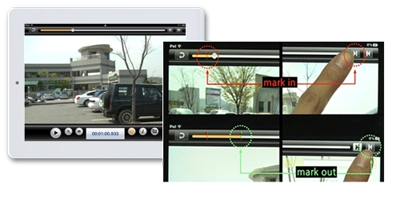
While connecting the Wi-Fi using the App, user can mark any section during the play.
Make List
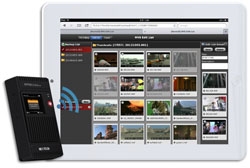
Just drag & drop the clips and user can bind cuts into a video.
This edit list can be imported to the editing tool such as Final Cut Pro.
1. Entering the Make list function
2. Checking the note on the Make List function
3. Make List
4. Batch Play
Export to external HDD
Pre-edited data such as OK/NG cut lists and edit list can be copied to the external hard drive.
Specification
| Device |
NEXTO VIDEO STORAGE-Air (NVS-Air) |
| Model Number |
NVS2825 |
| LCD |
2.4" Color TFT LCD: 320*240, 64K color |
| Video Preview |
CODEC: MPEG2/AVC/H.264/PRORES/DNxHD/DV
File: MP4/MOV/MXF/AVI/DV/(MTS) |
| Audio |
Head Phone jack. Support playing PCM Audio in Video file |
Supported
Memory Card |
SxS |
ExpressCard/34 Compatible, Follow SxS Spec. |
CardBus
Memory card |
Supports CardBus Memory Card
(including P2/P2E Card) |
| CF (Adapter) |
Through CF to ExpressCard Adapter |
| SD (Adapter) |
Through SD to ExpressCard Adapter
SD/SDHC/SDXC
High speed UHS-1 compatible |
External Hard
drive Support |
USB 3.0: 5Gbit/sec |
| Battery |
Internal: 3.7V 4400mAH rechargeable Li-Poly battery (120 min)
*Rechargeable by AC adapter, USB cable, FireWire 800 cable(9-9 pin) and Car charger
External: 3.7V 6600mAH rechargeable Li-Ion battery (180min)
* Rechargeable by AC adapter |
| AC power adapter |
Input: 100-240V AC Output: 12V/12A DC |
Bus power
operation |
Operates with USB bus power or FireWire800 cable power |
| Computer Interface |
USB3.0: 5Gbit/sec, IEEE1394b(FirWire800): 800Mbit/sec |
| File system format |
Hard drive: exFAT
Memory cards: FAT32, exFAT, UDF |
| OS Compatibility |
Windows 8 / Windows 7 / VISTA / XP SP2 or later
MAC OS 10.6.5 or above |
| Wi-Fi connection |
802.11b/g/n 54Mbps. Pre-editing through App./ Web Browser |
| Dimensions |
154mm*91mm*33mm / 430g(with Hard drive) |
| Contents |
NVS2825 Main unit / CF adapter / SD adapter/ Manual / AC power adapter / USB 3.0 cable / FireWire800 cable(IEEE1394b, 9-9pin) / Leather case / Shock protection rubber jacket / Li-Ion external battery |
|
|
|
|
13/03
|
NextoDi NVS2500 NEXTO Video Storage Pro - 2.4" Colour TFT LCD, 750GB-SSD, Supports ExpressCard/34, CF Type 1/2 Micro Drive, SD, SDHC, MMC, MMC Plus, MS, MS-Pro-HG, MS-Pro, USB2.0 NextoDi NVS2500 Video Storage 750GB
|
|
|
|
13/03
|
NextoDi NVS2500 NEXTO Video Storage Pro - 2.4" Colour TFT LCD, 512GB-SSD, Supports ExpressCard/34, CF Type 1/2 Micro Drive, SD, SDHC, MMC, MMC Plus, MS, MS-Pro-HG, MS-Pro, USB2.0
|
|
|
|
13/03
|
NextoDi NVS2500 NEXTO Video Storage Pro - 2.4" Colour TFT LCD, 1000GB-SSD, Supports ExpressCard/34, CF Type 1/2 Micro Drive, SD, SDHC, MMC, MMC Plus, MS, MS-Pro-HG, MS-Pro, USB2.0
|
|
|
|
13/03
|
NextoDi NVS2500 NEXTO Video Storage Pro - 2.4" Colour TFT LCD, 1000GB-HDD, Supports ExpressCard/34, CF Type 1/2 Micro Drive, SD, SDHC, MMC, MMC Plus, MS, MS-Pro-HG, MS-Pro, USB2.0
|
|
|
|
13/03
|
NextoDi NVS1501 NEXTO Video Storage - 2.4" Colour TFT LCD, 512GB-SSD, Supports CF Type 1/2, Micro Drive, SDHC, SDXC, MS, FireWire 800, USB2.0 NVS1501
Revolutionary location backup device for DSLR cameras
Nextovideo Storage
Back up from Various Memory cards
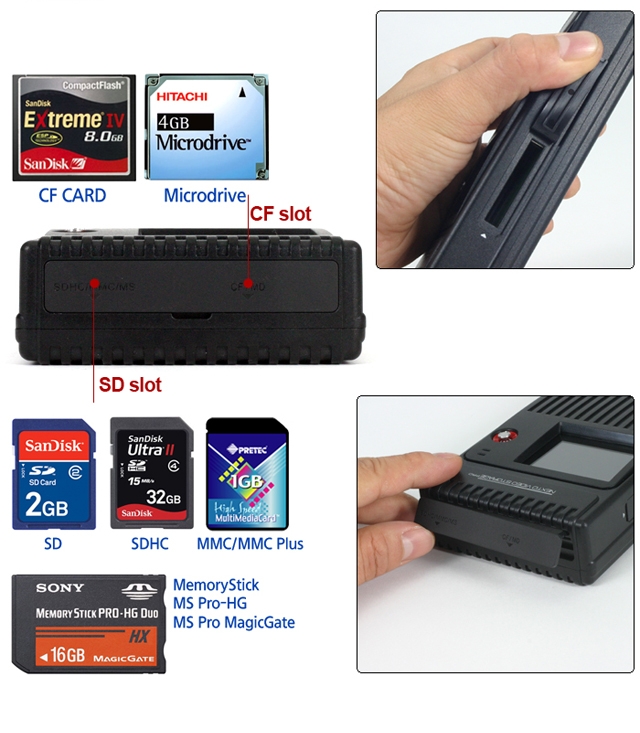
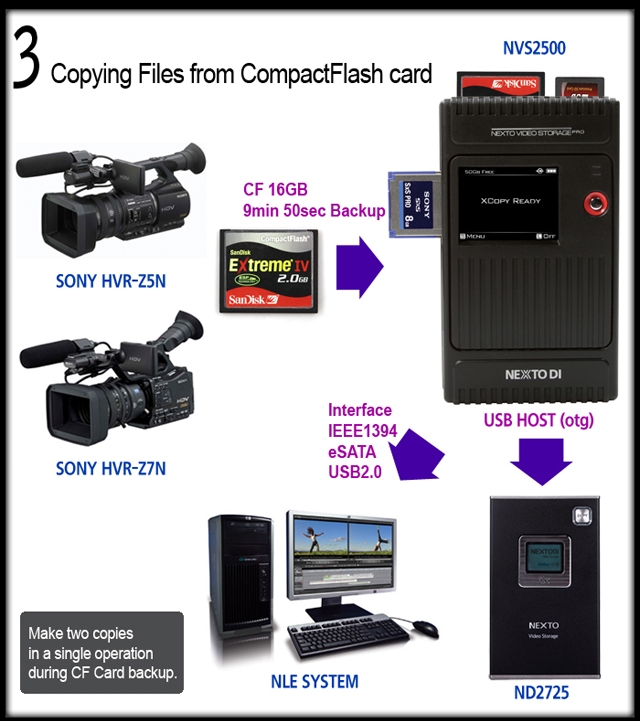
Offloading data from DSLR memory cards (CF, SDHC, SDXC, MS)
CF
MD
MemoryStick
MS Pro-HG
MS Pro MagicGate
SD
SDHC
SDXC
Supports SDXC
The NVS1501 supports exFAT file system used in SDXC. (Support for file size larger than 4GB shall be done later by free firmware upgrade (by 2012 Q4)
Copy mode & Performance
Make new folder and copy all the memory card data into the folder.
Same as [Fast Copy] but after copying, the data on the memory card is compared with the copied data in the NVS1501 hard drive. Each bit is verified.
Before copying data, the NVS1501 verifies that its hard drive area is safe. If a bad sector is detected, a new safe area is found - then copying [Fast Copy] will begin.
|
Performance
|
| Memory |
Speed(MB/s) |
Time(32GB) |
| CF |
80MB/s |
6m40s |
| SDHC/SDXC |
22MB/s |
24m14s |
SDHC/SDXC
UHS-1 |
60MB/s |
8m53s |
| MS |
12MB/s |
44m26s |
|
Preview Video & Photo clip
User can preview video and photo clip with built-in colour LCD. A preview of both the internal HDD and external device (CF / SDHC / SDXC / MS / USB external HDD) is supported.
Making a secondary copy to USB hard drive
User can generate ("Sync") a secondary copy onto external USB HDD.
Export internal data to an external USB hard drive without needing a laptop.
Each time you plug-in a external USB hard drive to NVS1501, it syncs at any files recorded since the last sync, will be transferred. Automatically compare the video folders by file names ans sizes.
Supports copy from USB card reader or GFPAK using USB host connectivity through USB port.
Multi-Copy onto two separate HDD at the same time
MCopy("Multi-Copy") enables copy data onto NVS1501 and USB external HDD at the same time to achieve maximum data safety.
Attach an USB external hard drive to make two copies at the same time with a single click.
Designed for data safety Shock protection
Featuring with advanced data management capabilities including Recover folder from bad sector, Shock protection and Success (or Failure) feedback of previous backup operation.
Shock Protection
1. Built-in FREE-FALL Sensor NVS1501 senses when user dropping it and the sensor will be triggered to move the read/write head of HDD away from platter and parks at its original position. The main power will be automatically switched-off.
2. Supplied with Rubber Bumpers
A pair of rubber bumper supplied for an additional protection
Bad Sector Recovery
It becomes inaccessible or unusable, if a video folder contains bad sector, NVS1501 recovers the video folder to reusable and editable.
The frames that contain dummy sectors have block noises but rest of frames become usable.
Success (or Failure) feedback
Next time you switch on NVS1501, it displays a previous backup result, in order to help the user to determine deletion of data stored in memory card.
Using the NVS1501 as a hard drive
Supports high-speed data transfer to NLE System.
|
Transfer Speed by interfaces
|
| Interface |
Speeds(MB/s) |
Time(32GB) |
IEEE 1394b
FireWire 800) |
75MB/s |
7m10s |
| USB 2.0 |
33MB/s |
16m17s |
|
|
|
Versatile Power Option
|
|
Its built-in internal battery makes NVS1501 the perfect companion for filed backup need. NVS1501 can be powered by Power adapter, Interface cables, AA Battery holder or External battery
|
Charging Time
Apporx 4 hours via power adpater\FireWire 800
Approx 9 hours via interface cable
Apporx 10 hours via AA battery holder |
|
Buring a Blu-ray Disc
The NVS1501 supports the burning of Blu-ray Discs--or the preview of Blu-ray Discs--without the use of a computer. Only the BD-R or BD-RE is supported. There is no support for burning a CD or DVD.
|
Physical Name and Desciptions
|
| |
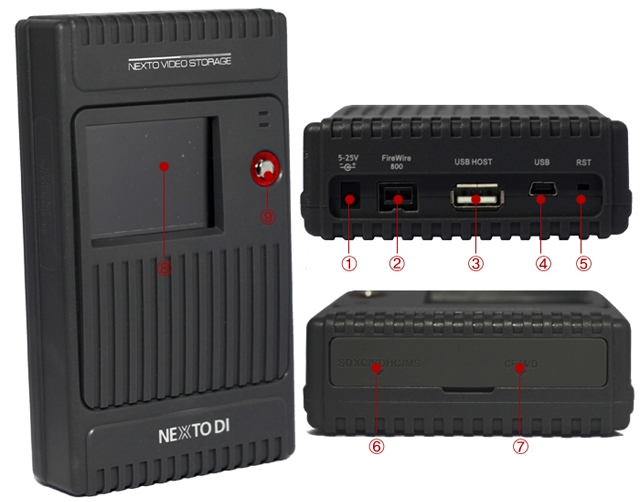 |
(1) "DC IN"slot for AC power adapter unit(wall plus; 6~25V).
(2) Connector"FireWire 800(IEEE 1394b)"to connect to the computer with max 800Mbps speed.
(3) USB Host slot to connect external USB hard drive or Ikegami GFPAK or USB card reader.
(4) "USB"slot for USB 2.0 device connection to a computer.
(5) Recessed Reset key, to be pressed with a tooth pick or similar tool;
(6) 3-in-1 connector for SD/SDHC/SDXC/MMC/MS
(7) Compact Flash slot
(8) LCD Display
(9) Control Key. Controls up/down/left/right/select of curser during power on state.
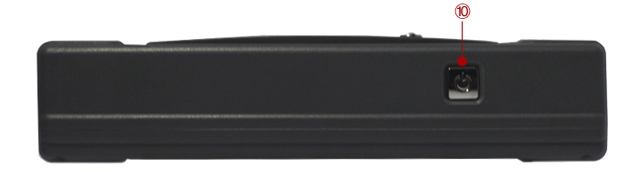
(10) Power key. Controls power on/off and selecting command during power on.
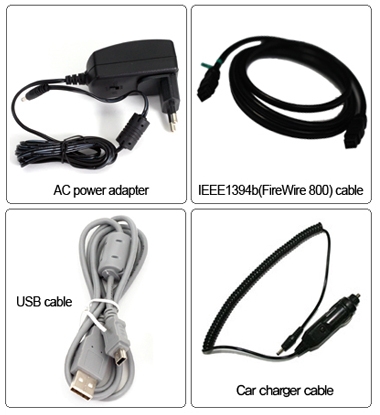
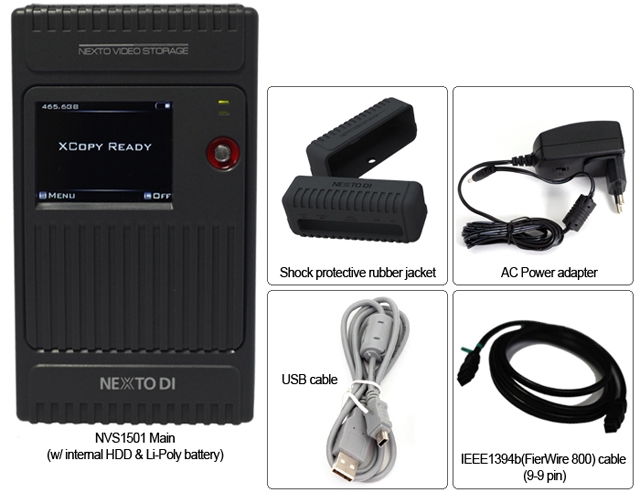
| Packaging Contents |
| |
 |
Specifications
| Device |
NEXTO VIDEO STORAGE |
| Nodel Number |
NVS1501 |
| LCD |
2.4" Color TFT LCD: 320*240, 64K colors |
|
|
| CF Type 1/2, Micro Drive |
| |
| SDHC/SDXC/MS |
|
External Harddrive
Support |
USB 2.0: 480Mbit/sec |
| Battery |
Internal: 3.7V 4400mA rechargeable Li-Ploy battery (120min)
* Rechargeable by AC adapter, USB cable, IEEE 1394b(FireWire 800) cable (9-9pin) and Car charger cable
External: Battery holder for recharging internal battery with four standard AA cellbatteries (40min) |
| AC Power Adapter |
Input: 100-240V AC
Out: 12V/1A DC |
| Bus Power Operation |
Operate with USB bus powerof IEEE 1394b(FireWire 800) cable power |
| Computer Interface |
USB 2.0: 480Mbit/sec
IEE 1394b(FireWire 800): 800Mbit/sec |
| File System Format |
Internal hard drive: FAT32
Memory card(including SxS): FAT12/16/32/exFAT |
| OS Compatibility |
Windows 7/VISTA/XP/2000/ME
Mac OS 9.2 or above.
Linux 2.4.18 or above. |
| Dimensions |
154mm*91mm*33mm(6.1inches*3.6inches*1.3inches) |
| Weight |
430g/15.1oz(with Hard drive) |
| Contents |
NVS1501 Main Unit / Manual / AC power adapter / USB cable / AA battery holder / IEEE 1394b(FireWire 800) cable (9-9 pin) / Shock protection rubber jacket / Car charger cable |
|
|
|
|
13/03
|
NextoDi NVS1501 NEXTO Video Storage - 2.4" Colour TFT LCD, 1000GB-SSD, Supports CF Type 1/2, Micro Drive, SDHC, SDXC, MS, FireWire 800, USB2.0 NVS1501
Revolutionary laction backup device for DSLR cameras
NEXTOVIDEO Storage
NVS1501
Back up from Various Memory cards
Offloading data from DSLR memory cards (CF, SDHC, SDXC, MS)
CF
MD
MemoryStick
MS Pro-HG
MS Pro MagicGate
SD
SDHC
SDXC
Supports SDXC
The NVS1501 supports exFAT file system used in SDXC.
(Support for file size larger than 4GB shall be done later by free firmware upgrade (by 2012 Q4))
Make new folder and copy all the memory card data into the folder.
Same as [Fast Copy] but after copying, the data on the memory card is compared with the copied data in the NVS1501 hard drive. Each bit is verified.
Before copying data, the NVS1501 verifies that its hard drive area is safe. If a bad sector is detected, a new safe area is found - then copying [Fast Copy] will begin.
|
Performance
|
| Memory |
Speed(MB/s) |
Time(32GB) |
| CF |
80MB/s |
6m40s |
| SDHC/SDXC |
22MB/s |
24m14s |
SDHC/SDXC
UHS-1 |
60MB/s |
8m53s |
| MS |
12MB/s |
44m26s |
|
|
Preview Video & Photo clip
|
| User can preview video and photo clip with built-in colour LCD. A preview of both the internal HDD and external device (CF / SDHC / SDXC / MS / USB external HDD) is supported. |
|
|
Making a secondary copy to USB hard drive
User can generate ("Sync") a secondary copy onto external USB HDD.
Export internal data to an external USB hard drive without needing a laptop.
Each time you plug-in a external USB hard drive to NVS1501, it syncs at any files recorded since the last sync, will be transferred. Automatically compare the video folders by file names ans sizes.
Supports copy from USB card reader or GFPAK using USB host connectivity through USB port.
Multi-Copy onto two separate HDD at the same time
MCopy("Multi-Copy") enables copy data onto NVS1501 and USB external HDD at the same time to achieve maximum data safety.
Attach an USB external hard drive to make two copies at the same time with a single click.
Designed for data safety Shock protection
Featuring with advanced data management capabilities including Recover folder from bad sector, Shock protection and Success (or Failure) feedback of previous backup operation.
Shock Protection
1. Built-in FREE-FALL Sensor NVS1501 senses when user dropping it and the sensor will be triggered to move the read/write head of HDD away from platter and parks at its original position. The main power will be automatically switched-off.
2. Supplied with Rubber Bumpers
A pair of rubber bumper supplied for an additional protection
Bad Sector Recovery
It becomes inaccessible or unusable, if a video folder contains bad sector, NVS1501 recovers the video folder to reusable and editable.
The frames that contain dummy sectors have block noises but rest of frames become usable.
Success (or Failure) feedback
Next time you switch on NVS1501, it displays a previous backup result, in order to help the user to determine deletion of data stored in memory card.
|
Using the NVS1501 as a hard drive
|
| Supports high-speed data transfer to NLE System. |
| Transfer Speed by interfaces |
| Interface |
Speeds(MB/s) |
Time(32GB) |
IEEE 1394b
FireWire 800) |
75MB/s |
7m10s |
| USB 2.0 |
33MB/s |
16m17s |
|
|
Versatile Power Option
Its built-in internal battery makes NVS1501 the perfect companion for filed backup need. NVS1501 can be powered by Power adapter, Interface cables, AA Battery holder or External battery
Charging Time
Apporx 4 hours via power adpater\FireWire 800
Approx 9 hours via interface cable
Apporx 10 hours via AA battery holder
Buring a Blu-ray Disc
The NVS1501 supports the burning of Blu-ray Discs--or the preview of Blu-ray Discs--without the use of a computer. Only the BD-R or BD-RE is supported. There is no support for burning a CD or DVD.
|
Physical Name and Desciptions
|
| |
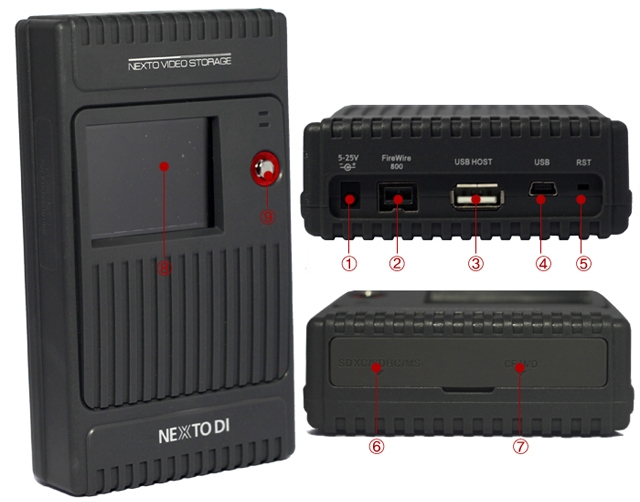 |
|
Packaging Contents
|
| |
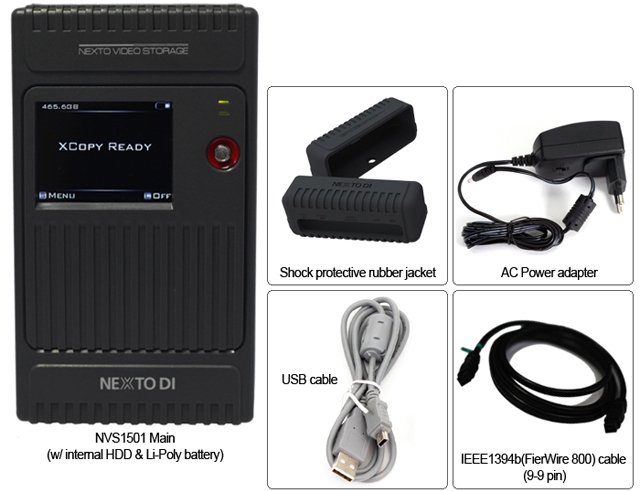 |
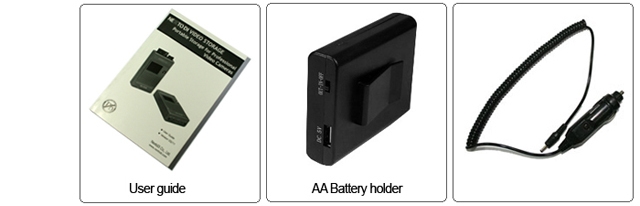 |
Specifications
| Device |
NEXTO VIDEO STORAGE |
| Nodel Number |
NVS1501 |
| LCD |
2.4" Color TFT LCD: 320*240, 64K colors |
|
|
| CF Type 1/2, Micro Drive |
| |
| SDHC/SDXC/MS |
|
External Harddrive
Support |
USB 2.0: 480Mbit/sec |
| Battery |
Internal: 3.7V 4400mA rechargeable Li-Ploy battery (120min)
* Rechargeable by AC adapter, USB cable, IEEE 1394b(FireWire 800) cable (9-9pin) and Car charger cable
External: Battery holder for recharging internal battery with four standard AA cellbatteries (40min) |
| AC Power Adapter |
Input: 100-240V AC
Out: 12V/1A DC |
| Bus Power Operation |
Operate with USB bus powerof IEEE 1394b(FireWire 800) cable power |
| Computer Interface |
USB 2.0: 480Mbit/sec
IEE 1394b(FireWire 800): 800Mbit/sec |
| File System Format |
Internal hard drive: FAT32
Memory card(including SxS): FAT12/16/32/exFAT |
| OS Compatibility |
Windows 7/VISTA/XP/2000/ME
Mac OS 9.2 or above.
Linux 2.4.18 or above. |
| Dimensions |
154mm*91mm*33mm(6.1inches*3.6inches*1.3inches) |
| Weight |
430g/15.1oz(with Hard drive) |
| Contents |
NVS1501 Main Unit / Manual / AC power adapter / USB cable / AA battery holder / IEEE 1394b(FireWire 800) cable (9-9 pin) / Shock protection rubber jacket / Car charger cable |
|
|
|
|
13/03
|
Olympus OM-D E-M10 Digital SLR Camera - 16.1MP (Silver)
- 3.0" Touchscreen LCD, Image Stabilization, 4/3 Live MOS, Built-In Wireless LAN, Built-in Flash, SD, SDHC, SDXC
- Double Zoom Kit Olympus OM-D E-M10 Double Zoom Kit - Silver
16
MP
4/3 LIVE MOS
3
AXIS
IS
Wi-Fi
WIRELESS
CONTROL
8fps
BURST
SHOOTING
Overview
OM-D E-M10
Built to a higher standard.
FASTER. SHARPER. MORE FUN.
Sharing DNA with Olympus’s acclaimed OM-D series, the new OM-D E-M10 is an elegant camera that looks as good as the photos it takes. Boasting a powerful TruePic™ VII image processor, interactive EVF, warp-speed AF system, built-in flash and WiFi, and a slew of creative tools, the E-M10 is a small camera that gets the big picture.
PERFORMANCE MADE PORTABLE
Now you don't have to choose between powerful and portable. The new OM-D E-M10 gives you pro-style performance in a camera you can actually carry. Its thoughtful design centers on a solid, premium build that feels substantial in your hands, while its ergonomic shape and nimble control scheme allow you to focus on getting the perfect shot.
THE SYSTEM IS THE SOLUTION
The OM-D E-M10’s partner in photographic excellence is the Olympus M.ZUIKO lens system, a family of professional-grade glass with digital optics that deliver unsurpassed resolution and overall image quality. From long-distance tele to up-close-and-personal macro – and everything in between – there’s a perfect M.ZUIKO lens for every situation.
RESOLUTION REVOLUTION
The lens technology, sensor and image processor are the core of any digital camera. The OM-D E-M10’s partners in photographic excellence are the acclaimed Olympus M.ZUIKO lens system, a new 16MP Live MOS sensor, and the latest TruePicTM VII image processor with Fine Detail Technology II for extraordinary resolution and accurate color rendition. Add 3-axis in-body image stabilization that works with all lenses and you have the advanced technology needed to achieve unprecedented, best-in-class image quality – every time.
EYE ON THE PRIZE
High resolution (1.44 million pixels). Magnification: 1.14x. Coverage of approximately 100%, with double-speed 120fps refresh rate (0.0007 seconds). Adaptive brightness technology and eye sensor. Are you impressed yet? You should be, because the OM-D E-M10’s large, fast and intelligent electronic viewfinder displays all the shooting information you need (e.g., exposure, white balance, color tone, etc…).
MORE BUILT-INS. FEWER ADD-ONS.
You might not think a camera this compact would have so many great features built right in. Think again. The OM-D E-M10 is the first OM-D series camera with a built-in flash, and also has built-in WiFi (for full remote control, geotagging and sharing via the OI.Share app) and a tiltable touchscreen.
SHOOT IN THE FAST LANE
Stop time on a dime with the OM-D E-M10. High-speed sequential shooting – at an otherworldly 8fps – and super high-speed FAST AF with 81-point AF grid (that covers the whole frame) help you freeze the action. The autofocus tracking function is improved, and group and super spot AF selection are available. Even manual focus is more accurate thanks to the Focus Peaking feature.
FLEX YOUR CREATIVITY
The OM-D E-M10 offers an incredible array of in-camera creative tools. Twelve Art Filters and nine Art Effects. Photo and Movie Capture (high-quality stills while shooting a movie). Photo Story, with new Zoom In/Out theme. Color Creator, HDR and HDR bracketing, 1080p Movie with Art Fade, Interval/Time Lapse Shooting. Are you ready to transform your photography.

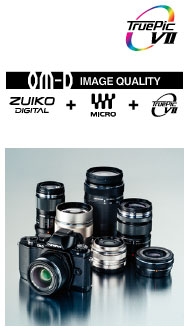
Lens Mount
Micro Four Thirds
Camera Format
Micro Four Thirds (2x Crop Factor)
Pixels
Actual: 17.2 Megapixel
Effective: 16.1 Megapixel
Max Resolution
15.9MP: 4608 x 3456
ImageSensor Type/Size
4/3 Live MOS
Image Processor
TruePic VII with Fine Detail Processing II Technology
Image Stabilization
Built-in sensor-shift 3-Axis [compensates 3 types of movements (yaw/pitch/roll movements)]
4 modes (S-I.S.AUTO, S-I.S.1, S-I.S.2, S-I.S.3), OFF
Focal length setting: 8, 9, 10, 12, 15,16, 18, 24, 28, 30, 35, 40, 48, 50, 55, 65, 70, 75, 80, 85, 90, 100, 105, 120, 135, 150, 180, 200, 210, 250, 300, 350, 400, 500, 600, 800, 1000
Image Aspect Ratio
4:3(Default) / 3:2 / 16:9 / 1:1 / 3:4
File Formats
Still Images: JPEG, MPO, RAW
Movies: MOV(MPEG-4AVC/H.264) , AVI(Motion JPEG)
Audio: Stereo Linear PCM (16-bit), .WAV
RAW Bit Depth
12-bit
Image Editing
RAW development, Gradation auto, Monochrome, Sepia, Red-eye fix, Saturation, Resize (1280x960, 640x480, 320x240), Trimming, Aspect, e-Portrait, Image Overlay, Postrecording
JPEG Editing
Shadow adjustment, Red-eye fix, Cropping, Aspect, Black&White, Sepia, Saturation, Resize, e-portrait
RAW Editing
RAW development based on settings of the camera (including e-Portrat, Color Creator, Art Filter, ART-BKT).
2 programmable settings, preview capability.
Dust Reduction System
Yes
Memory Card Type
SD, SDHC, SDXC
Shoot up to 29 minutes of 1080 30p HD video and stereo sound in either .MOV or .AVI formats. A Direct HD Movie Button switches you from still to movie mode with just the press of a button.
Video Recording
Yes, NTSC/PAL
Resolution
1920 x 1080: 30 fps
1280 x 720: 30 fps
640 x 480: 30 fps
Aspect Ratio
16:9
Video Clip Length
Up to 29Min
Simultaneous Image & Video Recording
Yes; shoot (up to 5 fps in P/A/S/M modes) still images (3200x1800 pixels) without interrupting movie recording
Audio Recording
Built-in Mic: Stereo
Optional External Mic: Not Available
Keep Your Eye on the Prize with the E-M10s Large, Easy-to-See EVF
Shooting at eye level is comfortably familiar. And when you get a live view of exposure, white balance and other useful information (including aspect ratio), and the ability to control highlights, shadows, colors and more as you do with the E-M10s electronic viewfinder youre in position to take some of the best photos of your life. You can also apply various framing grids and a leveling guide for composing better photos and even monitor video recording! The high-res EVF (1.44 million pixels) provides 1.15x magnification, double-speed 120fps refresh rate and Adaptive Brightness Technology, which automatically adjusts brightness to the optimum setting for a more natural display.
Viewfinder
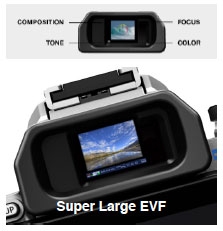
Viewfinder Type
Electronic
Viewfinder Pixel Count
1,440,000
Viewfinder Coverage
100%
Viewfinder Magnification
Approx. 1.15x (35mm equivalent: 0.58x)
Refresh Rate
Normal mode (60 fps): approx. 0.027 sec display lag time
High-speed mode (120 fps): approx. 0.007 sec display lag time
Brightness Control
Automatic Adaptive Brightness Technology, 7 levels of manual settings also available
Eye Sensor
Yes; automatic switching between viewfinder and monitor
Viewfinder Eye Point
20.00 mm
Diopter Adjustment
- 4 to +2 m
MORE BUILT-INS. FEWER ADD-ONS.
A Wealth of Built-In Features
The E-M10 is a marvel of thoughtful design and useful functionality. Built-in Wi-Fi for easy image sharing and wireless control, built-in flash for filling in the shadows and a super resolution tiltable LCD monitor with numerous touchscreen control options. Its not what youd call inexpensive, but the value is clear.
Wi-Fi Connectivity
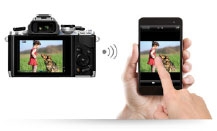
Wi-Fi Capable/ LAN Type
Yes; Built-in Wireless LAN (IEEE 802.11b/g/n)
Connection/Sync Process
Connect to up to 4 devices simultaneously via QR code.
Functions Available
The free Olympus Image Share (OI.Share) app enables you to:
1) Geotag photos with GPS location information,
2) Easily share files (JPEG/MOV) to connected smart devices and
3) Fully operate the camera remotely and wirelessly.
Wireless remote operation allows you to see the Live View, Rec View, Select the AF point, Release the Shutter (with a single touch on the AF point), and Power Off the camera. You can also switch between camera modes (iAuto/ART/P/A/S/M,), manually adjust camera settings (aperture, shutter speed, exposure, ISO sensitivity, white balance and drive mode), and activate the custom self timer, Live Bulb and Live Time.
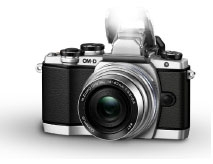
Built-in Flash
Yes
Flash Modes
Auto, Fill-in, Manual, Off, Red-eye reduction, Slow sync, second-curtain sync, slow sync/red-eye reduction, TTL Auto
Max Sync Speed
1/250 sec with built-in flash, 1/200 sec with external flashes (excluding FL-50R; 1/800 sec)
Flash Compensation
-3 EV to +3 EV (in .3, .5 or 1 EV steps)
Dedicated Flash System
TTL Groups: 4 (3 external flash groups + built-in flash), Channels: 4
External Flash Connection
Hot Shoe, PC Terminal, Proprietary, Wireless
Compatible External Flashes
FL-50R, FL-36R, FL-20, FL-14, FL-300R, FL-600R
Wireless Flash Control Method
Triggered and controlled by built-in flash (Olympus Wireless RC Flash system compatible)
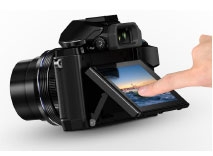
Monitor Screen
3Wide TouchscreenTiltingLCD
Monitor Resolution (Pixels)
1,037,000
Monitor Coverage
100%
Monitor Aspect Ratio
3:2
Touch Control
Shutter release, Enlargement, Live Guide, AF area selection, AF area enlargement and decrease, Frame forward/backward, Enlargement playback, Super Control Panel, Art Filter selection, Scene mode selection, Wi-Fi connection
Tilting Angle
Upward tilting angle: up to 80 degrees, Downward tilting angle: up to 50 degrees
Life Moves Fastand the E-M10 is Designed to Keep Pace
You might want to wear your running shoes when using the E-M10. High-speed sequential shooting at a best-in-class 8fps and super high-speed FAST AF technology ensure that you wont miss the shot no matter how quickly your subject is moving. In fact, the autofocus tracking function is better than ever thanks to enhancements to the group target Continuous AF function. The E-M10 also provides an 81-point AF grid that covers the entire image frame, giving you more focus options than basic DSLRs. Focus Peaking is available in manual focus mode. The Custom Self Timer and Interval Shooting features are particularly useful for documenting action over a span of time and for creating Time Lapse movies in the camera.
Focus Control
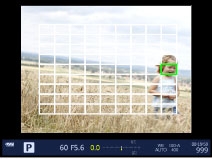
Focus Type
Contrast Detection
Focus Mode
Single-AF (S-AF), Continuous-AF (C-AF), Manual Focus (M), S-AF + MF, AF tracking (C-AF + TR)
Autofocus Points
81 (AF grid covers whole frame); Group, Small and Super Spot AF targets available
Face and Eye Detection
Available; Eye Detection AF mode: Off / Nearer-eye priority / Right-eye priority / Left-eye priority
Manual Focus Assist
Yes; Focus Peaking function and Magnified Focus Assist function available
AF Illuminator
Yes
Continous Shooting Burst Rate
Up to 8 fps in Single Autofocus mode (S-AF)
[Sequential shooting H mode; Focus and exposure are fixed at the values for the first shot]
Up to 3.5 fps in Continous Autofocus mode (C-AF)
[Sequential shooting L mode; Focus and exposure are adjusted for every shot]
Shutter
Type: Mechanical
Speed: 60 - 1/4000sec
Self Timer
12 sec, 2 sec
Custom: 1-30 sec at 0.5, 1.0, 2.0, 3.0 sec intervals
Number of Shots: 1-10
Interval Recording
Yes; Interval Time 1sec. - 24 Hours, Max 999 frames.
Time Lapse Movie
Images obtained with the Interval Shooting can be compiled automatically in the camera into a Time Lapse Movie lasting up to 100 sec. Movie is recorded in AVI Motion JPEG with 1280 x 720 pixels, 10 fps.
Connectivity
USB 2.0 Hi-Speed
HDMI D (Micro)(out)
Hot Shoe for flash attachment
Remote Control
RM-UC1 (Optional)
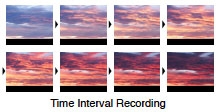
ISO Sensitivity
Auto, LOW (approx. 100) 25600,
Metering Method
Center-weighted average metering, Multi-zone metering, Spot metering
Exposure Modes
Manual (M), Aperture Priority (A), Shutter Priority (S), Programmed Auto (P), iAUTO, Scene Selection (SCN), Bulb, Time, Underwater, Art Filter
Metering Range: EV -2.0 - EV 20.0
Compensation: -5 EV to +5 EV (in 1/3, 1/2 or 1 EV steps)
White Balance Modes
Auto, Sunny(5300K), Shadow(7500K), Cloudy(6000K), Incandescent(3000K), Fluorescent(4000K), Underwater, WB Flash(5500K), Custom WB (Kelvin setting)
Picture Modes
i-Enhance, Vivid, Natural, Muted, Portrait, Monotone, Custom, e Portrait, Color Creator, Art Filters
Scene Selection
Portrait, e-Portrait, Landscape, Landscape + Portrait, Sport, Hand-held Starlight (captures 8 shots and combines into a single image composite), Night scene, Night + Portrait, Children, High Key, Low Key, DIS mode, Macro, Nature Macro, Candle, Sunset, Documents, Panorama, Fireworks, Beach & Snow, Fisheye Converter, Wide Converter, Macro Converter, 3D (only with H-FT012 Panasonic 3D Lens)
With So Many Creative Tools, Finding the Shot Is Only the Beginning
The E-M10 offers you an incredible array of easy-to-use creative tools that can transform your photos from excellent to spectacular. Color Creator. Photo & Movie Capture (high-quality stills while shooting a movie at an insane 5fps in P/A/S/M mode). Live Composite Mode for capturing starscapes intuitively. HDR and HDR bracketing. Twelve Art Filters and nine Art Effects. Photo Story for shooting normal, everyday scenes from multiple viewpoints and combining them into one image.
Creativity
Creative Functions
HDR, Bracketing, Color Creator, Highlight & Shadow Control, Live Composite (0.5 - 60 sec), Live Bulb, Photo Story, Art Filters, Photo & Movie Capture
HDR Function
2 HDR modes available plus HDR bracketing (3 or 5 frames in 2.0/3.0 selectable EV steps, 7 frames in 2.0 selectable EV steps)
Bracketing
Yes; HDR, Exposure, ISO, White Balance, Flash, Art Filter
Art Filters
12 art filters available: Pop Art, Soft Focus, Pale & Light Color, Light Tone, Grainy Film, Pin Hole, Diorama, Cross Process, Gentle Sepia, Dramatic Tone, Key Line, Water Color
7 art effects available: Soft Focus, Pin-Hole, White Edge, Frame, Star Light, Diorama, Picture Tone
Photo Story
4 modes available: Standard, Fun Frame, Speed, Zoom In/Out
Level Gauge
2-axis; horizontal /vertical
BUY NOW ARROW
Live Guide
Color saturation, Color image, Brightness, Blur Background, Express Motion, Shooting Tips
Live Control
Battery information, Shooting mode, Shutter speed, Aperture value, Exposure compensation value, ISO sensitivity,Exposure compensation indicator, Exposure indicator, Flash intensity compensation indicator, Date, Auto BKT setting, NR setting, WB, Record mode, Flash Status, Image size, Drive mode, Flash intensity compensation value, Metering mode, Recordable still image number, Focusing mode, AF frame, Internal Temperature Warning, IS activating mode, Face detection, My Mode, Multi Exposure, Aspect Ratio
Super Control Panel
Battery information, Shooting mode, Shutter speed, Aperture value, Exposure compensation value, ISO sensitivity,Exposure compensation indicator, Exposure indicator, Flash intensity compensation indicator, Date, Auto BKT setting, NR setting, WB, WB compensation value, Record mode, Flash Status, Record mode, Image size, Drive mode, Flash intensity compensation value, Metering mode, Recordable still image number, Focusing mode, AF frame, Colour space, Sharpness, Contrast, Saturation, Internal Temperature Warning Gradation, IS activating mode, Face detection, My Mode, Multi Exposure, Aspect Ratio, Super FP
Playback
Single-frame, Information display, Index display (4/9/25/100 frames), Calendar, Enlargement (2x - 14x), Movie (with sound, FF/REW/Pause), Picture rotation (auto), Slideshow (with sound including BGM, Slide show effects, replaceable BGM), Light Box display
Information Display
Histogram (independent luminance / RGB available), Highlight/Shadow point warning, AF frame, Photographic information, OFF
Languages
34 languages available: English, French, German, Spanish, Italian, Japanese, Korean, Traditional Chinese, Simplified Chinese, Russian, Czech, Dutch, Danish, Polish, Portuguese, Swedish, Norwegian, Finnish, Croat, Slovenian, Hungarian, Greek, Slovakian, Turkish, Latvian, Estonian, Lithuanian, Ukrainian, Serbian, Bulgarian, Rumanian, Indonesian, Malay, Thai
Battery
1 x BLS-5 Li-ion battery (included);
Records approx. 320 shots per charge
Operating Enviroment
Operating
Temperature: 32 to 104F (0 to 40C)
Humidity: 30 - 90%
Storage
Temperature: -4 to 140F (-20 to 60C)
Humidity: 10 - 90%
Environmentally sealed
No
Dimensions (WxHxD)
4.7 inch (W) x 3.2 inch (H) x 1.8 inch (D)/ 119.1mm (W) 82.3mm (H) 45.9mm (D)
Weight
14 oz / 0.87 lb/396 g (with battery and memory card)
Box Contents
E-M10 Camera body, Li-ion battery BLS-5, Li-ion battery charger BCS-5, USB cable, Shoulder strap, OLYMPUS Viewer 3 (CD-ROM), Instruction manual, Warranty card
|
|
|
|
13/03
|
Olympus OM-D E-M10 Digital SLR Camera - 16.1MP (Black)
- 3.0" Touchscreen LCD, Image Stabilization, 4/3 Live MOS, Built-In Wireless LAN, Built-in Flash, SD, SDHC, SDXC
- Double Zoom Kit Olympus OM-D E-M10 Double Zoom Kit - Black
16
MP
4/3 LIVE MOS
3
AXIS
IS
Wi-Fi
WIRELESS
CONTROL
8fps
BURST
SHOOTING
Overview
OM-D E-M10
Built to a higher standard.
FASTER. SHARPER. MORE FUN.
Sharing DNA with Olympus’s acclaimed OM-D series, the new OM-D E-M10 is an elegant camera that looks as good as the photos it takes. Boasting a powerful TruePic™ VII image processor, interactive EVF, warp-speed AF system, built-in flash and WiFi, and a slew of creative tools, the E-M10 is a small camera that gets the big picture.
PERFORMANCE MADE PORTABLE
Now you don't have to choose between powerful and portable. The new OM-D E-M10 gives you pro-style performance in a camera you can actually carry. Its thoughtful design centers on a solid, premium build that feels substantial in your hands, while its ergonomic shape and nimble control scheme allow you to focus on getting the perfect shot.
THE SYSTEM IS THE SOLUTION
The OM-D E-M10’s partner in photographic excellence is the Olympus M.ZUIKO lens system, a family of professional-grade glass with digital optics that deliver unsurpassed resolution and overall image quality. From long-distance tele to up-close-and-personal macro – and everything in between – there’s a perfect M.ZUIKO lens for every situation.
RESOLUTION
REVOLUTION
The lens technology, sensor and image processor are the core of any digital camera. The OM-D E-M10’s partners in photographic excellence are the acclaimed Olympus M.ZUIKO lens system, a new 16MP Live MOS sensor, and the latest TruePicTM VII image processor with Fine Detail Technology II for extraordinary resolution and accurate color rendition. Add 3-axis in-body image stabilization that works with all lenses and you have the advanced technology needed to achieve unprecedented, best-in-class image quality – every time.
EYE ON THE PRIZE
High resolution (1.44 million pixels). Magnification: 1.14x. Coverage of approximately 100%, with double-speed 120fps refresh rate (0.0007 seconds). Adaptive brightness technology and eye sensor. Are you impressed yet? You should be, because the OM-D E-M10’s large, fast and intelligent electronic viewfinder displays all the shooting information you need (e.g., exposure, white balance, color tone, etc…).
MORE BUILT-INS. FEWER ADD-ONS.
You might not think a camera this compact would have so many great features built right in. Think again. The OM-D E-M10 is the first OM-D series camera with a built-in flash, and also has built-in WiFi (for full remote control, geotagging and sharing via the OI.Share app) and a tiltable touchscreen.
SHOOT IN THE FAST LANE
Stop time on a dime with the OM-D E-M10. High-speed sequential shooting – at an otherworldly 8fps – and super high-speed FAST AF with 81-point AF grid (that covers the whole frame) help you freeze the action. The autofocus tracking function is improved, and group and super spot AF selection are available. Even manual focus is more accurate thanks to the Focus Peaking feature.
FLEX YOUR CREATIVITY
The OM-D E-M10 offers an incredible array of in-camera creative tools. Twelve Art Filters and nine Art Effects. Photo and Movie Capture (high-quality stills while shooting a movie). Photo Story, with new Zoom In/Out theme. Color Creator, HDR and HDR bracketing, 1080p Movie with Art Fade, Interval/Time Lapse Shooting. Are you ready to transform your photography.

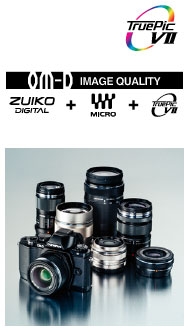
Lens Mount
Micro Four Thirds
Camera Format
Micro Four Thirds (2x Crop Factor)
Pixels
Actual: 17.2 Megapixel
Effective: 16.1 Megapixel
Max Resolution
15.9MP: 4608 x 3456
ImageSensor Type/Size
4/3 Live MOS
Image Processor
TruePic VII with Fine Detail Processing II Technology
Image Stabilization
Built-in sensor-shift 3-Axis [compensates 3 types of movements (yaw/pitch/roll movements)]
4 modes (S-I.S.AUTO, S-I.S.1, S-I.S.2, S-I.S.3), OFF
Focal length setting: 8, 9, 10, 12, 15,16, 18, 24, 28, 30, 35, 40, 48, 50, 55, 65, 70, 75, 80, 85, 90, 100, 105, 120, 135, 150, 180, 200, 210, 250, 300, 350, 400, 500, 600, 800, 1000
Image Aspect Ratio
4:3(Default) / 3:2 / 16:9 / 1:1 / 3:4
File Formats
Still Images: JPEG, MPO, RAW
Movies: MOV(MPEG-4AVC/H.264) , AVI(Motion JPEG)
Audio: Stereo Linear PCM (16-bit), .WAV
RAW Bit Depth
12-bit
Image Editing
RAW development, Gradation auto, Monochrome, Sepia, Red-eye fix, Saturation, Resize (1280x960, 640x480, 320x240), Trimming, Aspect, e-Portrait, Image Overlay, Postrecording
JPEG Editing
Shadow adjustment, Red-eye fix, Cropping, Aspect, Black&White, Sepia, Saturation, Resize, e-portrait
RAW Editing
RAW development based on settings of the camera (including e-Portrat, Color Creator, Art Filter, ART-BKT).
2 programmable settings, preview capability.
Dust Reduction System
Yes
Memory Card Type
SD, SDHC, SDXC
Shoot up to 29 minutes of 1080 30p HD video and stereo sound in either .MOV or .AVI formats. A Direct HD Movie Button switches you from still to movie mode with just the press of a button.
Video Recording
Yes, NTSC/PAL
Resolution
1920 x 1080: 30 fps
1280 x 720: 30 fps
640 x 480: 30 fps
Aspect Ratio
16:9
Video Clip Length
Up to 29Min
Simultaneous Image & Video Recording
Yes; shoot (up to 5 fps in P/A/S/M modes) still images (3200x1800 pixels) without interrupting movie recording
Audio Recording
Built-in Mic: Stereo
Optional External Mic: Not Available
Keep Your Eye on the Prize with the E-M10s Large, Easy-to-See EVF
Shooting at eye level is comfortably familiar. And when you get a live view of exposure, white balance and other useful information (including aspect ratio), and the ability to control highlights, shadows, colors and more as you do with the E-M10s electronic viewfinder youre in position to take some of the best photos of your life. You can also apply various framing grids and a leveling guide for composing better photos and even monitor video recording! The high-res EVF (1.44 million pixels) provides 1.15x magnification, double-speed 120fps refresh rate and Adaptive Brightness Technology, which automatically adjusts brightness to the optimum setting for a more natural display.
Viewfinder
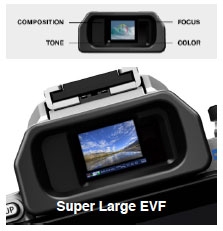
Viewfinder Type
Electronic
Viewfinder Pixel Count
1,440,000
Viewfinder Coverage
100%
Viewfinder Magnification
Approx. 1.15x (35mm equivalent: 0.58x)
Refresh Rate
Normal mode (60 fps): approx. 0.027 sec display lag time
High-speed mode (120 fps): approx. 0.007 sec display lag time
Brightness Control
Automatic Adaptive Brightness Technology, 7 levels of manual settings also available
Eye Sensor
Yes; automatic switching between viewfinder and monitor
Viewfinder Eye Point
20.00 mm
Diopter Adjustment
- 4 to +2 m
MORE BUILT-INS. FEWER ADD-ONS.
A Wealth of Built-In Features
The E-M10 is a marvel of thoughtful design and useful functionality. Built-in Wi-Fi for easy image sharing and wireless control, built-in flash for filling in the shadows and a super resolution tiltable LCD monitor with numerous touchscreen control options. Its not what youd call inexpensive, but the value is clear.
Wi-Fi Connectivity
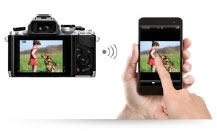
Wi-Fi Capable/ LAN Type
Yes; Built-in Wireless LAN (IEEE 802.11b/g/n)
Connection/Sync Process
Connect to up to 4 devices simultaneously via QR code.
Functions Available
The free Olympus Image Share (OI.Share) app enables you to:
1) Geotag photos with GPS location information,
2) Easily share files (JPEG/MOV) to connected smart devices and
3) Fully operate the camera remotely and wirelessly.
Wireless remote operation allows you to see the Live View, Rec View, Select the AF point, Release the Shutter (with a single touch on the AF point), and Power Off the camera. You can also switch between camera modes (iAuto/ART/P/A/S/M,), manually adjust camera settings (aperture, shutter speed, exposure, ISO sensitivity, white balance and drive mode), and activate the custom self timer, Live Bulb and Live Time.
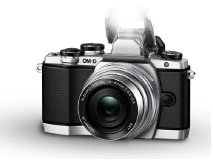
Built-in Flash
Yes
Flash Modes
Auto, Fill-in, Manual, Off, Red-eye reduction, Slow sync, second-curtain sync, slow sync/red-eye reduction, TTL Auto
Max Sync Speed
1/250 sec with built-in flash, 1/200 sec with external flashes (excluding FL-50R; 1/800 sec)
Flash Compensation
-3 EV to +3 EV (in .3, .5 or 1 EV steps)
Dedicated Flash System
TTL Groups: 4 (3 external flash groups + built-in flash), Channels: 4
External Flash Connection
Hot Shoe, PC Terminal, Proprietary, Wireless
Compatible External Flashes
FL-50R, FL-36R, FL-20, FL-14, FL-300R, FL-600R
Wireless Flash Control Method
Triggered and controlled by built-in flash (Olympus Wireless RC Flash system compatible)
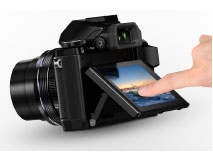
Monitor Screen
3Wide TouchscreenTiltingLCD
Monitor Resolution (Pixels)
1,037,000
Monitor Coverage
100%
Monitor Aspect Ratio
3:2
Touch Control
Shutter release, Enlargement, Live Guide, AF area selection, AF area enlargement and decrease, Frame forward/backward, Enlargement playback, Super Control Panel, Art Filter selection, Scene mode selection, Wi-Fi connection
Tilting Angle
Upward tilting angle: up to 80 degrees, Downward tilting angle: up to 50 degrees
Life Moves Fastand the E-M10 is Designed to Keep Pace
You might want to wear your running shoes when using the E-M10. High-speed sequential shooting at a best-in-class 8fps and super high-speed FAST AF technology ensure that you wont miss the shot no matter how quickly your subject is moving. In fact, the autofocus tracking function is better than ever thanks to enhancements to the group target Continuous AF function. The E-M10 also provides an 81-point AF grid that covers the entire image frame, giving you more focus options than basic DSLRs. Focus Peaking is available in manual focus mode. The Custom Self Timer and Interval Shooting features are particularly useful for documenting action over a span of time and for creating Time Lapse movies in the camera.
Focus Control
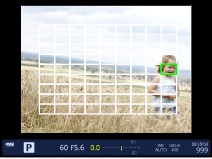
Focus Type
Contrast Detection
Focus Mode
Single-AF (S-AF), Continuous-AF (C-AF), Manual Focus (M), S-AF + MF, AF tracking (C-AF + TR)
Autofocus Points
81 (AF grid covers whole frame); Group, Small and Super Spot AF targets available
Face and Eye Detection
Available; Eye Detection AF mode: Off / Nearer-eye priority / Right-eye priority / Left-eye priority
Manual Focus Assist
Yes; Focus Peaking function and Magnified Focus Assist function available
AF Illuminator
Yes
Continous Shooting Burst Rate
Up to 8 fps in Single Autofocus mode (S-AF)
[Sequential shooting H mode; Focus and exposure are fixed at the values for the first shot]
Up to 3.5 fps in Continous Autofocus mode (C-AF)
[Sequential shooting L mode; Focus and exposure are adjusted for every shot]
Shutter
Type: Mechanical
Speed: 60 - 1/4000sec
Self Timer
12 sec, 2 sec
Custom: 1-30 sec at 0.5, 1.0, 2.0, 3.0 sec intervals
Number of Shots: 1-10
Interval Recording
Yes; Interval Time 1sec. - 24 Hours, Max 999 frames.
Time Lapse Movie
Images obtained with the Interval Shooting can be compiled automatically in the camera into a Time Lapse Movie lasting up to 100 sec. Movie is recorded in AVI Motion JPEG with 1280 x 720 pixels, 10 fps.
Connectivity
USB 2.0 Hi-Speed
HDMI D (Micro)(out)
Hot Shoe for flash attachment
Remote Control
RM-UC1 (Optional)
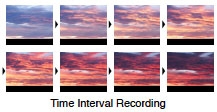
ISO Sensitivity
Auto, LOW (approx. 100) 25600,
Metering Method
Center-weighted average metering, Multi-zone metering, Spot metering
Exposure Modes
Manual (M), Aperture Priority (A), Shutter Priority (S), Programmed Auto (P), iAUTO, Scene Selection (SCN), Bulb, Time, Underwater, Art Filter
Metering Range: EV -2.0 - EV 20.0
Compensation: -5 EV to +5 EV (in 1/3, 1/2 or 1 EV steps)
White Balance Modes
Auto, Sunny(5300K), Shadow(7500K), Cloudy(6000K), Incandescent(3000K), Fluorescent(4000K), Underwater, WB Flash(5500K), Custom WB (Kelvin setting)
Picture Modes
i-Enhance, Vivid, Natural, Muted, Portrait, Monotone, Custom, e Portrait, Color Creator, Art Filters
Scene Selection
Portrait, e-Portrait, Landscape, Landscape + Portrait, Sport, Hand-held Starlight (captures 8 shots and combines into a single image composite), Night scene, Night + Portrait, Children, High Key, Low Key, DIS mode, Macro, Nature Macro, Candle, Sunset, Documents, Panorama, Fireworks, Beach & Snow, Fisheye Converter, Wide Converter, Macro Converter, 3D (only with H-FT012 Panasonic 3D Lens)
With So Many Creative Tools, Finding the Shot Is Only the Beginning
The E-M10 offers you an incredible array of easy-to-use creative tools that can transform your photos from excellent to spectacular. Color Creator. Photo & Movie Capture (high-quality stills while shooting a movie at an insane 5fps in P/A/S/M mode). Live Composite Mode for capturing starscapes intuitively. HDR and HDR bracketing. Twelve Art Filters and nine Art Effects. Photo Story for shooting normal, everyday scenes from multiple viewpoints and combining them into one image.
Creativity
Creative Functions
HDR, Bracketing, Color Creator, Highlight & Shadow Control, Live Composite (0.5 - 60 sec), Live Bulb, Photo Story, Art Filters, Photo & Movie Capture
HDR Function
2 HDR modes available plus HDR bracketing (3 or 5 frames in 2.0/3.0 selectable EV steps, 7 frames in 2.0 selectable EV steps)
Bracketing
Yes; HDR, Exposure, ISO, White Balance, Flash, Art Filter
Art Filters
12 art filters available: Pop Art, Soft Focus, Pale & Light Color, Light Tone, Grainy Film, Pin Hole, Diorama, Cross Process, Gentle Sepia, Dramatic Tone, Key Line, Water Color
7 art effects available: Soft Focus, Pin-Hole, White Edge, Frame, Star Light, Diorama, Picture Tone
Photo Story
4 modes available: Standard, Fun Frame, Speed, Zoom In/Out
Level Gauge
2-axis; horizontal /vertical

Live Guide
Color saturation, Color image, Brightness, Blur Background, Express Motion, Shooting Tips
Live Control
Battery information, Shooting mode, Shutter speed, Aperture value, Exposure compensation value, ISO sensitivity,Exposure compensation indicator, Exposure indicator, Flash intensity compensation indicator, Date, Auto BKT setting, NR setting, WB, Record mode, Flash Status, Image size, Drive mode, Flash intensity compensation value, Metering mode, Recordable still image number, Focusing mode, AF frame, Internal Temperature Warning, IS activating mode, Face detection, My Mode, Multi Exposure, Aspect Ratio
Super Control Panel
Battery information, Shooting mode, Shutter speed, Aperture value, Exposure compensation value, ISO sensitivity,Exposure compensation indicator, Exposure indicator, Flash intensity compensation indicator, Date, Auto BKT setting, NR setting, WB, WB compensation value, Record mode, Flash Status, Record mode, Image size, Drive mode, Flash intensity compensation value, Metering mode, Recordable still image number, Focusing mode, AF frame, Colour space, Sharpness, Contrast, Saturation, Internal Temperature Warning Gradation, IS activating mode, Face detection, My Mode, Multi Exposure, Aspect Ratio, Super FP
Playback
Single-frame, Information display, Index display (4/9/25/100 frames), Calendar, Enlargement (2x - 14x), Movie (with sound, FF/REW/Pause), Picture rotation (auto), Slideshow (with sound including BGM, Slide show effects, replaceable BGM), Light Box display
Information Display
Histogram (independent luminance / RGB available), Highlight/Shadow point warning, AF frame, Photographic information, OFF
Languages
34 languages available: English, French, German, Spanish, Italian, Japanese, Korean, Traditional Chinese, Simplified Chinese, Russian, Czech, Dutch, Danish, Polish, Portuguese, Swedish, Norwegian, Finnish, Croat, Slovenian, Hungarian, Greek, Slovakian, Turkish, Latvian, Estonian, Lithuanian, Ukrainian, Serbian, Bulgarian, Rumanian, Indonesian, Malay, Thai
Battery
1 x BLS-5 Li-ion battery (included);
Records approx. 320 shots per charge
Operating Enviroment
Operating
Temperature: 32 to 104F (0 to 40C)
Humidity: 30 - 90%
Storage
Temperature: -4 to 140F (-20 to 60C)
Humidity: 10 - 90%
Environmentally sealed
No
Dimensions (WxHxD)
4.7 inch (W) x 3.2 inch (H) x 1.8 inch (D)/ 119.1mm (W) 82.3mm (H) 45.9mm (D)
Weight
14 oz / 0.87 lb/396 g (with battery and memory card)
Box Contents
E-M10 Camera body, Li-ion battery BLS-5, Li-ion battery charger BCS-5, USB cable, Shoulder strap, OLYMPUS Viewer 3 (CD-ROM), Instruction manual, Warranty card
|
|
|
|
Previous Page
|
Next Page
|
|