Camerafarm product archive #39265
| Image |
Date |
Product description |
Price |
Buy |
|
04/07
|
Transcend JetFlash 2A - 16GB USB2.0 Flash Drive - Silver/Brown
|
JetFlash 2A Ultra-Speed data transfer rates, Massive Memory Capacity (up to 16GB) and Outstanding Performance make the JetFlash2A perfect for Hi-Speed USB 2.0 data transfer and storage at school, work, or on home computers.

|
| Features |
 |
Fully compatible with Hi-Speed USB 2.0
Easy Plug and Play installation
JetFlash eliteSoftware pack includes:
-PC-Lock Function: Makes JetFlash a key to lock your computer
-Secret-Zip Function: Compress and/or Password protect saved files using AES Encryption
-E-Mail Function: Use your JetFlash to Securely Send, Receive and Save e-mails
-AutoLogin Function: Automatically login to websites where you have a password
-Favorites Function: Store all your favorite website addresses on the JetFlash
-DataBackup Function: Backup, Restore and Synchronize your Data using the JetFlash
Driverless (Only Windows 98SE needs the enclosed driver)
USB powered. No external power, or battery needed |
| Specification |
| |
 |
- - |
|
| Size |
: |
75mm x 25mm x 11mm (128MB-4GB)
88mm x 33mm x 15mm (8GB, 16GB) |
| Performance |
: |
Read up to 16 MByte/sec, Write up to 12 MByte/sec (128MB~1GB)
Read up to 30 MByte/sec, Write up to 25 MByte/sec (2GB~16GB))
The actual read/write speed shall be printed on the product packaging
|
| Data Retention |
: |
Up to 10 years |
| Durability |
: |
>100,000 program/erase cycles |
| Weight |
: |
15g (128MB-4GB)
24g (8GB, 16GB |
| Certificate |
: |
CE, FCC, BSMI |
| * Note |
: |
Speed may vary due to host hardware, software and usage. |
|
|


|
|
|
04/07
|
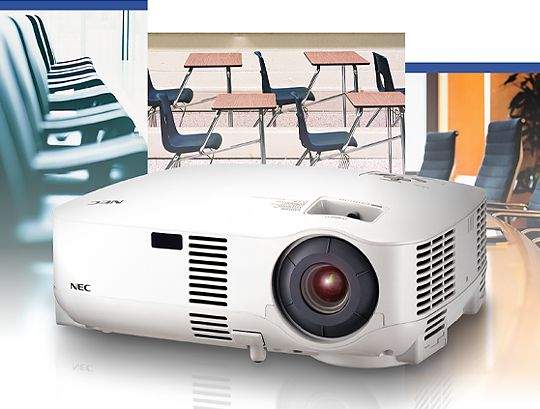
NEC VT-491G LCD Portable Projector - SVGA, 2000 Lumens, 600:1
High-performance, cost-effective projector offers easy, multifunction operation perfect for education and business.
|
|
- Quick start & quick cool down
- Wall Colour Correction
- Built-in speaker (1W for VT590 / VT491 / VT59 / VT49)
- Security function
|
| Quick start & quick cool down |
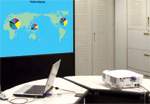 |
Eight seconds after turning on the power, the projector is ready to display PC or video images. Powering down, the fans stop 30 seconds after turning off the power from the remote control or cabinet control panel. The projector can be stored immediately after powering down. The main power for the projector can be turned off by either pressing the main power switch or by unplugging the power cable, even during the cool down period after the projector is turned off. |
| Vertical Keystone Correction adjusts the trapezoidal distortion to correct the projected image |
If the position of the screen is too high or low, the projector must be installed at an angle, resulting in trapezoidal distortion of the projected images. The acceleration sensor built into the main unit senses the inclination of the unit in the vertical direction and then corrects for any trapezoidal distortion in the
projected image automatically to project square images (+/- 30 degrees from the projection angle). Projector setup is quick and easy as manual correction is not necessary. Manual vertical Keystone Correction is available on the VT590/VT491/VT59/VT49. |
 |
| Wall Colour Correction for vivid images even without a screen |
Without a screen, projected images are affected because of the colour of the wall or blackboard you are projecting on to. The built-in colour correction for projecting images on a coloured wall or blackboard in this projector means that the colour tones of the projected image is approximate to those that are projected on to a white screen. The following eight colour options are available
: blackboard, blackboard (gray), light yellow, light green, light blue, sky blue, light rose, and pink. |
 |
| Very quiet operation in Eco Mode |
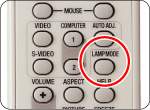
| Eco Mode operation drops projector noise to 25 dB for very quiet operation (VT59/VT49) and extends the lamp replacement period up to a maximum of 4000 hours (VT59/VT49). In this mode, total cost of ownership can be effectively reduced. The projector can be put in to Eco Mode very easily with a button on the remote control. |
 |
| Auto start |
| Turns the projector on automatically when the power cable is inserted into an active power outlet. This eliminates the need to use the POWER button on the remote control or projector cabinet. *To use Auto Start, first set the main power switch to "On" before plugging in the power cable. |
| Built-in speaker for integrated audio solutions |
| The built-in monaural speaker (5W for VT695/VT595 and 1W for VT590/VT491/VT59/VT49) on the main unit outputs audio from computer, video, and S-video inputs. |
| Security function prevents unauthorized use or theft |
| Password access prevents unauthorized use of the projector. Once the security function is activated, a message requesting the password is displayed when the power of the main unit is turned on. It is not possible to project an image unless the correct password is entered. |
| Carrying handle for easy transport |
| The supplied carrying handle can be installed on the main unit for easy transportation. (VT695/VT595/VT590/VT491 only) |
| Remote Mouse Operation |
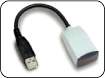
| You can use the supplied wireless remote control and the optional remote mouse receiver to control your PC from across the room. The optional remote mouse receiver (NP01MR) supports almost any PC with a USB connection. |
NP01MR(Option)
 |
- Supports component signals
- Preset function for setting and storing your favorite colour settings
- HDTV (1080i, 720p) and SDTV (576p, 480p) compatibility
- Short focal length lens
| Model |
Resolution |
Brightness |
Zoom |
Computer Input |
Speaker |
| VT491 |
SVGA |
2000 ANSI lumens |
Manual Zoom |
Analog |
1W |
| Terminal Panel |
VT491
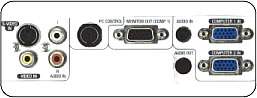 |
Manual Zoom
VT695/595/590/491/59 |
 |
| Specifications |
| Model Name |
VT695 |
VT595 |
VT590 |
VT491 |
VT59 |
VT49 |
| LCD Panel *1 |
0.63inches p-Si TFT
active-matrix with MLA |
0.6inches p-Si TFT active-matrix with MLA |
| Resolution |
XGA (1024 x 768) |
SVGA (800 x 600) |
XGA (1024 x 768) |
SVGA (800 x 600) |
| Lens |
Manual Focus |
(Range 1.5 to 1.8)(f=18.9mm to 22.7mm) |
(Range 1.8)(f=22.4mm) |
| Zoom |
Manual (Ratio:1.2) |
Digital (Ratio:1.2) |
| Lamp |
Normal Mode |
200W DC |
190W DC |
150W DC |
| Eco Mode |
150W |
120W |
| Lamp Life *2 |
Normal Mode |
2000H |
3000H |
| Eco Mode |
3000H |
4000H |
| Light Output |
2500 ANSI lumens
(Approx.75% in Eco Mode) |
2000 ANSI lumens
(Approx.80% in Eco Mode) |
1600 ANSI lumens
(Approx.80% in Eco Mode) |
| Contrast Ratio (White/Black) |
600 : 1 |
| Fan Noise |
Normal Mode |
35dB |
34dB |
32dB |
| Eco Mode |
29dB |
25dB |
| Image Size |
21 to 300 inches |
25 to 300 inches |
| Projection Distance |
0.7m to 10.7m |
0.7m to 11.1m |
0.9m to 11.0m |
| Projection Angle |
8.3 to 8.6 (Tele) , 9.9 to 10.3 (Wide) |
8.4 to 8.7 |
| Colour Reproduction |
Full Colour, 16.77Million Colours Simultaneously |
| Maximum Resolution |
UXGA (1600 x 1200) |
| Keystone Correction Vertical |
Manual/Automatic 30degrees |
Manual 30degrees |
| Scan Rate |
Horizontal |
15kHz to 100kHz (RGB : 24kHz or over) |
| Vertical |
50Hz to 120Hz |
| Input Signal Bandwidth |
RGB : 80MHz/Video : 6.5MHz |
| Input Terminals |
Computer Input ( VT695/ VT595/ VT491 : 2 Inputs ) |
Number |
2 |
1 |
2 |
1 |
D-Sub Mini 15pin
(Computer 1) |
RGB |
0.7Vp-p/75 positive |
| H/V Sync |
4.0Vp-p/TTL Level polarity |
| Composite Sync |
4.0Vp-p/TTL Level polarity |
| Sync on G |
1.0Vp-p/75(With Sync)Negative polarity |
DVI-I 29pin
(Computer 2) |
DVI digital |
T.M.D.S Specifications with H.D.C.P |
- |
| DVI analog |
Same with Computer 1 |
| D-Sub Mini 15pin (Computer 2) |
- |
Same with Computer 1 |
- |
| Audio Input (Sharing with Computer 1&2) |
0.5Vrms/22k or over |
Same with Video |
0.5Vrms / 22 k or over |
Same with Video |
| Stereo Mini Jack |
Stereo L/R |
Component Input
(Sharing with
Computer 1
Input) |
D-Sub Mini 15pin
(Sharing With
Computer 1 Input) |
Y |
1.0Vp-p/75(With Sync) |
Cb Cr
(Pb Pr) |
0.7Vp-p/75 |
| Compatible signals |
DTV : 480i, 480p, 720p, 1080i (60Hz) / 576i, 576p, 1080i (50Hz) |
| DVD : Progressive (50/60Hz) |
| Audio Input (Sharing with Computer) |
Same with Computer |
| Video Input |
RCA pin |
Composite Video |
NTSC/NTSC4.43/PAL/PAL-N/PAL-M/PAL-60/SECAM |
| 1.0Vp-p/75(With Sync) |
| 2 RCA pin |
Stereo L(MONO)/R |
0.5Vrms/22k or over |
| S-Video Input |
Mini DIN-4pin |
Y |
1.0Vp-p/75(With Sync) |
| C |
0.286Vp-p/75 |
| Audio Input (Sharing with Video) |
Same with Video |
| Output Terminals |
Computer Output |
D-Sub Mini 15pin |
Only Computer1 can be output |
| Audio output |
Stereo Mini Jack |
Stereo L(MONO)/R |
Variable Output Level. Selected Computer &
Video, S-Video with Audio Signal Output |
- |
Variable Output Level. Selected Computer
& Video, S-Video with Audio Signal Output |
- |
| Control Terminals |
PC Control |
Mini DIN-8pin |
RS-232C |
| Built-In Speaker |
5W Monaural |
1W Monaural |
| Environment |
Operational Temperatures |
5C to 40C, 20% to 80% Humidity (Non-Condensing) Eco mode selected automatically at 35C to 40C |
| Storage Temperatures |
-10C to 50C, 20% to 80% Humidity (Non-Condensing) |
| Power Consumption |
Normal Mode |
285W |
270W |
255W |
205W |
| Eco Mode |
220W |
205W |
170W |
| Standby Mode |
9W |
| Input Current |
3.1/1.3A(100/240V AC) |
2.4/1.0A(100/240V AC) |
| Power Requirement |
100 to 240V AC, 50Hz/60Hz |
| Regulations |
For United States *3 |
UL Approved(UL 60950-1), Meets FCC Class B Requirements |
| For Canada *3 |
UL Approved(CSA 60950-1), Meets DOC Canada Class B Requirements |
| For Australia/New Zealand *3 |
Meets IEC60950-1, Meets AS/NZS CISPR.22 Class B |
| For China *3 |
GB4943, GB9254,GB17625.1 |
| For Europe |
Meets EMC Directive(EN55022, EN55024, EN61000-3-2, EN61000-3-3), Meets Low Voltage Directive (EN60950-1, TV GS Approved) |
| Net Weight |
3.0kg |
2.9kg |
2.8kg |
| Dimensions (WxHxD) |
309mm x 112mm x 258mm (Not Including Protrusions) |
| *1 : |
LCD Panel technology consists of fine picture cells with more than 99.99% of the cells being active. |
| *2 : |
Lamp life is defined as the average time span for the brightness of the lamp to be reduced by half, it dose not refer to the warranty period for the lamp. |
| *3 : |
VT695/VT595/VT590/VT491/VT49 only |
| |
All specifications are subject to change without notice. |
|
|
|
|
|
04/07
|
Mitsubishi SD105U DLP Portable Projector - SVGA, 1600 Lumens, 1800:1
SD105U PORTABLE SVGA DLP PROJECTOR
|
|
The SD105U DLP projector from Mitsubishi Electric is a SVGA model that offers excellent features in a small lightweight package. With a high brightness of 1600 lumens and vivid contrast ratio of 1800:1, combined with its compact 2.9 kg design, the SD105U is perfect for mobile presentations or for use in the boardroom or classroom
Not only does it have a great picture, but the SD105U is also jam packed full other great features: 
- Vertical Digital Keystone Correction This allows for adjustment of vertical keystone, which makes setting the projector picture up in a new location quick and easy.
- Security Features The SD105U has a compatible Kensington lock slot and security hook, giving users more flexibility for securing the projector. A Password lockout capability protects the SD105U from unauthorised use.
- Filter Free Projector lamp filters found in similar models to the SD105U require cleaning and maintenance which, if not performed regularly means dust particles become clogged in the filter, causing the projector lamp to overheat which can seriously reduce lamp life. The SD105U has been designed so that no air intake filter is needed, ensuring you receive the full life of the lamp.
- Instant Shutdown No waiting for the lamp to cool down! Just switch the power off and the projector can be quickly stowed away. Ideal for presentations on the run.
- Video Line Doubler This helps to eliminate jagged edges for smoother looking projected images.
- Monitor Output This allows the user to daisy chain a monitor to the projector for added visual support.
- RS232C control Allows the user to control the projector functions from a PC, without the need to use a remote control or access the projector buttons.
With these features and many more, the SD105U makes for a quality, affordable portable projector.
|
| |
| Specifications |
|
Display technology
|
0.55" 1-Chip DMD, 12deg.DDR, DDP2000
|
|
|
|
Resolution
|
800 x 600 (total 480,000 pixels), 500 video lines
|
Output terminals
|
RGB : Mini D-sub 15pin x 1
Audio: Stereo Mini Jack ( 3.5mm) x 1
|
|
Brightness
|
1600 ANSI lumens
|
Communication terminals
|
USB terminal for Page Up/Down; RS232C (D-sub)
|
|
Contrast Ratio
|
1800:1
|
Audio speaker
|
2 W Mono
|
|
Colours
|
16,770,000 colours
|
Remote control
|
Projector fully control: PowerPoint Page Up/ Page Down via USB
|
|
Zoom/focus
|
Manual Focus and Zoom Lens
|
Power consumption
|
260 W / 2.6A
|
|
Picture size
|
40 ~ 300 inch (100" = 3.7m)
|
Dimensions (WxHxD)
|
256 x 88 x 223 mm (excluding all protrusions)
|
|
Source lamp
|
160 W / 3,000 hours (Normal mode)
128 W / 4,000 hours (Low mode)
|
Weight
|
2.9 kg
|
|
Computer compatibility
|
Resolution ; VGA to XGA (640 x480 - 1024 x 768) True: 800 x 600
Sync on Green available
|
Power supply
|
AC100 ~ 240 V 10%, 50/60 Hz
|
|
Video compatibility
|
NTSC/ NTSC 4.43/ PAL (including PAL-M, N) / SECAM/ PAL-60, Component Video; 480i/p(525i/p), 576i/p (625i/p), 720p (750p), 1080i (1125i 60Hz), 1080i (1125i 50Hz) (1080i(1250i 50Hz) is not available)
|
All contents may subject to change.
Windows. is a registered trademark of Microsoft Corporation.
Macintosh. is a registered trademark of Apple Computer, Inc.
XGA and SXGA are registered trademarks of IBM Corporation.
All other products or brand names are trademarks or registered trademarks of their respective holders
|
|
Input terminals
|
RGB: Mini D-sub 15pin x 1
Audio: Stereo Mini Jack ( 3.5mm) x 1
|
|
Video: RCA + S video x 1
|
|
|
|
| |
|
Included with the projector:
|
Soft carrying bag x1
|
|
Remote control x1(With 2 batteries)
|
|
Power cable x1
|
|
VGA (D-sub) cable x1
|
|
Composite cable (1.8m) x1
|
|
Owner's manual (CD-ROM) x1
|
|
Safety manual x1
|
|
Quick start manual x1
|
Accessories (purchased separately):
|
|
|
|
|
04/07
|
Adobe After Effects CS3 Professional - Windows, Upgrade* Upgrade from After Effects Pro or Standard
Create motion graphics and visual effects with the industry standard
After Effects CS3 Professional is an essential upgrade. Design vector graphics, create more organic movements, and expedite delivery with new integration and new collaboration features.
Top features
Innovative compositing and animation tools
Create high-impact communications by combining moving imagery, still images and graphics, text, and sound in 2D or 3D space and then animating virtually any aspect of each element.
Unmatched Adobe integration
Enjoy a streamlined workflow with support for importing Adobe Photoshop images that include video layers as well as Adobe Illustrator graphics that maintain image integrity. Move easily between After Effects and Adobe Premiere Pro CS3 or Encore CS3 software, and share animations easily with Adobe Flash CS3 Professional software.

Text and vector graphics creation and animation
Text and vector graphics creation and animation
Create text and vector graphics in After Effects using familiar Adobe tools, and then animate these elements to create visually innovative new motion graphics.
Extensive visual effects
Manipulate moving and still images using hundreds of effects such as stylize, distort, and shatter. Create grids, radio waves, 3D particles, film grain, fractal noise, and more.
Time-saving tools
Timesaving tools
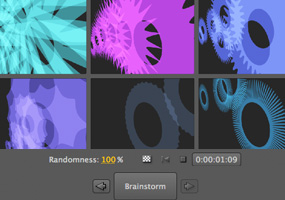
Start projects quickly with animation presets and behaviors when creating common animation elements, such as animating text in and out, creating synthetic backgrounds, and more. Use new Brainstorm to quickly experiment and refine designs using parameters you define. Learn fast with Tool Tips and training resources in the box and on the web, and streamline your review process with Adobe Clip Notes to create and import comments.
Comprehensive masking and keying tools
Control which portions of a layer are visible by importing, manipulating, and animating masks. Flexible auto-tracing options and RotoBezier masks make it easy to get precise results. Key bluescreen and greenscreen mattes with the Academy Award-winning Keylight and a host of supporting tools.

Time-saving tools
Powerful motion controls
Animate graphics and text using the Puppet tool. Apply motion blur to produce more realistic animations, or use Timewarp to slow down and speed up footage. Precisely match the motion of source footage using Motion Tracker, and get the look of a locked-off shot using Motion Stabilizer.
Enhanced performance
Harness your computers processing power with new multicore and graphics acceleration plus disk caching so you can spend less time waiting and more time creating. Distribute rendering across your entire network to maximize output performance.
Professional results for every media type
Compatibility with an extensive list of output formats lets you produce animated content for virtually any media, from the web and mobile devices to film and broadcast. Plus, After Effects CS3 Professional introduces color management tools to help make the color-correction process more predictable and preserve color fidelity.
High-fidelity color
Use standard color management tools with enhancements for film and video workflows.
System requirements
Windows
- Intel Pentium 4, Intel Centrino, Intel Xeon, or Intel Core Duo (or compatible) processor
- Microsoft Windows XP with Service Pack 2 or Windows Vista Home Premium, Business, Ultimate, or Enterprise (certified for 32-bit editions)
- 1GB of RAM for DV; 2GB of RAM for HDV and HD
- 3GB of available hard-disk space plus 2GB of space for optional content (additional free space required during installation)
- 1024x768 monitor resolution with 32-bit video card; Adobe recommended graphics card for GPU-accelerated playback
- For OpenGL support: Adobe After Effects supported OpenGL 2.0 card (NVIDIA recommended)
- DVD-ROM drive
- QuickTime 7.1.5 software required to use QuickTime features
- Internet or phone connection required for product activation
- Broadband Internet connection required for Adobe Stock Photos* and other services
- For recommended graphics cards and compatibility lists, see the OpenGL page.
Macintosh
- PowerPC G4 or G5 or multicore Intel processor
- Mac OS X v.10.4.9
- 1GB of RAM for DV; 2GB of RAM for HDV and HD
- 3GB of available hard-disk space plus 2GB of space for optional content (additional free space required during installation)
- 1024x768 monitor resolution with 32-bit video card; Adobe recommended graphics card for GPU-accelerated playback
- For OpenGL support: Adobe After Effects supported OpenGL 2.0 card (NVIDIA recommended)
- DVD-ROM drive
- QuickTime 7.1.5 software required to use QuickTime features
- Internet or phone connection required for product activation
- Broadband Internet connection required for Adobe Stock Photos* and other services
- For recommended graphics cards and compatibility lists, see the OpenGL page.
*Online services, including, but not limited to, Adobe Stock Photos and Acrobat Connect, may not be available in all countries, languages, and currencies. Availability of services is subject to change. Use of online services is governed by terms and conditions of a separate agreement and may be subject to additional fees.

|
|
|
|
04/07
|
Adobe After Effects CS3 Professional - Mac, Upgrade* Upgrade from After Effects Pro or Standard
Create motion graphics and visual effects with the industry standard
After Effects CS3 Professional is an essential upgrade. Design vector graphics, create more organic movements, and expedite delivery with new integration and new collaboration features.
Top features
Innovative compositing and animation tools
Create high-impact communications by combining moving imagery, still images and graphics, text, and sound in 2D or 3D space and then animating virtually any aspect of each element.
Unmatched Adobe integration
Enjoy a streamlined workflow with support for importing Adobe Photoshop images that include video layers as well as Adobe Illustrator graphics that maintain image integrity. Move easily between After Effects and Adobe Premiere Pro CS3 or Encore CS3 software, and share animations easily with Adobe Flash CS3 Professional software.

Text and vector graphics creation and animation
Text and vector graphics creation and animation
Create text and vector graphics in After Effects using familiar Adobe tools, and then animate these elements to create visually innovative new motion graphics.
Extensive visual effects
Manipulate moving and still images using hundreds of effects such as stylize, distort, and shatter. Create grids, radio waves, 3D particles, film grain, fractal noise, and more.
Time-saving tools
Timesaving tools
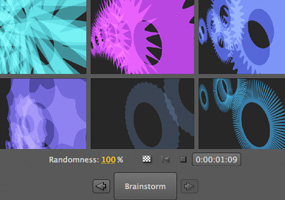
Start projects quickly with animation presets and behaviors when creating common animation elements, such as animating text in and out, creating synthetic backgrounds, and more. Use new Brainstorm to quickly experiment and refine designs using parameters you define. Learn fast with Tool Tips and training resources in the box and on the web, and streamline your review process with Adobe Clip Notes to create and import comments.
Comprehensive masking and keying tools
Control which portions of a layer are visible by importing, manipulating, and animating masks. Flexible auto-tracing options and RotoBezier masks make it easy to get precise results. Key bluescreen and greenscreen mattes with the Academy Award-winning Keylight and a host of supporting tools.

Time-saving tools
Powerful motion controls
Animate graphics and text using the Puppet tool. Apply motion blur to produce more realistic animations, or use Timewarp to slow down and speed up footage. Precisely match the motion of source footage using Motion Tracker, and get the look of a locked-off shot using Motion Stabilizer.
Enhanced performance
Harness your computers processing power with new multicore and graphics acceleration plus disk caching so you can spend less time waiting and more time creating. Distribute rendering across your entire network to maximize output performance.
Professional results for every media type
Compatibility with an extensive list of output formats lets you produce animated content for virtually any media, from the web and mobile devices to film and broadcast. Plus, After Effects CS3 Professional introduces color management tools to help make the color-correction process more predictable and preserve color fidelity.
High-fidelity color
Use standard color management tools with enhancements for film and video workflows.
System requirements
Windows
- Intel Pentium 4, Intel Centrino, Intel Xeon, or Intel Core Duo (or compatible) processor
- Microsoft Windows XP with Service Pack 2 or Windows Vista Home Premium, Business, Ultimate, or Enterprise (certified for 32-bit editions)
- 1GB of RAM for DV; 2GB of RAM for HDV and HD
- 3GB of available hard-disk space plus 2GB of space for optional content (additional free space required during installation)
- 1024x768 monitor resolution with 32-bit video card; Adobe recommended graphics card for GPU-accelerated playback
- For OpenGL support: Adobe After Effects supported OpenGL 2.0 card (NVIDIA recommended)
- DVD-ROM drive
- QuickTime 7.1.5 software required to use QuickTime features
- Internet or phone connection required for product activation
- Broadband Internet connection required for Adobe Stock Photos* and other services
- For recommended graphics cards and compatibility lists, see the OpenGL page.
Macintosh
- PowerPC G4 or G5 or multicore Intel processor
- Mac OS X v.10.4.9
- 1GB of RAM for DV; 2GB of RAM for HDV and HD
- 3GB of available hard-disk space plus 2GB of space for optional content (additional free space required during installation)
- 1024x768 monitor resolution with 32-bit video card; Adobe recommended graphics card for GPU-accelerated playback
- For OpenGL support: Adobe After Effects supported OpenGL 2.0 card (NVIDIA recommended)
- DVD-ROM drive
- QuickTime 7.1.5 software required to use QuickTime features
- Internet or phone connection required for product activation
- Broadband Internet connection required for Adobe Stock Photos* and other services
- For recommended graphics cards and compatibility lists, see the OpenGL page.
*Online services, including, but not limited to, Adobe Stock Photos and Acrobat Connect, may not be available in all countries, languages, and currencies. Availability of services is subject to change. Use of online services is governed by terms and conditions of a separate agreement and may be subject to additional fees.

|
|
|
|
04/07
|
Adobe Premiere Pro CS3 - Windows, Upgrade* Upgrade from any version of Premiere, Premiere Pro
Capture, edit, and deliver video to disc, the web, and mobile devices
Make every phase of video production more efficient with Adobe Premiere Pro, includes Adobe OnLocation CS3* (Windows only), and includes Adobe Encore CS3. Top new features include:
- Output to DVD and Blu-ray Disc
- High quality slow motion with time remapping
- Direct-to-disc recording and professional on-set monitoring
- Publish Adobe Encore projects to the web
- Multiple project panels with smart file search
- Improved editing efficiency
- Output for mobile devices
* For Macintosh users, Adobe OnLocation requires Boot Camp and Windows (purchased separately) or a separate Windows based computer.
Top features
Efficient tools for creative editing
Efficient tools for creative editing
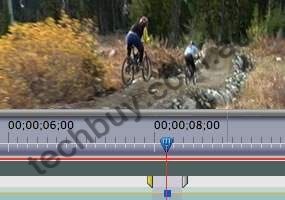
Create high-quality visual and editorial effects directly within the editing timeline. Generate slow motion and other time-remapping effects with precise keyframe control and real-time feedback. Add color correction, lighting and other effects, audio filters, and more with fast, flexible, built-in tools. Edit footage from multicam shoots with ease and precision.
Comprehensive video-format compatibility
Work with the formats you want. Edit all standard- or high-definition formats, from DV and HDV to HD and beyond (some formats may require additional hardware).
Broad range of supporting hardware and software for Mac and Windows
Choose from a wide range of Mac and Windows workstations and capture cards to build the editing system that meets your needs and budget. Enhance your system with additional plug-ins, including many from After Effects.
DVD and Blu-ray Disc output with included Adobe Encore CS3
Create DVD and Blu-ray Discs with Adobe Encore CS3, now included with Adobe Premiere Pro CS3. Work with the same Adobe Encore authoring interface and features used to create standard-definition DVDs. Author once, deliver to three formats: automatically convert your high-definition Blu-ray Disc projects into standard-definition DVDs and interactive versions for the web.
Superior integration with other Adobe applications
Make the leading still and motion graphics applications, Photoshop and After Effects, part of an efficient post-production workflow. Import and animate Photoshop layers. Automatically create Photoshop files that match the current projects frame size and aspect ratio. Drag and drop or copy and paste clips and timelines between Adobe Premiere Pro CS3 and After Effects CS3 Professional.
Direct-to-disk recording with included Adobe OnLocation CS3* (Windows only)
Save tape and time by eliminating capture from your production process. Record SD and HD video directly to hard disk using Adobe OnLocation CS3 software, included with Adobe Premiere Pro CS3. Instantly review each shot without shuttling tape. Adobe OnLocation automatically detects and flags problems to provide the best results.
Professional on-set monitoring with Adobe OnLocation CS3
Maximize camera image quality during shoots by using Adobe OnLocation CS3 to quickly calibrate your camera, check levels, and monitor your signal. Use simple tools that function like their hardware equivalents to get results quickly and easily. The virtual reference monitor, waveform monitor, vectorscope, and audio spectrum analyzer help you avoid problems and improve quality when shooting.
Delivery to the web and mobile devices
Make your video viewable on the delivery platforms of today and tomorrow. Export as SWF FLV files. Easily convert DVD projects complete with menus to SWF for web playback. Encode for delivery to cell phones and other mobile devices, and emulate playback on those devices to check playback quality.
Improved editing efficiency
Improved editing efficiency
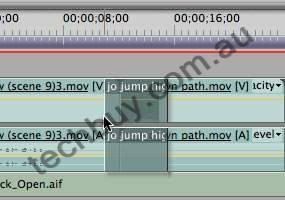
Work faster with powerful and flexible editing tools. Play video with nested audio sequences in real time without rendering. Replace any clip in the timeline with a new clip while preserving the replaced clips editing attributes and settings. Use shortcuts to switch between workspace panels and save time.
Accelerated client review and approval with Adobe Clip Notes
Expedite review cycles and avoid miscommunication with Adobe Clip Notes. Embed video into a PDF file, e-mail the file to your client to review and add timecode-specific comments, and then view comments mapped to the Adobe Premiere Pro CS3 timeline.
* For Macintosh users, Adobe OnLocation requires Boot Camp and Windows (purchased separately) or a separate Windows based computer.
System requirements and languages
Windows
- Intel Pentium 4 (2GHz processor for DV; 3.4GHz processor for HDV), Intel Centrino, Intel Xeon (dual 2.8GHz processors for HD), or Intel Core Duo (or compatible) processor; SSE2-enabled processor required for AMD systems
- Microsoft Windows XP Professional or Home Edition with Service Pack 2 or Windows Vista Home Premium, Business, Ultimate, or Enterprise (certified for 32-bit editions)
- 1GB of RAM for DV; 2GB of RAM for HDV and HD
- 10GB of available hard-disk space (additional free space required during installation)
- Dedicated 7,200 RPM hard drive for DV and HDV editing; striped disk array storage (RAID 0) for HD; SCSI disk subsystem preferred
- 1,280x1,024 monitor resolution with 32-bit video card; Adobe recommended graphics card for GPU-accelerated playback
- Microsoft DirectX or ASIO compatible sound card
- For SD/HD workflows, an Adobe certified card for capture and export to tape
- DVD-ROM drive
- Blu-ray burner required for Blu-ray Disc creation
- DVD+-R burner required for DVD creation
- OHCI compatible IEEE 1394 port for DV and HDV capture, export to tape, and transmit to DV device
- QuickTime 7 software required to use QuickTime features
- Internet or phone connection required for product activation
- Broadband Internet connection required for Adobe Stock Photos* and other services
Macintosh
- Multicore Intel processor (Adobe OnLocation CS3 is a Windows application that may be used on Macintosh using Boot Camp and Windows, sold separately)
- Mac OS X v.10.4.9
- 1GB of RAM for DV; 2GB of RAM for HDV and HD
- 10GB of available hard-disk space (additional free space required during installation)
- Dedicated 7,200 RPM hard drive for DV and HDV editing; striped disk array storage (RAID 0) for HD; SCSI disk subsystem preferred
- 1,280x960 monitor resolution with 32-bit video card; Adobe recommended graphics card for GPU-accelerated playback
- Core Audio compatible sound card
- DVD-ROM drive
- Blu-ray burner required for Blu-ray Disc creation
- SuperDrive for DVD burning
- QuickTime 7 required to use QuickTime features
- Internet or phone connection required for product activation
- Broadband Internet connection required for Adobe Stock Photos* and other services
*Online services, including, but not limited to, Adobe Stock Photos and Acrobat Connect, may not be available in all countries, languages, and currencies. Availability of services is subject to change. Use of online services is governed by terms and conditions of a separate agreement and may be subject to additional fees.
System requirements for Adobe OnLocation CS3
- 2GHz Intel Pentium 4 processor
- Microsoft Windows XP Professional or Home Edition with Service Pack 2 or Windows Vista Home Premium, Business, Ultimate, or Enterprise (certified for 32-bit editions)
- 512MB of RAM
- 100MB of available hard-disk space
- 5,400 RPM hard drive for recording; 13GB of available hard-disk space for each hour of recording
- 32MB AGP or PCI Express graphics card with Direct3D acceleration
- OHCI compliant IEEE 1394 adapter for DV and HDV capture, export to tape, and transmit to DV device
- CD-ROM drive
- Internet or phone connection required for product activation
|
|
|
|
04/07
|
Adobe Premiere Pro CS3 - Mac, Upgrade* Upgrade from any version of Premiere, Premiere Pro
Capture, edit, and deliver video to disc, the web, and mobile devices
Make every phase of video production more efficient with Adobe Premiere Pro, includes Adobe OnLocation CS3* (Windows only), and includes Adobe Encore CS3. Top new features include:
- Output to DVD and Blu-ray Disc
- High quality slow motion with time remapping
- Direct-to-disc recording and professional on-set monitoring
- Publish Adobe Encore projects to the web
- Multiple project panels with smart file search
- Improved editing efficiency
- Output for mobile devices
* For Macintosh users, Adobe OnLocation requires Boot Camp and Windows (purchased separately) or a separate Windows based computer.
Top features
Efficient tools for creative editing
Efficient tools for creative editing
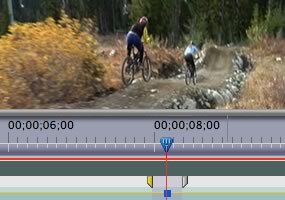
Create high-quality visual and editorial effects directly within the editing timeline. Generate slow motion and other time-remapping effects with precise keyframe control and real-time feedback. Add color correction, lighting and other effects, audio filters, and more with fast, flexible, built-in tools. Edit footage from multicam shoots with ease and precision.
Comprehensive video-format compatibility
Work with the formats you want. Edit all standard- or high-definition formats, from DV and HDV to HD and beyond (some formats may require additional hardware).
Broad range of supporting hardware and software for Mac and Windows
Choose from a wide range of Mac and Windows workstations and capture cards to build the editing system that meets your needs and budget. Enhance your system with additional plug-ins, including many from After Effects.
DVD and Blu-ray Disc output with included Adobe Encore CS3
Create DVD and Blu-ray Discs with Adobe Encore CS3, now included with Adobe Premiere Pro CS3. Work with the same Adobe Encore authoring interface and features used to create standard-definition DVDs. Author once, deliver to three formats: automatically convert your high-definition Blu-ray Disc projects into standard-definition DVDs and interactive versions for the web.
Superior integration with other Adobe applications
Make the leading still and motion graphics applications, Photoshop and After Effects, part of an efficient post-production workflow. Import and animate Photoshop layers. Automatically create Photoshop files that match the current projects frame size and aspect ratio. Drag and drop or copy and paste clips and timelines between Adobe Premiere Pro CS3 and After Effects CS3 Professional.
Direct-to-disk recording with included Adobe OnLocation CS3* (Windows only)
Save tape and time by eliminating capture from your production process. Record SD and HD video directly to hard disk using Adobe OnLocation CS3 software, included with Adobe Premiere Pro CS3. Instantly review each shot without shuttling tape. Adobe OnLocation automatically detects and flags problems to provide the best results.
Professional on-set monitoring with Adobe OnLocation CS3
Maximize camera image quality during shoots by using Adobe OnLocation CS3 to quickly calibrate your camera, check levels, and monitor your signal. Use simple tools that function like their hardware equivalents to get results quickly and easily. The virtual reference monitor, waveform monitor, vectorscope, and audio spectrum analyzer help you avoid problems and improve quality when shooting.
Delivery to the web and mobile devices
Make your video viewable on the delivery platforms of today and tomorrow. Export as SWF FLV files. Easily convert DVD projects complete with menus to SWF for web playback. Encode for delivery to cell phones and other mobile devices, and emulate playback on those devices to check playback quality.
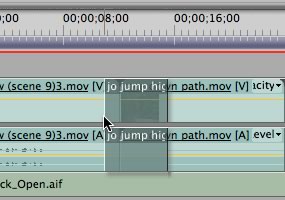
Improved editing efficiency
Improved editing efficiency
Work faster with powerful and flexible editing tools. Play video with nested audio sequences in real time without rendering. Replace any clip in the timeline with a new clip while preserving the replaced clips editing attributes and settings. Use shortcuts to switch between workspace panels and save time.
Accelerated client review and approval with Adobe Clip Notes
Expedite review cycles and avoid miscommunication with Adobe Clip Notes. Embed video into a PDF file, e-mail the file to your client to review and add timecode-specific comments, and then view comments mapped to the Adobe Premiere Pro CS3 timeline.
* For Macintosh users, Adobe OnLocation requires Boot Camp and Windows (purchased separately) or a separate Windows based computer.
System requirements and languages
Windows
- Intel Pentium 4 (2GHz processor for DV; 3.4GHz processor for HDV), Intel Centrino, Intel Xeon (dual 2.8GHz processors for HD), or Intel Core Duo (or compatible) processor; SSE2-enabled processor required for AMD systems
- Microsoft Windows XP Professional or Home Edition with Service Pack 2 or Windows Vista Home Premium, Business, Ultimate, or Enterprise (certified for 32-bit editions)
- 1GB of RAM for DV; 2GB of RAM for HDV and HD
- 10GB of available hard-disk space (additional free space required during installation)
- Dedicated 7,200 RPM hard drive for DV and HDV editing; striped disk array storage (RAID 0) for HD; SCSI disk subsystem preferred
- 1,280x1,024 monitor resolution with 32-bit video card; Adobe recommended graphics card for GPU-accelerated playback
- Microsoft DirectX or ASIO compatible sound card
- For SD/HD workflows, an Adobe certified card for capture and export to tape
- DVD-ROM drive
- Blu-ray burner required for Blu-ray Disc creation
- DVD+-R burner required for DVD creation
- OHCI compatible IEEE 1394 port for DV and HDV capture, export to tape, and transmit to DV device
- QuickTime 7 software required to use QuickTime features
- Internet or phone connection required for product activation
- Broadband Internet connection required for Adobe Stock Photos* and other services
Macintosh
- Multicore Intel processor (Adobe OnLocation CS3 is a Windows application that may be used on Macintosh using Boot Camp and Windows, sold separately)
- Mac OS X v.10.4.9
- 1GB of RAM for DV; 2GB of RAM for HDV and HD
- 10GB of available hard-disk space (additional free space required during installation)
- Dedicated 7,200 RPM hard drive for DV and HDV editing; striped disk array storage (RAID 0) for HD; SCSI disk subsystem preferred
- 1,280x960 monitor resolution with 32-bit video card; Adobe recommended graphics card for GPU-accelerated playback
- Core Audio compatible sound card
- DVD-ROM drive
- Blu-ray burner required for Blu-ray Disc creation
- SuperDrive for DVD burning
- QuickTime 7 required to use QuickTime features
- Internet or phone connection required for product activation
- Broadband Internet connection required for Adobe Stock Photos* and other services
*Online services, including, but not limited to, Adobe Stock Photos and Acrobat Connect, may not be available in all countries, languages, and currencies. Availability of services is subject to change. Use of online services is governed by terms and conditions of a separate agreement and may be subject to additional fees.
System requirements for Adobe OnLocation CS3
- 2GHz Intel Pentium 4 processor
- Microsoft Windows XP Professional or Home Edition with Service Pack 2 or Windows Vista Home Premium, Business, Ultimate, or Enterprise (certified for 32-bit editions)
- 512MB of RAM
- 100MB of available hard-disk space
- 5,400 RPM hard drive for recording; 13GB of available hard-disk space for each hour of recording
- 32MB AGP or PCI Express graphics card with Direct3D acceleration
- OHCI compliant IEEE 1394 adapter for DV and HDV capture, export to tape, and transmit to DV device
- CD-ROM drive
- Internet or phone connection required for product activation
|
|
|
|
Previous Page
|
Next Page
|
|